TotalAV Antivirus & Security
- 180.03K
- 4.2
- Installs
- 10.00M
- Price
- Free
Screenshots
Analysis by Reviewed APKs
TotalAV Antivirus & Security brings mobile security tools together with privacy features and ways to tidy up photos, videos, and contacts. I see it suiting people who want a single place for checks such as scanning, app locking, and website protection rather than a collection of separate utilities. Its mix is appealing, though the subscription boundary matters: several of the headline protections require premium access.
A Check Before You Browse
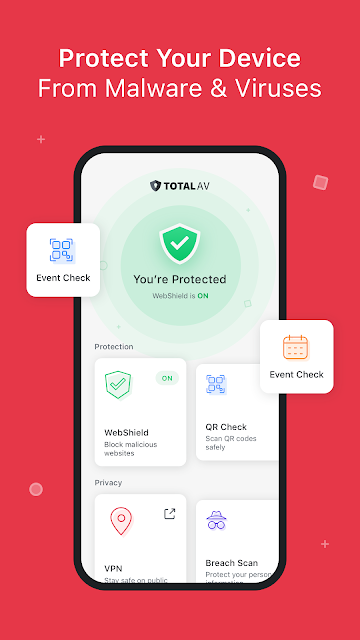
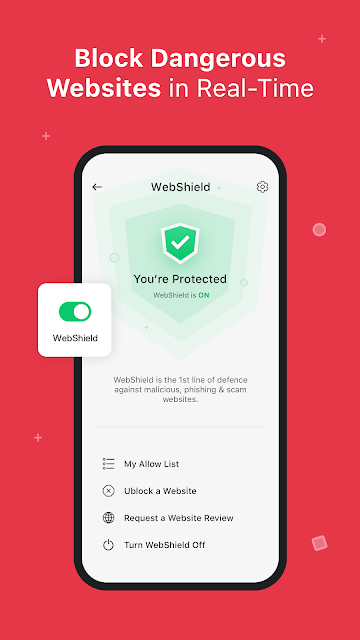
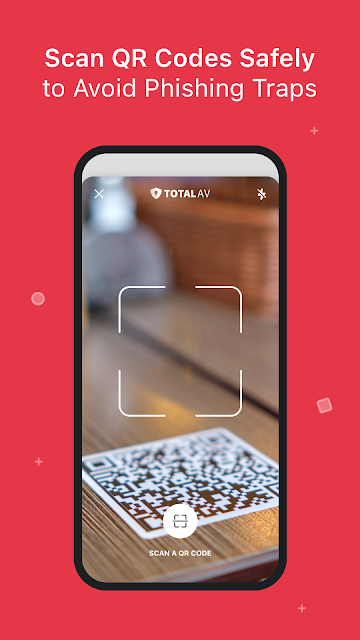
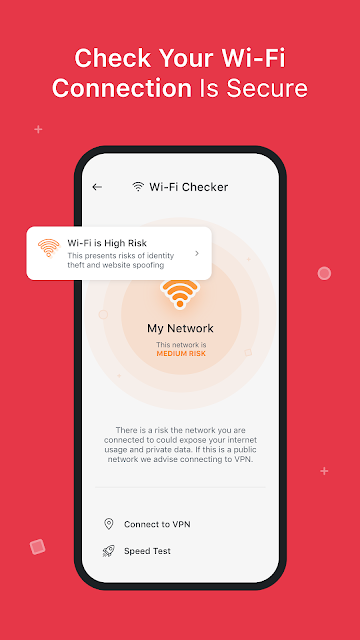
Imagine settling in at a café and joining its Wi-Fi before checking messages or opening a link someone sent. TotalAV gives you a few relevant checks in one app: a Wi-Fi checker for the connection, WebShield for phishing and scam sites, and a QR checker for links hidden in codes. I like that the tools address ordinary moments when it is easy to tap first and think later.
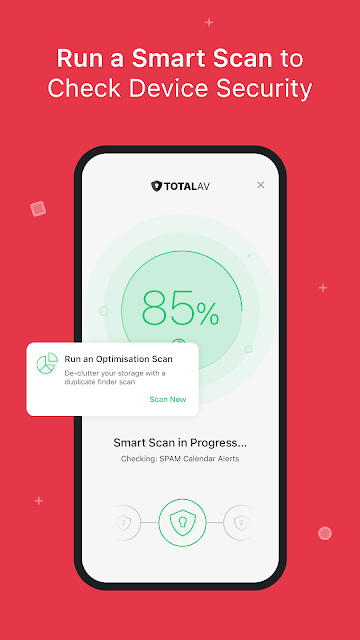
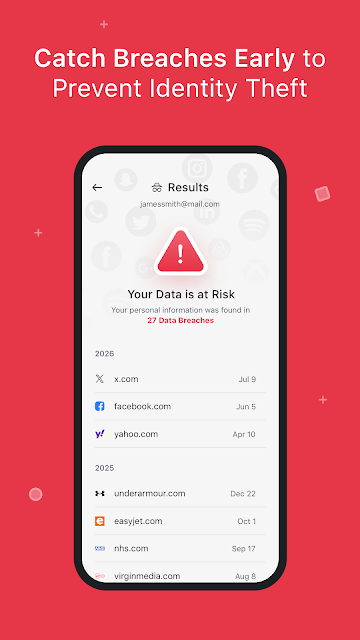
At home, I could also see running a Smart Scan after installing a new app or using the data breach check when I want to review whether private information appeared in an online breach. AppLock offers a different sort of everyday help, letting me protect selected private apps with a PIN or biometrics. The appeal is less about a dramatic security dashboard and more about having several practical checks within reach.
More Than a Scanner
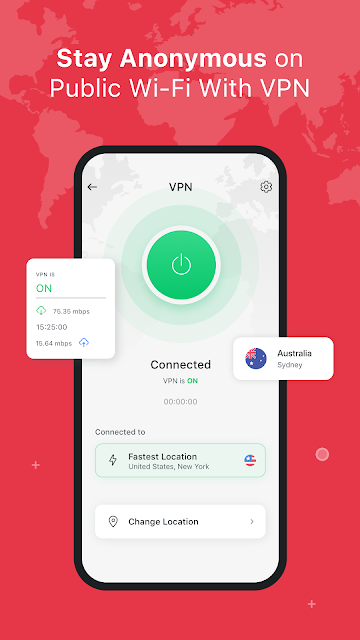
A basic antivirus app is usually centered on finding malware. TotalAV reaches further, combining device scanning with web protection, a VPN, a Wi-Fi check, QR checking, and app locking. It also includes tools to find duplicate photos, old screenshots, and unwanted bursts. That breadth may suit someone who would otherwise switch among separate security and cleanup apps, although it also means the app covers several different jobs.
I would not treat it as a replacement for careful browsing or as a general-purpose phone optimizer. Its described cleanup tools focus on locating certain unwanted or duplicate media, not on promising faster performance or longer battery life. Nor is every feature available on the same terms: premium security and privacy tools require a subscription outside the trial. If all I wanted were a simple scan, the larger bundle might feel like more than I need.
Small Habits That Help
The tools make most sense when attached to routines I already have. I could check a Wi-Fi connection when joining a network away from home, use the QR checker before opening a code from a poster, and rely on WebShield when following unfamiliar links. Those habits keep the app relevant without turning phone use into a series of alarms and investigations.
A lighter maintenance routine could include checking for duplicate photos or old screenshots when storage feels crowded, then using the data breach check as a separate privacy review. AppLock is another set-it-and-remember-it tool: choose the apps I want protected and use its PIN or biometric option. I would still keep track of which features are premium so I understand what is available under my chosen subscription.
More From Our News Desk

Zoom Meetings, Google Meet, or Teams: Which Is Easiest to Join?

How I Build a Free Streaming Lineup With Tubi

Why Crunchyroll Is the Default Anime App for So Many Fans

YouTube TV: A Practical Guide to Cutting Cable

Rummikub and the Small Comfort of Phone Games

TeamViewer Remote Control or AnyDesk for Helping Family?
Who Might Find It Useful
I would recommend TotalAV to Android users who want security and privacy tools gathered in one app, especially if they expect to use more than one of them. The combination of app locking, breach checks, web and QR protection, and media cleanup gives it a wider role than a scanner alone. People who regularly connect to public Wi-Fi or scan QR codes may find those checks particularly relevant to their routines.
It may be less appealing if you want only a free, straightforward malware scan or prefer not to manage a subscription. The app is free to download, but premium features require a subscription after the trial, and the trial itself requires starting a monthly subscription. I would also look elsewhere if the main goal is broad phone performance tuning; the described cleanup features are specifically about finding certain media and contact clutter.
TotalAV Antivirus & Security is an Android app from Total Security Limited in the Tools category. Google Play shows over 10 million installs and a 4.2-star rating from about 180,000 ratings. It is free to download and contains no ads. Its content rating is Everyone, and the version is listed as varying with the device.
The app was released on September 21, 2016. In-app products are priced from $4.99 to $59.99 per item. A monthly subscription is required to activate the seven-day trial; after the trial, the subscription renews monthly unless canceled. The trial applies to one subscription only. The minimum Android version and most recent update date are not included in the available app facts.
Security Tools for Everyday Phone Use
A Broad First Impression
When I first considered the app, the range of jobs stood out more than any single feature. TotalAV describes itself as mobile security, but it also brings together app locking, breach checking, a VPN, and media cleanup. That gives the app a useful all-in-one feel, while making it worth taking a moment to distinguish the free tools from the premium ones.
I would begin by deciding which tools I actually expect to use. The free features include the data breach check and AppLock; premium security and privacy features include scanning, WebShield, the Wi-Fi and QR checkers, and VPN. Since a monthly subscription is needed to activate the seven-day trial, understanding that arrangement before starting is part of getting set up.
A Routine, Not a Rescue Plan
Day to day, this kind of app is most useful when its checks fit naturally into what I already do. Before opening an unfamiliar link, web protection is relevant; before trusting a QR code, the QR checker has a clear purpose. When I install or update apps, the description says the app uses a foreground service to catch installation events and scan apps before they are accessed.
That ongoing role is different from opening a scanner only when something feels wrong. I would still treat security tools as one layer of care, not a reason to tap every link or ignore unfamiliar prompts. The practical value comes from having checks available for particular situations, while keeping expectations grounded in what the app says it covers.
Useful Extras in the Bundle
The data breach check is a straightforward privacy-oriented extra: it checks whether private data has been part of an online breach. AppLock has a more immediate personal use, allowing private apps to be locked with a PIN or biometrics. Together, these free features give the app something to offer even before considering its premium security and privacy tools.
I also like the variety of checks for different kinds of exposure. WebShield is intended to block phishing and scam websites, while the QR checker focuses on potentially dangerous sites concealed behind codes. A Wi-Fi checker reviews whether a connection is secure, and the VPN encrypts the network connection. These features are distinct rather than interchangeable, which makes the bundle more useful when I know what each one is for.
A Simple Weekly Pass
A practical routine might start with a quick scan when I have installed or updated apps, then a connection check when I join Wi-Fi somewhere unfamiliar. If a friend sends a QR code or a link from an unknown source, I can use the relevant check rather than treating every situation as identical. The point is to make the app a convenient checkpoint, not a source of needless worry.
Every so often, I could also review the photo, video, and contact management tools for duplicates, old screenshots, or unwanted bursts. That is a specific kind of cleanup, so I would use it when storage clutter is actually the problem. Keeping these tasks occasional helps the security tools stay distinct from the app's housekeeping features.
Keep the Boundaries Clear
The main limitation is the subscription split. AppLock and the data breach check are described as free, while the more extensive security and privacy features are premium outside the trial. Because the seven-day trial requires a monthly subscription and renews monthly afterward unless canceled, the cost arrangement deserves attention before activation rather than after a reminder appears.
There is also a permission consideration: the app uses Accessibility permission to collect data about websites and apps visited for its website-blocking and app-locking functions. That may be a necessary part of the features described, but it is still worth understanding before enabling it. I would weigh that access against how much I expect to use the protections and app-locking tools.
Finally, the app's broad set of features can be more than a minimalist user wants. Its media tools focus on duplicates and particular types of clutter, not every kind of storage management. The Android version requirement can vary, so checking compatibility and current subscription terms in Google Play is sensible before relying on a specific feature.
TotalAV Antivirus & Security makes a practical case for itself by gathering several security, privacy, and cleanup tools in one Android app. I like the range, especially the distinct checks for links, QR codes, Wi-Fi, and app access. The key trade-off is that much of the security bundle sits behind a subscription, so the free features alone may not be enough for everyone.
I would try it if I wanted a broader set of mobile checks and planned to use them regularly. Before starting the trial, I would review the subscription details and consider the Accessibility permission involved in some functions. For a user comfortable with those trade-offs, TotalAV is a capable all-in-one option; for a simple free scanner, it may be more app than necessary.
TotalAV Frequently Asked Questions
What is TotalAV Antivirus & Security used for?
TotalAV combines mobile security and privacy tools, including malware scanning, phishing and scam website protection, Wi-Fi and QR checks, and a VPN. It also offers a data breach check and app locking, plus tools to find duplicate photos, old screenshots, and unwanted bursts. Some features require a subscription, so access depends on the feature.
Which devices can use TotalAV Antivirus & Security?
TotalAV Antivirus & Security is an Android app distributed through Google Play. The available app information does not specify a minimum Android version, and compatibility can vary by device. Check the Google Play page on your phone for the current requirements before installing, particularly if your device runs an older version of Android.
Is TotalAV Antivirus & Security free?
The app is free to download and has no ads, but it offers in-app purchases priced from $4.99 to $59.99 per item. A monthly subscription is required to activate the seven-day trial, and premium features require a subscription outside the trial. The subscription renews monthly after the trial unless canceled; check Google Play for current terms.
What Android version does TotalAV require?
The minimum Android version is not specified in the app information available here. Requirements may vary as the app and devices change, so check the Google Play page for the current compatibility details on your device. The app's version itself is described as varying with the device.
Who should try TotalAV Antivirus & Security?
It may suit Android users who want several security and privacy checks in one app, including app locking, web protection, Wi-Fi checks, and a VPN. It may be less suitable for someone seeking only a basic free scanner or avoiding subscriptions. Consider the premium-feature boundary and Accessibility permission before deciding whether its feature set fits your needs.
Pros
- Combines web, QR, Wi-Fi, and malware checks with app locking and breach checks.
- Includes photo, video, and contact tools for finding specific kinds of clutter.
- Free download with no ads, plus two described free features.
Cons
- Premium security and privacy features require a subscription outside the trial.
- Starting the seven-day trial requires a monthly subscription that renews unless canceled.
- Accessibility permission is used for website blocking and app-locking functions.
- Category
- Tools











