TCL TV Remote
- 75.38K
- 4.1
- Installs
- 1.00M
- Price
- Free
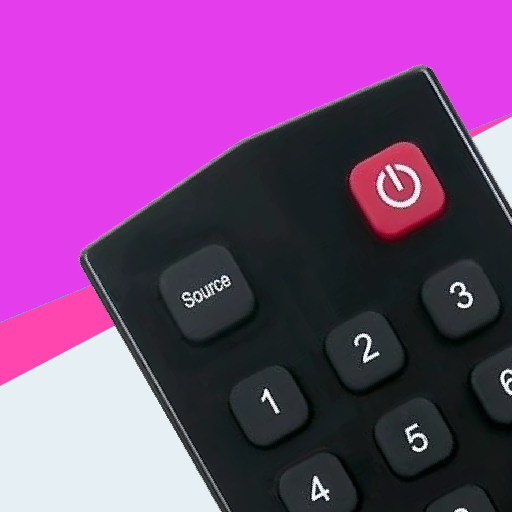
Screenshots
Analysis by Reviewed APKs
TCL TV Remote turns an Android phone into a remote for compatible TCL smart TVs, with controls for navigation, playback, volume, and text entry. I can see it helping when the regular remote has gone missing or typing a search with a TV remote feels painfully slow. Its Wi-Fi setup and extra control options make it more than a bare-bones backup, though it still depends on a compatible TV and network.
A Remote Within Reach
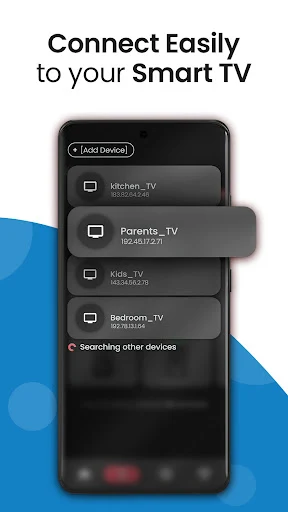
When I first opened TCL TV Remote, I pictured the familiar living-room scramble: the show is ready, someone has settled onto the sofa, and the physical remote has disappeared between cushions. The app is designed to put basic TV control on an Android phone instead. Once the TV is on and both devices share a Wi-Fi network, the app’s pairing process is the starting point for navigating and controlling the set.
The usefulness becomes clearer during ordinary viewing. I can imagine reaching for the phone to adjust volume, pause a movie, or move through a TV menu without getting up to search for the remote. Playback controls include play, pause, rewind, and fast-forward, so the phone can handle more than just a quick volume change. It is a practical fallback for a household where the remote gets misplaced or its batteries run out.
A Companion, Not a TV
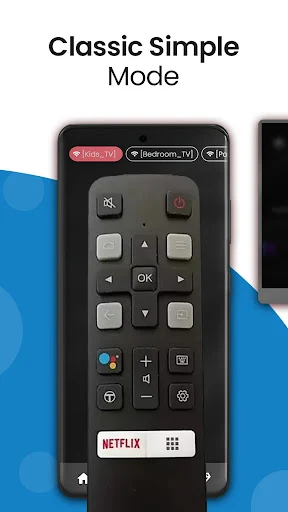
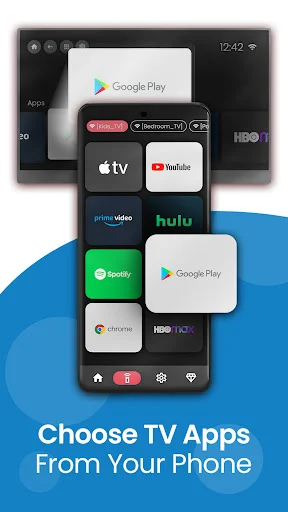
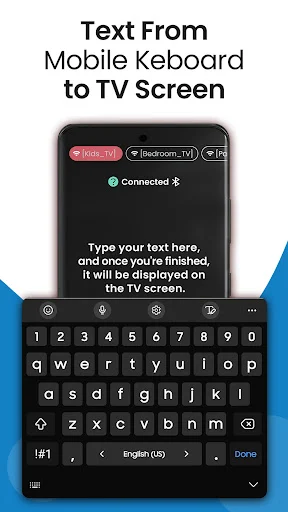
Compared with a physical remote, the app’s strongest everyday advantage is having a keyboard and touchpad available on the phone. Searching for a title or entering login details can be less fussy than moving through an on-screen keyboard one letter at a time. It also offers direct launching for services such as Netflix, YouTube, and Amazon Prime Video, giving frequent viewers a quick route into their usual apps.
I would treat it as a companion to a compatible TCL TV, not a replacement for streaming services or a way to watch shows on the phone. The app needs the TV turned on and both devices connected to the same Wi-Fi network, so it is not a remote for controlling the set from anywhere. Its focus is TCL smart-TV control, especially Android TV and Google TV models, rather than a universal answer for every television.
Make Controls Familiar
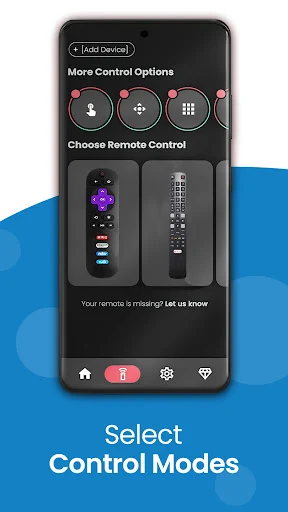
A little setup-minded habit can make the app feel more natural. I would try the available remote skins and choose one that resembles the physical remote I already know, rather than making myself learn a new layout during a movie. If I use the TV’s menus often, the touchpad and mouse-style navigation may be worth trying too; mouse-style control is intended for compatible TCL Android TV models.
The built-in keyboard is another feature I would save for moments when it matters: searching for a film, entering account details, or typing a longer phrase. For a household with more than one compatible TCL TV, the multi-TV management option may help avoid repeatedly setting up the wrong room. These small choices make the phone a more useful backup than simply opening it only after the remote goes missing.
More From Our News Desk

Zoom Meetings, Google Meet, or Teams: Which Is Easiest to Join?

How I Build a Free Streaming Lineup With Tubi

Why Crunchyroll Is the Default Anime App for So Many Fans

YouTube TV: A Practical Guide to Cutting Cable

Rummikub and the Small Comfort of Phone Games

TeamViewer Remote Control or AnyDesk for Helping Family?
Who May Find It Useful
I would recommend TCL TV Remote to Android phone owners who use a compatible TCL smart TV and often search, navigate, or switch between streaming apps. It has a clear role as a backup when the physical remote is out of reach, and the phone keyboard is a sensible convenience for people who find TV text entry tedious. Families may also appreciate having another way to control the set without passing one remote around.
It may not suit someone whose television is not compatible, or anyone who wants to control a TV without sharing a Wi-Fi network with it. People who prefer a simple physical remote may not care about touchpad navigation, skins, or voice commands. I would also keep in mind that the free app contains ads and offers in-app purchases, so users who dislike advertising may want to review the paid options before settling into regular use.
TCL TV Remote is a Tools app from Mobile-Care. On Google Play it has over 1 million installs and a 4.1-star rating from about 75,000 ratings. The app is free to download, contains ads, and offers in-app purchases. Listed in-app item prices range from $1.19 to $16.99, so the exact cost depends on the item.
The app has an Everyone content rating. Its listed version is 6.5.2.2, with a release date of July 3, 2020, and a last update date of August 4, 2026. A minimum Android version is not specified in the available facts, so check the Google Play page for device compatibility before installing.
A Closer Look at Phone-Based TV Control
Getting Connected
My first impression is that the app’s job is easy to understand: it is meant to turn the phone into a TCL TV controller, rather than add another entertainment library to the device. The setup has a few clear prerequisites. The TV needs to be on, and the phone and TV need to use the same Wi-Fi network before I start the app’s pairing instructions.
That network requirement is worth remembering before troubleshooting. If I open the app while away from home, or while my phone is using a different network from the TV, the central control task is not ready to go. I would pair it while standing near the TV and check that both devices are connected to the same network. That simple preparation should make it easier to reach for the app later.
Everyday Control
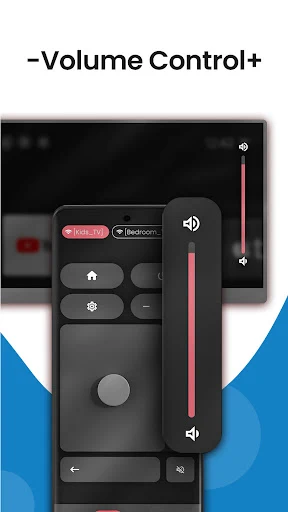
For routine use, the value is in keeping common TV actions close at hand. The app supports navigation, volume adjustment, and playback actions such as pausing or seeking backward and forward. I can picture using it during a quiet evening when I want to pause a show without looking for the remote, or when the phone is already in my hand after checking a message.
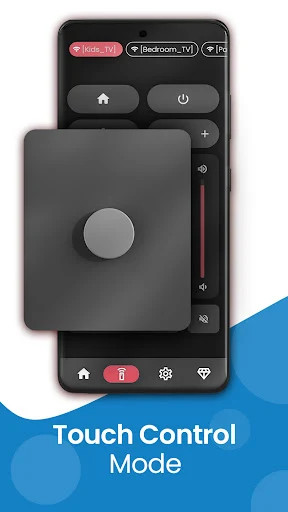
Text entry is the feature I would expect to notice most during a normal week. Typing a search or login detail on a phone keyboard can be more comfortable than repeatedly selecting letters on the TV screen. The app also offers a touchpad for menu and app navigation. These are phone-friendly alternatives to familiar remote controls, not a reason to expect every TV interaction to feel identical.
Useful Extra Controls
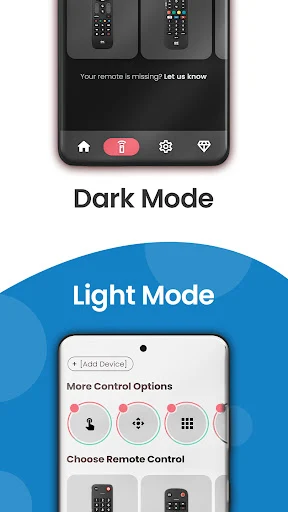
The range of control options is broader than a basic directional pad. Customizable skins let users select a remote appearance, while the touchpad and mouse-style navigation offer different ways to move around. Mouse-style control is described for compatible TCL Android TV models, so I would regard it as a model-dependent extra rather than assume it works on every set.
The app also describes voice commands and direct launching for services including Netflix, Amazon Prime Video, and YouTube. For a home with multiple compatible TCL TVs, multi-TV management is another notable option. There is also a content-tracking feature for resuming favorite shows or movies. Together, these options make the app feel aimed at regular TV use, though the usefulness of each will depend on a person’s model and habits.
A Simple Viewing Routine
For a practical routine, I would keep the phone nearby when I settle in to watch something and use the app for the tasks that are awkward with a physical remote. If a title is hard to find, I can use the phone keyboard for the search. Once something is playing, the playback controls and volume adjustment are close at hand. That is a straightforward way to make the app earn its place without changing how I watch TV.
In a shared home, I would also take a moment to select a familiar skin and check which TCL TV is connected before starting. If I switch between sets, the multi-TV management feature may be helpful for changing the target. When watching with other people, voice commands could be useful for hands-free searching, provided the TV and setup support the interaction. The main practical habit is to keep both devices on the same Wi-Fi network.
Keep Expectations Grounded
The biggest limitation is also the clearest setup condition: this is a Wi-Fi-based phone remote, not a standalone controller. The TV must be turned on, and both devices must share a network. That makes it useful around the home, but it does not fill the role of a remote when the phone and television are separated or the network connection is not in place.
Compatibility deserves a little care too. The app is aimed at TCL smart TVs, particularly models with Android TV or Google TV, and some controls are described for compatible models rather than every set. I would check the app’s store page and the TV’s compatibility before relying on it as my only control method. The free version also includes ads, with paid in-app options available.
TCL TV Remote has a practical purpose: it gives Android users another way to navigate a compatible TCL TV, with phone typing, playback controls, and several navigation choices adding real convenience. I especially like the idea of using it for searches and as a backup when the physical remote is missing.
I would try it if my TCL TV and home network meet the requirements, while keeping the physical remote nearby until I know the pairing works reliably for my setup. It is a useful companion for everyday TV control, but not a universal remote or a substitute for the TV itself.
TCL TV Remote Frequently Asked Questions
What is TCL TV Remote used for?
TCL TV Remote turns an Android phone into a controller for compatible TCL smart TVs. It offers navigation, volume and playback controls, phone keyboard input, touchpad navigation, and direct launching for some streaming apps. The phone and TV need to be on the same Wi-Fi network, and the TV needs to be turned on.
Which devices can use TCL TV Remote?
The app is for Android phones and is intended for compatible TCL smart TVs, particularly models with Android TV or Google TV. Some features are described for compatible models, so support can vary by television. Check the Google Play page and your TV’s compatibility information before relying on a specific control.
What Android version does TCL TV Remote require?
The minimum Android version is not included in the available app details. Requirements can vary as the app changes, so check the Google Play page on the Android device you plan to use. The app also requires the phone and TV to share a Wi-Fi network for remote control.
Does TCL TV Remote cost money?
TCL TV Remote is free to download and contains ads. It also offers in-app purchases, with listed item prices ranging from $1.19 to $16.99. The exact purchase options and prices may vary, so check Google Play for current details before buying anything.
Is TCL TV Remote a good fit for my household?
It may suit an Android phone owner who has a compatible TCL smart TV and wants a handy backup, easier text entry, or more ways to navigate. It may be less useful if your TV is incompatible, you do not want to use Wi-Fi, or you prefer a physical remote. Check the store page for compatibility and current details.
Pros
- Phone keyboard can make TV searches and login details less tedious to enter.
- Includes navigation, playback, volume, touchpad, and voice-control options.
- Can manage multiple compatible TCL TVs and launch selected streaming apps.
- Free to download, with remote skins for a more familiar layout.
Cons
- Phone and TV must share Wi-Fi, and the TV must be turned on.
- Compatibility and some controls depend on the TCL TV model.
- The free app contains ads and offers paid in-app purchases.
- Category
- Tools
- Version
- 6.5.2.2











