Tape Measure: Measuring Ruler
- 277.74K
- 4.2
- Installs
- 10.00M
- Price
- Free
Screenshots
Analysis by Reviewed APKs
Tape Measure: Measuring Ruler gives you several ways to estimate dimensions with an Android phone, including camera-based augmented reality, photo measurements and an on-screen ruler. I’d consider it handy for quick DIY checks, room planning and measuring objects when a physical tape isn’t within reach. It has more options than a simple ruler app, though the camera methods require care and a compatible device.
A Quick Room Check
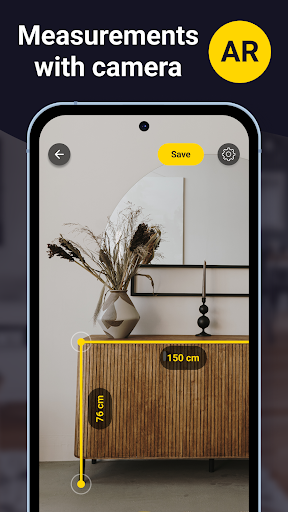
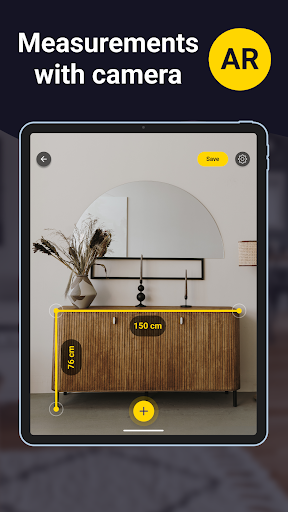
When I’m looking at a room and wondering whether a piece of furniture might fit, reaching for a tape measure is not always convenient. This app offers a camera-based option: aim at a detected surface and use augmented reality tools to measure. It can cover linear dimensions, distances to a point, angles, area, perimeter, volume, paths and height, giving me several useful checks in one place.
A practical first use might be estimating the width of an open wall before I compare it with furniture dimensions, or checking the height of a surface during a small home project. I’d treat the result as a quick working measurement, not a reason to skip careful verification. The app depends on the phone recognizing a surface, and the AR ruler works only on devices that support ARCore.
More Than One Kind of Ruler
A traditional tape measure is still the straightforward choice when I need a dependable physical measurement, and a basic ruler app is simpler for something small enough to place on a screen. This app sits between those options. Its AR tools can help with larger spaces and objects, while its photo ruler and screen ruler offer alternatives for smaller measurements.
The photo method is not a point-and-shoot edge detector. To measure an object from a picture, the instructions call for placing an item of known length in the same image and plane, then aligning markers. Camera perspective can distort the result if the setup is off. So I see this as a flexible measuring aid, not a replacement for every tape, ruler or professional measuring workflow.
Small Setup Habits
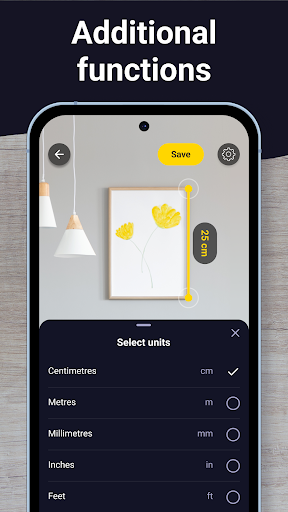
I’d start by choosing the measurement method that suits the object rather than defaulting to the camera. For a small item, the on-screen ruler may be easiest; for a photo, I’d include a known-size reference; for a room or larger object, I’d try the AR tools. The app offers metric and imperial units, so setting centimeters or inches to match the project can avoid mental conversion while measuring.
With photo measurements, I’d make sure the reference item and target are in the same plane, and keep the camera parallel to them. The app provides a list of possible base items, including a debit or credit card and a quarter. For the screen ruler, calibration can be reset using a base item if the displayed scale looks stretched or shrunken. Those few checks make the workflow more deliberate.
More From Our News Desk

Zoom Meetings, Google Meet, or Teams: Which Is Easiest to Join?

How I Build a Free Streaming Lineup With Tubi

Why Crunchyroll Is the Default Anime App for So Many Fans

YouTube TV: A Practical Guide to Cutting Cable

Rummikub and the Small Comfort of Phone Games

TeamViewer Remote Control or AnyDesk for Helping Family?
Who Might Find It Useful
I’d recommend Tape Measure: Measuring Ruler to people who often need a fast dimension while rearranging a room, planning a DIY task or checking an object without a physical ruler nearby. Its combination of AR, photo and screen-based approaches gives it more range than a single-purpose ruler. People who like having several measurement methods available on their phone may appreciate that flexibility.
It may be less appealing if you need every measurement to be exact without setup, or if you prefer the simplicity of a physical tape. AR measurements require an ARCore-supported phone, while photo measurements depend on careful positioning and a known-size reference. The screen ruler is intended for small objects that can sit on the display. I’d keep a conventional tool nearby for work where precision matters.
Tape Measure: Measuring Ruler is a free Tools app from Grymala apps. Google Play shows over 10 million installs and a 4.2-star rating from around 278,000 ratings. The app contains ads and offers in-app purchases; listed purchase prices range from $0.99 to $89.99 per item. Its content rating is Everyone.
The current version is 6.5.4. The app was released on March 27, 2013, and its last update was August 25, 2026. A minimum Android version is not included in the available app facts, so check Google Play for the requirement that applies to your device.
Three Ways to Measure with Your Phone
First Look and Setup
When I first open an app with several measuring approaches, my first question is which one makes sense for the job at hand. Here, the choices include an augmented reality ruler, a photo-based ruler and a conventional on-screen ruler. That variety is useful, but it also means there is a little more to understand than there would be with a single digital ruler.
The AR option has an important requirement: the phone must support ARCore. I’d check device compatibility before building a routine around scanning a room. For a photo measurement, the setup is different: choose a known-length base item that appears in the same picture as the object you want to measure. These are practical steps, not difficult ones, but they affect which method is likely to be useful.
Everyday Measuring
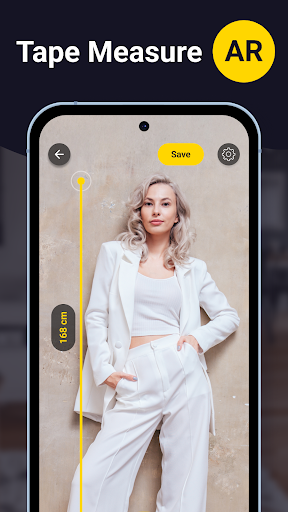
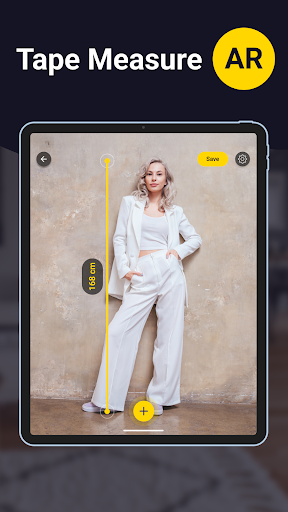
The AR tools are aimed at measuring real surroundings through the phone camera. Once a plane is detected, the app describes aiming at it and starting a measurement. Depending on what I’m checking, I can work with a line, an angle, an area or a height. Distance to a point, perimeter, volume and path length are also among the described tools.
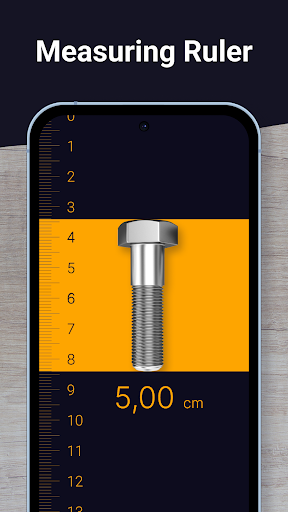
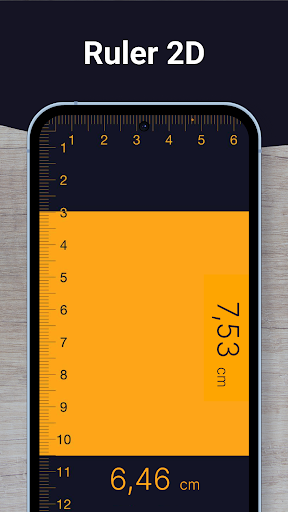
For a small object, the screen ruler follows a more familiar idea: put the item on the phone display and adjust the line markers to its ends. The scale can be set to metric or imperial units. This approach is easy to understand, but it is limited by the dimensions of the screen and requires the ruler to be calibrated if its scale appears off.
Photo and AR Options
The photo ruler stands out because it can measure an object from an image rather than requiring the object to sit on the screen. The key is including a reference of known length in the same photo. The app describes options such as a debit or credit card and a quarter, then has you align markers with the reference and the target.
AR adds a different kind of reach: instead of measuring only a small item, it can work with recognized surfaces and offer tools for dimensions such as area, height and volume. Some features are Core-only. I’d pay attention to which tools are available on the device and in the version I’m using, rather than assuming every mode works for every measurement.
A Simple Project Routine
For a room-planning check, I’d first decide what dimension I need, then choose the matching tool. An AR line is a reasonable place to start for a wall or surface measurement, provided the phone supports ARCore and detects a plane. I’d note the result and repeat the check if the first reading seems inconsistent, instead of treating one quick scan as a final answer.
For a small object, I’d switch to the screen ruler or take a photo with a suitable reference item. With the photo method, keeping the target and reference in the same plane and holding the camera parallel helps reduce perspective distortion. For the screen ruler, I’d check calibration before measuring. Picking the method deliberately is more useful than expecting one tool to handle every size.
Limits to Keep in Mind
The biggest practical limitation is that AR measuring is device-dependent: the app says it works only on ARCore-supported phones. It also relies on recognizing a surface, so it is not the same as stretching a physical tape between two fixed points. If a project depends on exact dimensions, I’d confirm them with a conventional measuring tool.
Photo measurements need a reference object and careful alignment; camera angle and placement can affect the result. The screen ruler has its own constraints, since the object must fit on the display and the scale may need calibration. The app also contains ads and offers in-app purchases, so people who want a completely ad-free, no-purchase experience may prefer a simpler alternative.
Tape Measure: Measuring Ruler is a capable collection of digital measuring tools, especially for quick checks when a physical ruler is elsewhere. I like that it provides distinct options for rooms, photos and small objects instead of forcing every job through one camera mode. Its usefulness depends on choosing the right method and taking the time to set it up properly.
I’d try it if I do occasional DIY or room planning and my phone supports the AR features I want to use. I would not rely on it as my only measuring tool for precision-sensitive work. For a casual measurement companion with several approaches, it is worth a look; for no-fuss certainty, a physical tape remains the better pick.
Tape Measure Frequently Asked Questions
What is Tape Measure: Measuring Ruler used for?
Tape Measure: Measuring Ruler offers augmented reality measurements for lines, distances, angles, areas, perimeters, volumes, paths and heights. It also includes a photo ruler that uses an item of known length as a reference, plus an on-screen ruler for small objects. The right method depends on what you are measuring and the device setup.
Which devices can run Tape Measure: Measuring Ruler?
The app is available for Android on Google Play, and its description says the AR ruler works only on ARCore-supported devices. The minimum Android version may vary by device or app release, so check the Google Play page for the requirement that applies to your phone. The screen and photo ruler have different measurement setups.
Does Tape Measure: Measuring Ruler cost money?
The app is free to install and contains ads. It also offers in-app purchases, with Google Play prices shown from $0.99 to $89.99 per item. The available purchase options and prices may vary, so check Google Play for current details before buying anything.
Can Tape Measure: Measuring Ruler replace a tape measure?
It can help with quick checks using AR, photos or the phone screen, but it has setup limits. AR needs an ARCore-supported device, photo measuring requires a known-size reference and careful alignment, and the screen ruler is for small objects. For measurements where precision is important, verify with a physical tool.
Who is Tape Measure: Measuring Ruler best for?
It may suit people who want a handy measuring option for casual DIY, room planning or checking object sizes. Users who prefer a physical tape, need a simple one-mode ruler, or require precise measurements without setup may find it less suitable. AR features also depend on device compatibility, so check Google Play before installing.
Pros
- Offers AR, photo-based and on-screen ruler methods for different measuring tasks.
- Includes metric and imperial units for the screen ruler.
- Provides tools for lines, angles, areas, heights and more.
- Free to install, with more than 10 million Google Play installs.
Cons
- AR measuring works only on ARCore-supported devices.
- Photo measurements need a known-size reference and careful camera alignment.
- Contains ads and offers in-app purchases.
- Category
- Tools
- Version
- 6.5.4











