Super Volume Booster
Listed on Google Play as “Volume Booster - Sound Booster”
- 880.45K
- 4.7
- Installs
- 10.00M
- Price
- Free

Screenshots
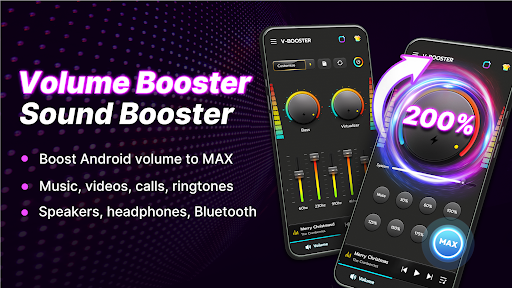
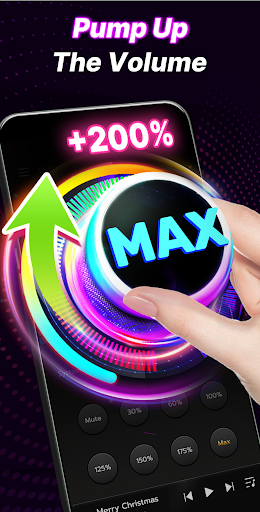
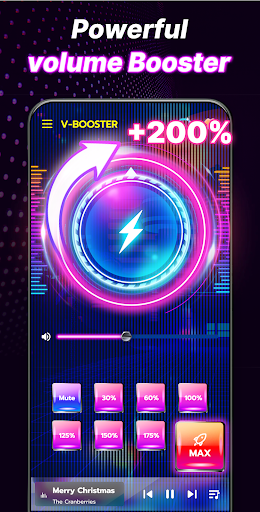
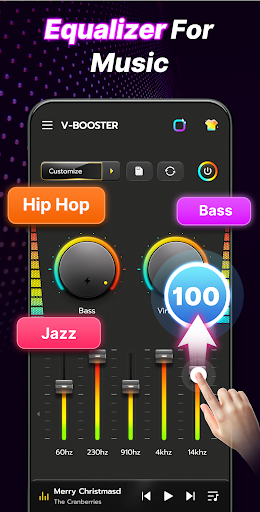


Analysis by Reviewed APKs
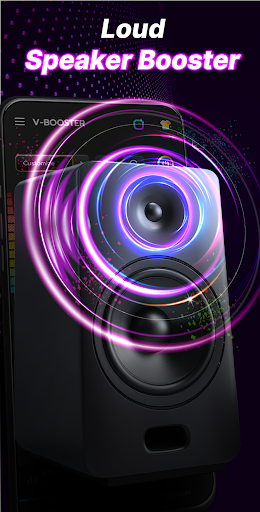
Volume Booster - Sound Booster is an Android audio tool for people who want more control over playback volume, bass, and equalizer settings. I see it as a handy extra for music, videos, games, or alarms that sound too quiet at ordinary settings. Its built-in player and quick controls make it more than a single volume switch, though careful adjustment matters when turning sound up.
A quieter commute, made louder
When I first opened Volume Booster - Sound Booster, I pictured using it on a commute: a favorite track is playing, but the phone speaker sounds thin over the noise around me. The app brings together a volume boost, equalizer, and bass control, so I can try a little more output and a fuller sound without jumping between separate audio tools. It is aimed at everyday listening, not professional sound work.
The same idea applies at home when a video is hard to hear from across the room, or when an alarm needs a stronger presence. I would start with a modest adjustment, listen for whether the sound actually improves, and stop if it turns harsh. The app warns that high volume over long periods may harm hearing, so its controls are best treated as adjustments rather than a reason to keep pushing the level.
An extra layer for audio
A phone’s built-in volume buttons are the simplest alternative: they are immediate, familiar, and require no extra interface. This app is for someone who wants more than that, especially a 10-band equalizer, bass effects, a built-in music player, or controls in the notification bar and a floating window. Those additions make it useful when the standard controls feel limited, while still keeping the basic job recognizable.
It is not a replacement for a dedicated music service, a high-end audio setup, or a repair for a speaker that is physically damaged. The app’s description focuses on boosting and shaping sound from the device, headphones, and connected speakers; it does not turn a phone into a studio or promise identical results on every device. If the normal output is already clear and loud enough, the extra controls may be more than you need.
Small habits that help
I would make one change at a time: raise the volume slightly, listen for a few seconds, then adjust the equalizer or bass only if the sound needs it. That makes it easier to tell what is helping and keeps the listening experience from becoming muddy. The preset options give a starting point, while a custom equalizer setting is there for people who want to shape the sound around their usual music.
For regular use, the notification bar or floating control can make quick changes less fussy than reopening the app. I would also check the setting when switching from a quiet podcast to a louder game or video, rather than leaving a strong boost in place by default. If I am listening for a long stretch, I would keep the level comfortable and take breaks, especially with headphones.
More From Our News Desk

Zoom Meetings, Google Meet, or Teams: Which Is Easiest to Join?

How I Build a Free Streaming Lineup With Tubi

Why Crunchyroll Is the Default Anime App for So Many Fans

YouTube TV: A Practical Guide to Cutting Cable

Rummikub and the Small Comfort of Phone Games

TeamViewer Remote Control or AnyDesk for Helping Family?
Who may find it useful
I would recommend Volume Booster - Sound Booster to Android users who often find their phone audio a little too restrained and enjoy having a few sound-shaping options. It suits casual music listeners, people watching videos, and anyone who wants a quick way to adjust output or try bass and equalizer settings. Its straightforward purpose also makes it approachable for someone who does not want to spend time learning a complex audio application.
It may not suit listeners who are happy with the phone’s regular volume controls, or people looking for a full-featured music library or professional editing suite. Anyone sensitive to harsh or overly loud playback should be cautious with boosting, and the app’s own warning is worth taking seriously. I would think of it as a practical listening companion, not a fix for every speaker, headphone, or room.
Volume Booster - Sound Booster is a free Android app from Mido Music. Google Play shows over 10 million installs and a 4.7-star rating from around 880,000 ratings. Its content rating is Everyone. The app has ads and offers in-app purchases, with listed items ranging from $2.99 to $29.99.
The current version shown in the supplied app details is 4.5.6. It was released on August 8, 2019, and its last update is dated September 2, 2026. The minimum Android version is not included in these details, so check Google Play for device compatibility before installing.
How the sound controls fit daily listening
First look and setup
My first impression is that the app is built around a simple promise: make audio louder and give me a few ways to shape it. Its description presents the interface as uncomplicated, and the combination of volume, equalizer, and bass controls gives the main purpose a clear outline. I would begin with whatever audio I already use and make a small adjustment, rather than immediately trying every effect at once.
There is no need to approach it as a complicated audio project. The built-in player can be used to control music, while the app also describes support for background use and lock-screen access. I would spend the first session learning where the quick controls are and how the sound changes at a comfortable level. That small bit of exploration makes later adjustments easier.
Everyday listening
Day to day, the appeal is having a place to adjust volume and tone when a particular recording or situation calls for it. A video may need a little more presence, while music might benefit from a different equalizer balance. Rather than treating one setting as perfect for everything, I would make changes based on what I am listening to and where I am listening.
The app describes boosting audio for music, videos, games, calls, alarms, and audiobooks, and it supports headphones, wired devices, and Bluetooth speakers. That broad range makes it a flexible tool to try across common listening situations. Still, results depend on the playback device and content, so I would judge each change by what I hear instead of expecting every source to sound the same.
More than a volume slider
The 10-band equalizer is one of the more useful additions for listeners who like to tailor sound. The app includes presets such as Rock, Pop, and Jazz, as well as the option to make a custom setting. I like that this gives casual users a quick starting point while leaving room for more deliberate adjustments, without making the basic volume-boosting purpose disappear.
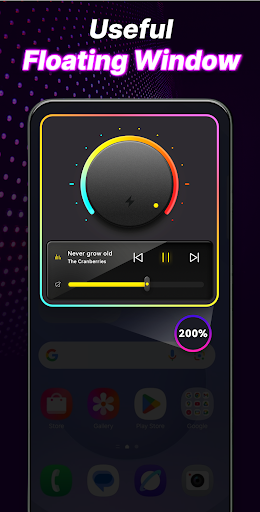
There is also a 3D bass booster and a real-time visual spectrum, which adds a visual element while music plays. The built-in player, background support, and lock-screen access make it less necessary to treat the app as a one-time adjustment screen. Notification-bar controls, a floating window, widgets, and colorful themes are described as further convenience and personalization options.
A practical listening routine
A sensible routine would be to open the app before a listening session, choose a preset or leave the equalizer unchanged, and increase the level gradually until the audio is comfortable. If the bass feels weak, I would try the bass control separately instead of changing several things together. That makes it easier to back out of an adjustment that sounds worse.
Once I have found a comfortable setup, quick access through the notification bar or floating window can help when switching between audio sources. I would still recheck the level when changing from headphones to a speaker or from quiet speech to a game. The app’s controls are convenient, but a quick listen is more useful than assuming one boost works well everywhere.
Limits to keep in mind
A volume boost can make audio more noticeable, but louder is not automatically clearer. If a track or speaker sounds distorted, I would lower the level rather than keep increasing it. The app’s description specifically cautions that extended listening at high volumes may damage hearing and recommends gradual adjustment and breaks. That is practical advice for anyone using volume tools, especially during long sessions.
The experience can also differ between a phone speaker, wired headphones, and a Bluetooth device. Equalizer presets and bass effects will not suit every recording or personal preference, so some trial and error is part of the experience. The app is most useful when treated as an optional set of controls, not as a universal solution for weak hardware or poor-quality audio.
Volume Booster - Sound Booster brings together louder playback, equalizer presets, bass adjustment, and convenient controls in one Android app. I like its practical scope: it can be useful when a phone’s audio needs a little attention, without asking the listener to become an audio expert. Its strongest value is in having several straightforward options in one place.
I would try it if I regularly listen on my phone and want more control than the standard volume buttons provide. If my audio already sounds good, or I prefer not to adjust playback, I would stick with the built-in controls. Either way, gradual changes and sensible listening levels are the right approach.
Super Volume Booster Frequently Asked Questions
What is Volume Booster - Sound Booster used for?
Volume Booster - Sound Booster is an Android audio tool for increasing playback volume and adjusting sound. Its described features include a 10-band equalizer, presets, bass boosting, a built-in music player, and quick controls. It is intended for everyday audio such as music, videos, games, calls, alarms, and audiobooks.
Which devices support Volume Booster - Sound Booster?
The app is for Android. Its description says it can be used with headphones, wired devices, and Bluetooth speakers. The minimum Android version is worth checking on Google Play, since compatibility can vary by device and app release.
Does Volume Booster - Sound Booster cost money?
The app is free to install, with ads and optional in-app purchases. The supplied Google Play details show in-app items priced from $2.99 to $29.99 each. Pricing and available purchase options can vary, so check Google Play for current details.
Does Volume Booster - Sound Booster work with music and video?
Yes. The app is described as a way to boost and shape audio for music, videos, games, calls, alarms, and audiobooks. It also includes a music player and equalizer controls. The exact sound you get can vary with your device, headphones, speaker, and audio source.
Who should try Volume Booster - Sound Booster?
It may suit Android users who want extra volume controls, equalizer presets, or bass adjustment for everyday listening. It may be less appealing if the phone’s normal volume is enough or if you want a full music service or professional audio editor. The app cautions against extended listening at high levels.
Pros
- Combines volume adjustment, equalizer presets, bass boosting, and a built-in music player.
- Offers quick controls through the notification bar, floating window, widgets, and lock screen.
- Describes support for headphones, wired devices, and Bluetooth speakers.
- Straightforward tools can suit casual listeners as well as people who like custom settings.
Cons
- Contains ads and offers in-app purchases.
- Sound quality and results can vary across devices, headphones, speakers, and audio sources.
- Boosting too much can make listening uncomfortable, and prolonged high volume carries hearing risks.
- Category
- Tools
- Version
- 4.5.6











