Starlink
- 246.42K
- 4.9
- Installs
- 10.00M
- Price
- Free

Screenshots
Analysis by Reviewed APKs
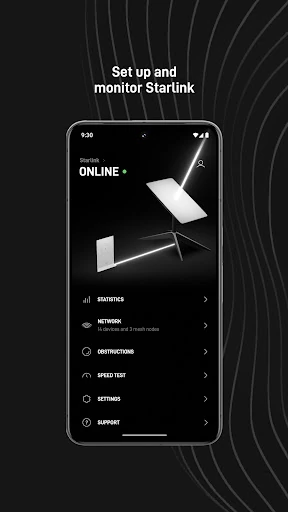
Starlink is a companion app for setting up and keeping an eye on Starlink internet service. It helps with installation checks, WiFi verification, connection monitoring, and troubleshooting, so it is most useful to people who already have Starlink hardware or are preparing to install it. I found its appeal straightforward: it brings several practical checks together, without trying to be a general-purpose network or internet app.
A Setup Day Companion
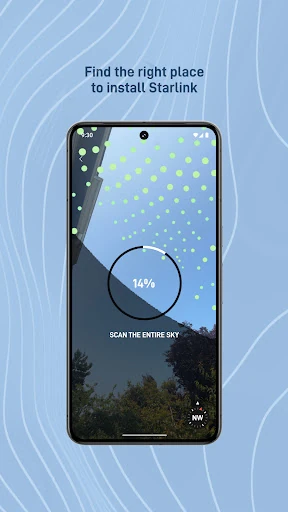
When I first opened Starlink, I treated it as a guide for the practical questions that come up while getting internet equipment installed: where to place it, whether anything might obstruct service, and whether the WiFi connection is working. The app can help identify an installation location and check for obstructions, then assist with setting up the hardware. That makes it relevant before the first ordinary browsing session, not just when something goes wrong.
After setup, I can see the app being part of a quick household check. If a connection seems off, I would look for service alerts, review connectivity statistics, and identify devices on the network before trying troubleshooting steps. The app also provides a way to contact support. That sequence is more useful than guessing whether the problem is the connection, a device, or the installation environment.
A Companion, Not a Provider
The obvious comparison is with a router or internet provider app, since Starlink covers WiFi verification, connected devices, service issues, and troubleshooting. Its purpose is narrower and tied to Starlink service: it also helps with hardware setup and finding a suitable installation location. I would use it alongside the internet service, rather than expecting it to replace a general network utility or manage connections from other providers.
It is also not an app for finding internet service in general, and it cannot stand in for the Starlink hardware and service it is designed to support. If all I want is to manage a different home network, this is not the right tool. That focus is a strength for Starlink customers, but it means the app has little reason to be installed by someone who does not use the service.
Small Checks That Help
I would get the most from Starlink by using it at the points when a check can save guesswork: during installation, after connecting to WiFi, and whenever service behaves differently than expected. Checking for obstructions and verifying the connection are useful early steps. Later, service alerts and connectivity statistics can help put a problem in context before I decide whether to troubleshoot or contact support.
A modest routine is more sensible than repeatedly opening the app without a reason. I would check connected devices if I needed to understand what is using the network, and use the troubleshooting tools when the connection needs attention. Keeping those actions together makes the app a handy reference for service maintenance, while leaving everyday tasks such as browsing and streaming to the devices already using the connection.
More From Our News Desk

Zoom Meetings, Google Meet, or Teams: Which Is Easiest to Join?

How I Build a Free Streaming Lineup With Tubi

Why Crunchyroll Is the Default Anime App for So Many Fans

YouTube TV: A Practical Guide to Cutting Cable

Rummikub and the Small Comfort of Phone Games

TeamViewer Remote Control or AnyDesk for Helping Family?
Who Will Find It Useful
I would recommend Starlink to people setting up Starlink hardware and to existing customers who want a place to check service conditions, WiFi, connected devices, or connectivity statistics. The installation-location and obstruction checks give it a role before use, while alerts and troubleshooting make it relevant afterward. Its value is practical rather than recreational: it supports the internet service instead of offering a separate activity.
It may not suit someone who does not use Starlink, or anyone looking for an app to manage a range of internet providers and routers. People who prefer to leave a working connection alone may only open it occasionally, which is perfectly reasonable for a companion app. I would view it as a useful support tool when needed, not something that has to become part of a daily phone routine.
Starlink is a Tools app developed by Space Exploration Technologies Corp. On Google Play, it has more than 10 million installs and a 4.9-star rating from about 246,000 ratings. The app is free to download, has no in-app purchases, and contains no ads. Its content rating is Everyone, so the store classifies it as suitable for a general audience.
The Google Play information gives Android 8.0 as the minimum requirement. The current version is 2026.03.0, and the app was released on October 23, 2020. Its most recent update is dated January 24, 2026, with bug fixes and improvements noted. These details make it easy to check basic compatibility and what to expect from the app itself before installing it.
A Practical Control Room for Starlink
Getting Started
My first impression is that Starlink has a clear job: help users get service set up and provide tools for checking it later. Rather than presenting a broad collection of unrelated functions, it focuses on installation, connection status, and support. That makes the app easier to understand in context. Its usefulness depends on having Starlink service to set up or monitor, but for that audience the purpose is immediate.
For setup, the location and obstruction checks stand out as sensible starting points. The app can help identify a location for installation and flag obstructions that may interfere with service, then assist with hardware setup. I like that these checks address the environment around the equipment as well as the connection itself. They offer practical guidance without making the app sound like a replacement for the hardware or service.
Everyday Connection Checks
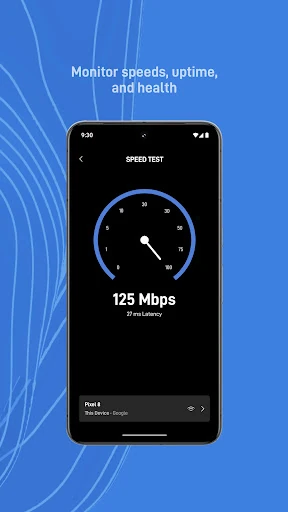
Once the service is running, the app's everyday role is more about checking than constant interaction. I would use it to verify the WiFi connection, look for service alerts, and review connectivity statistics when I wanted a clearer picture of how things were going. Those functions give customers a way to investigate a concern without relying only on whether a webpage happens to load at that moment.
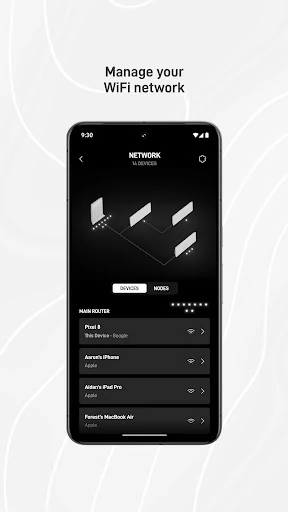
Identifying devices connected to the network is another useful check, especially when I want to understand which devices are on the connection. The app also includes troubleshooting tools, so there is a path from noticing an issue to trying to diagnose it. I appreciate that these are all closely related tasks. The result is a focused companion, rather than an app that asks for attention when the network is working normally.
Useful Service Tools
The combination of installation checks and ongoing monitoring is what gives Starlink more range than a setup-only companion. A person preparing a location can check for obstructions, while someone already using the connection can verify WiFi, see alerts, and look at connectivity statistics. I find that useful because those needs happen at different stages, but they all relate to getting the service in place and keeping track of it.
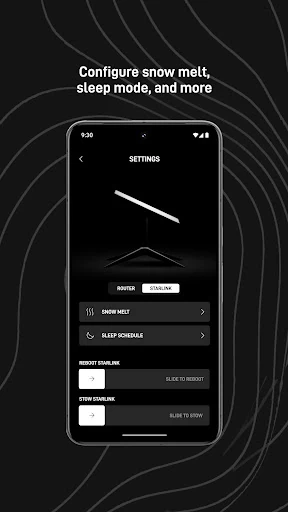
Support access is a practical addition when troubleshooting on my own is not enough. The app's description also includes identifying connected devices, which can help make a network question more concrete. I would not mistake these tools for a promise that every issue can be fixed in the app; they are ways to check and troubleshoot, with support available as another option.
A Simple Troubleshooting Routine
If I noticed a connection problem during an ordinary day, I would start by checking whether there is a service alert and verifying the WiFi connection. I would then review connectivity statistics and look at the devices connected to the network if that seemed relevant. This order keeps the first steps simple: check the service, check the connection, and gather a little context before trying to troubleshoot.
For a new installation, I would shift the routine earlier in the process. I would use the location and obstruction checks before settling on an installation spot, then use the app to help set up the hardware and verify WiFi afterward. If I still needed help, I could use the app to contact support. The value is in having these related checks available as part of one service companion.
A Focused Tool's Limits
Starlink is built around one provider's service, so its focus will not appeal to everyone. The app is not a general-purpose way to manage any home internet connection, and it will be of limited use without Starlink hardware and service. That is less a flaw than a boundary worth understanding before downloading: its installation and monitoring tools make sense within the Starlink setup.
It is also primarily a practical utility. Someone hoping for a broad collection of phone tools or a new daily entertainment app will find a different kind of product here. I would expect to open it for setup, a connection check, an alert, or troubleshooting, then leave it alone when everything is working. That occasional-use pattern is a good fit for an app whose job is to support a service.
Starlink makes a useful companion for the work surrounding Starlink internet: choosing an installation location, checking for obstructions, setting up hardware, and keeping tabs on the connection. I like that it also brings together alerts, statistics, device identification, troubleshooting, and support access. Its narrow purpose is clear, and that focus is what makes the app practical for its intended users.
I would recommend it to Starlink customers, especially anyone preparing an installation or wanting a straightforward place to check service issues. If you do not use Starlink, there is little reason to install it. For the people it serves, though, it covers the key setup and monitoring jobs without pretending to be a universal network tool.
Starlink Frequently Asked Questions
What is the Starlink app used for?
Starlink helps users set up and monitor Starlink service. It can help identify an installation location, check for obstructions, set up hardware, verify WiFi, and review service alerts and connectivity statistics. It can also identify connected devices, offer troubleshooting tools, and provide access to support.
What devices and platforms support the Starlink app?
The app is available on Android through Google Play. The minimum Android requirement is version 8.0. Platform availability and supported devices can change, so it is worth checking the Google Play store information for the current requirements before installing.
What Android version does Starlink require?
Starlink requires Android 8.0 or later according to its Google Play information. If you are unsure whether your phone is compatible, check the store page on that device, since compatibility details can vary as app requirements change.
Is the Starlink app free, and does it have in-app purchases?
The app is free to download on Google Play and does not have in-app purchases or ads. This describes the app itself; Starlink internet service and hardware are separate from the app download. Check the store and service information for current details that may vary.
Is the Starlink app useful if I do not have Starlink service?
The app is designed to help set up and monitor Starlink service, including its hardware and connection. Without Starlink, its core tools are unlikely to be useful. It is best suited to current or prospective Starlink customers who want help with installation, connection checks, or troubleshooting.
Pros
- Combines installation-location checks, obstruction checks, and hardware setup assistance.
- Offers WiFi verification, service alerts, connectivity statistics, and troubleshooting tools.
- Can identify network devices and provides access to support.
- Free to download, with no in-app purchases or ads.
Cons
- Its tools are focused on Starlink service rather than general network management.
- People without Starlink hardware or service have little reason to use it.
- It is a practical utility, not an app for everyday entertainment.
- Category
- Tools
- Version
- 2026.03.0











