Spirit Talker ®
- 5.98K
- 4.3
- Installs
- 100.00K
- Price
- $5.49

Screenshots
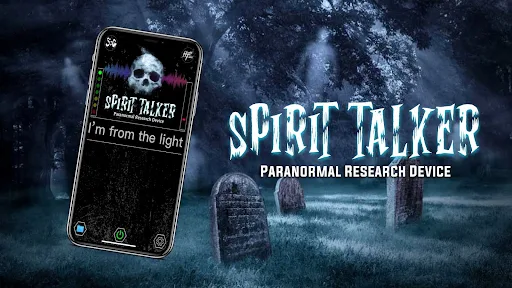
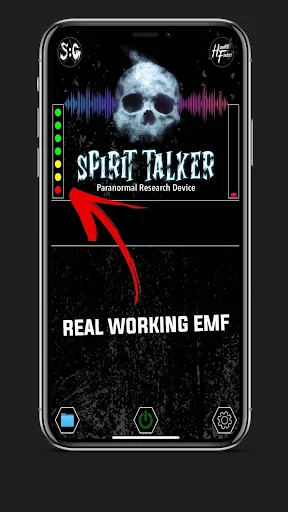
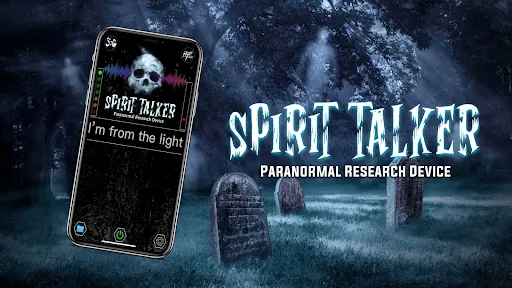
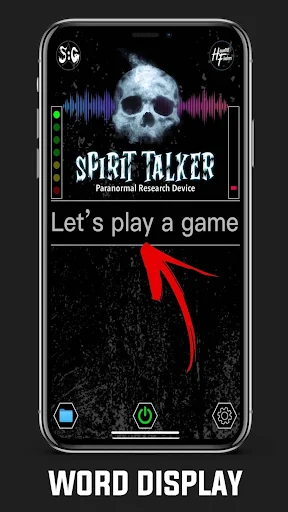
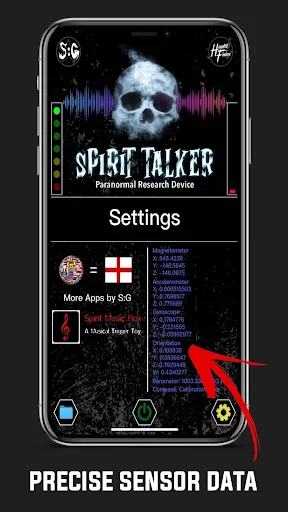
Analysis by Reviewed APKs
Spirit Talker is a paranormal-themed app that uses phone sensors to generate words and phrases during a session. It suits curious users who enjoy ghost-hunting experiments or want a conversation prompt for a group investigation. My overall take is that it offers a straightforward, focused activity, provided you treat its responses as part of an experiment rather than reliable communication or guidance.
A Session After Dark
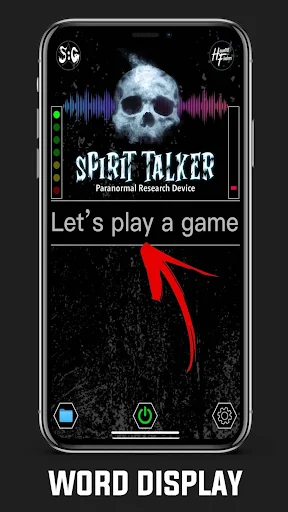
I can picture using Spirit Talker on a quiet evening with friends, when a creaking house or an unexplained draft has already set the mood. Tap Start, ask a question aloud, and watch for words on screen; the app can also speak its responses. That simple rhythm gives a group something to focus on, without requiring a complicated setup or a list of prepared questions.
After a few questions, I would stop the scanner and look back at the saved messages using the folder icon. That makes it easier to talk through what appeared instead of relying on everyone’s memory. The app’s own instructions caution against moving the phone quickly or putting it near electronics, since those conditions can interfere with sensor readings and lead to false results.
A Paranormal Prompt, Not Proof
Compared with a recording app or a camera used during an investigation, Spirit Talker’s focus is on sensor-based responses: words appear, and speech output can read them aloud. The app describes those responses as being generated from phone sensor data. That gives the activity its particular feel, but it does not make the words proof of a spirit or a dependable account of what is happening around you.
I would treat it as a paranormal-themed activity, not a general-purpose assistant, research tool, or source of answers for important decisions. Its disclaimer specifically says generated words should not be taken as instructions or advice for medical, legal, financial, or life matters. If what you want is certainty or practical guidance, this is not the right tool; if you want a conversation prompt for an investigation, its narrow purpose is clearer.
Keep the Phone Steady
A little care with the phone is the most useful habit. I would set it down or hold it still, avoid nearby electronics, and give the scanner time to run before deciding what a response means. The app draws on several device sensors, and its description notes that some functions, including the magnetometer, depend on the phone having the relevant hardware.
I would also end the session before opening the folder to review earlier messages, since the saved-session access is available when the scanner is stopped. If spoken responses matter, check that Google Text-to-Speech is installed and selected in the device’s text-to-speech settings. Those small steps keep the session focused and help avoid mistaking setup or sensor quirks for a meaningful answer.
More From Our News Desk

Zoom Meetings, Google Meet, or Teams: Which Is Easiest to Join?

How I Build a Free Streaming Lineup With Tubi

Why Crunchyroll Is the Default Anime App for So Many Fans

YouTube TV: A Practical Guide to Cutting Cable

Rummikub and the Small Comfort of Phone Games

TeamViewer Remote Control or AnyDesk for Helping Family?
Who Might Enjoy It
I’d recommend Spirit Talker to adults and teens interested in paranormal investigations, especially people who like trying a simple experiment with friends and discussing what they observe. The visible words and optional spoken output make it easy to follow together, while saved sessions give you a way to revisit the results. Its multiple language options may also be useful for people who prefer to explore in another supported language.
It may not suit anyone who expects verified spirit communication, or who would find ambiguous responses unsettling. The app’s own disclaimer asks users not to treat its output as advice or instructions for serious decisions. It is also worth checking your phone’s sensor specifications before relying on all of its described sensor functions. I’d approach it with curiosity, a steady phone, and healthy skepticism.
Spirit Talker ® is a Lifestyle app from Spotted: Ghosts. On Google Play, it has over 100,000 installs and a 4.3-star rating from about 6,000 ratings. It is rated Teen. Those figures give a quick sense of its store presence, but they do not tell you whether the sensor-generated responses will feel meaningful in your own sessions.
The app costs $5.49, with no in-app purchases or ads. Google Play gives its current version as 4.3.9, with a release date of October 29, 2020, and a last update date of September 14, 2026. The minimum Android version is not included in the supplied app details, so check the Google Play page for the requirement that applies to your device.
A Closer Look at Sensor Sessions
Opening and Setup
Spirit Talker’s basic flow is easy to understand: start the scanner, ask questions aloud, watch for words, then stop when you are done. I like that this keeps the main activity legible even for someone joining a group investigation for the first time. There is no need to invent a complicated procedure before you can begin exploring what the app does.
Before a session, I would check that the phone has the sensors you want to use. The app says its magnetometer function only works on devices that include a magnetometer, and its description names several other sensors it may use. Spoken output also relies on Google Text-to-Speech, so that is worth checking if you want the app to read responses aloud.
Following the Responses
The central experience is a live session: ask a question, then pay attention to words that appear and, if text-to-speech is working, hear them spoken. That creates a simple back-and-forth format for an individual or a small group. The app says its responses are based on real sensor data rather than random selection, a description of its approach rather than proof of paranormal contact.
I would leave room for pauses and discussion instead of firing questions continuously. A word can be striking, vague, or hard to connect to the question; taking a moment to consider it makes the activity less like a race to interpret every result. The app’s sensor-based premise is also why keeping the phone still and away from electronics matters during a session.
Sensors and Languages
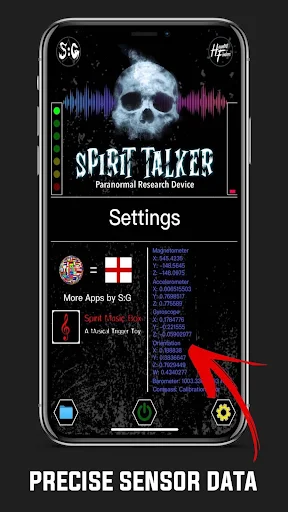
One notable feature is the range of phone sensors the app describes using. These include the magnetometer, accelerometer, gyroscope, gravity sensor, humidity, temperature, and air pressure. Which functions are available depends in part on the hardware in your phone, so the app’s full sensor list should not be taken as a promise that every device can supply every reading.
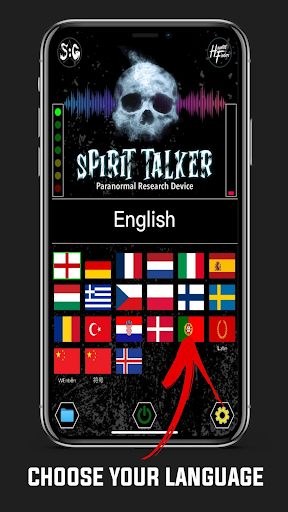
There is also support for multiple languages, including English, French, German, Spanish, Italian, Portuguese, Dutch, Greek, Chinese, and Latin, among others. Chinese can be displayed as text or symbols. That breadth makes the app more flexible for different users, though I would choose a language I can readily interpret when discussing responses with other people.
A Simple Group Routine
For a low-key group session, I would agree on a question, start the scanner, and let one person keep the phone steady while everyone watches the screen. Taking turns asking questions avoids a jumble of voices, and waiting briefly between prompts gives the group time to notice what appeared. This is a practical way to make the app the focus without turning the session into a complicated production.
At the end, stop scanning and review the saved messages from the folder icon. I would discuss the results as observations, including responses that did not seem to fit, rather than treating a memorable word as a definite message. That approach keeps the activity interesting while respecting the app’s warning not to use its output as advice or instructions.
Limits to Remember
The biggest limitation is interpretive: words generated during a session can invite people to see patterns, but the app does not establish that a spirit produced them. Its own description warns that quick movement or nearby electronics can interfere with sensor readings and produce false results. A calm setup helps with the experiment, but it cannot turn an ambiguous response into verified evidence.
Device hardware is another practical constraint. The app names several sensors, yet the magnetometer is explicitly conditional on having one, and the full set of functions may not be available on every phone. If audio does not work, Google Text-to-Speech is a stated requirement for spoken responses. I would check both hardware and speech settings before planning a session around those features.
Finally, Spirit Talker is a paid app, and its responses should stay in the realm of entertainment or personal paranormal exploration. Its disclaimer rules out relying on them for serious decisions. That boundary is important: the app can provide a structured activity, but it is not a substitute for dependable information or professional advice.
Spirit Talker has a clear purpose and an uncomplicated session flow. The sensor-based premise, spoken responses, saved messages, and language choices give paranormal enthusiasts plenty to explore, while the need for compatible hardware and careful interpretation keeps expectations in check. I appreciate that the app itself warns users not to treat its output as guidance.
I’d recommend it to curious ghost-hunting fans who are comfortable treating the experience as an experiment and paying $5.49 for a focused activity. I would skip it if you need proof, practical answers, or a tool for serious decisions. Keep the phone steady, check the relevant settings, and enjoy the discussion more than any single response.
Spirit Talker Frequently Asked Questions
What is Spirit Talker used for?
Spirit Talker is a paranormal-themed app that uses phone sensors to generate words and phrases during a session. You can ask questions aloud, see responses on screen, and have them spoken aloud when text-to-speech is set up. It is intended for paranormal exploration, not as proof of spirit communication or a source of advice.
Which phones can run Spirit Talker?
Spirit Talker is an Android app available through Google Play. Its description refers to built-in phone sensors, and says the magnetometer function requires a device with a magnetometer. The minimum Android version is worth checking on the Google Play page, and your phone’s specifications can help you check sensor compatibility.
How much does Spirit Talker cost?
Spirit Talker costs $5.49 on Google Play. The supplied store facts say it has no in-app purchases and contains no ads. Store details can change, so it is worth checking the Google Play page for the current price before purchasing.
Does Spirit Talker speak its responses?
Yes. The app description says responses can appear on screen and be spoken aloud using Google Text-to-Speech. If speech is not working, the description recommends installing Google Text-to-Speech and checking the device’s text-to-speech settings. You can still follow the words on screen during a session.
Is Spirit Talker suitable for everyone?
It may suit people interested in paranormal investigations who are comfortable treating the results as an experiment. It may not suit anyone looking for verified communication or reliable answers. The app says its generated words should not be used as advice or instructions for medical, legal, financial, or life decisions, and it carries a Teen content rating.
Pros
- A straightforward start, question, response, and stop flow makes group sessions easy to follow.
- Words appear on screen, with spoken responses available through Google Text-to-Speech.
- Saved messages can be reviewed after stopping the scanner.
- Multiple language options give users room to choose a familiar reading language.
Cons
- Sensor functions depend on the hardware available in your phone.
- Movement and nearby electronics can interfere with sensor readings.
- Generated responses should not be treated as proof or practical advice.
- Category
- Lifestyle
- Version
- 4.3.9











