SmartHub
- 11.83K
- 3.7
- Installs
- 1.00M
- Price
- Free
Screenshots
Analysis by Reviewed APKs
SmartHub is an account-management app for customers of participating utility and telecommunications providers. It brings bills, payments, usage information, service updates, and provider contact options into one place, with Wi-Fi controls available for supported customers. I find the idea most useful for ordinary account chores: checking a due date, looking into an outage, or reviewing energy use without having to track down a paper bill.
A Quieter Way to Handle Bills
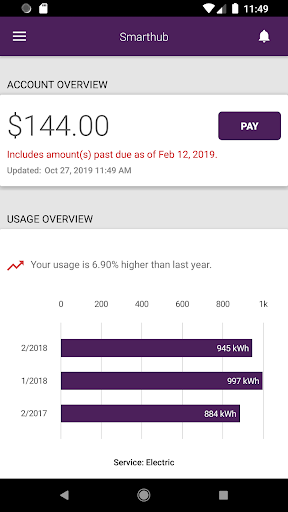
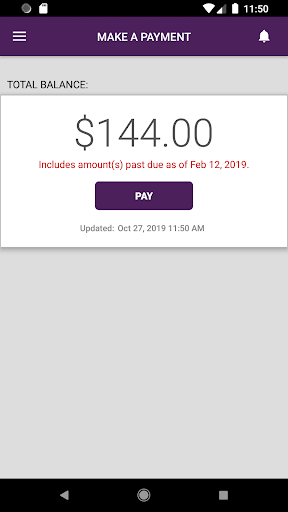
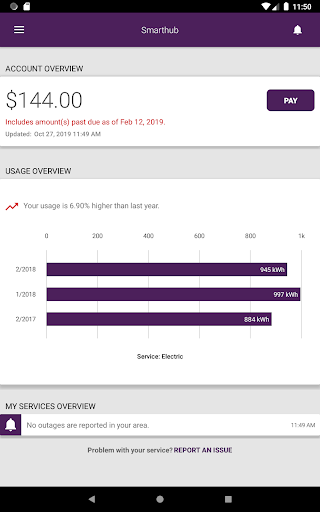
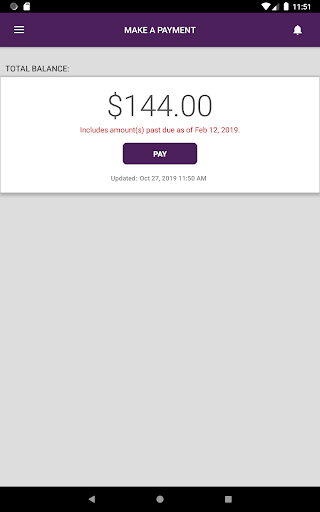
Picture a weekday evening when I want to check whether a utility bill is due before I forget about it. SmartHub is designed to put the current balance and due date within reach, alongside payment management, past bills, and PDF copies of paper statements. I can also review or change payment methods and manage recurring payments. That makes the app a practical home for routine account checks, rather than a place I need to visit only when something goes wrong.
The same account-focused approach helps when the question is about service rather than billing. I can look at usage graphs, check service interruption information, or contact the provider by phone or email. SmartHub also supports predefined messages that can include a picture and GPS coordinates, which could be handy when describing a problem at a particular location. The app’s job is to connect customers with their provider’s information and tools, not to replace the provider itself.
Provider Portal, Not Budget Coach
Compared with a provider’s website, SmartHub puts several common account tasks into a mobile format: bills, usage, service notices, maps, and ways to get in touch. It can be a more convenient option when I am away from a computer or simply want to check a balance from my phone. Its usefulness depends on whether my local utility or telecommunications company supports the service, since the app is built around access to that provider’s account information.
SmartHub is not a general personal-finance app, a household budgeting tool, or a broad comparison service for utilities and internet plans. Its described features focus on managing an existing provider account and service. I would not expect it to track unrelated spending or give financial advice. For someone who mainly wants to monitor a bill, report an interruption, or check provider news, that narrower purpose is the point; people seeking a full money-management hub should look elsewhere.
Small Checks, Better Context
A little routine can make SmartHub more useful than opening it only on payment day. I would start by checking the balance and due date when I review household tasks, then glance at the bill history if a charge looks unfamiliar. Keeping past bills available as PDFs can make it easier to compare statements or find a particular document later, without treating the app as a substitute for careful account review.
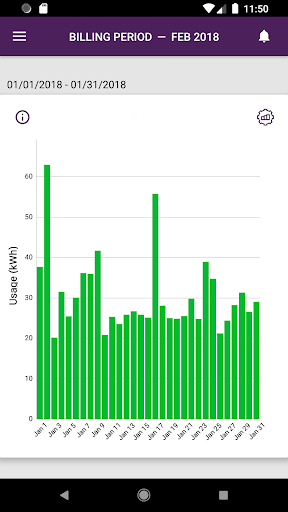
For energy customers, I would also take occasional looks at the usage graphs rather than reacting to one high bill in isolation. The graphs are intended to help spot higher-use trends, so comparing periods may offer more context than a single glance. When a service issue comes up, the outage information and provider contact options are natural next stops. SmartHub also includes provider news and location maps, useful when I need a dropbox or want to check a service-related update.
More From Our News Desk

Zoom Meetings, Google Meet, or Teams: Which Is Easiest to Join?

How I Build a Free Streaming Lineup With Tubi

Why Crunchyroll Is the Default Anime App for So Many Fans

YouTube TV: A Practical Guide to Cutting Cable

Rummikub and the Small Comfort of Phone Games

TeamViewer Remote Control or AnyDesk for Helping Family?
Who May Find It Useful
I would recommend SmartHub to customers whose utility or telecommunications provider supports it and who prefer doing account chores on a phone. It has a sensible mix of practical tasks: checking balances, handling payments, reviewing usage and bill history, reading service news, and contacting the provider. Customers with supported Wi-Fi management may also appreciate having network and connected-device controls alongside the rest of their provider account tools.
It may not suit someone looking for an independent app that works across any provider, or someone who wants advanced budgeting and financial-planning features. The value depends on the services their provider makes available through SmartHub. People who rarely need account information on the go may be just as comfortable using a website or contacting customer service directly. I see it as a convenience layer for existing customers, not an essential app for every household.
SmartHub is a free Android app from National Information Solutions Cooperative. On Google Play it has over one million installs and a 3.7-star rating from about 11,800 ratings. The app is listed for Everyone. Those figures give a quick sense of its reach and user feedback, though ratings can reflect different providers and account experiences as well as the app itself.
The listed version is 26.4.0.15398, and the recorded release date is November 14, 2011. Google Play shows September 21, 2026 as the last update date. SmartHub is free, with no in-app purchases or ads. The Android version requirement can vary by device and release, so it is worth checking the Google Play page for compatibility before installing.
Making Provider Tasks Easier to Reach
A Purposeful First Impression
When I first opened SmartHub, the most important thing to understand was its provider-centered purpose. This is not an app that becomes useful by itself; it is meant to give a utility or telecommunications customer access to account information and service tools. Once that distinction is clear, the range of sections makes sense: billing and usage sit alongside contact details, news, and service status.
Getting value from it starts with being a customer of a provider that supports SmartHub and having the relevant account information available. I would approach setup with the provider account I already use, rather than expecting a general sign-up that works for every household. The experience is tied to the services and information offered by that provider, so what appears useful to one customer may be less relevant to another.
Useful Between Billing Dates
Day to day, the app’s strongest appeal is that account checks do not have to wait for a paper statement or a desktop session. I can use it to check a balance and due date, review previous bills, or manage payment arrangements. When I have a question about a charge, having bill history and PDF statements in the same app gives me somewhere concrete to start before contacting the provider.
There are also reasons to open SmartHub outside the billing cycle. Usage graphs can help energy customers look for changes in consumption, while news and service status cover information that may affect service. If I need help, the contact options put provider phone and email details within reach. These are small conveniences, but they suit the kind of quick checks people tend to do between larger household tasks.
More Than Billing
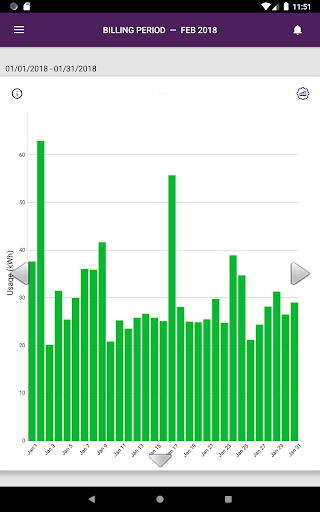
The usage section is one of the more distinctive parts for customers with energy information available. SmartHub presents usage in graphs and supports gesture-based navigation, with the goal of making high-use trends easier to notice. I would treat the graphs as a way to explore patterns, not as a promise that the app will explain every change. Their usefulness depends on the information supplied through the customer’s provider account.
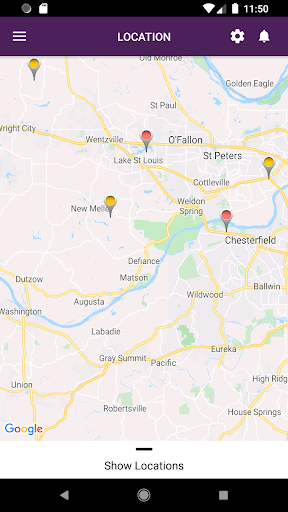
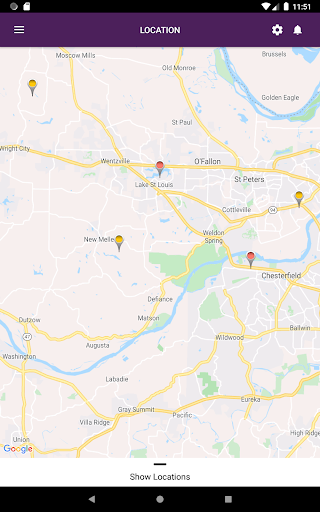
The service tools give the app a broader role than a simple bill viewer. Customers can check interruption and outage information, report an outage, and send predefined messages to the provider. Those messages can include photos and GPS coordinates, adding useful context when describing a service issue. News can cover items such as rate changes, outage information, and upcoming events, while maps show facility and payment dropbox locations.
For customers whose provider offers it, SmartHub also includes Wi-Fi management. The described controls cover passwords, connected devices, guest networks, access limits, parental-control rules, troubleshooting, and internet speed checks. That is a substantial set of network-related tasks beside the utility account features. It is worth remembering that these controls depend on provider availability, so they are not necessarily relevant to every person using the app.
A Simple Household Routine
A practical routine might be to open SmartHub once when I am organizing household bills, confirm the due date, and check whether recurring payment details still suit me. If I need to understand a statement, I can look through bill history and open the PDF version. This keeps the app focused on a few specific chores instead of turning every visit into aimless browsing.
At another point in the month, I might look at the energy usage graphs and compare what they show with my usual pattern. If there is a service interruption, I can check the status information before sending a report or contacting the provider. I would also scan provider news when an update could affect service. These occasional checks make more sense than expecting the app to provide constant insight or automatic explanations.
If Wi-Fi management is available through my provider, I would keep those tasks separate from bill checking. For example, I might use the app when reviewing connected devices or setting up a guest network, then return to the account sections when a bill is due. Having both categories in one place can be convenient, but treating them as distinct tasks helps keep the app’s different purposes clear.
The Limits to Keep in Mind
SmartHub’s biggest limitation is also central to its design: it serves customers of participating providers, rather than acting as a universal utility portal. The account information and tools available are linked to the provider. Before relying on it for a particular task, I would make sure the provider supports the relevant service and that the needed information appears in the account.
It is also not a replacement for broader finance tools or direct customer support. The app offers account and payment management, but its described scope does not include general budgeting or advice. If an account issue needs a person’s attention, SmartHub provides ways to contact the provider rather than resolving every situation within the app. That is a reasonable boundary for a service companion, but it is worth knowing upfront.
Finally, the range of features can make the app feel more useful to some households than others. An energy customer interested in usage graphs and outage updates may have several reasons to return. A customer who only wants to pay a bill may use a much smaller portion of it. The overall experience depends on which provider features are available and which account chores matter in daily life.
SmartHub is a practical provider companion, especially for people who want billing, usage, service updates, and contact options together on a phone. I like that its purpose is grounded in everyday account tasks rather than trying to be a catch-all utility. The optional Wi-Fi tools add another useful dimension for customers whose provider supports them.
I would try it if my utility or telecommunications provider offers SmartHub and I regularly check account details or service information. If I only need occasional bill access, a provider website may be enough; if I want broad budgeting tools, this is not the right fit. For supported customers who value quick account access, it is a sensible app to consider.
SmartHub Frequently Asked Questions
What is SmartHub used for?
SmartHub gives utility and telecommunications customers access to account and service tools. Depending on what their provider offers, customers can check balances and bills, manage payments, view energy usage, read provider news, check outage information, contact the provider, and use maps. Wi-Fi management features are also described for supported customers.
Which devices and platforms support SmartHub?
SmartHub is an Android app available through Google Play. The Android version needed can vary with the device and app release, so check the Google Play page for current compatibility details. It is intended for customers whose utility or telecommunications provider supports SmartHub, and the available account features may depend on that provider.
What Android version does SmartHub require?
The Android requirement can vary by device and release. Before installing SmartHub, check its Google Play page for the current requirement and compatibility information for your phone or tablet. The app is designed to connect customers with participating providers, so having a compatible device alone may not provide access to every feature.
Does SmartHub cost money or include purchases?
SmartHub is free on Google Play, with no in-app purchases or ads listed in its app facts. The app provides account-management features for utility and telecommunications customers, but the services and options shown can depend on the provider. Check the Google Play page for current details before installing.
Is SmartHub a good fit for every household?
It is best suited to customers whose provider supports SmartHub and who want convenient access to bills, usage, service information, or provider contact options. It may be less useful for people seeking a general budgeting app or for customers whose provider does not offer the service. Available features can vary, so check the store and provider details.
Pros
- Combines bills, payment management, usage information, and provider contact options in one app.
- Includes bill history with PDF statements for customers who want to review past charges.
- Outage reporting, provider news, and location maps extend its usefulness beyond payment day.
- Supported customers can access Wi-Fi and connected-device management features.
Cons
- Its usefulness depends on whether a customer’s provider supports SmartHub and its features.
- It is an account companion, not a general budgeting or financial-planning app.
- Customers who only need occasional bill access may not use much of its feature set.
- Category
- Tools
- Version
- 26.4.0.15398











