Shell: Fuel, Charge & More
- 25.88K
- 3.2
- Installs
- 1.00M
- Price
- Free

Screenshots

Analysis by Reviewed APKs
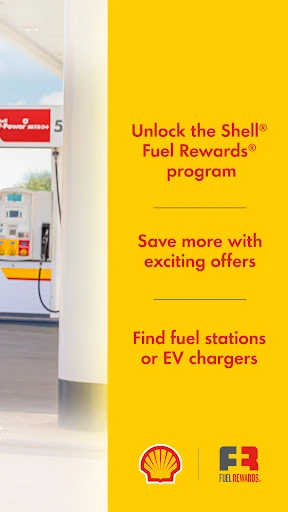
Shell: Fuel, Charge & More brings station finding, Fuel Rewards, mobile payment, and EV charging into one app. I see it as most useful for drivers who already stop at Shell and want to handle rewards or payment from their phone, rather than juggle separate tools. After spending time with its feature set, my take is that it can make familiar stops more organized, though its usefulness depends on how often Shell fits your route.
A smoother fuel stop
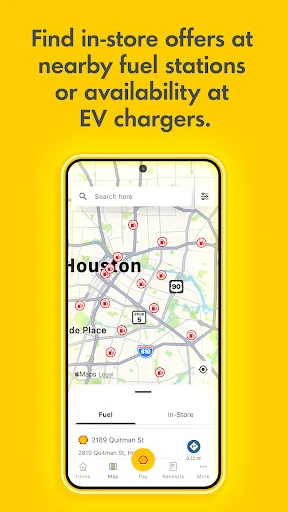
Picture a weekday morning when I am low on fuel and already running late. I can use the app to look for nearby Shell stations, check which ones accept mobile payment, and see available offers before I pull in. At the pump, mobile payment can spare me a card swipe or entering my Fuel Rewards Alt ID. It is a practical chain of small conveniences, not a reason to plan an entire day around an app.
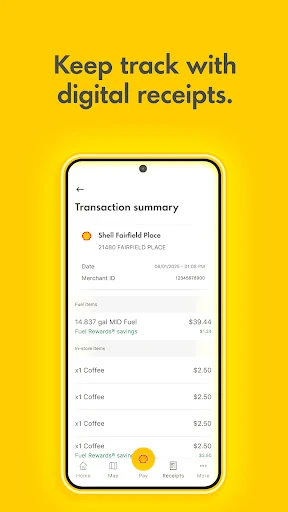
After the stop, I can return to the app to look at receipts, rewards, offers, and loyalty transaction history. That makes it easier to keep the details of a fuel purchase together instead of relying on a paper receipt or trying to remember whether an offer applied. I especially like that this flow connects the station search to payment and rewards. It gives the app a clear job during an ordinary errand.
Not a general travel planner
The obvious alternative is paying at the pump with a bank card and searching for stations separately when I need one. Shell’s app combines that station-finding task with Shell-specific offers, loyalty details, mobile payment, and charging access. That is a useful fit if Shell is already part of my routine. The value is less compelling if I rarely visit Shell stations, since the rewards and payment features are tied to the Shell experience.
I would not treat it as a broad trip-planning tool or a universal fuel-payment app. The station finder is for Shell locations, and the charging feature centers on the Shell Recharge network. Its purpose is to make Shell stops easier to manage, not to compare every station or charging provider. Drivers who want an independent overview of all brands may still need other tools alongside it.
Small habits that help
A little preparation can make the app more useful at the moment I need it. I would set up the Fuel Rewards account and preferred payment method before reaching a busy station, then check which nearby locations accept mobile payment. That avoids turning a quick stop into a phone-setup session beside the pump. I can also look over available fuel and in-store offers before deciding whether one applies to the errand.
Afterward, I can use the loyalty history and receipts to keep track of what happened, and revisit the map when planning another stop. EV drivers can check charger availability before heading to a Shell Recharge location, then use the app to start or stop a session and pay. These are modest habits, but they make the app feel more like a useful routine than something I open only when I am already stuck.
More From Our News Desk

Zoom Meetings, Google Meet, or Teams: Which Is Easiest to Join?

How I Build a Free Streaming Lineup With Tubi

Why Crunchyroll Is the Default Anime App for So Many Fans

YouTube TV: A Practical Guide to Cutting Cable

Rummikub and the Small Comfort of Phone Games

TeamViewer Remote Control or AnyDesk for Helping Family?
Who will get the most from it
I would recommend Shell: Fuel, Charge & More to drivers who regularly buy fuel at Shell and want their rewards, offers, payment, and receipts in one place. It also has a clear role for EV drivers who use Shell Recharge: the app can help locate chargers, check availability, and manage a charging session. People who like handling errands from their phone may appreciate having those tasks gathered around a familiar stop.
It may be a poor fit for someone who seldom visits Shell or prefers to keep payment and loyalty accounts separate from station apps. The app’s 3.2-star rating on Google Play suggests experiences are mixed, so I would not assume every part will feel equally smooth for every driver. If your main need is comparing all fuel brands or charging networks, this Shell-focused app is probably better as a companion than as your only travel tool.
Shell: Fuel, Charge & More is developed by Shell Information Technology International B.V. On Google Play, it has over 1 million installs and a 3.2-star rating from about 25,900 ratings. It is free to download, contains ads, and its content rating is Everyone. The app brings together Shell Fuel Rewards, station finding, mobile payment, and Shell Recharge tools.
The current version is 8.12.0, and the app was last updated on December 8, 2025. It requires Android 7.0 or later and was first released on September 3, 2018. Google Play identifies the app as free, with no in-app purchases. Those basics make it accessible to many Android users, though the features are most relevant to people who use Shell stations or charging.
Making Shell Stops Easier to Manage
A practical first look
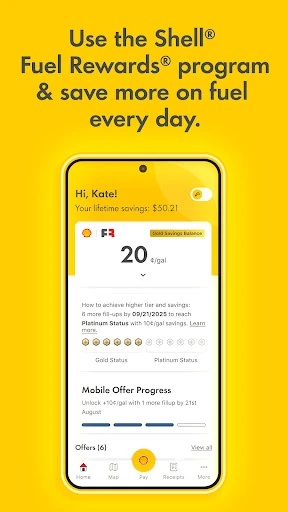
When I first opened the app, the range of tasks it covers stood out: fuel rewards, payment, station finding, and EV charging all sit under the same Shell umbrella. Recent changes include a redesigned home screen intended to make rewards easier to reach, along with a clearer view of loyalty tier and rewards. That kind of arrangement matters when I am checking my phone quickly before or during a stop.
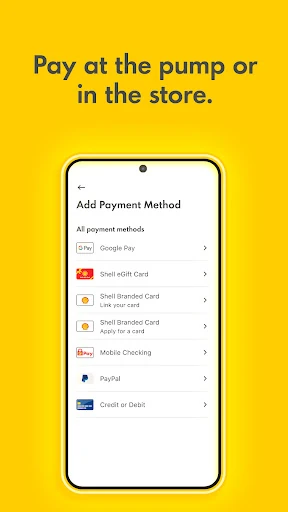
I would begin by joining or signing into Fuel Rewards and setting up a payment option I already use. The app supports several routes, including cards, PayPal, Apple Pay, Google Pay, and Samsung Pay, as well as Shell-branded credit cards and Mobile Checking. There is also the option to add or buy Shell eGift cards. Getting familiar with the setup at home should make the first station visit less fiddly.
The everyday flow
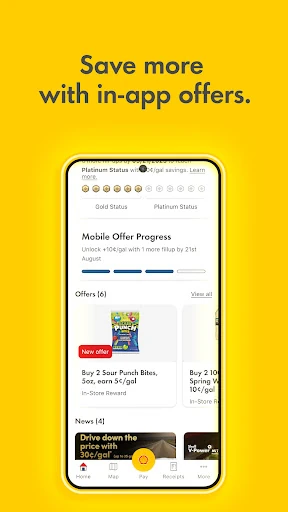
Day to day, the app is most convincing when I move through a complete stop: find a nearby Shell station, check whether mobile payment is accepted, activate an in-store offer if one suits me, and pay from my phone. Being able to see receipts and rewards afterward closes the loop. I do not have to treat station search, the loyalty program, and payment as three entirely separate tasks.
That convenience still depends on using the app at the right locations and having a payment method ready. I would not expect every station I pass to accept mobile payment; the app lets me see which locations do. A quick look before pulling in is therefore more useful than assuming the same process will work everywhere. For a regular Shell customer, that is a manageable extra check.
Rewards and charging tools
Fuel Rewards is a central part of the experience. Members can view fuel and in-store offers and review loyalty transactions, while mobile payment can earn additional fuel savings. The description also says Platinum Status members save 10 cents per gallon. I would treat the program as a way to make eligible Shell visits more rewarding, while checking its terms and the offers shown in the app for the details that apply to me.
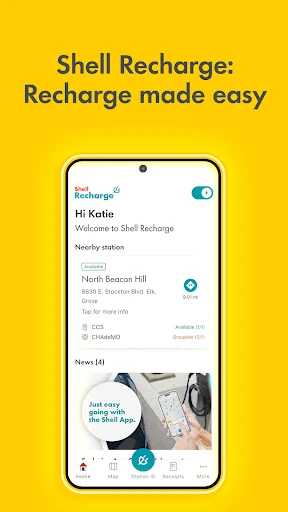
The EV side gives the app another distinct purpose. It provides access to the Shell Recharge network, where drivers can find chargers, check availability, start or stop charging, and pay. That makes it more than a conventional fuel-stop companion for households that drive electric. I would still check the app before making a charging detour, since availability is one of the details it is designed to show.
A useful weekly routine
If I were using the app throughout a typical week, I would check the map when planning a fuel stop and scan for offers before leaving home. At the station, I would confirm mobile payment is accepted, use the payment method I set up, and avoid searching through account settings while standing at the pump. After the purchase, I could review the receipt and loyalty transaction when I have a quieter moment.
For an EV trip, the routine shifts slightly: search for a Shell Recharge location, check availability, and use the app to manage charging and payment when I arrive. I would keep the station search and charger check tied to a specific route rather than browsing without a plan. That way, the app serves a real decision and its rewards or charging tools remain easy to find when they matter.
A few limits to remember
The biggest limitation is its brand focus. Shell rewards, Shell locations, Shell mobile payment, and Shell Recharge are useful when they match my route, but they do not turn the app into a one-stop guide to every fuel station or charging network. If I drive across areas where Shell is not convenient, I would need another way to find alternatives and compare options.
The Google Play rating is 3.2 stars from about 25,900 ratings, so I would keep expectations measured rather than assuming a flawless experience. The app also contains ads, which may be a drawback for people who prefer a completely ad-free utility. Its broad feature set is appealing, but the best experience depends on whether I actually use the Shell services it brings together.
Shell: Fuel, Charge & More is a focused companion for Shell customers, not a universal driving app. I like the way it connects station finding, mobile payment, offers, receipts, and loyalty history, with Shell Recharge available for EV drivers. When those features match my routine, the app can take a few small chores off my hands.
I would try it if Shell is already a regular stop or if I use its charging network. Drivers who want brand-neutral comparisons or rarely visit Shell may not get enough from it to justify another app. Set up rewards and payment ahead of time, then let the station and charging tools support the trips where they are relevant.
Shell Frequently Asked Questions
What is Shell: Fuel, Charge & More used for?
Shell: Fuel, Charge & More helps users find nearby Shell stations, view and activate offers, use mobile payment, and manage Fuel Rewards details. It also supports Shell Recharge: drivers can find chargers, check availability, start or stop charging, and pay in the app. The exact features that matter most will depend on whether you use Shell fuel, rewards, or charging.
Is Shell: Fuel, Charge & More available on iPhone?
The app information here covers the Android version, which is available through Google Play. It requires Android 7.0 or later. Platform availability can vary by region and over time, so iPhone users should check the relevant store for Shell: Fuel, Charge & More before relying on a particular version or feature.
What Android version does Shell: Fuel, Charge & More require?
Shell: Fuel, Charge & More requires Android 7.0 or later. The current version in the supplied app details is 8.12.0, last updated on December 8, 2025. Requirements can change with later releases, so it is worth checking the Google Play page if you are installing it on an older Android device.
Does Shell: Fuel, Charge & More cost money?
The app is free to download on Google Play, and the supplied details show no in-app purchases. It does contain ads. Fuel Rewards and payment options are part of the app’s features, but program terms and any applicable offer details should be checked in the app or store information, since they may vary.
Who should use Shell: Fuel, Charge & More?
It is best suited to people who regularly visit Shell stations and want to keep payment, Fuel Rewards, offers, receipts, and station search together. EV drivers who use Shell Recharge may also find the charger tools useful. It may be less appealing if you rarely use Shell or want a brand-neutral way to compare fuel and charging locations.
Pros
- Combines Shell station search, mobile payment, receipts, offers, and loyalty history.
- Supports several mobile payment options, including major phone wallet services.
- Includes Shell Recharge tools for finding and managing charging sessions.
- Lets drivers check which nearby Shell stations accept mobile payment.
Cons
- Its rewards, payment, and charging tools are centered on Shell services.
- The app contains ads, which may bother users seeking a cleaner utility.
- Its 3.2-star Google Play rating reflects mixed user experiences.
- Category
- Auto & Vehicles
- Version
- 8.12.0