Chevron
- 110.77K
- 4.8
- Installs
- 1.00M
- Price
- Free
Screenshots
Analysis by Reviewed APKs
Chevron is a fuel-stop companion for drivers who want to find participating stations, pay at the pump from the car, and keep fuel rewards in one place. I found its strongest appeal in making a familiar task a little more convenient, especially for people who regularly visit Chevron or Texaco locations. It is focused rather than all-purpose, and its usefulness depends on having participating stations along your routes.
A quicker stop on the way
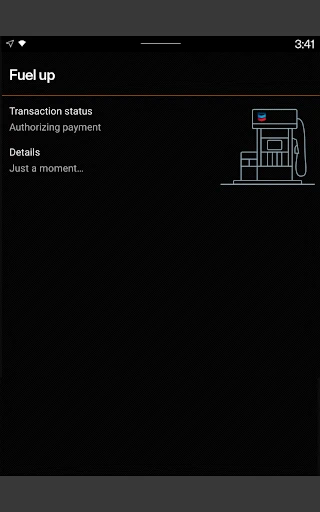
When I first considered how Chevron fits into a normal drive, the clearest scenario was a weekday fuel stop between errands. I could use the station finder to look for a participating location, then, once there, reserve a pump and choose a linked payment method from the driver’s seat. The app is designed to let me start fueling when prompted and keep the receipt in the app afterward.
That changes a few small steps rather than the whole nature of filling up. I still need to drive to a participating station and use the pump, but I can handle the app’s payment steps without walking inside first. If I’m trying to keep a quick stop quick, having rewards and mobile payment in the same app is a practical convenience. The experience is most relevant when a Chevron or Texaco station is already on my route.
Best for regular station users
Chevron makes the most sense beside the alternatives I already use for finding a station or paying for fuel: it combines a station finder, rewards, and mobile payment around participating Chevron and Texaco locations. It also connects with ExtraMile Rewards where available. For someone who frequently stops at those locations, keeping points, offers, and receipts together may be easier than treating each stop as a separate task.
It is not a general-purpose navigation app, a fuel-price comparison tool, or a way to pay at every station. Its rewards apply at participating locations and on eligible purchases, so it is less useful if my usual routes rarely pass a Chevron or Texaco. I would also keep expectations focused on fuel stops: the app supports related features such as car washes and station amenities, but it is not meant to replace a broader travel or shopping app.
Small habits that help
I’d get more from Chevron by linking an accepted payment method and completing enrollment before I’m in a hurry at the pump. That way, the app’s mobile-payment flow is ready when I arrive. Checking My Rewards occasionally also helps me keep track of available points and offers, while filtering the station finder for rewards programs can make it easier to choose a location that fits how I want to earn.
A second useful habit is checking station amenities before setting out, especially if I need a restroom, convenience store, car wash, or EV charging. The app can filter for those options, along with other listed amenities. I’d also leave the receipt in the app after a mobile payment rather than trying to remember where I put a paper copy. These are simple routines, but they make the app more useful between visits.
More From Our News Desk

Zoom Meetings, Google Meet, or Teams: Which Is Easiest to Join?

How I Build a Free Streaming Lineup With Tubi

Why Crunchyroll Is the Default Anime App for So Many Fans

YouTube TV: A Practical Guide to Cutting Cable

Rummikub and the Small Comfort of Phone Games

TeamViewer Remote Control or AnyDesk for Helping Family?
Who will find it useful
I’d recommend Chevron to drivers who regularly use participating Chevron or Texaco stations and want their payment and rewards steps close at hand. It suits people who appreciate paying from the car, checking offers, earning points on eligible fuel and in-store purchases, or keeping mobile-payment receipts in one place. Android Auto and Wear OS support may also appeal to drivers who already use those devices and want access to supported app features while traveling.
It may not be worth adding for someone who rarely visits participating stations, prefers handling every payment at the pump without an app, or mainly wants broad route planning and fuel-price comparisons. The rewards program has eligibility and location conditions, and enrollment is for people aged 16 or older. I’d treat Chevron as a useful companion to regular fuel stops, not as a reason by itself to change where I normally fill up.
Chevron is developed by Chevron U.S.A. Inc. On Google Play, it has over one million installs and a 4.8-star rating from about 111,000 ratings. The app is free to download, with no in-app purchases or ads. Its content rating is Everyone, making it broadly suitable by store rating, while joining the rewards program requires being at least 16.
The app was released on April 17, 2019, and its latest stated update was December 29, 2025. The current Android version and minimum Android requirement can vary, so I’d check the Google Play entry on the device I plan to use. The latest update notes mention bug fixes and minor enhancements rather than describing a major new feature.
A closer look at the fuel-stop routine
Getting ready to go
My first impression is that Chevron is built around a specific moment: arriving at a participating fuel station and getting through the transaction with less back-and-forth. Before using mobile pay, I’d sign up, finish enrollment, and link an accepted payment method. That preparation matters because the app’s pump flow depends on having those account details ready, rather than starting from scratch while parked at the pump.
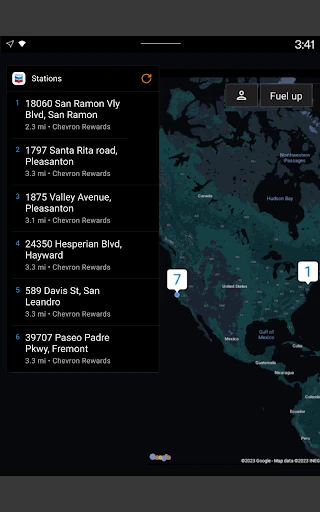
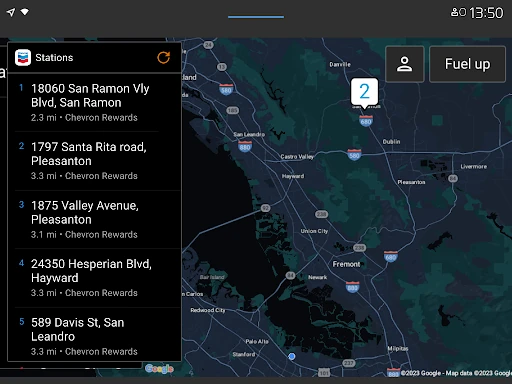
The station finder gives the setup a useful next step. I can look for participating locations and filter by rewards programs or amenities, rather than opening the app only after I have already chosen a stop. I like that the app keeps the practical pieces close together. The trade-off is that its convenience depends on the stations available where I drive and on the payment method being accepted.
The everyday pump experience
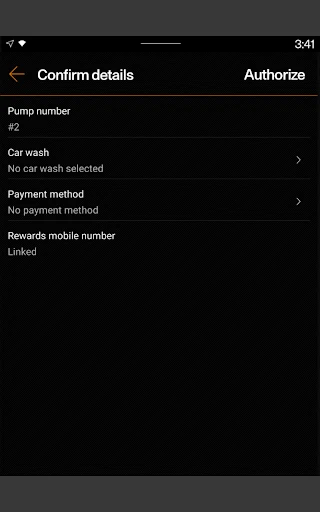
Day to day, the central feature is paying for gas or diesel from the driver’s seat. At a participating location, I use the app to reserve a pump and select a linked payment method. When the app prompts me, I fill up at the pump, and the receipt is available in the app. That is a straightforward sequence, and it could be helpful when I want to avoid handling the payment inside the station.
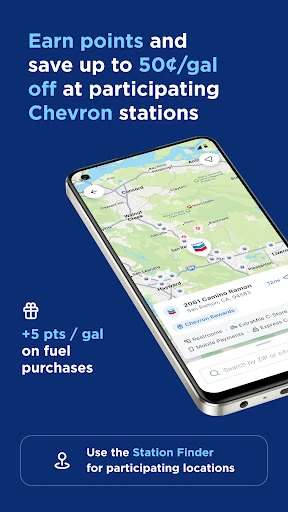
The rewards layer gives regular visits a little more continuity. I can earn points on fuel and select in-store purchases, then redeem rewards for discounts on qualifying fuel purchases at participating locations. The offer can reach up to 50 cents off per gallon when the purchase qualifies. Since the terms depend on location and eligibility, I’d check the app’s available rewards rather than assume every stop earns or redeems the same way.
Features beyond mobile pay
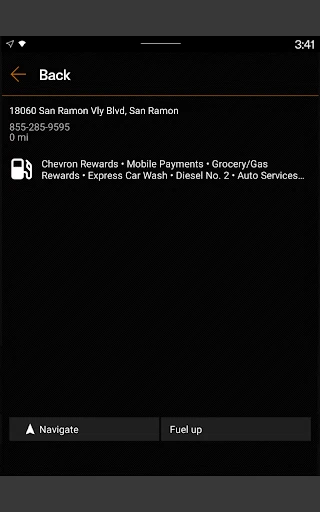
Chevron includes more than pump payment. My Rewards brings available rewards and related information together, while the station finder can filter for features such as convenience stores, restrooms, full-service car washes, Amazon Pickup, EV charging, and other amenities. I also appreciate the option to look for lower-carbon-intensity products, including renewable diesel blends and compressed natural gas, when that is relevant to a trip.
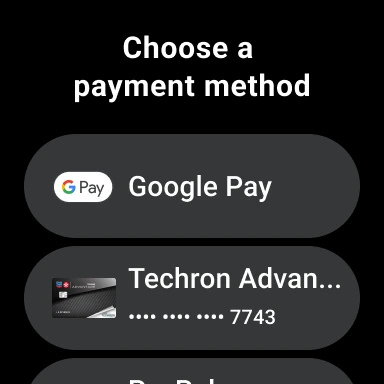
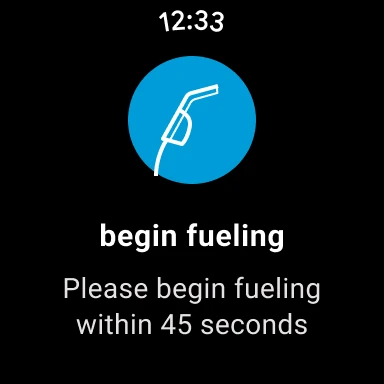
There are a couple of ways to connect the experience to other devices. Android Auto users can connect a phone to the car’s dashboard and use the app for location finding, rewards, car washes, and fuel payment. Wear OS users can fuel up and redeem rewards at participating locations that accept mobile payments. A Mobi digital chatbot is also available in the app for frequently asked questions.
The Chevron, Texaco, and ExtraMile apps share features and access the same points and rewards balances, according to the app description. That makes the program less fragmented for someone who uses those brands. Club Program card punches and exclusive offers are also part of the described rewards experience, though availability and participation depend on the relevant program and location.
A simple weekly routine
For a routine workweek, I’d check the station finder before leaving if I know I’ll need fuel, filtering for a participating rewards program or a useful amenity. If I’m planning a car wash as well, the app can help me find a location with that option. This turns the station search into a small piece of trip planning instead of a last-minute decision when the fuel gauge is already low.
At the stop, I’d reserve the pump in the app, select the payment method I linked earlier, and follow the prompt to fuel up. Afterward, I’d check the receipt in the app and take a moment to review My Rewards when planning the next visit. That’s a realistic way to use the app without turning every fuel purchase into a longer rewards-management session.
If I already use Android Auto or Wear OS, I could add those options where they fit my routine. The important part is not to assume every feature works at every station: mobile payments and rewards depend on participating locations, and Wear OS mobile payment is specifically described for locations that accept it.
Keep the boundaries in mind
Chevron’s biggest limitation is also its defining focus: it is built around Chevron, Texaco, and related participating locations. Drivers who usually fuel elsewhere will have fewer chances to use its payment and rewards features. The station finder can help identify suitable stops, but the app does not turn a nonparticipating station into a supported one, so local coverage is important.
Rewards are tied to qualifying purchases and participating locations, and the program requires users to be 16 or older to join. I would read the details attached to an offer before counting on a particular discount. The app also asks users to link an accepted payment method for mobile pay, which may not suit someone who prefers to keep payment entirely separate from a fuel account.
Finally, the app’s strongest payoff comes from repeated use. A one-off visit may still make the station finder or mobile payment handy, but points, offers, and in-app receipts are more compelling when I return to participating stations. If my main need is finding the cheapest fuel across brands or planning a long route, I’d use a tool designed specifically for that broader job.
Chevron is a focused, practical app for drivers who already stop at participating Chevron or Texaco locations. I like the combination of mobile payment, rewards, station filters, and in-app receipts; it keeps several fuel-stop tasks together without pretending to do everything. Its value is strongest when local station coverage and my routine line up with the program.
I’d try it if I regularly visit those stations and want to manage rewards or pay from the car. If I rarely use them, I wouldn’t expect it to become an essential part of my driving routine. The experience is straightforward in concept, but its usefulness comes down to participating locations, eligible purchases, and whether I prefer app-based payment.
Chevron Frequently Asked Questions
What is the Chevron app used for?
Chevron is used to find participating stations, pay for fuel from the driver’s seat, and access Chevron Texaco Rewards features. Users can earn points on fuel and select in-store purchases, check rewards, filter locations by amenities, and view receipts for mobile payments. Rewards and mobile-payment features depend on participating locations and qualifying purchases.
Which devices can use the Chevron app?
Chevron is an Android app on Google Play. Its described features also include Android Auto for compatible users and Wear OS for fueling and redeeming rewards at participating locations that accept mobile payments. Device and feature availability can vary, so it is worth checking the Google Play entry for current compatibility details.
What Android version does Chevron require?
The Android version requirement can vary. Check the Chevron app’s Google Play entry on the device you want to use for the current requirement. The app description also notes Android Auto and Wear OS features, which may have their own compatibility needs depending on your device and setup.
Does the Chevron app cost money?
Chevron is free to download on Google Play and has no in-app purchases or ads. Using mobile payment requires linking an accepted payment method, and rewards apply to qualifying purchases at participating locations. Check the app and program details for any conditions that apply to a particular offer or transaction.
Is Chevron useful if I rarely visit its stations?
It may be less useful if Chevron or Texaco locations are not part of your regular routes, since its payment and rewards features center on participating stations. It is best suited to drivers who want those brands’ station finder, mobile payment, and rewards in one app. Joining the rewards program requires being at least 16.
Pros
- Combines mobile fuel payment, rewards information, and in-app receipts.
- Station filters cover rewards programs and practical amenities.
- Supports Android Auto and Wear OS features at eligible locations.
- Free to download, with no ads or in-app purchases.
Cons
- Most useful when Chevron or Texaco stations fit your regular routes.
- Rewards and mobile payment depend on participating locations and qualifying purchases.
- Requires linking an accepted payment method to use mobile pay.
- Category
- Auto & Vehicles
- Version
- VARY