SharkClean
- 45.13K
- 3.8
- Installs
- 1.00M
- Price
- Free

Screenshots
Analysis by Reviewed APKs
SharkClean is the companion app for controlling a compatible Shark connected robot vacuum, with scheduling and, on some models, room or zone cleaning and editable home maps. It suits people who already own one of the supported robots and want to manage cleaning from their phone. I like its practical focus: it gives routine cleaning a bit more structure, while keeping model-dependent features clearly in view.
A Cleaner Day on Your Schedule
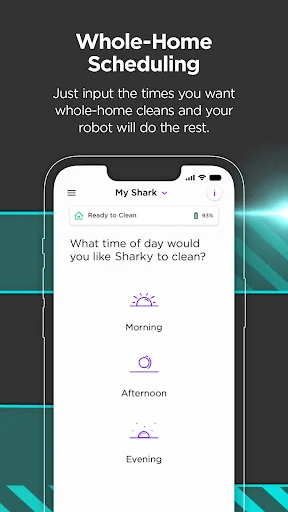
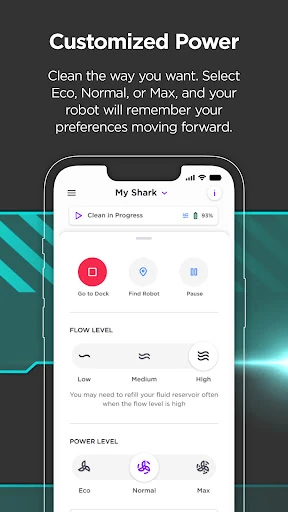
When I think about where SharkClean earns its place, it is in the ordinary gaps of a busy day. You can set a cleaning schedule for the days and times that work for you, then let the robot handle a routine run while you are occupied. Rather than having to remember to start each clean manually, the app makes it possible to plan around the household’s rhythm.
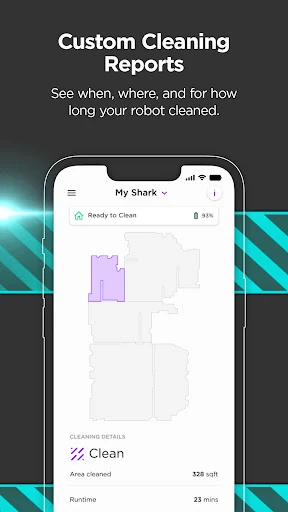
That is especially useful when a clean needs to happen while you are away from home. The app is designed to connect to a compatible Shark robot over Wi-Fi, so you can use it to manage the robot remotely. Notifications and, on some models, detailed cleaning reports provide extra feedback. I would treat those as helpful context, not a promise that every robot offers the same reporting.
A Companion, Not a Vacuum
SharkClean is best understood as a control hub for a Shark connected robotic vacuum, not a general-purpose cleaning app or a substitute for the robot itself. Its job is to make scheduling and supported settings easier to manage. If you are comparing it with controlling a robot through voice alone, the app offers a more direct place to adjust a schedule and access model-dependent tools.
It is also not a universal remote for any robot vacuum. The stated supported models are Shark connected robotic vacuums in the 700, 800, 900, 1000, and 2000 series, and the robot needs Wi-Fi with 2.4GHz band support. Some of the more hands-on options, such as room or zone cleaning, depend on having a compatible model and a generated home map.
Small Habits That Help
A useful first habit is to set a schedule that matches how you actually use your home. Pick days and times that make sense for your routine, then adjust them when that routine changes. Because the app lets you alter the schedule, you do not have to treat the first plan as permanent. That small bit of upkeep can make a robot’s regular runs feel more intentional.
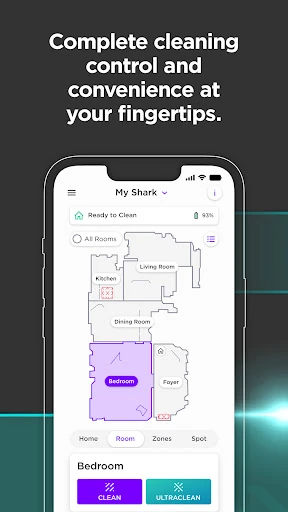
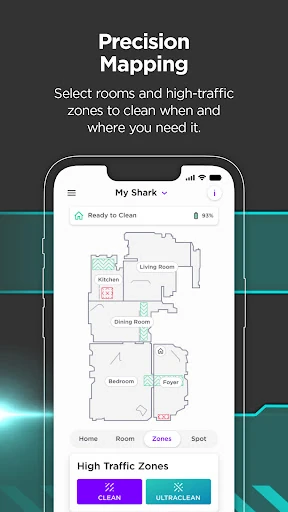
If your model supports mapping and targeted cleaning, take time to make the map useful and customize it. The app description says compatible robots can use room and high-traffic zones after generating a map. I would reserve those targeted runs for a particular area that needs attention, while leaving the schedule to cover ordinary maintenance. Troubleshooting tips and FAQs are also worth checking when a question comes up.
More From Our News Desk

Zoom Meetings, Google Meet, or Teams: Which Is Easiest to Join?

How I Build a Free Streaming Lineup With Tubi

Why Crunchyroll Is the Default Anime App for So Many Fans

YouTube TV: A Practical Guide to Cutting Cable

Rummikub and the Small Comfort of Phone Games

TeamViewer Remote Control or AnyDesk for Helping Family?
Who Will Get the Most From It
I would recommend SharkClean to owners of a supported Shark connected robot who want a simple way to set recurring cleans and manage the robot from a phone. It makes the most sense if you value a schedule and would use features such as map customization, room or zone cleaning, notifications, or cleaning reports when your particular model supports them. Voice control compatibility with Alexa and Google Assistant-enabled devices is another useful option.
It may be less compelling if you do not own a compatible Shark robot, or if you expect every feature described to work on every model. The app depends on a supported robot and 2.4GHz Wi-Fi, and the more specific map and cleaning options vary by model. If you prefer to start every clean directly on the robot and do not need scheduling or remote control, you may have little reason to use the app often.
SharkClean is a free Android app from SharkNinja in the Lifestyle category. On Google Play it has over one million installs and a 3.8-star rating from about 45,000 ratings. The app is rated Everyone. Its listed minimum requirement is Android 8.0, and version 6.11.0 is the current version in the provided app details.
The app is listed at no cost, with no in-app purchases and no ads. It was released on September 8, 2017, and its most recent listed update was January 27, 2026. SharkClean is intended for Shark connected robotic vacuum models 700, 800, 900, 1000, and 2000, with Wi-Fi that supports the 2.4GHz band.
Making Robot Cleaning Feel Routine
A Focused First Impression
SharkClean’s purpose is easy to grasp: it is the app for adjusting and managing a connected Shark robot vacuum. I appreciate that this focus keeps the main value practical rather than trying to turn vacuuming into a complicated project. The most useful question to settle early is whether your robot belongs to one of the supported series and whether your home Wi-Fi includes the required 2.4GHz band.
The app description presents scheduling as a feature available across all models, while mapping and room or zone cleaning are available only on certain models. Keeping that distinction in mind helps set realistic expectations from the start. A feature list can look broad, but the robot model determines which controls and information are relevant to your setup.
Everyday Control
The everyday appeal is being able to plan cleaning rather than remembering to start each run. In SharkClean, you can choose the days and times for scheduled cleans and adjust them when needed. That is a straightforward benefit for anyone who wants the robot to fit around work, errands, or time spent at home.
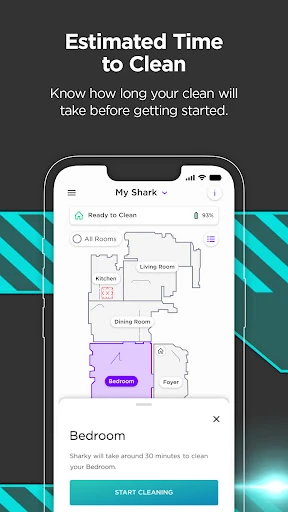
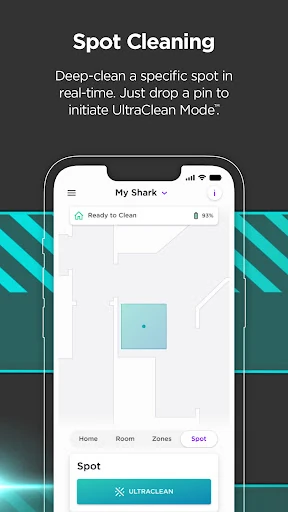
For compatible setups, the app also lets you start cleaning specific rooms or zones once the robot has generated a home map. Notifications and detailed cleaning reports can add useful information after a run, although report availability varies by model. I see these as conveniences that complement the schedule, rather than features every owner needs to use every day.
Features With Model Limits
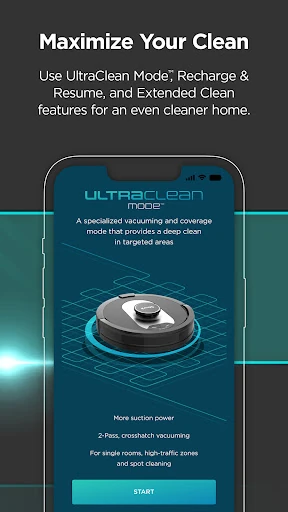
The standout feature set is a mix of broadly useful controls and options reserved for particular robots. Scheduling is described as available on all models. Voice controls work with compatible Alexa and Google Assistant-enabled devices, also across all models. For 1000 and 2000 models, the app supports room and zone cleaning after the robot creates a map, plus Recharge & Resume, which lets the robot return to its base to recharge and continue.
The RV2000WD has a separate VacMop mode for vacuuming and mopping at the same time. The description says it avoids carpets while scrubbing floors. These distinctions matter more than a long list of features: the right options depend on the robot you own. The app also offers troubleshooting tips and FAQs, which give users a place to look when they need help.
A Practical Weekly Rhythm
A sensible routine might start with choosing a few cleaning times that suit the household, then letting those scheduled runs handle regular upkeep. If a particular area needs attention between those runs, owners of a compatible mapped model can use room or zone cleaning to target it. That combination gives the schedule a steady role without making every clean follow the same pattern.
I would also revisit the schedule when the household’s routine changes, rather than leaving an old plan to run indefinitely. On a model with Recharge & Resume, that feature can help extend cleaning coverage by allowing the robot to recharge and pick up where it left off. The app’s notifications and reports, when available, can provide another way to keep track of cleaning.
Limits to Keep in Mind
The most important limitation is compatibility. SharkClean requires a supported Shark connected robot and Wi-Fi with 2.4GHz band support; it is not an app that can control other brands of vacuum. Even within the supported range, not every model gets every feature. Mapping, room or zone cleaning, Recharge & Resume, cleaning reports, and VacMop mode each have model-specific availability.
The app’s value also depends on how much you want to manage cleaning from your phone. If all you need is an occasional manual start, scheduling and model-specific controls may not change your routine much. And while the app provides troubleshooting tips and FAQs, it remains a companion to the robot rather than a replacement for the hardware or its supported capabilities.
SharkClean makes the most sense as a practical companion for a supported Shark robot, especially if you will use recurring schedules or targeted cleaning. I like that the core promise is clear and the available controls can help fit cleaning into an ordinary week. The main caveat is that the more distinctive tools depend on the robot model.
If you own a compatible connected vacuum and have 2.4GHz Wi-Fi, I would give the app a try. Check which features apply to your specific model before building a routine around them. If you do not have a supported Shark robot, or rarely need phone-based control, there is little here for you.
SharkClean Frequently Asked Questions
What is SharkClean used for?
SharkClean is the companion app for supported Shark connected robotic vacuums. It lets users schedule cleanings and, depending on the robot model, customize a home map, clean specific rooms or zones, access notifications and cleaning reports, and use troubleshooting tips and FAQs. Compatible Alexa and Google Assistant-enabled devices can also provide voice control.
Does SharkClean work on iPhone or other devices?
The app details provided here describe SharkClean for Android. It is intended to connect with Shark connected robotic vacuum models 700, 800, 900, 1000, and 2000, using Wi-Fi with 2.4GHz band support. For availability on other platforms or specific devices, check the relevant store listing and your robot’s compatibility information.
What Android version does SharkClean require?
SharkClean requires Android 8.0 or later according to its listed minimum requirement. It also needs a supported Shark connected robotic vacuum and Wi-Fi that supports the 2.4GHz band. Requirements can change with app updates, so it is worth checking the Google Play listing if you are deciding whether it will work on a particular phone.
Is SharkClean free, and does it have purchases?
SharkClean is listed as free on Google Play, with no in-app purchases and no ads in the provided app details. The app is a companion for a supported Shark robot, so access to its cleaning controls depends on having compatible hardware. Store details can change, so check Google Play for the latest information before installing.
Is SharkClean useful for every Shark robot owner?
It is intended for owners of supported connected robotic vacuums in the 700, 800, 900, 1000, and 2000 series. Scheduling is described as available across all models, but features such as room or zone cleaning, Recharge & Resume, VacMop mode, and detailed reports vary by model. Check the app and store details against your robot.
Pros
- Scheduling lets owners choose cleaning days and times that suit their routine.
- Compatible models can target mapped rooms or zones from the app.
- Troubleshooting tips, FAQs, notifications, and some cleaning reports add practical support.
- Voice control works with compatible Alexa and Google Assistant-enabled devices.
Cons
- A supported Shark connected robot and 2.4GHz Wi-Fi are required.
- Several useful features are limited to particular robot models.
- The app has limited value for owners who do not need phone-based control.
- Category
- Lifestyle
- Version
- 6.11.0











