Royal Mail
- 89.81K
- 3.8
- Installs
- 5.00M
- Price
- Free
Screenshots
Analysis by Reviewed APKs
Royal Mail is a practical companion for tracking deliveries and handling the small jobs around sending or receiving parcels. I’d recommend it to people who use Royal Mail regularly and want to manage postage, collections, missed deliveries and nearby drop-off points in one place. My overall take is that it covers a useful range of everyday needs, though it is most valuable when Royal Mail is already part of your routine.
A parcel day, handled
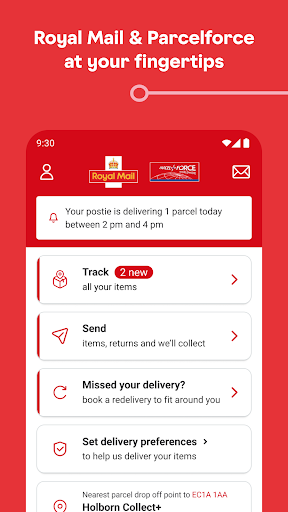
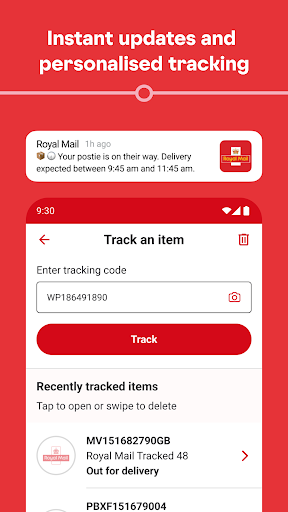
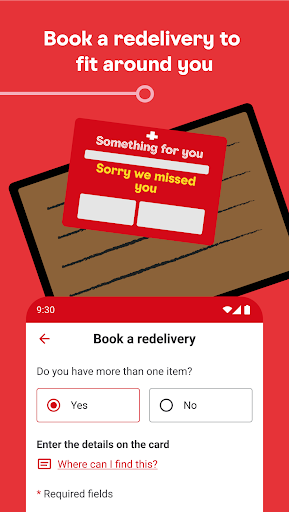
Picture a parcel due while you’re trying to get out the door. I’d start by entering its tracking ID or scanning the barcode, then let notifications keep me posted rather than repeatedly checking the tracking page. If I miss the delivery, the app can help me arrange redelivery to my address, a neighbour or a local Post Office, and choose a delivery day.
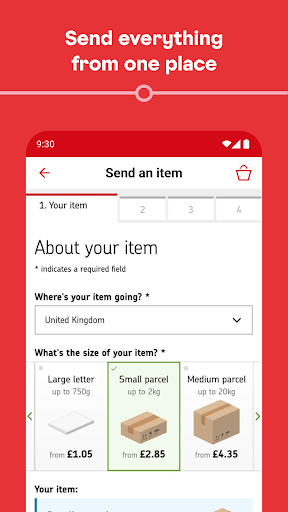
The same routine works in reverse when I have something to send. I can buy postage in the app, print a label myself or take its QR code to a Delivery Office Customer Service Point to have the label printed for free. If getting to a drop-off point is awkward, Parcel Collect lets me book a collection from home or work.
A postal toolkit, not a shop
Compared with opening a tracking page for every parcel, Royal Mail brings tracking and related delivery tasks together. It also goes beyond a basic courier tracker: I can buy postage, book collections, find nearby postal locations and change where a parcel is delivered after it has been sent. For someone already using Royal Mail, that breadth can make routine post feel less scattered.
It is not a general marketplace or a multi-carrier parcel dashboard. The features described are built around Royal Mail services, so its usefulness depends on having Royal Mail items or needing one of its postal services. I would not choose it as a way to coordinate deliveries from every retailer or carrier; its strength is managing the Royal Mail side of the job.
Small habits that help
A little organization makes the tracking side easier to live with. The app lets me save items and give them alias names, which is handy when several parcels are moving at once. I can use a name that makes sense to me instead of trying to remember which tracking number belongs to a birthday gift or a household order.
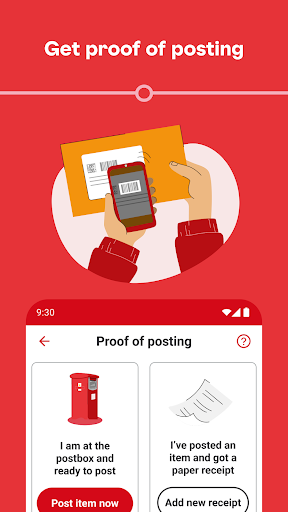
I’d also make a habit of saving useful records as I go. Postage receipts can be stored by taking a photo, and proof of postage can be sent to the phone after dropping an item at a location. Before heading out, checking nearby opening hours and collection times can help avoid a wasted trip. These are small steps, but they suit a busy postal routine.
More From Our News Desk

Zoom Meetings, Google Meet, or Teams: Which Is Easiest to Join?

How I Build a Free Streaming Lineup With Tubi

Why Crunchyroll Is the Default Anime App for So Many Fans

YouTube TV: A Practical Guide to Cutting Cable

Rummikub and the Small Comfort of Phone Games

TeamViewer Remote Control or AnyDesk for Helping Family?
Who may find it useful
I’d suggest Royal Mail to anyone who regularly sends or receives parcels through the service, especially people who want tracking, postage and delivery changes close at hand. It has practical options for different parts of the process: arranging collection, finding a drop-off point, handling a missed delivery and keeping an eye on an item. The saved-item aliases are a thoughtful touch if several deliveries overlap.
It may be less useful if you rarely deal with Royal Mail or mainly need to follow parcels handled by other carriers. There is also a lot here for someone who only wants to check one tracking number once; a focused tracking page may feel simpler. The app makes most sense when its wider postal tools are likely to earn a place in your regular routine.
Royal Mail is developed by Royal Mail Group. On Google Play, it has over five million installs and a 3.8-star rating from around 89,800 ratings. Its content rating is Everyone. The version is shown as varying with device, so the version a user receives can depend on the device.
The app is free to download on Google Play. The supplied store facts say it has no in-app purchases and contains no ads. Those are useful basics for anyone deciding whether to try it; availability and app details can change, so it is sensible to check the current Google Play information before installing.
Making Postal Chores Easier to Manage
A useful first impression
When I first opened the app, its appeal was easy to understand: it is meant to help with both sides of a delivery, not just tell me where a parcel is. Tracking, postage, collections and nearby services are all part of the package. That makes it feel like a postal utility for repeat use rather than a single-purpose tracker.
Getting started with tracking is straightforward in principle. I can enter a tracking ID or scan a barcode, then receive notifications about delivery progress. I also like that saved items can be given aliases, because a list of numbers becomes hard to interpret when several orders arrive together. The practical value is in making routine checks less fiddly.
Following items day to day
For everyday tracking, the useful change is that I can let updates come to me instead of opening a page to check manually. Saved items give me a place to keep parcels together, and aliases make it easier to recognize each one at a glance. That is especially helpful during a busy week when deliveries are arriving for different people or purposes.
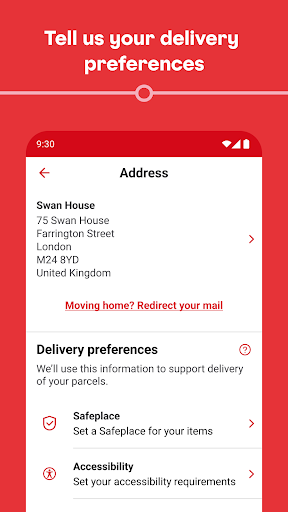
Delivery information can also help with the next decision. If an item has been delivered, the app can show a photograph of the signature or the Safeplace where it was left. That gives the tracking experience a practical endpoint: I can see more than a status label when I’m trying to work out where a parcel went.
More than tracking
The broader feature set is what separates this from a simple parcel checker. I can buy postage in a few steps, choose whether to print a label myself, or use an app QR code to have one printed at a Delivery Office Customer Service Point. Parcel Collect is another useful option, with the postie collecting from home or work and bringing a label if I cannot print one.
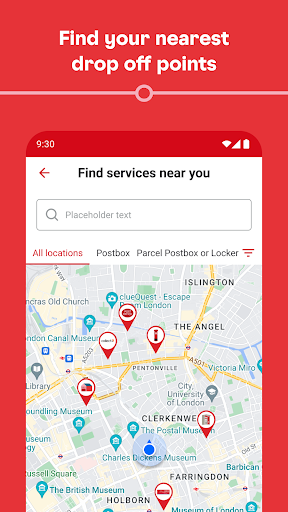
There are several helpful tools around those core tasks. The app can find Postboxes, Parcel Postboxes, Delivery Offices and Post Office branches, with opening hours and collection times. It also includes an augmented reality parcel sizer, a postcode and address finder, saved postage receipts and proof of postage sent to the phone.
For deliveries already on their way, I can book redelivery to my address, a neighbour or a local Post Office and select a day. The app also offers a way to change the destination to a Safeplace or neighbour after sending. If a grey Fee to pay card arrives, the fee can be paid through the app.
A routine for sending
When I have a parcel to send, I’d first use the parcel sizer to get a sense of its size and format, then buy postage in the app. From there, I can print the label at home or use the QR code option at a Delivery Office Customer Service Point. If leaving home with a parcel is inconvenient, booking Parcel Collect makes the collection part of the same workflow.
After handing the item over, I’d keep the proof of postage on my phone and take a photo of the receipt to save it in the app. If I’m dropping it off, checking locations and collection times beforehand can help me pick a convenient place. It is a tidy sequence for occasional senders as well as people who post parcels more often.
Limits to keep in mind
The main limitation is its focus. Royal Mail’s tools are useful for Royal Mail deliveries and services, but this is not presented as a way to organize parcels from competing carriers. People who want one place for every courier may still need other tracking options. And if I only need a one-off status check, the range of extra services may be more than I need.
Some tasks also depend on what I’m trying to do in the real world. Printing a label at home requires a printer, while the QR code route involves visiting a Delivery Office Customer Service Point. Parcel collection avoids a trip to a drop-off location, but it is a separate service to book. The app can make choices easier, though it does not remove every practical step.
Royal Mail is a capable everyday tool for people who send and receive parcels through the service. Tracking is the starting point, but the combination of postage, collection, redelivery, location finding and saved records gives it broader use. I especially like the way it handles small postal chores that otherwise tend to send me hopping between separate pages.
I’d recommend giving it a try if Royal Mail is already part of your week, particularly if you often have multiple items to track or parcels to send. If your needs are limited to occasional status checks or cover many carriers, its focused remit may not be enough. For regular Royal Mail users, it brings useful options into one place.
Royal Mail Frequently Asked Questions
What is the Royal Mail app used for?
Royal Mail can track items using a tracking ID or barcode and send notifications about delivery progress. It also supports buying postage, booking Parcel Collect, arranging redelivery, finding nearby postal locations and changing some delivery options. Other tools include saved tracking items, postage records, proof of postage and a postcode and address finder.
Which devices can run the Royal Mail app?
The supplied store information is for the Android app on Google Play. The Android version requirement can vary by device, so check the Google Play details for the version compatible with your phone or tablet. The app version itself is also shown as varying with device.
Does Royal Mail cost anything to use?
The app is free to download, and the supplied facts say it contains no ads and has no in-app purchases. Some postal services within the app may involve their own charges, depending on what you choose to do. Check the current Google Play information and the service details before completing a transaction.
Can I use Royal Mail to send parcels?
Yes. The app lets users buy postage and either print labels themselves or take an app QR code to a Delivery Office Customer Service Point for label printing. It also offers Parcel Collect bookings from home or work, including a label brought by the postie when the sender cannot print one.
Is Royal Mail suitable for tracking every courier?
Royal Mail is centered on Royal Mail items and services, including tracking, delivery options and nearby postal locations. It is not described as a general tracker for multiple carriers. I’d recommend it to regular Royal Mail users; people who mainly use other delivery companies may find a different tool more suitable.
Pros
- Combines tracking with postage, collections, redelivery and nearby postal locations.
- Saved item aliases make several active deliveries easier to recognize.
- Offers QR-code label printing and Parcel Collect options.
- Stores postage receipts and provides proof of postage on the phone.
Cons
- Its tools are focused on Royal Mail rather than multiple delivery companies.
- Some sending options still involve printing or visiting a service point.
- The wide feature set may be unnecessary for occasional tracking checks.
- Category
- Lifestyle











