Rock Identifier: Stone ID
- 110.94K
- 4.5
- Installs
- 10.00M
- Price
- Free
Screenshots
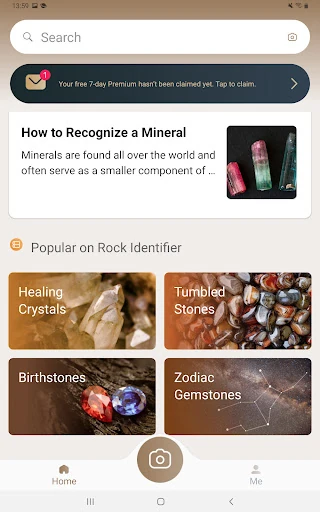
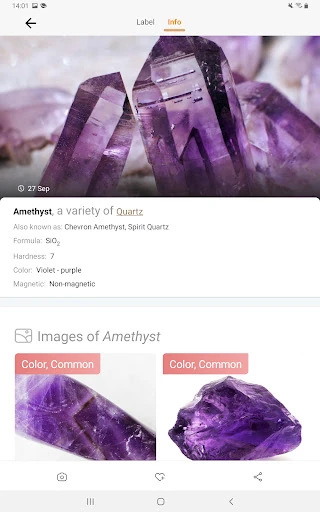
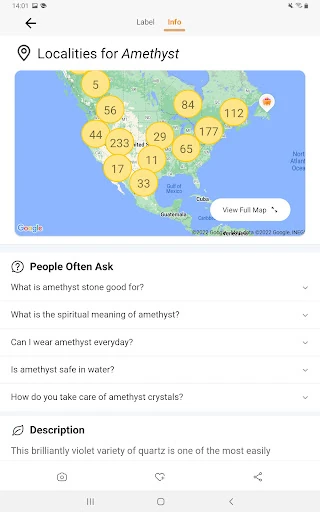
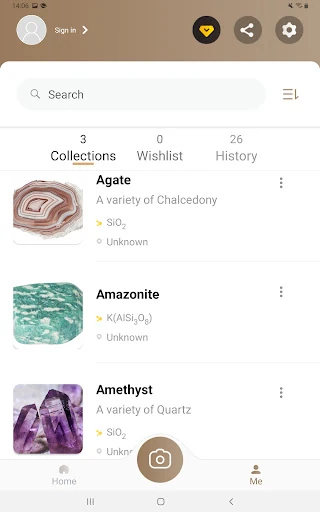
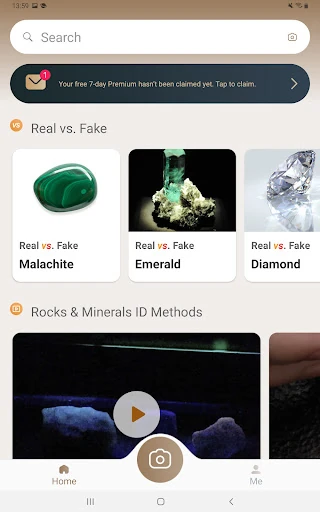
Analysis by Reviewed APKs
Rock Identifier: Stone ID turns a phone photo of a rock, crystal, or mineral into a starting point for learning what you found. I see it working best for curious walkers, students, and casual collectors who want a quick reference and a way to keep track of finds. After spending time with its identification and collection tools, my take is that it makes geology approachable, though photo-based results are best treated as a clue to investigate.
A Find on the Trail
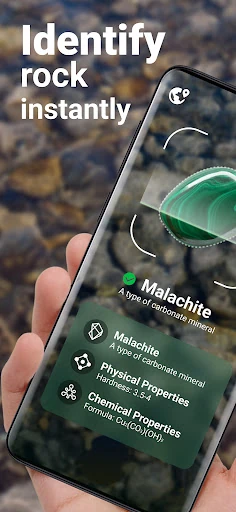
When I first opened Rock Identifier, I pictured using it on an ordinary walk rather than during a serious collecting trip. A patterned pebble catches my eye by a path, so I take a photo or choose one already on my phone. The app returns an identification and information about the rock, giving me something useful to read before I move on. That quick photo-to-reference loop is the app’s main appeal.
The moment works best when curiosity is the goal: I can compare the suggested name with the visible color, luster, or texture and learn a little more about what is underfoot. The app says it covers thousands of rocks and includes details such as hardness, color, luster, and formula. I would use those details to guide further reading, not treat a single picture as a definitive answer about a specimen.
A Field Guide, Not a Lab
Compared with flipping through a printed rock guide or searching the web for descriptions, a photo-based identifier gives me a faster place to begin. It also keeps identifications together in a personal collection, which is handy when I want to revisit a find later. That makes it a different kind of companion from a general camera app: the point is not just to take a picture, but to connect an observation with geology information.
I would not use it as a substitute for careful expert examination or as a tool for making consequential decisions about a stone. A photo can leave out important details, and the app’s suggested identification is still a starting point. It is also focused on rocks, crystals, and minerals rather than being a general nature guide. For a casual walk or a learning project, that focused scope feels sensible.
Build a Small Rock Log
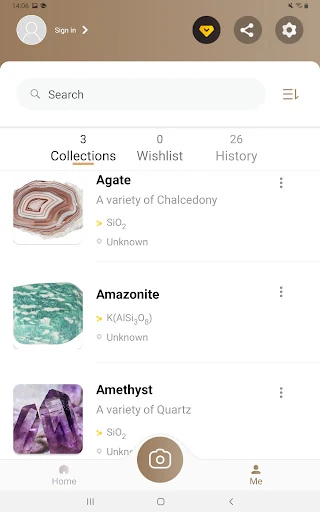
What surprised me was how much more useful the app becomes when I think beyond the instant result. I can save geological observations in a collection, add local photos, and record information such as where a specimen came from, when it was acquired, its price, and its size. I would not fill in every field for every pebble, but a few notes make memorable finds easier to distinguish from one another.
A simple habit helps: take a clear picture, review the suggested rock information, then save only the finds I want to remember. Later, the collection gives me a personal record rather than a camera roll full of similar close-ups. The search function covers more than 6,000 kinds of rock, so I can also look things up directly when I have a name or topic to explore.
More From Our News Desk

Zoom Meetings, Google Meet, or Teams: Which Is Easiest to Join?

How I Build a Free Streaming Lineup With Tubi

Why Crunchyroll Is the Default Anime App for So Many Fans

YouTube TV: A Practical Guide to Cutting Cable

Rummikub and the Small Comfort of Phone Games

TeamViewer Remote Control or AnyDesk for Helping Family?
Who Might Enjoy It
I would recommend Rock Identifier to people who already find themselves picking up interesting stones, as well as students, teachers, and hobbyists looking for an approachable geology reference. It gives a casual outing a little structure: photograph a find, read about it, and decide whether it is worth saving in a collection. People who enjoy keeping notes about their discoveries may get more lasting value from it than someone who only wants a one-time answer.
It may be less satisfying for someone who expects every photograph to settle a difficult identification, or who wants a full professional geology workflow. The app is designed around photo identification, learning resources, and personal observations, not laboratory testing. If I were using it for study, I would treat the result as a prompt to compare characteristics and consult other materials rather than as the final word.
Rock Identifier: Stone ID is an Android app from Next Vision Limited. Google Play shows more than 10 million installs and a 4.5-star rating from about 111,000 ratings. It is free to download and contains in-app purchases, with listed items ranging from $0.99 to $39.99 each. The app does not contain ads, and its content rating is Everyone.
The app requires Android 9 or later. The current version in the provided app details is 2.4.1. It was released on March 10, 2021, and its last update was December 2, 2025. Those details make it a fairly established app with a recent update date, while the free download lets users try its basic purpose before deciding whether any in-app purchase is relevant to them.
A Closer Look at the Rock-Finding Routine
Opening the App
My first impression was that the app has a clear job: help me identify a stone from a photo, then give me material to explore. I did not need to arrive with geology vocabulary already in hand. That is a useful quality for a casual tool, since the person holding an unusual pebble may not know whether to search for a mineral, a crystal, or a rock name.
Getting started can be as simple as taking a picture or uploading one. I like having both routes, because sometimes the interesting find is already in my camera roll by the time I remember to investigate it. The app’s description presents a user-friendly interface, and the photo-first approach makes the central task easy to understand without turning the opening experience into a lesson.
The Everyday Experience
Day to day, the satisfying part is the short loop: notice a stone, photograph it, read the identification information, and decide whether to save it. The app describes results in seconds, which suits those small moments of curiosity when I do not want to start a long search. Its learning resources give me a reason to keep reading after the name itself, rather than closing the app as soon as I get a result.
I found the collection idea especially practical for repeated use. A saved observation can include more than the identification: I can add local photos and record details such as location, date, size, or purchase price. That turns a one-off lookup into a basic record of my interests. It is not a complicated cataloguing system in the description, but it covers the kind of notes a hobbyist may want to keep.
More Than a Photo Match
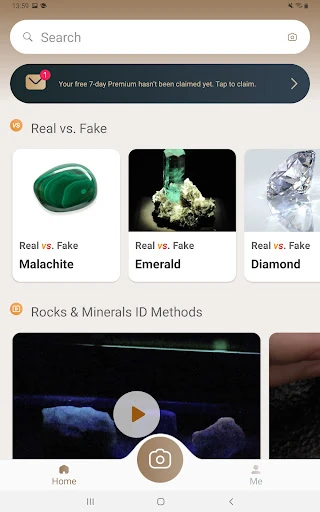
The search function is a useful complement to camera identification. Rock Identifier says it can search across more than 6,000 kinds of rock, so I can explore by name or browse when I am learning about a particular specimen. The app also offers educational material about geology, including characteristics such as hardness, color, luster, and formula. Those details help make the result a little more informative than a label.
I also noticed that the app invites users to build a personal collection and add their own context to an observation. That feature changes the feel from a disposable scanner into a modest field journal. The description mentions topics including raw stones, gemstones, crystal clusters, tumbled stones, and birthstones. I would approach those broader subjects as reading material within a rock-focused app, rather than expecting a dedicated specialist reference for each.
A Simple Weekend Routine
For a low-effort routine, I would use the app after a walk rather than interrupting every few minutes to inspect the phone. I can photograph a handful of interesting finds, then sit down later and review them one at a time. That leaves room to compare the suggested names and read the related geology information at a comfortable pace, without making the outing feel like a checklist.
If one specimen stands out, I can save it and add the details I am likely to forget: where I encountered it, the date, and a local image or two. For a purchased stone, the collection can also hold its purchase price and size. Over time, that habit gives the app a personal purpose beyond identification. It becomes a place to revisit a hobby, not just a tool I open when stumped.
Keep Expectations Grounded
The main limitation is inherent to identifying a rock from a photo: an image can show color and surface patterns, but it cannot capture every characteristic that might matter. I would treat the result as a well-organized lead and use the app’s information to learn what to compare next. That mindset keeps the tool useful without expecting a phone picture to replace close examination or specialist input.
The collection features also ask for a little effort if I want a useful record. Saving every passing stone and entering all its details could become tedious, so I would reserve the notes for finds I genuinely care about. The app has a broad subject focus, but it is still a rock and mineral identifier rather than an all-purpose outdoor guide. That is a fair trade for a focused tool.
Rock Identifier: Stone ID makes it easy to turn a moment of curiosity into a short geology lesson. Photo identification, searchable rock information, and a personal collection are a useful combination for casual exploration. I especially like that saved finds can carry their own notes, giving repeat users a reason to come back.
I would try it if I often notice interesting stones, teach or study basic geology, or enjoy keeping a record of a collection. I would be more cautious if I needed a conclusive identification from a photo alone. Used as a learning companion and field notebook, it has a practical role without asking to be more than it is.
Rock Identifier Frequently Asked Questions
What is Rock Identifier: Stone ID used for?
Rock Identifier: Stone ID is used to identify rocks, crystals, and minerals from a photo or an uploaded image. It also provides rock-related learning resources and lets users save geological observations in a personal collection. Saved entries can include extra details such as location, date, size, purchase price, and local photos. I would treat photo results as a starting point for learning.
Can I use Rock Identifier: Stone ID on an iPhone?
The app details provided here are for Android, where Rock Identifier: Stone ID is available through Google Play. They do not establish availability on other platforms or devices. If you are looking for an iPhone version or want to check current device compatibility, availability may vary, so it is worth checking the relevant store listing.
What Android version does Rock Identifier: Stone ID require?
Rock Identifier: Stone ID requires Android 9 or later according to its app details. If you are unsure which Android version your phone runs, you can check the device settings before installing. Compatibility can also depend on the device and current store information, so the Google Play entry is the place to check for the latest requirements.
Is Rock Identifier: Stone ID free?
The app is free to download on Google Play and contains in-app purchases. The provided price range for individual in-app items is $0.99 to $39.99. The app does not contain ads. Purchase options can change over time, so check the Google Play listing for current details before buying anything.
Who is Rock Identifier: Stone ID suitable for?
It may suit curious walkers, rock collectors, students, teachers, and people who want to learn more about stones they encounter. Its photo identification and saved-observation collection support casual exploration and basic record-keeping. It may be less suitable for someone who needs an authoritative identification from an image alone; the app is best treated as a learning aid and reference.
Pros
- Photo identification gives curious walkers a quick starting point for learning about a find.
- Search covers thousands of rock types alongside educational geology information.
- Saved observations can include personal photos, locations, dates, size, and price.
- Free to download, with no ads listed in the app details.
Cons
- A photo-based identification is best treated as a lead, not a definitive examination.
- Adding detailed notes to every saved specimen could become a chore.
- The app focuses on rocks and minerals rather than broader outdoor identification.
- Category
- Lifestyle
- Version
- 2.4.1