Reverse Image Search - Multi
- 21.54K
- 4.2
- Installs
- 1.00M
- Price
- Free

Screenshots

Analysis by Reviewed APKs
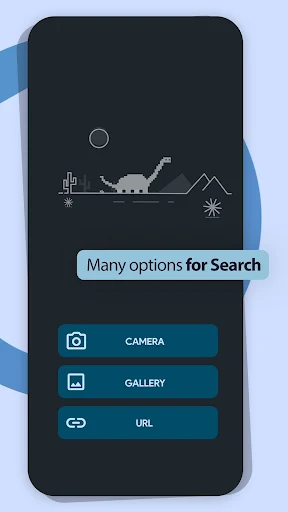
Reverse Image Search - Multi is a tool for looking up pictures by using the picture itself rather than typing a description. I can see it helping when I want to check where a photo came from, find visually similar images, or investigate a product I spotted. Its gallery and camera search options make it practical for quick lookups, though the results depend on what the search engine can find.
A Picture Worth Checking
Imagine a friend sends me a striking travel photo, and I want to know whether it shows the place they say it does. Instead of guessing keywords, I can open Reverse Image Search - Multi and choose the image from my gallery. The app searches using the picture, which is a more natural starting point when I have the image but not the right words to describe its subject.
The same approach makes sense for a screenshot, meme, or product photo. I might be trying to find a similar item online, trace a photograph to a source, or learn more about what appears in an image. I can also take a picture with the camera and search from there. It turns an everyday curiosity into a straightforward image lookup, rather than a text search that relies on my best guess.
A Different Kind of Search
A regular web search starts with words, so it works best when I already know what to call something. This app starts with an image instead. That distinction is useful when I have a photo, screenshot, or picture of an object but lack a name, source, or useful keywords. It is a focused tool for visual discovery, not a general-purpose browser or a replacement for every kind of search.
I would use it to investigate an image or find related material, not as a specialist photo editor or a shopping service. The description mentions an image editor before searching, but the central job remains the reverse search itself. Results may help me find related information, yet I still need to judge whether a match is relevant. The app makes the lookup easier; it does not decide what a result proves.
Small Habits That Help
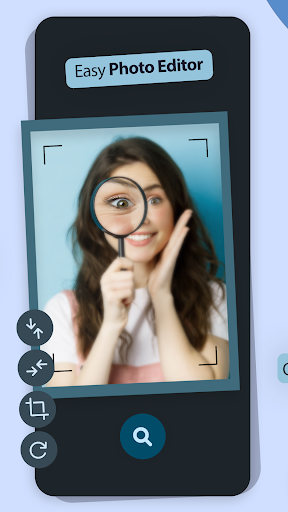
When I have a picture ready, choosing it from the gallery is the direct route. If the subject is in front of me, the camera option avoids taking a separate photo first. Before searching, I can use the app's image editor if a crop or adjustment would make the subject easier to recognize. These are small choices, but they help keep the search focused on the part I actually want to investigate.
I would also make a habit of comparing the returned material with the image I started from, rather than stopping at the first plausible-looking result. The app offers a SafeSearch filter option in settings, so that is worth reviewing before a search if it matters for the way I use the tool. If I want to keep or pass along a result view, the description also notes screenshot saving and sharing.
More From Our News Desk

Zoom Meetings, Google Meet, or Teams: Which Is Easiest to Join?

How I Build a Free Streaming Lineup With Tubi

Why Crunchyroll Is the Default Anime App for So Many Fans

YouTube TV: A Practical Guide to Cutting Cable

Rummikub and the Small Comfort of Phone Games

TeamViewer Remote Control or AnyDesk for Helping Family?
Who Might Find It Useful
I would recommend Reverse Image Search - Multi to curious people who regularly receive pictures, browse visual posts, or want a quick way to investigate an image they encounter. It suits someone who can start with a photo and then follow up on related information. The camera and gallery routes give it flexibility for both things already saved on the phone and subjects that are nearby.
It may be less appealing if most searches begin with detailed text queries, or if someone expects a definitive answer about every image. Reverse search can surface similar pictures and related information, but a match still needs human judgment. I would treat it as a useful starting point for exploration, not a source that settles every question about a photo's origin, a person's identity, or a location.
Reverse Image Search - Multi is an Android tools app from THINK FREE. On Google Play it has over 1 million installs and a 4.2-star rating from around 21,500 ratings. The app is free to download and contains ads, with no in-app purchases reported in the provided app facts. Its content rating is Everyone, so its store rating is suitable for a general audience.
The current version in the app facts is 8.0.3. Reverse Image Search - Multi was released on June 16, 2017, and its last recorded update was August 31, 2023. An Android minimum version is not included in the available facts, so check Google Play for device compatibility before installing. These practical details can change over time, so the store page is the best place to check current information.
A Closer Look at Image Search
Starting With a Picture
The first thing I notice about the idea behind the app is how little setup the task needs. I do not have to invent a search phrase or know the name of an object before beginning; I can start with a picture from the gallery or take one with the camera. That makes the app easy to understand as soon as I have an image I want to investigate.
I would begin with a clear image and decide what I want to learn from it. A photo can contain several possible subjects, so knowing whether I am looking for the object, the setting, or a similar image helps me evaluate what comes back. The app also offers an image editor before searching, which gives me an option to prepare the picture rather than immediately sending it into a search.
The Everyday Search
In day-to-day use, the main loop is simple: provide an image, search, and inspect related material. That is a useful change of pace from typing several descriptions and hoping that one uses the same wording as a page on the web. When I am unsure what something is called, the picture itself can carry the first part of the search.
I would expect this to work best as an occasional companion to browsing, not as something that needs a long daily session. I might open it after seeing an unfamiliar product, a reposted picture, or a screenshot that raises a question. Search results are a starting point, so I would compare what appears with the original image and follow up when the context matters.
Useful Image Tools
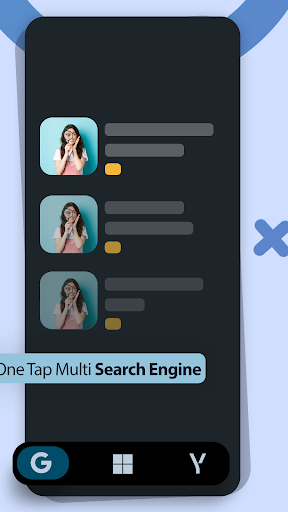
The gallery and camera options cover two common situations: searching for an image I already have and searching from a subject I can photograph. The app also describes similar-image search and the ability to look for related information through a search engine. Together, those options keep the emphasis on exploring what is visually connected to the picture rather than only matching its exact appearance.
The SafeSearch filter in settings is another practical inclusion, particularly for people who want to adjust that aspect of their searches. The image editor gives me a chance to prepare a picture before sending it through a search. I also like that the listed tools include saving a screenshot to an album and sharing it, which can help when I want to keep a search view or show it to someone else.
A Simple Investigation Routine
For a product I noticed while out, I would take a picture with the camera option and search from the app. For something that arrived in a message, I would use the gallery button instead. If the image includes distracting background details, I would consider using the editor before searching, then look through related material with the original question in mind: am I trying to identify the object, locate a similar one, or learn more about the image?
After a search, I would keep a note of what seems genuinely relevant and avoid treating visual resemblance as proof of a shared source. If a screenshot is useful for later, the app describes a way to save it to an album or share it. That makes the workflow easy to fit into a normal phone routine: search when curiosity strikes, review the results, and save or pass along what I need.
Keep Expectations Grounded
Reverse image search is only as helpful as the results it can surface for a particular picture. A common object or widely shared photograph may be easier to explore than an obscure image, and similar-looking pictures are not necessarily the same photograph or evidence of the same source. I would use the app to open leads and then look at the context around any result that matters.
The app contains ads, which is worth keeping in mind if I prefer a completely uninterrupted experience. Its listed role is focused: search from a picture, use the available image tools, and explore related information. It is not described as a complete identity-checking or location-verification service. For sensitive questions, I would avoid drawing a firm conclusion from a visual match alone.
Reverse Image Search - Multi gives image-led searches a clear place on an Android phone. Gallery search, camera search, an editor, SafeSearch settings, and screenshot options make the basic idea useful for everyday curiosity. I like the way it starts with the image I have rather than asking me to guess the right keywords first.
I would try it if I often want to trace, compare, or learn more about pictures. I would be more cautious if I needed authoritative answers or disliked ads, and I would treat results as clues to review rather than final judgments. For casual visual exploration, it offers a practical route from seeing an image to searching around it.
Reverse Image Search Frequently Asked Questions
What is Reverse Image Search - Multi used for?
Reverse Image Search - Multi lets you search using an image instead of starting with keywords. You can choose a picture from your gallery or take one with the camera, then look for similar images or related information. The app describes uses such as checking the source of a photograph, exploring a screenshot or meme, and finding similar products.
Which phones and platforms support Reverse Image Search - Multi?
The app is an Android app distributed through Google Play. The provided app information does not give a minimum Android version, so compatibility can vary by device and operating system. Check the Google Play page on your phone for current requirements and availability before installing.
Does Reverse Image Search - Multi cost money?
The app is free to download, and the provided facts say it contains ads but has no in-app purchases. Store details can change, so it is worth checking Google Play for the current price and any purchase information before you install.
Can Reverse Image Search - Multi identify where a photo came from?
It can search from a photo and help you explore similar images or related information, which may provide useful leads about a picture. A matching result is not by itself proof of the image's source or context. I would compare results carefully and treat them as starting points for further checking.
Who is Reverse Image Search - Multi best suited to?
It may suit people who often encounter pictures they want to investigate, compare, or use to find similar products. Its gallery and camera search options support both saved images and subjects nearby. It may not suit someone who wants every visual question answered conclusively or prefers a search tool without ads.
Pros
- Search from either a saved gallery image or a new camera picture.
- Includes an image editor and a SafeSearch filter option.
- Offers screenshot saving and sharing for keeping or passing along results.
Cons
- Contains ads, which may interrupt an otherwise focused search.
- Similar-image results still need careful interpretation and follow-up.
- Not designed as a definitive source-verification service.
- Category
- Tools
- Version
- 8.0.3











