Punchbowl: Invites & eCards
- 15.32K
- 4.8
- Installs
- 1.00M
- Price
- Free

Screenshots
Analysis by Reviewed APKs
Punchbowl: Invites & eCards helps me put together digital invitations, keep an eye on RSVPs, and send greeting cards from my phone. It suits anyone planning a get-together or looking for a quick way to mark a birthday or holiday. After looking at how its invitation and guest-management tools fit together, I see it as a practical organizer for social occasions, not an all-purpose event-planning system.
A Party Plan in Your Pocket
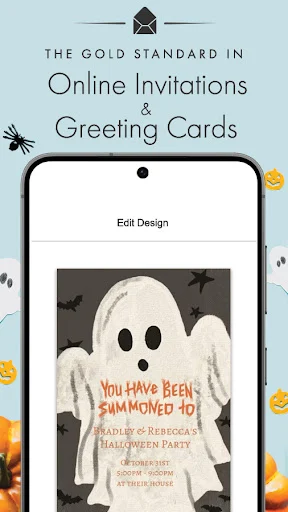
When I first opened Punchbowl, I pictured using it for the familiar scramble before a family birthday: choosing an invitation, getting the details in one place, and letting everyone know when to arrive. I could browse designs, enter the party information, and send invitations by text or email. If I wanted a more personal touch, some designs let me add a photo from my gallery.
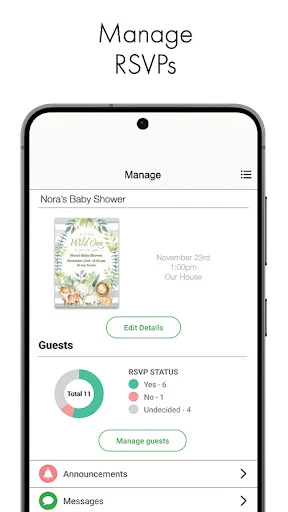
Once invitations are out, the useful part is having replies tied to the event rather than scattered across messages. Punchbowl lets me check RSVPs in the app, add guests, and follow up with people who have not responded. That makes it easier to get a rough head count while I am going about my day. It will not make the party for me, but it can keep the invitation side from becoming another project.
More Than a Digital Card
A group text is the obvious quick alternative, and it works well when a few friends are already coordinating casually. Punchbowl is more useful when I want a designed invitation and a clearer guest list, especially for occasions where people need the date, time, and other details in one invitation. Its RSVP tracking gives me a better sense of who has answered than a busy chat thread usually does.
I would not treat it as a full event-planning suite or a replacement for in-person stationery in every situation. The app focuses on digital invitations, guest responses, and greeting cards. It can also support event coordination with options such as a potluck list, poll, or co-host, but the description does not position it as a tool for managing every logistical detail. For informal plans, a message may still be faster.
Small Habits That Help
I would start by collecting the guest list before sitting down to design the invitation. Punchbowl offers ways to import guests from Contacts, which can save repetitive typing when the people I am inviting are already there. I would then check the event details carefully before sending, since a polished design is only helpful if the practical information is right.
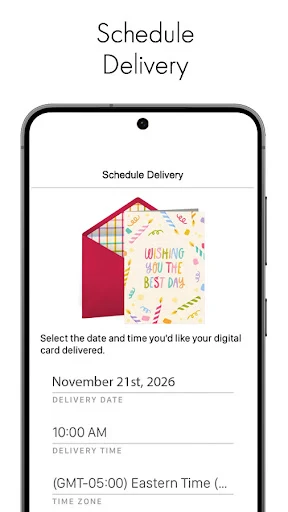
After sending, I would make RSVP checking a small routine instead of waiting until the last minute. The app lets me follow up with guests who have not replied, and its guest chat and broadcast announcements can keep updates connected to the invitation. For a card, scheduling delivery for a chosen date and time is a handy way to prepare ahead rather than relying on my memory that morning.
More From Our News Desk

Zoom Meetings, Google Meet, or Teams: Which Is Easiest to Join?

How I Build a Free Streaming Lineup With Tubi

Why Crunchyroll Is the Default Anime App for So Many Fans

YouTube TV: A Practical Guide to Cutting Cable

Rummikub and the Small Comfort of Phone Games

TeamViewer Remote Control or AnyDesk for Helping Family?
Who Might Enjoy Punchbowl
I would recommend Punchbowl to busy hosts who regularly organize birthdays, showers, holidays, or other gatherings and want invitations and responses in one place. Parents planning a child’s party may especially appreciate the character-themed designs alongside more general options. It also suits someone who sends digital greetings and likes choosing a design, adding a personal message, and arranging delivery from a phone.
It may be less appealing if you prefer paper invitations, already manage every event in another service, or only need to send an occasional short message. The app’s strengths are its invitation designs, guest communication, RSVP tracking, and eCards; they matter most when those tasks are part of your routine. If you are planning a large or complex event, I would consider whether these focused tools cover the coordination you need.
Punchbowl: Invites & eCards is a Lifestyle app from Punchbowl. On Google Play, it has over 1 million installs and a 4.8-star rating from about 15,300 ratings. The app is free to download and contains in-app purchases, with listed items ranging from $5.99 to $84.99 each. Google Play marks its content rating as Everyone.
The current version shown in the provided app information is 4.2.4. Punchbowl was released on October 30, 2015, and its most recent update date shown there is January 30, 2026. The Android minimum requirement is not included in the available app facts, so check the Google Play entry on your device for the requirement that applies.
How Punchbowl Handles Everyday Celebrations
A Friendly First Look
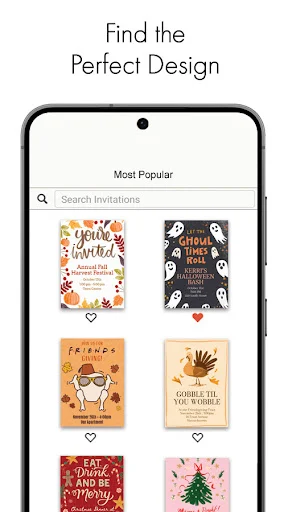
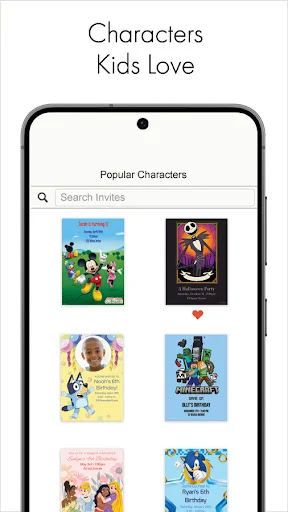
My first impression is that Punchbowl brings several related jobs together: finding an invitation, preparing a guest list, and sending a card. The design choices cover many occasions, from birthdays and showers to graduations and holidays. I also noticed two distinct invitation collections in the description: character designs for kids and handmade-art styles for people who want a more illustrative look.
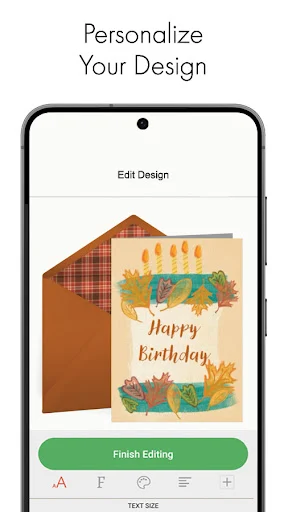
Getting started with an invitation is designed around entering party details with touch-friendly controls. I can also add a photo to designs that support it and bring in contacts when building the list. That combination gives me a straightforward starting point without requiring me to assemble a design and a separate mailing list elsewhere. The app’s value is clearest when I have an actual occasion to organize.
The Day-to-Day Flow
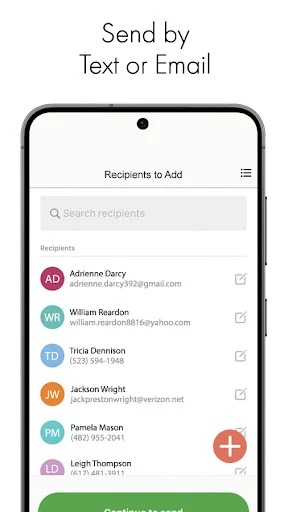
The core routine is easy to understand: choose a design, personalize it, send it, and return to the app to see who has replied. Invitations can go out by email or text message. I like that the follow-up stage is part of the same flow, because a host’s work often continues after the first announcement rather than ending when the invite is sent.
Guest communication has a few useful layers. I can add more people, check responses in real time, and follow up with guests who have not answered. The app also describes one-on-one chats and announcements to the whole guest list. I would use those for a change of plan or a simple reminder, while keeping the main invitation as the reference point for the event.
Designs for Different Occasions
The range of invitation categories is a notable part of Punchbowl. It includes everyday celebrations such as birthdays and baby showers, as well as weddings, save-the-dates, graduations, and seasonal events. The character collection includes designs associated with familiar children’s entertainment properties, while the handmade-art collection offers a different visual direction. That variety gives me a reason to browse before settling on a style.
The eCard side serves a related but different purpose. Punchbowl offers designs for birthdays, thank-yous, holidays, and other moments when I want to send a greeting rather than organize a gathering. I can add my own message, and some designs allow a photo. Cards can be sent by text or email, and I can schedule one for a date and time that suits the occasion.
A Simple Hosting Routine
For a weekend gathering, I would prepare the invitation a few days ahead, enter the important details, and use Contacts to help build the guest list. Once it is sent, I could check responses during the week rather than repeatedly asking people in separate conversations. If the plan changes, the guest communication options give me a place to share an update with individuals or the whole list.
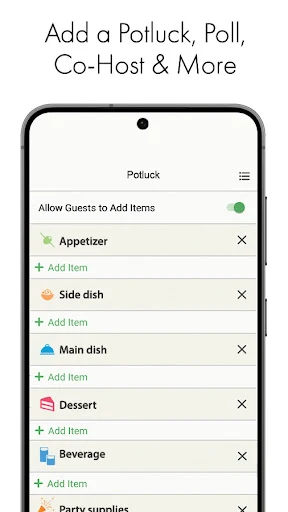
Some events need more than a yes-or-no head count. Punchbowl describes advanced options including a potluck list, a poll, and adding a co-host. I would use those when guests are contributing food or when the group needs to weigh in on a choice. They are not essential for every birthday, but having them alongside the invitation can reduce the number of separate coordination threads.
Limits to Keep in Mind
Punchbowl is most compelling when I want a designed digital invitation and a way to keep track of replies. If I am arranging a casual coffee with two friends, opening an event invitation app may feel like more process than the plan needs. And if I prefer printed cards, the app’s digital-first approach may not match the experience I want, even though its designs aim for a paper-like look.
The app is free to download, but it also offers in-app purchases, so I would check the Google Play information before assuming every design or option is included at no cost. The available facts do not give an Android minimum-version requirement. I would verify device compatibility in the store before installing, particularly if I use an older phone. Those practical checks do not change the app’s central role as a digital invitation and card tool.
Punchbowl brings invitations, RSVP tracking, guest messages, and eCards into one mobile app. I like the way it connects the first announcement to the follow-up, and the variety of occasion-specific designs gives hosts room to choose a tone that fits. Its tools are focused rather than expansive, which is an advantage for straightforward celebrations.
I would try it if I often host gatherings, plan children’s parties, or send digital greetings and want a little more structure than a group text. For occasional informal plans or anyone committed to paper invitations, it may be more app than necessary. Overall, it is a sensible option for keeping the social details of a celebration together.
Punchbowl Frequently Asked Questions
What is Punchbowl: Invites & eCards used for?
Punchbowl is used to create and send digital invitations, manage guest lists, and track RSVPs. It also offers digital greeting cards for occasions such as birthdays, holidays, and thank-yous. Invitations and cards can be sent by text or email. Hosts can also communicate with guests and use options such as a potluck list, poll, or co-host for some events.
Which devices can run Punchbowl: Invites & eCards?
Punchbowl: Invites & eCards is an Android app available through Google Play. The Android version requirement can vary with the app and device, so check the Google Play entry for the current minimum before installing. The provided app information does not specify an iOS version, so I would use the relevant store information to confirm availability for a particular device.
What Android version does Punchbowl require?
The Android minimum version for Punchbowl: Invites & eCards can vary, and the app facts provided do not include a specific requirement. Check its Google Play entry from the device you plan to use for the current compatibility details. The listed app version is 4.2.4, but that does not by itself establish which Android versions are supported.
Does Punchbowl: Invites & eCards cost money?
Punchbowl: Invites & eCards is free to download and includes in-app purchases. The provided Google Play information gives a range of $5.99 to $84.99 per item. What a particular purchase covers may vary, so review the current store details and purchase information before paying. The app is marked as containing no ads in the provided facts.
Who is Punchbowl: Invites & eCards best for?
It is a good fit for people who regularly plan celebrations and want invitations, guest responses, and updates in one place. Families may find the children’s character invitation collection useful, while anyone sending digital greetings can use its eCards. It may be less suitable for people who prefer printed invitations or only need a quick, informal message for a small plan.
Pros
- Invitations, RSVP tracking, guest follow-ups, and eCards are available in one app.
- Design collections cover many occasions, including children’s character-themed invitations.
- Contact imports and text or email delivery help simplify inviting guests.
- Card scheduling makes it easier to prepare greetings ahead of time.
Cons
- In-app purchases mean some options may come with additional costs.
- The digital-first approach may not suit people who prefer printed invitations.
- For a small informal plan, creating an invitation may feel unnecessary.
- Category
- Lifestyle
- Version
- 4.2.4











