Nielsen Mobile App
- 14.93K
- 3.6
- Installs
- 1.00M
- Price
- Free

Screenshots
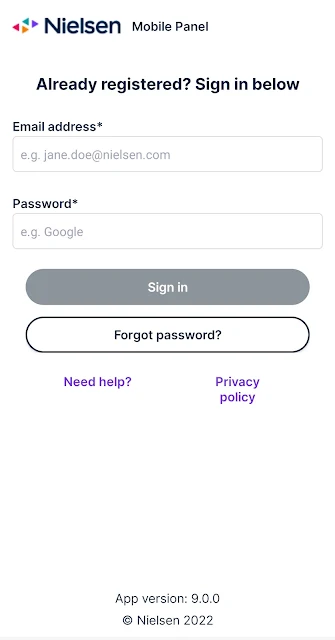
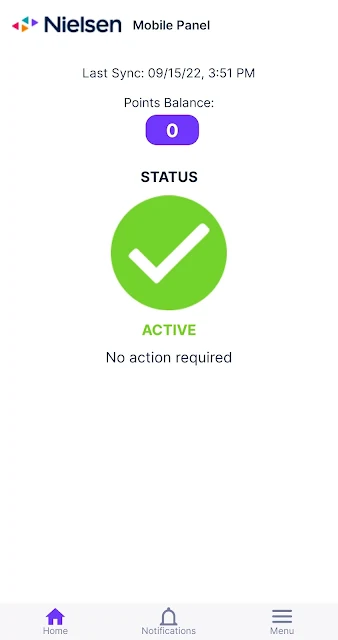
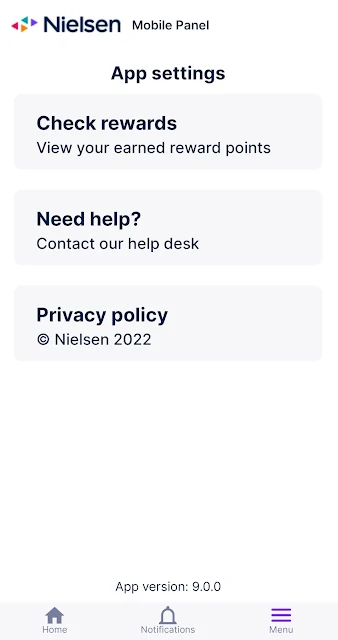
Analysis by Reviewed APKs
Nielsen Mobile App is a research-panel app for people who have already registered with Nielsen and are willing to share high-level information about their mobile use. It runs on a phone or tablet and makes participation, account access, and rewards part of one routine. I see it as a way to contribute to consumer research, not as a personal screen-time tracker or a general-purpose rewards app.
Participation in the background
Imagine settling in for an ordinary week: checking the weather, reading a few news stories, and messaging friends. Nielsen Mobile App is meant to help Nielsen study patterns like which apps and websites people use and how much time they spend viewing content. After registration, the app collects high-level usage information as part of panel participation, so the central task is taking part in the research rather than manually recording each activity.
When I first considered how it would fit into a normal day, the important detail was that registration comes before installation. The app is not a sign-up shortcut for someone who has simply discovered it in the store. A participant needs to submit Nielsen’s registration form, or use information from a direct invitation, before the app will function and rewards become available. That prerequisite changes the experience from casual download to joining a research panel.
A panel, not a tracker
The obvious comparison is a screen-time tool, but the purpose is different. A personal tracker is usually about helping me inspect or change my own habits. Nielsen describes this app as a way to contribute mobile-use data to research about internet and device behavior. The app also gives panelists a place to manage their account and access rewards, making it more of a participation companion than a dashboard for self-improvement.
It also differs from a general survey or casual points app: participation involves ongoing collection of high-level mobile web and app usage information through an on-device local VPN. Nielsen says activity is anonymized and combined with other panelists’ data before reports are shared. That context matters. I would not choose it if I wanted a one-time questionnaire, detailed personal analytics, or an app that does not observe mobile activity.
Make participation manageable
The most useful habit is to handle the sign-up step first. I would keep the registration or invitation details close at hand, complete the form, and then install the app on the device I intend to use for participation. That simple order avoids the confusing experience of opening an app that cannot yet work because the panel account has not been set up.
Once enrolled, I would treat the app as a panel account tool rather than something to check constantly. It is there to support participation and provide access to rewards; the description also says it connects with Nielsen-provided wearable devices over Bluetooth and syncs data with Nielsen’s back office at regular intervals. If I had a question about my account, the supplied support contact is a practical route to help.
More From Our News Desk

Zoom Meetings, Google Meet, or Teams: Which Is Easiest to Join?

How I Build a Free Streaming Lineup With Tubi

Why Crunchyroll Is the Default Anime App for So Many Fans

YouTube TV: A Practical Guide to Cutting Cable

Rummikub and the Small Comfort of Phone Games

TeamViewer Remote Control or AnyDesk for Helping Family?
Who may find it worthwhile
I’d recommend Nielsen Mobile App to people who have been invited or are comfortable registering for Nielsen’s Computer and Mobile Panel, understand that mobile-use information is collected, and are interested in contributing to research. It makes the most sense when the participant is happy to leave the app in its intended role: supporting panel participation, account management, and access to rewards rather than delivering a personal report on every habit.
It may not suit someone who wants a conventional usage tracker, is uncomfortable with an app using a local VPN to collect high-level activity information, or expects an instant reward for a quick download. The registration requirement is especially important: without completing it, the app will not function and rewards are not available. I’d also suggest reading Nielsen’s privacy information before deciding whether ongoing participation fits your preferences.
Nielsen Apps is the developer. On Google Play, Nielsen Mobile App has more than 1 million installs and a 3.6-star rating from about 14,900 ratings. The app is free to download, with no in-app purchases and no ads. Its content rating is Everyone. It is a research-panel tool for Android phones and tablets, and the version shown is 10.3.0.
The app was released on October 16, 2010, and its latest update in the supplied store details was June 20, 2024. Nielsen requires participants to register before the app will function; people directly invited can use their provided registration information. The minimum Android version is not included in the supplied details, so it is worth checking the Google Play page for device compatibility.
What Participation Feels Like
Before the first launch
My first impression is that this is an app with a specific audience, not a tool built for everyone who wants to inspect their phone habits. The registration step is part of the product experience, not a small optional extra. Nielsen says people should submit the panel registration form first, or use the information supplied if they were directly invited.
That makes setup a little less immediate than downloading a typical utility. I would start by confirming that I have registered, then install the app on the smartphone or tablet I plan to use. The description is clear about the consequence of skipping registration: the app will not function and rewards will not be available. Knowing that upfront saves a frustrating first launch.
The everyday role
Day to day, the app’s job is to support a research relationship rather than ask me to enter every visit or app session by hand. Nielsen says it studies broad patterns such as app usage, website visits, and time spent viewing content. The app uses an on-device local VPN to collect high-level mobile web and app usage information, including timestamps and URLs, for media research.
I would expect participation to sit quietly alongside ordinary phone use, but I would not mistake that for a passive, invisible feature with no privacy implications. The collection itself is central to the panel. Nielsen says the mobile activity is anonymized and aggregated with information from other participants before reports are shared, which helps explain the research model without turning the app into a private analytics product.
Account and rewards
One practical feature is that the app gives panelists a way to manage their account and access rewards. The description says participation makes users eligible to earn rewards, but it does not make rewards the whole point of the app. I’d view them as part of the panel arrangement, with the research contribution and ongoing participation at its center.
Nielsen also describes Bluetooth connections to wearable devices that it provides to panelists. The app’s foreground services help connect with and locate those devices, and it syncs with Nielsen’s back office regularly to collect and process data. Those are functional parts of participation, not general Bluetooth tools for pairing any wearable. The distinction helps set realistic expectations about what the app is designed to do.
A sensible weekly routine
If I joined the panel, I would make setup a deliberate one-time task: complete registration, install the app on the intended device, and review the privacy information before continuing. After that, I would check the account and rewards when I had a reason, rather than opening the app repeatedly just to see whether something had changed.
I would also keep the app on the device whose usage I mean to contribute, and follow any instructions that came with an invitation or account registration. If a Nielsen-provided wearable is part of my participation, I would remember that Bluetooth connectivity and periodic syncing are part of the app’s stated role. For account questions, Nielsen provides a support email address.
Trade-offs to consider
The biggest consideration is the data collection itself. The app uses a local VPN to collect high-level information about mobile web and app use, including timestamps and URLs. Nielsen says information is anonymized and aggregated before reports are shared, but anyone deciding whether to participate should still be comfortable with the collection described and read the privacy notice for the details.
There are also practical limits: the app depends on prior panel registration, and it is not described as a personal habit dashboard or a tool for controlling device time. Rewards are tied to participation, but the supplied information does not specify amounts or redemption details. I’d check the current Google Play information and panel materials before joining, especially if compatibility or reward terms will affect my decision.
Nielsen Mobile App has a clear purpose: it supports registered participants who contribute mobile-use information to Nielsen research. The account and rewards access give panelists a convenient companion, while the local VPN and data collection make the privacy trade-off central rather than incidental.
I’d consider it if I had registered, understood the collection described, and wanted to participate in the panel. I would skip it if I was looking for a standalone screen-time tracker or was uneasy about sharing mobile activity for research. It is best approached as an ongoing panel commitment, not a quick download for rewards.
Nielsen Mobile Frequently Asked Questions
What is Nielsen Mobile App used for?
Nielsen Mobile App supports participation in Nielsen’s mobile research panel. It collects high-level information about mobile app and web use, such as timestamps and URLs, to help Nielsen understand device and internet habits. Panelists can also use it to manage their account and access rewards. Registration is required before the app will function.
Which devices can run Nielsen Mobile App?
The app is for Android smartphones and tablets. The supplied details do not give a minimum Android version, so check the Google Play page for current compatibility with your device. The app also describes Bluetooth support for connecting with and locating wearable devices provided by Nielsen to panelists.
Does Nielsen Mobile App cost money?
The app is free to download, and the supplied store details show no in-app purchases or ads. Participation may make registered panelists eligible for rewards, but specific reward amounts and redemption details can vary. Check the Google Play page and your panel materials for current participation terms.
Do I need to register before using Nielsen Mobile App?
Yes. Nielsen says you must submit its registration form before downloading and using the app, unless you were directly invited and have registration information to use. Without registration, the app will not function and rewards will not be available. People who have not registered can sign up online for the Nielsen Computer and Mobile Panel.
Is Nielsen Mobile App right for personal screen-time tracking?
It is primarily for people who have registered for Nielsen’s research panel and are willing to contribute high-level mobile-use information. It is not described as a personal screen-time dashboard or a way to control device habits. If you are uncomfortable with the collection described, review Nielsen’s privacy information before deciding whether to participate.
Pros
- Combines panel participation with account management and access to rewards.
- Explains the research purpose and the need to register before use.
- Supports Nielsen-provided wearable connections for participating panelists.
- Free to download, with no ads or in-app purchases shown.
Cons
- Requires completing panel registration before the app will function.
- Collects high-level mobile web and app activity through an on-device local VPN.
- Not presented as a personal screen-time dashboard or habit-control tool.
- Category
- Tools
- Version
- 10.3.0











