Nectar – Collect&Spend points
- 72.57K
- 4.5
- Installs
- 10.00M
- Price
- Free

Screenshots
Analysis by Reviewed APKs
Nectar – Collect&Spend points is a shopping rewards app for keeping your Nectar card, points balance and offers together. I can see it suiting people who shop at Sainsbury’s or use Nectar’s partner brands and want to keep track of points as part of an ordinary shopping routine. Its appeal is practical rather than flashy: one place to collect, check and spend rewards, with personalised offers as an extra.
A Shopping Trip, Made Simpler
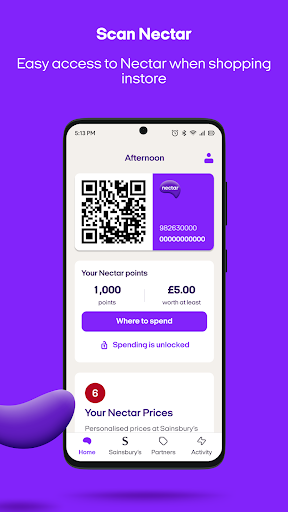
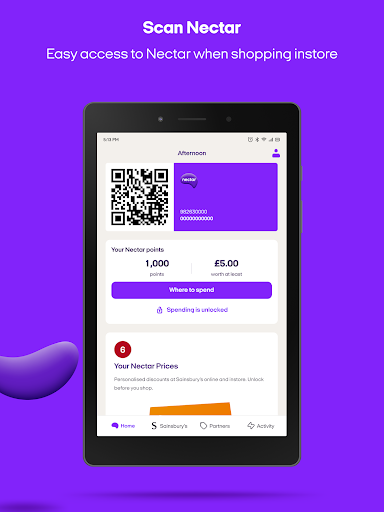
Picture me heading to Sainsbury’s for a routine grocery shop. Instead of looking for a separate card, I can bring up the digital Nectar card in the app and check my available points and Nectar Prices savings. That puts the useful bits close at hand before I reach the checkout, and makes it easier to remember that my Nectar account can be part of an ordinary shop.
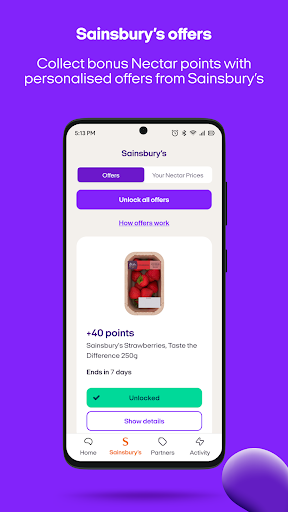
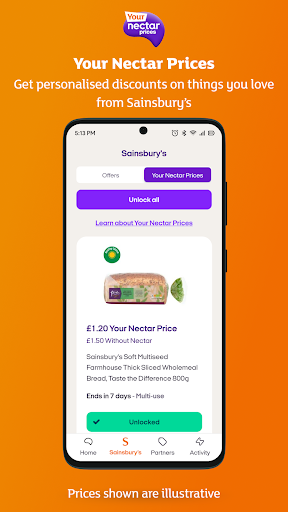
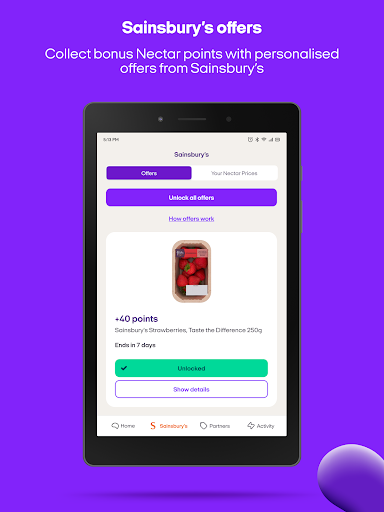
Before I go, I can look through the personalised points offers and Your Nectar Prices available at Sainsbury’s. The app brings those offers together with the card and balance, so I don't have to treat collecting points as a separate project. The experience is most useful when I already shop with Nectar regularly; the value comes from using the rewards in the places and ways the programme supports.
A Rewards Wallet, Not a Bank
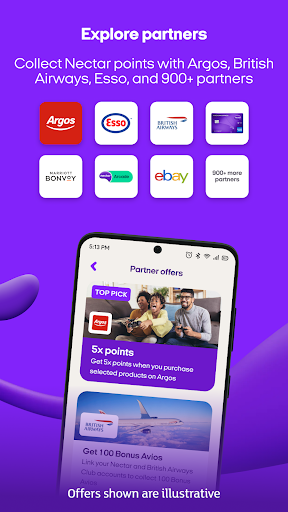
Nectar sits between a store loyalty card and a broader rewards directory. At Sainsbury’s, it brings together the digital card, points balance, personalised points offers and Your Nectar Prices. Beyond that, the app lets me search more than 900 partner brands where I can collect points, and find out where I can spend them. That gives the points a wider role than a card tied to one shop.
It is not a general payment app or a price-comparison tool. Its job is to manage Nectar rewards and show relevant programme offers, not to replace a shopping list or tell me which retailer has the lowest price overall. I’d also keep expectations focused on the participating brands and options described in the app. If Nectar isn’t already part of my shopping, the rewards features may have less day-to-day value.
Small Habits That Help
A useful habit is checking the app before a Sainsbury’s trip, when I can review Your Nectar Prices and personalised points offers in one place. Keeping the digital card handy also reduces the chance of leaving the physical card behind. After shopping, a quick look at the points balance and savings can help me keep a sense of what the programme is adding over time.
For partner shopping, I’d search the partner list before making a purchase rather than assuming every brand or transaction earns points. The app also lets me see where points can be spent, so it’s worth checking that before deciding whether to use them or save them. If I prefer not to have points immediately available to spend, Nectar offers a lock feature that can be unlocked when I’m ready.
More From Our News Desk

Zoom Meetings, Google Meet, or Teams: Which Is Easiest to Join?

How I Build a Free Streaming Lineup With Tubi

Why Crunchyroll Is the Default Anime App for So Many Fans

YouTube TV: A Practical Guide to Cutting Cable

Rummikub and the Small Comfort of Phone Games

TeamViewer Remote Control or AnyDesk for Helping Family?
Who Nectar Suits Best
I’d recommend Nectar to people who shop at Sainsbury’s and want the digital card, points balance and offers together. It can also suit anyone who uses participating Nectar partners and wants a convenient way to search for places to collect or spend points. For those users, the app fits neatly into a regular routine without asking them to learn a complicated rewards system.
It may be less compelling for someone who rarely shops with Sainsbury’s or Nectar partners, or who wants an app devoted to comparing prices across retailers. The experience is specifically about Nectar points and programme offers. I’d also suggest that anyone who prefers handling loyalty cards in another way consider whether they’ll actually check offers and use the digital card often enough to make an extra app worthwhile.
Nectar – Collect&Spend points is a Lifestyle app from Nectar360 Ltd. On Google Play, it has over 10 million installs and a 4.5-star rating from around 73,000 ratings. The app is free to download, with no in-app purchases or ads reported in the provided app details. Its content rating is Everyone.
The current version is 11.30.0, and the recorded last update is October 23, 2026. The Android version requirement and original release date are not included among the available app facts, so check Google Play for current compatibility information before installing.
How Nectar Fits Into Everyday Shopping
A Clear Starting Point
When I first consider an app like Nectar, I want to know whether it helps with the small task I downloaded it for: presenting my card and keeping my rewards visible. The app’s stated starting routes cover existing Nectar account holders, people who have a card but haven’t registered it online, and people who are new to Nectar. That gives different kinds of users a defined way to begin.
For an existing account, the instructions say to log in with an email address and password. Someone with an unregistered card can choose the route for people who already have a Nectar card, while a new user can sign up. I like that the app’s purpose stays clear from the outset: it is a digital home for Nectar membership and shopping rewards.
The Everyday Essentials
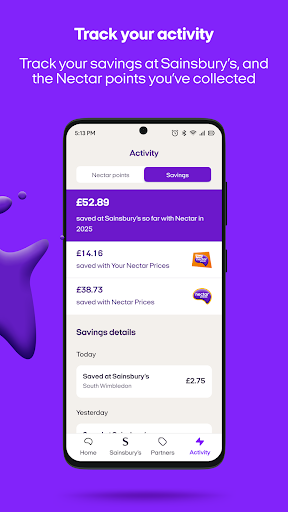
The core experience revolves around having the digital Nectar card available, checking a points balance and seeing savings from Nectar Prices. Those are the details I’d expect to revisit around a shop, rather than features that need constant attention. The app also gathers offers in one place, which can make it easier to see what is relevant before heading to Sainsbury’s.
That focus means the app is most useful at particular moments: planning a shop, presenting the card, or checking what the points programme offers. It isn’t presented as an all-purpose shopping organizer. I’d treat it as a companion to the Nectar programme and use it when I’m engaging with those offers, rather than expecting it to manage every part of my shopping.
More Than One Store
The partner search broadens Nectar beyond Sainsbury’s. The app says users can search among more than 900 brands to find places to collect points, with Argos and Esso given as examples. That is a useful distinction: Nectar Prices and personalised points offers are described for Sainsbury’s, while the partner directory helps me explore other ways to earn.
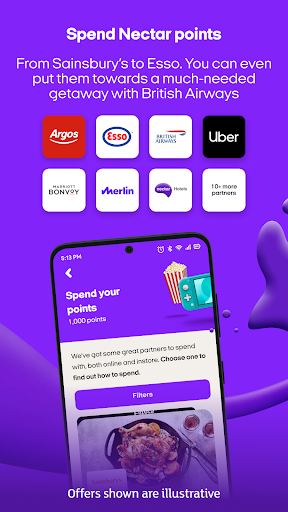
There is also an option to convert Nectar points into Avios with British Airways, and the app can show where points can be spent. These features give the balance more than one possible use, while still keeping it within the Nectar rewards world. I’d check the available partner and spending options in the app when I have a particular purchase or goal in mind.
A Simple Weekly Routine
For a practical routine, I’d open Nectar before a regular Sainsbury’s visit, review the available Your Nectar Prices and points offers, and make sure the digital card is ready. After the shop, I could check the balance and savings. That sequence uses the app for the moments it is built around without turning rewards tracking into a daily chore.
When I’m considering a purchase from another brand, I’d search the partner directory first and then check where points can be spent if I’m thinking about redeeming them. If I’m saving points for later, the lock feature gives me an option to keep them locked until I choose to unlock them. The routine stays flexible: collect when it makes sense, spend when I’m ready.
Keep the Scope in Mind
The app’s usefulness depends on whether Nectar fits the way I shop. Its Sainsbury’s offers and partner search are relevant to people using those parts of the programme; they won’t automatically make it useful to someone who shops elsewhere. I’d also avoid treating a points balance as a complete picture of a purchase’s value. The app is a rewards tool, not a broad guide to shopping decisions.
There are practical details worth checking before installing, especially whether a particular Android device is supported. The available app facts don’t give a minimum Android version, so Google Play is the place to check compatibility for a specific phone. Likewise, partner participation and offers are best checked in the app as I use it, rather than assuming every brand or shop will have the same options.
Nectar – Collect&Spend points makes the most sense as a convenient companion for people already using Nectar. I like the way it brings a digital card, balance, Sainsbury’s offers and a large partner search into one rewards-focused app. Its strengths are easy to understand, and the lock option adds a little control over when points are available to spend.
I’d try it if Nectar is part of my weekly shopping or I regularly use its partner brands. If I’m looking for a general shopping or price-comparison app, I’d look elsewhere. For its intended audience, though, Nectar offers a straightforward way to keep rewards close at hand and make checking them part of a normal shopping routine.
Nectar Frequently Asked Questions
What is Nectar – Collect&Spend points used for?
Nectar – Collect&Spend points is used to manage Nectar rewards while shopping. It provides a digital Nectar card, a points balance, Nectar Prices savings and personalised points offers at Sainsbury’s. It also lets users search partner brands to collect points and find places to spend them. The app describes options to lock points and unlock them when ready to spend.
Which devices can run Nectar – Collect&Spend points?
Nectar – Collect&Spend points is an Android app available through Google Play. The minimum Android version is not included in the available app details, and compatibility can depend on the device. Check the Google Play page for the current requirement before installing it on a particular phone or tablet.
What Android version does Nectar – Collect&Spend points require?
The minimum Android version for Nectar – Collect&Spend points may vary with app updates and device compatibility. The version number provided for the app is 11.30.0, but that does not specify the Android operating-system requirement. Google Play is the best place to check the requirement shown for your device.
Does Nectar – Collect&Spend points cost money?
Nectar – Collect&Spend points is free to download. The available app details say it has no in-app purchases and contains no ads. Store details can change, so it is sensible to check Google Play for the current information before downloading.
Who should use Nectar – Collect&Spend points?
It is best suited to people who shop at Sainsbury’s or use Nectar partner brands and want their card, points and offers together. The app may be less useful if you rarely engage with Nectar or want a general shopping comparison tool. Its features focus on collecting and spending Nectar points and viewing programme offers.
Pros
- Keeps a digital Nectar card, points balance and Sainsbury’s offers together.
- Partner search covers more than 900 brands for collecting points.
- Includes an option to lock points and unlock them when ready to spend.
- Free to download, with no in-app purchases or ads reported.
Cons
- Most useful to people who already shop with Sainsbury’s or Nectar partners.
- Does not serve as a general price-comparison or shopping-planning app.
- The minimum Android requirement should be checked for your device.
- Category
- Lifestyle
- Version
- 11.30.0











