myQ Garage & Access Control
- 130.47K
- 3.6
- Installs
- 10.00M
- Price
- Free
Screenshots
Analysis by Reviewed APKs
myQ Garage & Access Control is a companion app for compatible smart garage doors, commercial doors, and gates. It lets me check a door’s status, open or close it remotely, set schedules, and share access with other people. I’d consider it most useful for households or small businesses already using compatible myQ equipment. Its everyday value is straightforward, but it depends on having the right hardware.
A quick check before leaving
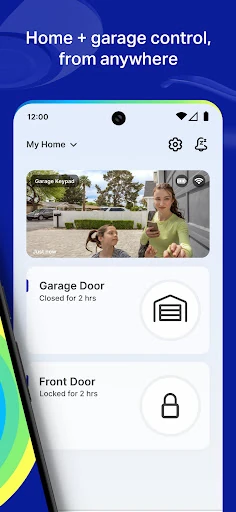
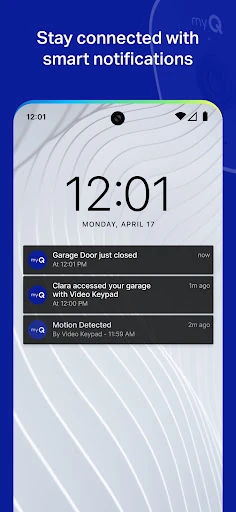
Picture the familiar moment halfway down the street when I wonder whether I closed the garage. With a compatible opener connected to myQ, I can check its status on my phone and close it remotely if needed. The app can also send alerts about access activity, so I have a way to hear about a door opening without needing to be standing nearby.
That remote check is the core job, and it suits small practical errands as much as a daily commute. I could share access with a family member, friend, or service provider instead of arranging to be home for every visit. Schedules can close a door or gate at set times, which is useful for a regular routine, though it still relies on compatible equipment.
A companion, not an opener
I’d compare myQ with the physical remote that comes with a garage opener, but the phone app adds remote monitoring, alerts, schedules, and shared access. It is not a replacement for every garage door opener: smartphone control requires a compatible Wi-Fi opener or myQ Smart Garage Control used with an older non-Wi-Fi opener. Checking compatibility before building a routine around the app is an important first step.
The app is also not simply a general-purpose home security system. Its focus is access through supported garage doors, commercial doors, and gates, with optional camera-related features in the myQ ecosystem. A Smart Garage Camera can provide alerts when someone is detected, and a video storage plan can save motion clips. Those additions are distinct from the basic job of checking and controlling a door.
Make access predictable
I’d start by setting only the alerts that help answer a real question, such as whether there has been activity at the garage. That keeps notifications useful rather than turning every small event into background noise. If several people need access, sharing it with family, friends, or service providers can make the arrangement easier than passing around a physical remote.
Schedules are another way to make a routine more consistent. For example, a regular closing schedule can help when a household tends to forget the door at the end of the day. I’d still check the app when circumstances change, rather than treating a schedule as a substitute for awareness. The best setup is the one that fits the household’s actual access habits and compatible hardware.
More From Our News Desk

Zoom Meetings, Google Meet, or Teams: Which Is Easiest to Join?

How I Build a Free Streaming Lineup With Tubi

Why Crunchyroll Is the Default Anime App for So Many Fans

YouTube TV: A Practical Guide to Cutting Cable

Rummikub and the Small Comfort of Phone Games

TeamViewer Remote Control or AnyDesk for Helping Family?
Who may find it useful
I’d recommend myQ to people who already have a compatible opener or are considering a myQ Smart Garage Control for an older non-Wi-Fi opener. It makes the most sense when remote checks, access alerts, schedules, or sharing entry with other people would solve a recurring hassle. Households with deliveries or service visits may also appreciate having a way to share access.
It may not suit someone who only wants a basic local remote, has no compatible equipment, or expects the app alone to make an ordinary door smart. Camera and video features also involve separate myQ products and, for stored clips, a video storage plan. I’d first confirm which hardware and services fit the intended setup, then decide whether the extra phone-based control is worth adding.
myQ Garage & Access Control is a free Android app from The Chamberlain Group LLC. Google Play shows over 10 million installs and a 3.6-star rating from about 130,000 ratings. It is rated Everyone. The app is listed as version 5.322.0.1132239, and its release date is August 29, 2011.
The app has no in-app purchases and contains no ads. Its listed last update date is October 30, 2026. The Android version requirement is not included in the available app facts, so I’d check Google Play on the device before installing.
Remote Garage Control in Daily Life
First, check compatibility
When I first opened myQ, the practical question I’d want answered is whether my existing door equipment can work with it. The app supports myQ-enabled products, including compatible equipment from Chamberlain and LiftMaster. For smartphone control, the stated choices are a compatible Wi-Fi garage door opener or myQ Smart Garage Control to retrofit an older non-Wi-Fi opener.
That hardware requirement shapes the whole experience. The app is not a standalone remote that can connect to any garage door, so I would check compatibility before relying on it for a daily routine. Once the right equipment is in place, the central idea is easy to understand: use the phone to check, open, close, and monitor supported access points.
A useful daily check
Day to day, the most compelling use is a quick status check when I’m away from home. If I can’t remember whether I closed the garage, remote control gives me a way to respond rather than turning back to check in person. Access alerts add another layer of awareness by notifying me when there is activity.
I’d treat those alerts as useful updates, not as a reason to watch the app constantly. Their value is that they can fit into the background of a normal day: I can be at work, out running errands, or expecting someone to stop by and still get information about access. The app’s usefulness depends on the connected equipment and the routines I choose to set.
More than a door button
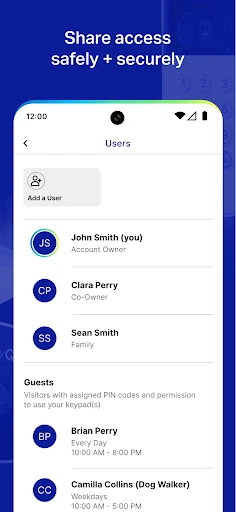
Schedules and shared access extend the app beyond a simple open-and-close control. A schedule can be set to close a garage door or gate, while access can be shared with family, friends, or service providers. Those options address common household coordination problems, such as letting someone in without handing over a permanent physical remote.
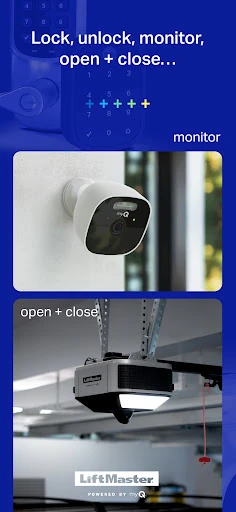
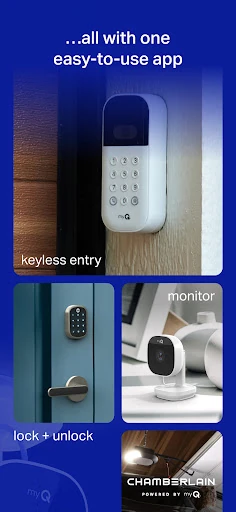
The wider myQ ecosystem includes a Smart Garage Camera and Smart Garage Video Keypad. The camera can alert me when someone is detected, and a video storage plan can save motion clips for filtering, downloading, and sharing. The keypad can help identify who is entering. These are additional products and services, rather than features I should assume are included with a compatible opener.
A simple household routine
For a practical routine, I’d begin with a compatibility check and connect the supported opener or Smart Garage Control. Then I’d decide which access alerts matter and whether other people need shared access. If the household has a predictable closing time, I’d consider setting a schedule for the door or gate, while keeping the app handy for unusual days.
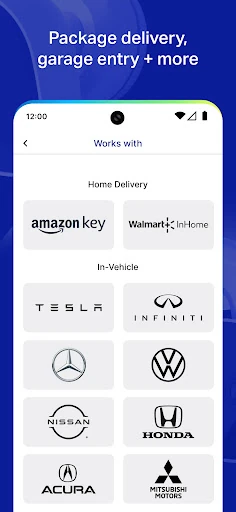
A delivery or service visit is another situation where the sharing option could help. Rather than coordinating every detail around being physically present, I could share access with the person who needs it. myQ also describes Amazon Key In-Garage Delivery and Walmart+ InHome Delivery among its ecosystem services, though I’d check the relevant product and service details before planning around either one.
Hardware sets the limits
The biggest limitation is the need for compatible hardware. If an opener is not Wi-Fi-enabled and there is no myQ Smart Garage Control, smartphone control is not available through the setup described for the app. That makes a compatibility check more than a small technical detail; it determines whether the central feature can be used at all.
There is also a difference between basic access control and the extra camera experience. Camera alerts require a Smart Garage Camera, while saving motion clips involves a video storage plan. I’d keep those dependencies in mind when comparing what the app can do with what a particular household has installed, rather than assuming every myQ feature comes with the app itself.
Finally, remote control and schedules are most helpful when they match the way people actually use a door. A schedule may not fit an unpredictable routine, and alerts are only useful if they provide information I want to receive. myQ offers practical tools, but the right setup still depends on the equipment, the people sharing access, and the household’s habits.
myQ is a practical companion for compatible garage doors and gates, especially when I want remote checks, access alerts, schedules, or a straightforward way to share entry. Its focus is clear, and the extra camera options can broaden the setup for people who want them.
I’d recommend it to people with compatible myQ equipment and a real need for phone-based access. If you are starting with an older opener or want camera features, check the required hardware and services first. Without compatible equipment, the app’s main benefit is out of reach.
myQ Garage Frequently Asked Questions
What is myQ Garage & Access Control used for?
myQ lets users open, close, and monitor compatible garage doors, commercial doors, and gates from a smartphone. It also supports access alerts, closing schedules, and sharing access with other people. Additional products include a garage camera and video keypad. The app’s core control features require compatible myQ equipment.
Which devices can run myQ Garage & Access Control?
myQ Garage & Access Control is an Android app available through Google Play. Smartphone control requires a compatible Wi-Fi garage door opener or myQ Smart Garage Control paired with an older non-Wi-Fi opener. Check Google Play and the compatibility information for your equipment before setting it up.
What Android version does myQ require?
The Android version requirement can vary by app release and device. Check the myQ Garage & Access Control page in Google Play from the Android device you plan to use for the current requirement. You will also need compatible garage equipment to use the app’s smartphone control features.
Does myQ Garage & Access Control cost money?
The Android app is free to download, with no in-app purchases or ads listed in its app facts. Compatible hardware is needed for smartphone control, and the camera’s stored video clips require a video storage plan. Check Google Play and the relevant product details for current terms that may vary.
Who is myQ Garage & Access Control best for?
It is best suited to people with compatible myQ equipment who want to check or control a garage door or gate remotely, receive access alerts, set closing schedules, or share access. It may not suit someone without compatible hardware or someone who only needs a basic local garage remote.
Pros
- Remote control and status checks can help when I’m away from home.
- Schedules and shared access support common household coordination needs.
- Access alerts provide updates about activity at compatible doors or gates.
- The wider ecosystem includes optional camera and video keypad products.
Cons
- Smartphone control depends on compatible myQ hardware.
- Camera alerts and stored video clips require additional products or services.
- A 3.6-star Google Play rating suggests experiences may be mixed.
- Category
- Lifestyle
- Version
- 5.322.0.1132239











