MyMazda
- 64.59K
- 4.5
- Installs
- 1.00M
- Price
- Free
Screenshots
Analysis by Reviewed APKs
MyMazda is a companion app for people who own or drive a Mazda, bringing vehicle records, manuals, dealer information and roadside assistance into one place. If your car supports Mazda Connected Services, it can also handle selected remote controls and vehicle updates. I found its appeal is practical rather than flashy: it can make ownership details easier to reach, though what you can do depends on your vehicle and location.
A Handy Ownership Check-In
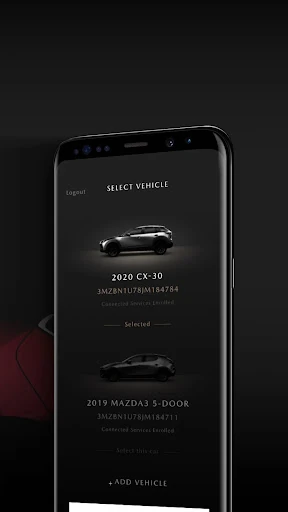
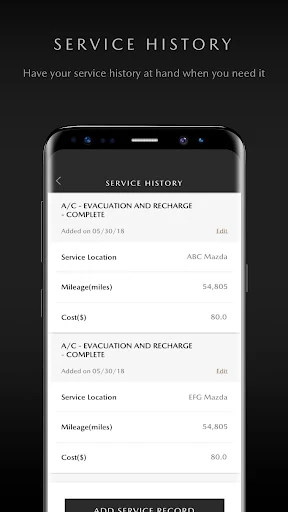
Picture a weekday morning when you cannot remember when the Mazda was last serviced, or you need the manual before heading out. MyMazda is built for those small ownership questions. After registering a vehicle, you can look up service history, open owner information and guides, check for recalls, or find nearby dealers. I like that these useful reference points sit together instead of being scattered across old paperwork and bookmarks.
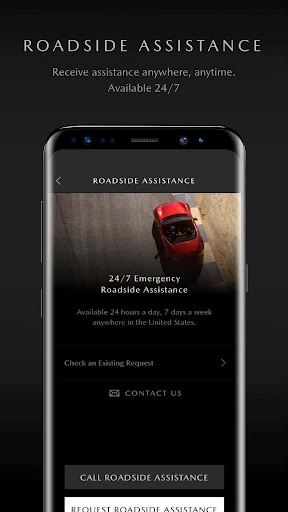
When I first considered how it would fit into a routine, the strongest use case was not constant monitoring but having a familiar place to check before a service visit or an unfamiliar drive. The app can also be used to request Mazda Roadside Assistance. Those are straightforward jobs, and they make more sense here than expecting a general-purpose car app to know the details of a particular Mazda.
More Than a Car Manual
Compared with keeping a paper manual in the glove box or searching the web for vehicle information, MyMazda gathers owner resources and service history in an account tied to a registered Mazda. It also includes dealer locating and recall information, so it can serve as a useful starting point when a question turns into a practical next step. The advantage is focus: its services are framed around Mazda ownership rather than every make of car.
It is not a general driving, navigation or vehicle-shopping app, and I would not treat it as a substitute for a mechanic or a service department. Connected functions such as remote start and vehicle status are only relevant when the model supports Mazda Connected Services. The app is most useful as an ownership companion; drivers looking for a broad garage manager for several brands may find its Mazda-specific approach limiting.
Make It Useful Beforehand
A little setup is what turns MyMazda from an app you remember only during a problem into a handy reference. Registering your vehicle is the first useful step, since online services are tied to that process. I would also take a quiet moment to locate the owner’s manual and look at the service history before an appointment is due. That way, the information is easier to find when you are in a hurry.
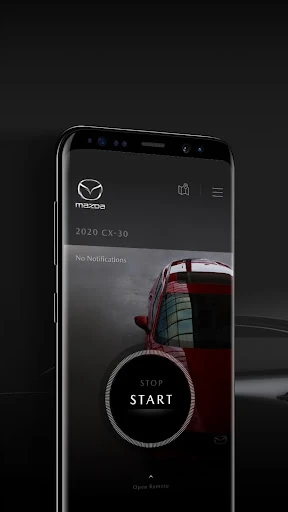
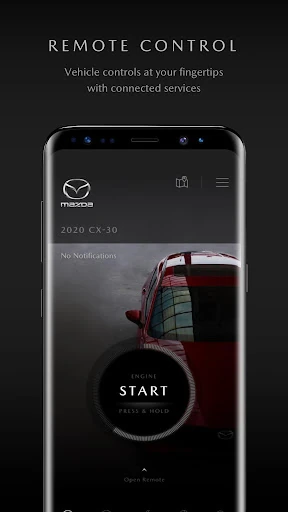
If your vehicle supports Connected Services, it is worth learning which remote options are available before relying on them in a specific situation. The listed tools include locking or unlocking doors, starting or stopping the engine, finding the vehicle, sending a map destination, and receiving status alerts. Keeping expectations tied to your model and country helps make these features feel like useful extras rather than capabilities every MyMazda user should expect.
More From Our News Desk

Zoom Meetings, Google Meet, or Teams: Which Is Easiest to Join?

How I Build a Free Streaming Lineup With Tubi

Why Crunchyroll Is the Default Anime App for So Many Fans

YouTube TV: A Practical Guide to Cutting Cable

Rummikub and the Small Comfort of Phone Games

TeamViewer Remote Control or AnyDesk for Helping Family?
Who Will Get the Most From It
I would recommend MyMazda to Mazda owners who want their vehicle information and ownership resources close at hand. It is a natural fit if you occasionally need a manual, want to review service history, look for a nearby dealer, or check recall information. Drivers whose vehicles support Connected Services may also appreciate having remote controls and vehicle updates alongside those basic resources.
It may be less compelling if you do not own a Mazda, rarely use digital owner resources, or expect every feature to work with every model. Connected Services depend on vehicle eligibility, and the app’s experience can also vary by country and vehicle. Someone who only needs a manual once may be content with a saved copy, while an owner who likes a central reference point has more reason to keep MyMazda installed.
MyMazda is a Lifestyle app from Mazda Motor Corporation. On Google Play, it has over one million installs and a 4.5-star rating from around 65,000 ratings. The app is free to download, and the supplied store details say it contains no ads and offers no in-app purchases. Its content rating is Everyone.
The supplied Google Play details identify version 10.0.1 and give a release date of February 29, 2012, with the latest update dated October 27, 2026. An Android minimum version is not provided in the available facts, so check the Google Play page for device compatibility. Availability of connected features can depend on your Mazda model and country.
A Practical Toolkit for Mazda Ownership
A Focused First Impression
My first impression is that MyMazda has a clear job: bring together services and information associated with owning a Mazda. The useful starting point is registering a vehicle, which allows access to online services. From there, the app’s purpose is easy to understand. It is a place to return to for vehicle records, owner resources and assistance, rather than an app that needs to become part of every drive.
I would set it up when I had a few minutes at home, not while standing beside the car with a question already pressing. Registering the vehicle first makes the rest of the experience more relevant, and checking which services apply to that model sets sensible expectations. The exact experience can vary with the vehicle and country, so the features available to one Mazda owner may not match another’s.
Useful in Everyday Moments
Day to day, the most dependable reason to open MyMazda is to find information without hunting through paperwork. The service history can help when preparing for a dealer visit, while the manual and guides are useful when a dashboard question or unfamiliar control comes up. Recall information and dealer locations give the app another practical role: helping an owner move from a question toward the right resource.
I can also see it being useful during a roadside problem, when the option to request Mazda Roadside Assistance is easier to remember than searching for a phone number. These are occasional tasks, not necessarily daily habits. That is fine. A good ownership app earns its place by being useful at the moment you need it, even if you do not open it every morning.
Connected Services Extras
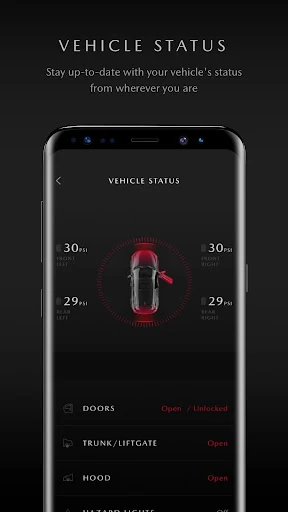
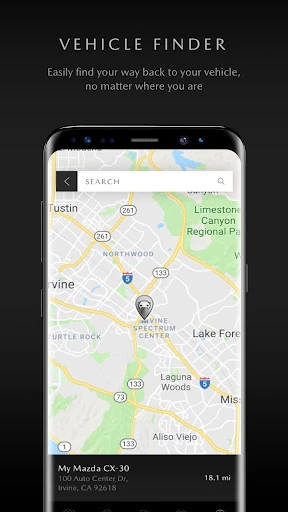
The most noticeable extras are available when a Mazda is enabled for Connected Services. The app can provide remote engine start and stop, door locking and unlocking, vehicle finding, vehicle health monitoring, map destination sending and vehicle status alerts. I like the range because it covers both convenience and quick checks, rather than focusing on just one remote command.
Those tools are not universal features of the app in practice: availability depends on the Mazda model. The supplied model list includes selected vehicles from model years 2019 through 2026, with eligible models varying by year. The description also says the listed Connected Services are available through a complimentary trial period. I would check the vehicle-specific details before counting on a particular control.
A Simple Ownership Routine
One sensible routine is to check MyMazda before a scheduled service appointment. I would review the service history, open the manual if I had a question about a feature, and use the nearby dealer locator if I needed to confirm where to go. Keeping those checks in one short session is more useful than waiting until I am at the service desk and trying to recall details from memory.
For a Connected Services vehicle, a quick check before leaving a large parking area could make the vehicle-finding feature handy, while status alerts and vehicle health monitoring provide another reason to consult the app. I would treat these as conveniences, not as a replacement for paying attention to the car or arranging service when needed. MyMazda works best when it supports an owner’s existing habits.
Keep the Vehicle in View
The main limitation is that the app’s most appealing remote tools depend on the vehicle. A Mazda owner without an eligible model can still use ownership resources, but should not expect remote start, door controls or vehicle status features to appear for every car. Country can affect the actual experience too, so the same app may offer different practical value to owners in different places.
MyMazda is also centered on Mazda vehicles, which narrows its usefulness for people managing cars from several manufacturers. Its listed services cover manuals, records, dealers, recalls and roadside assistance, but it is not presented as a full vehicle maintenance planner or a replacement for professional service. I would judge it by whether those Mazda-specific resources are useful to me, rather than by expecting a universal car-management tool.
MyMazda makes the most sense as a convenient home for Mazda ownership information, with Connected Services adding meaningful extras for eligible vehicles. I like the combination of service history, manuals, dealer information, recalls and roadside assistance because it addresses real questions owners have, without making the app sound more essential than it is.
If you own a supported Mazda and want its resources together on your phone, I think it is worth trying. Just check which services apply to your model and location, especially before expecting remote controls. For owners who prefer paper records or only need a manual once in a while, MyMazda may be a useful backup rather than a regular stop.
MyMazda Frequently Asked Questions
What is the MyMazda app used for?
MyMazda is an ownership companion for Mazda vehicles. It lets owners register vehicles for online services, find nearby dealers, access service history, download owner’s manuals and guides, request Mazda Roadside Assistance, and stay informed about recalls. Eligible vehicles can also use Connected Services features such as remote controls, vehicle finding and status information.
Which phones and devices support MyMazda?
The supplied app information is for Android and Google Play. It does not provide a minimum Android version, so check the Google Play page to see whether your particular device is supported. The experience also depends on your vehicle and country, especially for Connected Services. Check the store details and vehicle information for the options available to you.
What Android version does MyMazda require?
The Android minimum version is not included in the supplied app details. Requirements can vary as the app is updated and by device, so the Google Play page is the best place to check compatibility before installing. MyMazda is listed as version 10.0.1 in the supplied facts.
Does MyMazda cost money or include purchases?
MyMazda is free to download on Google Play. The supplied store facts say it has no in-app purchases and contains no ads. Connected Services features are described as available through a complimentary trial period, and which services you can use depends on your Mazda model. Check the store and vehicle-specific information for current details.
Is MyMazda useful for every Mazda owner?
It can be useful for Mazda owners who want vehicle records, manuals, dealer locations, recall information or roadside assistance in one app. Connected Services features are limited to compatible vehicles, and availability can vary by country and model. Owners who want remote controls should check whether their specific Mazda supports those services.
Pros
- Brings service history, manuals, dealer locations and recall information together.
- Includes an option to request Mazda Roadside Assistance.
- Eligible vehicles can access useful remote controls and status features.
- Free to download, with no ads or in-app purchases.
Cons
- Connected Services availability depends on the Mazda model and country.
- Its Mazda-specific focus limits its usefulness for owners of other brands.
- Some owners may only need the app for occasional reference checks.
- Category
- Lifestyle
- Version
- 10.0.1











