My Sky | TV, Broadband, Mobile
- 29.89K
- 3.5
- Installs
- 5.00M
- Price
- Free
Screenshots
Analysis by Reviewed APKs
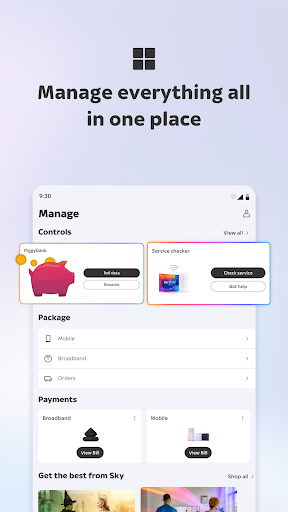
My Sky | TV, Broadband, Mobile is an account-management app for people who use Sky services. It brings bills, product details, support, offers and Sky VIP rewards together, with mobile-plan controls for Sky Mobile customers. I found its appeal refreshingly practical: it is less about watching TV and more about sorting out the everyday business around a Sky account. It should suit existing customers who like handling those tasks on their phone.
A bill-day companion
When I first opened My Sky, I thought of the familiar small chores that tend to gather around a service account: checking a bill, confirming an appointment or looking up what is included in a plan. The app gives those tasks a shared home. Instead of treating every question as a reason to call, I could use it to check account and product details, review payments and find support for a Sky service.
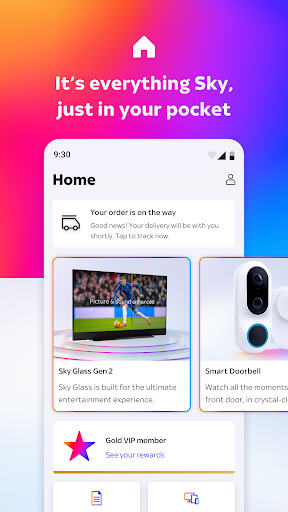
Picture a quiet moment at the kitchen table when a bill notification catches your eye. My Sky is built for that sort of check-in: you can review the bill and make a payment, then look at your account details if something seems out of date. If an order or appointment is in progress, the app can help you keep track of it. It is a modest job, but putting those details together can save a little back-and-forth.
Account tool, not TV player
The obvious comparison is with a provider’s customer-service website or a phone call to support. My Sky takes a more immediate, phone-first approach to routine account tasks, product information and help. It also brings in Sky VIP rewards and opportunities to browse deals or upgrades. That makes it useful between bigger decisions, rather than something I would necessarily open every day just for entertainment.
Despite the TV in its name, this is not presented as a place to stream shows or browse viewing recommendations. Its purpose is to manage Sky products and services, not replace a TV app. It also makes most sense if you already have a Sky account or are considering Sky products; someone with no connection to Sky is unlikely to get much from its account tools.
Make check-ins count
I would use My Sky as a quick account stop rather than a daily destination. When a bill is due, I could check the amount and payment details in one sitting; when an order or appointment is coming up, I could look for its status instead of hunting through old messages. Keeping those moments together makes the app more useful than opening it without a particular task in mind.
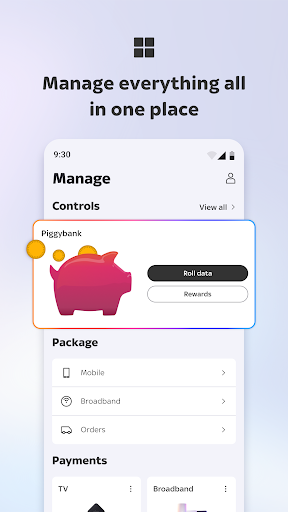
Sky Mobile customers have another reason to check in: the app can show data, calls and texts, and lets them manage their plan and spending. A quick look before a busy week or a trip can help you understand your current usage. I would also make occasional visits to the support and VIP areas, so useful help or a reward does not get overlooked among routine account chores.
More From Our News Desk

Zoom Meetings, Google Meet, or Teams: Which Is Easiest to Join?

How I Build a Free Streaming Lineup With Tubi

Why Crunchyroll Is the Default Anime App for So Many Fans

YouTube TV: A Practical Guide to Cutting Cable

Rummikub and the Small Comfort of Phone Games

TeamViewer Remote Control or AnyDesk for Helping Family?
Who gets the most from it
I would recommend My Sky to existing Sky customers who prefer a phone-based way to check bills, manage account details and find help. It is particularly relevant if your household has several Sky products to keep track of, or if you use Sky Mobile and want to monitor usage and manage your plan. The app’s value is practical: it gathers a range of customer tasks in one place rather than asking you to remember where each one lives.
It may be a poor fit for someone looking for a standalone TV streaming service, a general-purpose phone utility or an app with a reason to open it every day. Its main functions revolve around Sky accounts and services, so people who do not use them may find little to do. If you already handle everything comfortably through another channel, the convenience of having a mobile app may also matter less.
My Sky | TV, Broadband, Mobile is developed by Sky UK Limited and is available on Google Play for Android. The app is free to download, and the supplied store details say it has no in-app purchases and contains no ads. It has an Everyone content rating. The current version in the supplied details is 11.0.0.
On Google Play, My Sky has more than five million installs and a 3.5-star rating from about 29,900 ratings. The supplied version information gives an update date of October 14, 2026. A minimum Android version and original release date are not included in the available app details, so check Google Play for current device compatibility.
A closer look at everyday account tasks
A practical first impression
My first impression is that the app has a clear, service-oriented purpose. It is designed around the things a Sky customer may need to do after signing up: look after an account, keep an eye on products and payments, find offers or ask for help. That focus makes the idea easy to understand, even if it also means the app is not trying to be an all-purpose entertainment hub.
The useful starting point is knowing which Sky product or account task brought you in. If you want to check a bill, review profile details or see what is happening with an order, the app’s stated scope points you in the right direction. I would approach it as a place for customer-service errands, not as an app that needs a long setup routine or constant attention.
The day-to-day basics
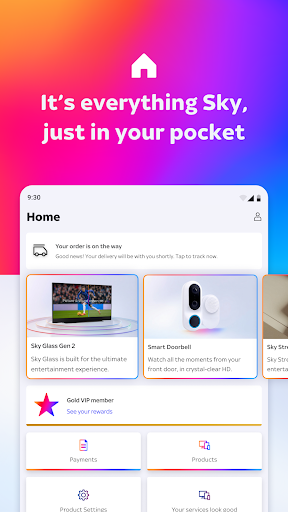
The core experience is about checking and managing. My Sky brings account information, product details and payments together, including the ability to check and pay bills. It can also help you manage profile details and follow orders or appointments. These are ordinary tasks, but they are precisely the ones that can be awkward when details are scattered across emails, paperwork and separate support conversations.
For mobile customers, usage is part of that daily picture. The app can show data, calls and texts, and offers controls for the plan and spending. I can see the appeal of checking these details during a busy month, when it is helpful to know how your usage is shaping up. The app does not need to turn that into a major project; a quick account check is the point.
More than bill checking
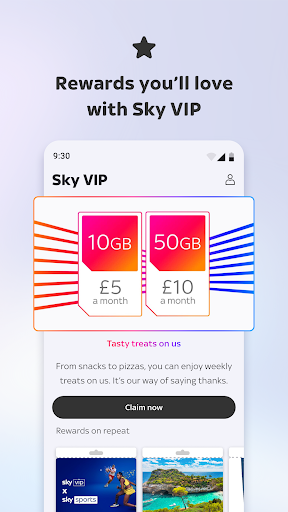
One feature that broadens My Sky beyond basic account housekeeping is Sky VIP. The app lets customers discover and claim rewards through the loyalty programme. That gives an existing customer a reason to browse beyond bills and support, although rewards are best thought of as an extra rather than the central job of the app.
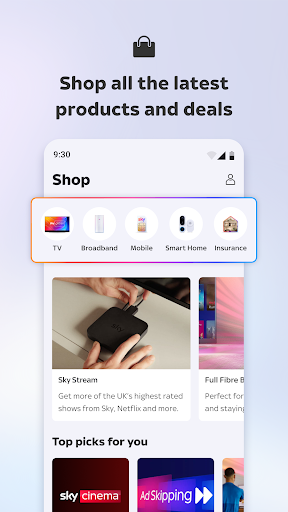
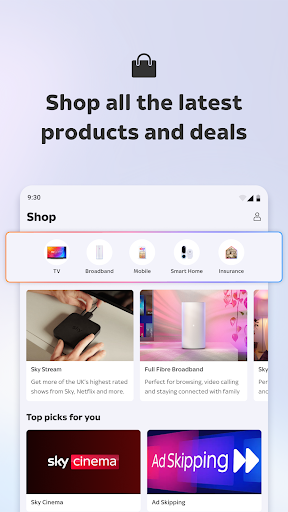
There is also a place to explore Sky products, offers and deals, which can be useful if you are already thinking about a change or upgrade. I like that these options sit alongside account management: the app covers both maintaining the services you have and seeing what else is available. Still, browsing an offer is not the same as needing to change anything, and I would treat it as optional.
A simple weekly routine
A sensible routine would be to open My Sky when there is a reason: a bill to check, an appointment to remember or a question about a service. I would take care of the account task first, then use the support area if something needs attention. This keeps the app from becoming another place to scroll without a goal, while still making it easy to find when a real question comes up.
If I had Sky Mobile, I would add a brief usage check to that routine. Looking at data, calls and texts alongside plan and spending controls gives the app a more regular role than it has for a TV-only customer. I might also check Sky VIP now and then, particularly if I am already in the app for an account chore. That is a low-effort way to notice available rewards.
Keep the scope in mind
The main limitation is also the app’s defining choice: it is centered on Sky services. Its value depends on having a relevant account or product to manage, and it is not a substitute for an app designed to watch TV. People looking for streaming, show discovery or a general media library should choose a different kind of app for that job.
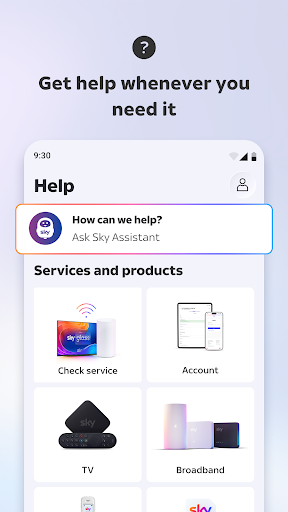
There is also a practical difference between browsing information and resolving every possible service problem. My Sky offers support and ways to check a service, but some issues may still require further help. The app is best viewed as a convenient first stop for account tasks and assistance, rather than a promise that every situation can be settled in one quick visit.
My Sky makes the most sense as a useful utility for customers who want bills, account details, product information and support close at hand. Sky Mobile usage controls and Sky VIP rewards give it extra value for some customers, while the main account tools cover the everyday essentials. Its focus is deliberately narrower than a TV or entertainment app.
I would try it if I already had Sky services and wanted a convenient way to handle routine account tasks from my phone. I would skip it if I wanted to stream programmes or had no Sky account to manage. In short, it is a practical companion for existing customers, with its usefulness tied closely to the services they have.
My Sky Frequently Asked Questions
What is My Sky | TV, Broadband, Mobile used for?
My Sky is for managing Sky products and an account. You can use it to check and pay bills, manage profile details, follow orders and appointments, browse products and deals, and find support. Sky Mobile customers can also check data, calls and texts and manage their plan and spending. It also provides access to Sky VIP rewards.
What devices and platforms support My Sky?
The app is available on Google Play for Android devices. The supplied app details do not give a minimum Android version, and device compatibility can vary. Check the Google Play store page for the current requirements for your phone or tablet before installing.
What Android version does My Sky require?
A minimum Android version is not provided in the available app details. Requirements can change with app updates and may vary by device, so check the My Sky page on Google Play for the current compatibility information before downloading.
Does My Sky cost money or include purchases?
My Sky is free to download on Google Play. The supplied details say it has no in-app purchases and contains no ads. The app can show Sky products, offers and deals, but check the store and Sky’s current information for terms that may apply to any product or offer.
Is My Sky useful if I do not have Sky Mobile?
Yes, the account tools can still be useful to customers with other Sky products, including checking bills, managing details and finding support. Sky Mobile usage and plan controls are specifically relevant to mobile customers. If you do not use any Sky service, the app is unlikely to have much to offer.
Pros
- Combines bill checks, payments, account details and order tracking in one app.
- Sky Mobile customers can check usage and manage their plan and spending.
- Includes service support, product offers and access to Sky VIP rewards.
- Free to download, with no ads or in-app purchases according to the supplied details.
Cons
- Its account tools are mainly useful to people who use Sky services.
- It is for account management, not watching TV or browsing shows.
- The minimum Android requirement is worth checking on Google Play.
- Category
- Tools
- Version
- 11.0.0











