Microsoft OneNote: Save Notes
- 1.50M
- 4.5
- Installs
- 1.00B
- Price
- Free

Screenshots
Analysis by Reviewed APKs
Microsoft OneNote is a digital notebook for collecting ideas, organizing tasks, and keeping reference material in one place. I see it suiting students, office workers, and anyone who moves between quick reminders and longer notes. After spending time with its mix of typing, handwriting, audio, and search, my take is that it is a flexible everyday workspace, though its many options work best when you build a simple routine around them.
A notebook for a busy day
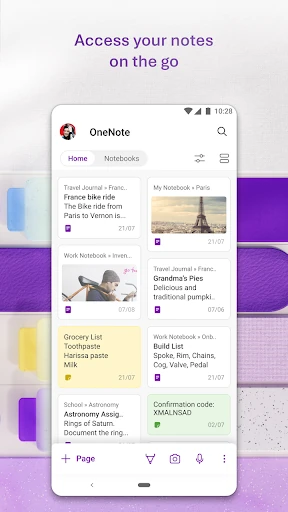
When I imagine using OneNote on a typical weekday, it starts with a quick note on my phone: a reminder for a meeting, a few errands, or an idea I do not want to lose. Later, I can add detail, sort the information into notebooks, and search for it when I need it again. That makes the app feel less like a disposable scratchpad and more like a place to keep useful thoughts over time.
For a class or work discussion, I can take written notes and use voice recording and transcription features to capture spoken material. The app can also summarize meetings, classes, and discussions, according to its feature description. I would still review important details myself, but having notes and related audio in one workspace can make follow-up less scattered than searching through separate memo and document apps.
More than a quick memo
A basic notes app is often the easiest choice when all I need is a grocery list or a single reminder. OneNote is aimed at a broader job: keeping notes organized, working with handwriting and images, and returning to material across different projects. Its search and notebook structure make more sense when the collection grows beyond a handful of short entries.
It is not a dedicated calendar, project-management system, or full word processor. I would not choose it as the only tool for scheduling a busy team or laying out a polished long-form document. Instead, it can hold meeting notes, ideas, and to-do items alongside work that may continue in other Office apps, including Word and Excel. That makes it useful as a companion rather than a replacement for every productivity tool.
Small habits that help
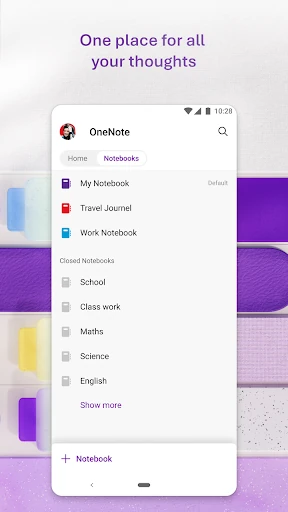
I get more value from OneNote when I give notes a recognizable home instead of tossing everything into one growing pile. A notebook for a class, a project, or personal planning gives me a practical starting point when I return later. Search is still useful, but a little organization makes browsing feel less like rummaging through an overstuffed desk drawer.
For spoken material, I would record or dictate while the information is fresh, then add a short written label or follow-up item. The app supports voice dictation, audio transcription, and to-do lists with labels for important items. Pairing those tools with a quick review at the end of a meeting or study session helps turn captured material into something I can act on.
Reads About Microsoft OneNote
More From Our News Desk

Zoom Meetings, Google Meet, or Teams: Which Is Easiest to Join?

How I Build a Free Streaming Lineup With Tubi

Why Crunchyroll Is the Default Anime App for So Many Fans

YouTube TV: A Practical Guide to Cutting Cable

Rummikub and the Small Comfort of Phone Games

TeamViewer Remote Control or AnyDesk for Helping Family?
Who may enjoy OneNote
I would recommend OneNote to people who collect information in different forms and want a place to bring it together. Students can keep study notes, workers can record discussion points, and anyone with a steady stream of ideas can use it as a searchable notebook. Handwriting, drawing, image scanning, and audio features give it more range than a plain text memo app.
It may be a poor fit if you want a very minimal interface for occasional reminders or do not want to sign in with a Microsoft account. Its organizational choices and extra capture tools can feel like more than a simple list requires. People who already rely on another notes system should also consider whether they want to maintain a second notebook space before moving their everyday habits over.
Microsoft OneNote is made by Microsoft Corporation and is available on Google Play for Android. It is free, has no in-app purchases, and contains no ads. On Google Play it has a 4.5-star rating from about 1.5 million ratings and over a billion installs. Its content rating is Everyone.
The current version in the supplied app information is 16.0.20326.20108. OneNote was released on February 7, 2012, and its listed last update is September 16, 2026. The app description says it requires Android 9.0 or later and a free Microsoft account. It can open notebooks created in Microsoft OneNote 2010 format or later.
A flexible notebook for everyday work
A familiar first step
When I first open a productivity app, I want to know whether I can capture a thought before it escapes. OneNote is built around that everyday note-taking job, with options for typed notes, handwriting, drawing, and quick capture. The range is appealing, but it also hints that the app is intended to grow with a user's needs rather than stay a bare-bones notepad.
The account requirement is worth knowing before settling in: OneNote requires a free Microsoft account. If you already use Microsoft services, that may feel like a familiar part of the setup. The app description also says that notebooks from OneNote 2010 format or later can be opened, which gives existing notebook users a path into the Android app.
The daily note-taking loop
The core experience is about capturing information and being able to find it again. I can use OneNote for a short to-do list in the morning, then add context to a project note later, rather than splitting those thoughts across unrelated scraps. Search becomes especially helpful once there is enough material that remembering exactly where I wrote something is no longer realistic.
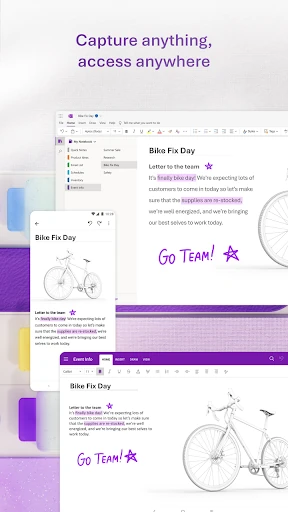
For notes that are more than text, the app supports writing with a pen, drawing, and clipping material from the web. It also offers voice dictation and transcription from audio files. That flexibility matters on days when typing is awkward or when a discussion has details worth revisiting. I would treat the capture tools as a way to preserve useful information, not as a substitute for checking it.
Tools beyond typing
OneNote's feature set includes tools for turning notes into more usable material. Its description says AI can summarize meetings, classes, and discussions, create audio overviews from notes, and help organize tasks into action points. These options could help when I have a long set of notes to review, though I would still want to check a generated summary against the original material.
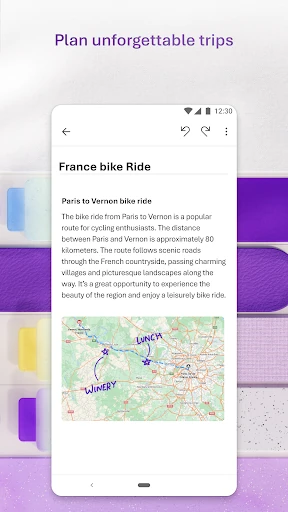
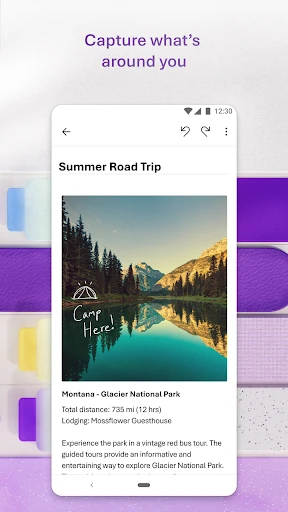
The app also supports scanning documents or pictures and extracting writing, as well as changing image colors, adding ink, and cropping. Those details make it more than a place to type meeting notes. A photographed page or marked-up image can sit alongside written context, which is convenient when a note is tied to something I saw or received.
For collaboration, OneNote supports sharing notes and working on creative ideas with others. Its description also mentions integration with Microsoft Office apps such as Word and Excel, and connected accounts can bring notes together in one place, including Samsung Notes integration. Those connections make it more useful in a Microsoft-centered workflow than as an isolated notebook.
A practical weekly routine
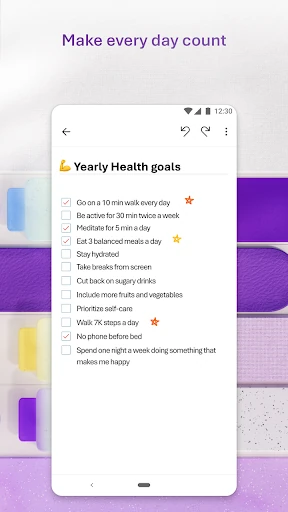
One routine I can picture is using a notebook for each ongoing class or project. During the week, I would add quick thoughts, task items, and relevant images as they come up. After a meeting or lesson, I could record or dictate notes, then revisit the material and add follow-up items while the details are still fresh.
At the end of the week, search and summaries could help me review what I captured and identify points to carry forward. I would keep labels consistent and avoid making a new home for every tiny thought. That modest bit of discipline helps the app stay useful without turning organization itself into another project.
Keep expectations grounded
OneNote's breadth is both its appeal and its main trade-off. Someone who only needs a quick shopping list may find a simpler notes app easier to approach. If I use every available capture style without a naming or sorting habit, the notebook can become a collection of things I saved but do not revisit. A regular review is part of getting value from it.
Some of its advertised tools involve AI summaries and audio overviews, so I would treat their output as assistance rather than a final record of what happened. The description presents a wide feature set, but it does not make every option equally necessary for every person. I would start with a few basics—notes, search, and tasks—and add other tools only when they solve a real everyday problem.
OneNote also requires a Microsoft account, and syncing to OneDrive for Business requires an organization's Office 365 or SharePoint account, according to the app description. That distinction matters for work use. The app can fit a personal routine without a business account, but organizational syncing depends on the relevant work setup.
My overall impression is of a capable notebook that can handle much more than quick text reminders. Its combination of organization, search, handwriting, audio, scanning, and task features gives it room to support study and work routines. The trade-off is that I need to give my notes some structure rather than expecting the app to organize every thought for me.
I would try Microsoft OneNote if I regularly collect notes in different formats or want a searchable home for ongoing projects. It is less compelling if all I need is a tiny, friction-free list. For people willing to establish a simple notebook habit, it offers a useful range of tools without a purchase price or ads.
Microsoft OneNote Frequently Asked Questions
What is Microsoft OneNote used for?
Microsoft OneNote is a digital notebook for writing and organizing notes, tasks, ideas, and reference material. Its described features include handwriting, drawing, image scanning and text extraction, voice dictation, audio transcription, and search. It can also help summarize meetings, classes, and discussions. The mix is useful for people who want to keep different kinds of notes in one workspace.
Which devices can run Microsoft OneNote?
The app described here is the Android version, available through Google Play. Its description says Android 9.0 or later is required. OneNote can sync notes across smart devices, but the exact device support and current requirements can vary, so it is worth checking the Google Play store information for your device before installing.
Does Microsoft OneNote require a Microsoft account?
Yes. The app description says a free Microsoft account is required to use OneNote. For syncing notes to OneDrive for Business, it says users need to sign in with an organization's Office 365 or SharePoint account. That business setup is separate from the free Microsoft account requirement for using the app.
Is Microsoft OneNote free, and does it have ads?
Microsoft OneNote is free on Google Play. The supplied app facts say it has no in-app purchases and contains no ads. Store information can change over time, so check the Google Play page for the current details before installing if pricing or purchase options are especially important to you.
Who is Microsoft OneNote best suited to?
I think OneNote is a good fit for students, workers, and other people who want to organize ongoing notes, tasks, and reference material together. Its range of capture options suits people who use more than plain text. If you only need occasional reminders or prefer a very simple note app, its broader set of tools may feel unnecessary.
Pros
- Combines typed notes, handwriting, drawing, and image capture in one notebook.
- Search, transcription, and task tools help make stored notes easier to revisit.
- Free to use, with no ads or in-app purchases according to the supplied facts.
- Works with Microsoft Office apps and supports sharing notes.
Cons
- Its many options can feel excessive if you only need a simple reminder list.
- A Microsoft account is required to use the app.
- Keeping a large collection useful depends on developing an organization habit.
- Category
- Productivity
- Version
- 16.0.20326.20108