Magnifying Glass
- 168.43K
- 4.7
- Installs
- 10.00M
- Price
- Free
Screenshots
Analysis by Reviewed APKs
Magnifying Glass turns an Android phone’s camera into a handheld digital magnifier for reading fine print and inspecting small details. I can see it helping with a restaurant menu, a label on an appliance, or a tiny part on a hobby project. It is a straightforward pocket tool rather than a specialist vision aid, and its mix of zoom, lighting, and saved images makes it useful to keep around.
Fine Print in a Pinch
When I first opened Magnifying Glass, I pictured the familiar small hassles: a faint serial number on the back of an appliance, a menu in a dim restaurant, or tiny instructions on a bottle. The app uses the phone’s camera to show a magnified view on screen, so I can point the phone at the detail instead of juggling a separate magnifier and the object.
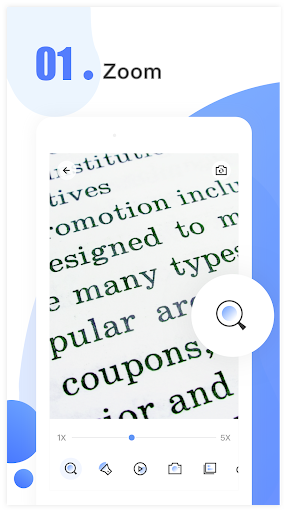
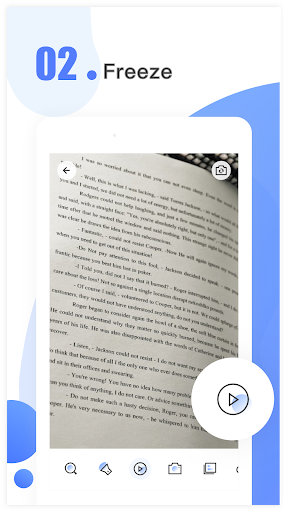
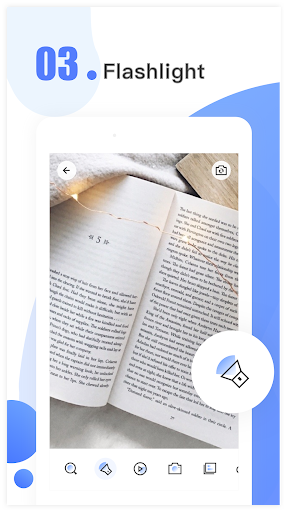
For a closer look, I can zoom from 1x to 10x and turn on the flashlight when the room is dark. If a line of text is hard to inspect while the camera is moving, the freeze feature lets me pause the image and examine it. It is a practical sequence for quick checks: aim, adjust, illuminate if needed, then hold the view still.
A Pocket Tool, Not a Microscope
Compared with carrying a conventional handheld magnifying glass, this app combines magnification with the phone’s light and the option to save a photo. That can be convenient when I have my phone nearby and need to read a label or inspect a small detail. The saved image can be browsed later, shared, or deleted, which adds a useful follow-up step beyond simply looking through the live camera view.
It is still a camera-based magnifier, not a real microscope or a replacement for dedicated equipment. The description mentions close inspection of tiny components, but that should be understood as a casual viewing use rather than specialist measurement or analysis. I would also treat it as a practical aid for occasional reading, not as a promise that every small or poorly lit detail will become clear.
Small Habits That Help
A steady hand makes a difference with a live camera view, especially when I am trying to read several lines of small text. I would bring the phone close enough to frame the detail, then use the zoom gradually rather than jumping straight to the highest setting. If the image is difficult to inspect while moving, freezing it gives me a calmer moment to look closely.
Lighting is worth adjusting before assuming the zoom needs to go higher. The flashlight is there for dark places, while screen brightness can be changed to suit the situation. For details I may need to revisit, taking a photo keeps a record on the phone, and the photo area lets me browse, share, or delete saved captures. These simple steps make the tool more useful without adding much ceremony.
More From Our News Desk

Zoom Meetings, Google Meet, or Teams: Which Is Easiest to Join?

How I Build a Free Streaming Lineup With Tubi

Why Crunchyroll Is the Default Anime App for So Many Fans

YouTube TV: A Practical Guide to Cutting Cable

Rummikub and the Small Comfort of Phone Games

TeamViewer Remote Control or AnyDesk for Helping Family?
Who May Find It Useful
I would recommend Magnifying Glass to Android users who occasionally struggle with fine print or want a quick way to inspect small objects. It suits people who would rather use a phone they already carry than keep a separate magnifier handy. The zoom, freeze, flashlight, and photo options cover a range of everyday situations, from reading a small label to taking a closer look at a hobby item.
It may be less satisfying for someone who needs a dedicated accessibility setup, precise inspection equipment, or consistently sharp views of extremely tiny details. The app depends on the phone camera and the conditions around the object, so results can vary with the device and lighting. I see it as a convenient extra tool, not a substitute for specialist equipment or a complete solution for every vision need.
Magnifying Glass is an Android tools app from Binghuo Studio. Google Play shows over 10 million installs and a 4.7-star rating from about 168,000 ratings. It is free to download and contains ads, with in-app purchases priced from $1.99 to $19.99 per item. Its content rating is Everyone.
The current version is 5.0.8. The app was released on March 14, 2019, and its most recent update was October 19, 2026. The supported minimum Android version can vary by device and is worth checking on Google Play before installing.
A Closer Look at the Everyday Experience
A Simple First Look
When I first opened Magnifying Glass, the basic idea was immediately clear: the phone camera becomes the viewing window, and the screen shows the enlarged subject. That direct approach fits a tool I might open for thirty seconds to check a label. I do not need a separate magnifying glass in my pocket, though I do need to hold the phone where its camera can see the detail.
The description says the app is designed to be usable without training, and its feature set stays focused on magnifying rather than broad photo editing. Camera permission is requested for magnification, according to the app’s description. Once I am looking at something, the main practical choices are zoom, flashlight, screen brightness, and whether to freeze or save the view.
Using It Day to Day
For quick reading, the live camera view is the center of the experience. I can bring the phone toward a newspaper, business card, or appliance label and adjust magnification with my fingers, within the stated 1x-to-10x range. This is the sort of tool I would reach for when glasses are not at hand or when a printed detail is simply too small at arm’s length.
The camera view also makes the app useful beyond text. A small object, a component on a work surface, or something tucked into a bag can be brought into view. The phone has to be aimed and held in a useful position, so this is not quite as hands-free as a fixed magnifier. Still, using one device for both viewing and lighting can be convenient for quick checks.
Features That Earn Their Place
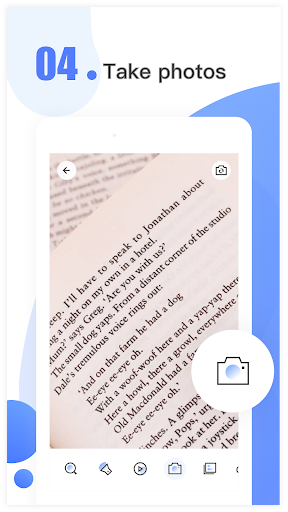
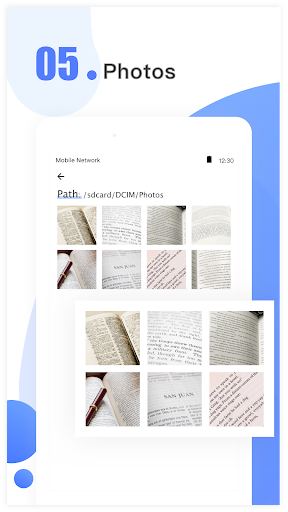
The freeze option stands out because it changes the pace of inspection. Rather than trying to keep the camera perfectly still while reading, I can pause the magnified image and look it over. The app also lets me take photos of magnified views, then browse the saved pictures and share or delete them. That is handy when I want to keep a detail for later instead of relying on memory.
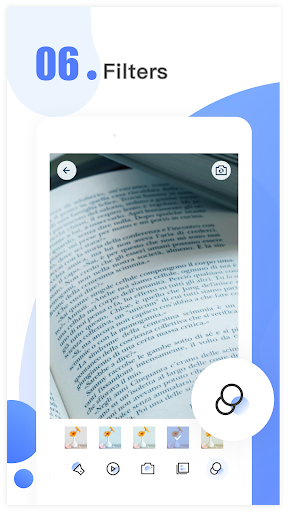
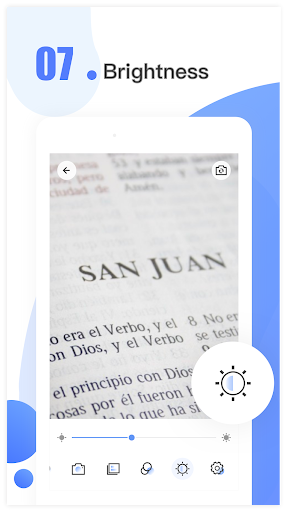
Lighting controls are another useful part of the package. The flashlight can help in dark spaces, while screen brightness can be adjusted to suit the viewing situation. A variety of filter effects is also included, described as options intended to protect the eyes. Together, these additions make the app more flexible than a bare zoom view, while keeping the main job easy to understand.
A Useful Mini Routine
For a small-print check, I would start by opening the app and aiming the camera at the text. I would adjust the zoom until the words fit comfortably in view, then add flashlight illumination if the surroundings are dim. If the camera movement makes a line hard to follow, I would freeze the image and take a closer look at the captured view.
If the detail is something I may need again, such as a serial number, I can save a photo and return to it in the app’s photo area. The ability to share or delete saved photos gives that routine a simple endpoint: keep the useful image or clear it out. It is a small workflow, but it turns a quick glance into something I can revisit without repeating the inspection.
Keep Expectations Grounded
A phone camera has limits, and magnification alone cannot make every image clear. The app offers zoom up to 10x, but a close crop can still be difficult to inspect if the subject is poorly lit or the phone is moving. I would use the flashlight and freeze controls where they help, while treating the result as a visual aid rather than a precision instrument.
The app’s own description says its microscope-style use is not a real microscope. That distinction matters for very fine components or work where exact detail is important. It can help bring small things into view for casual inspection, but I would not rely on it for specialist analysis. The ads and optional in-app purchases are also worth bearing in mind in an otherwise straightforward utility.
Magnifying Glass does a focused job: it turns an Android phone camera into a practical magnifier, then adds lighting, a freeze option, and saved photos for everyday convenience. I like that the features map to real small annoyances rather than making the app feel like a general camera tool.
I would try it if I often need help with fine print or close-up checks and want a tool on the phone I already carry. If I need a real microscope, precise inspection, or a complete vision-support solution, I would look beyond it. For occasional magnification, it is a useful, uncomplicated option.
Magnifying Glass Frequently Asked Questions
What is Magnifying Glass used for?
Magnifying Glass uses an Android phone’s camera to enlarge text and other small details. It offers zoom from 1x to 10x, a flashlight, a freeze option, adjustable screen brightness, and photo capture. Saved photos can be browsed, shared, or deleted. It is intended as a digital magnifier, not a real microscope.
Which phones can run Magnifying Glass?
Magnifying Glass is an Android app. The minimum Android version can vary and is worth checking on its Google Play page for the specific phone. The app uses the phone’s camera for magnification, so the device needs a working camera to use its central feature.
Is Magnifying Glass free, and does it have purchases?
Magnifying Glass is free to download and contains ads. It also offers in-app purchases, with listed item prices ranging from $1.99 to $19.99. Prices and availability may vary, so check the Google Play page for current purchase details before installing.
Does Magnifying Glass save what I inspect?
The app can take photos of magnified views and keep them on the phone. Its photo area lets you browse, share, or delete those saved images. The description also lists a freeze feature for pausing a magnified view while you examine it more closely.
Who should use Magnifying Glass?
It may suit Android users who want occasional help reading small print or inspecting objects, and who prefer a phone-based tool over carrying a separate magnifier. It is not a real microscope or specialist inspection device, and people looking for a complete accessibility solution may need something more tailored.
Pros
- Combines 1x-to-10x camera magnification with a flashlight for everyday close-up checks.
- Freeze and photo options make small details easier to inspect or revisit.
- Saved magnified photos can be browsed, shared, or deleted in the app.
Cons
- Camera movement and dim conditions can still make small details difficult to see.
- It is a digital magnifier, not a real microscope or precision inspection tool.
- The free app contains ads and offers in-app purchases.
- Category
- Tools
- Version
- 5.0.8











