Lotus Lantern
- 14.74K
- 3.2
- Installs
- 10.00M
- Price
- Free
Screenshots
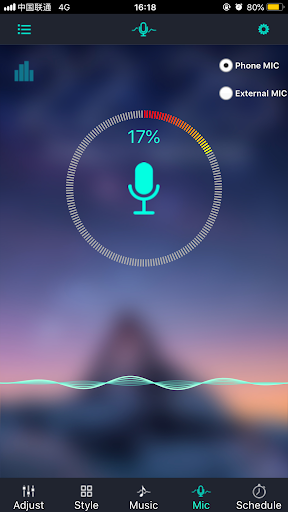
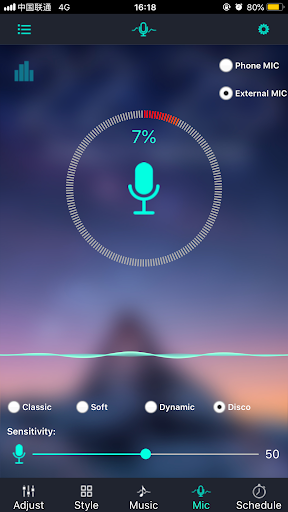
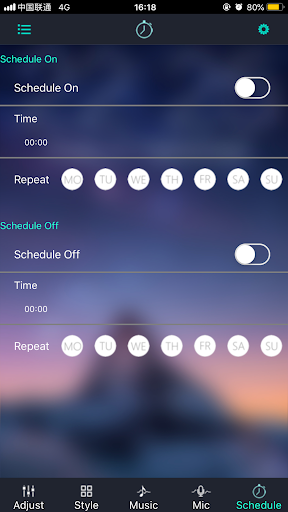
Analysis by Reviewed APKs
Lotus Lantern is a Bluetooth controller for compatible LED strips, with tools for changing color, brightness and color temperature, plus flash effects and music-synced lighting. I see it as a practical pick for someone who wants to adjust room lighting from a phone rather than rely only on fixed colors. The feature set is focused, and the straightforward control approach is its main appeal.
Lighting for an Evening In
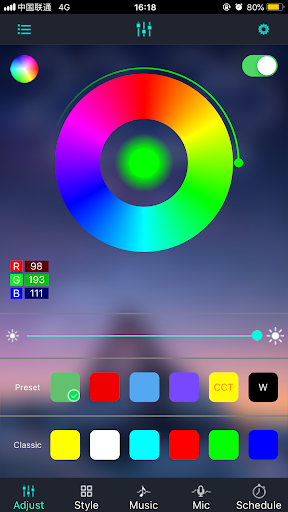
When I settle in for an evening at home, lighting is often the last thing I want to fuss with. Lotus Lantern is made for that small adjustment: connect to LED strips over Bluetooth, then change their color, brightness or color temperature from the app. I can imagine using a softer setting while winding down, then choosing a brighter or more colorful look when friends come by.
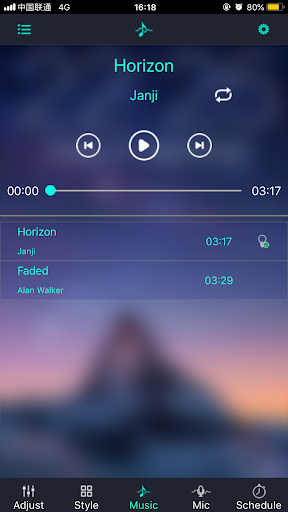
The music response gives the strip another role when a playlist is on. Instead of leaving the lights static, the app can make them change in rhythm with the music. That is a more playful option than simply dimming a lamp, though it is best understood as a lighting effect rather than a full home-automation system. Its job is specific: control LED strips and make their light more adjustable.
A Focused Strip Controller
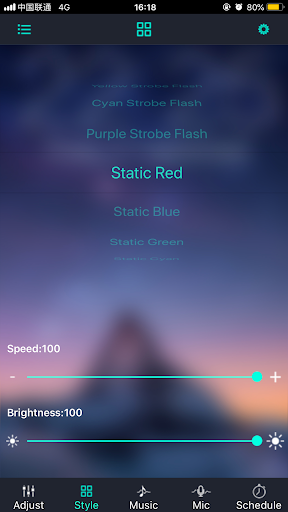
Compared with controlling a light through a switch or leaving it on one preset, Lotus Lantern offers more direct adjustment of color, brightness and color temperature. Its flash modes and music-reactive lighting also give it a more expressive angle than a basic on-and-off control. The Bluetooth connection is central to the experience, so the app is aimed at managing LED strips rather than serving as a general smart-home hub.
That narrow focus is useful if all I need is a phone-based way to alter strip lighting. It is not a tool for setting up an entire connected home, managing finances or playing a story-based game; those descriptions do not match its actual purpose. I would also keep expectations grounded: the app controls LED strips, while the exact capabilities in practice depend on the strips being used.
Small Habits That Help
A simple way to get more from a lighting controller is to make adjustments at the moment they matter. I would open Lotus Lantern when changing the room’s mood, rather than repeatedly tweaking settings without a reason. Start with brightness, then adjust color or color temperature. That order keeps the most practical change easy to judge before experimenting with more decorative effects.
For a music session, I would switch to a flash mode or try the rhythm-based lighting when the sound is already playing. For ordinary daily use, I would favor a steady color and treat the effects as occasional options. If controlling several strips, it makes sense to test them one at a time over Bluetooth before relying on the setup for a group of lights.
More From Our News Desk

Zoom Meetings, Google Meet, or Teams: Which Is Easiest to Join?

How I Build a Free Streaming Lineup With Tubi

Why Crunchyroll Is the Default Anime App for So Many Fans

YouTube TV: A Practical Guide to Cutting Cable

Rummikub and the Small Comfort of Phone Games

TeamViewer Remote Control or AnyDesk for Helping Family?
Who May Enjoy It
I would recommend Lotus Lantern to someone with compatible LED strips who wants to manage color and brightness from a phone. It should especially suit people who like adjusting room lighting for different moments, or who want to try flash effects and music-synced changes. The app’s purpose is easy to understand, and its controls are described as simple to learn.
It may not suit someone looking for a broad smart-home dashboard, detailed automation tools or a general-purpose utility app. The feature set centers on strip lighting, and Bluetooth is the connection method described. If you prefer to set a light once and never change it, the extra color and effect options may not matter much; the app’s value is in having those adjustments available.
Lotus Lantern is developed by fstart and is listed in the Tools category. Google Play shows over 10 million installs and a 3.2-star rating from about 14,700 ratings. It is free to download, with no in-app purchases and no ads. The content rating is Everyone.
The current version shown is 6.5.10. The app was released on February 21, 2018, and its latest recorded update is September 16, 2026. A minimum Android version is not included in the available app details, so check Google Play for the requirement that applies to your device.
A Closer Look at Strip Control
First Look and Setup
When I first opened the idea of Lotus Lantern, what stood out was how clearly its purpose is defined: it is a controller for LED strips, not a catch-all lighting platform. The core controls cover color, brightness and color temperature, with additional options for flash effects and music response. That is a useful range for a focused tool.
The app uses Bluetooth to connect with strips, and its description emphasizes a simple operating approach. In practice, I would begin with the strip nearby and make sure the connection works before spending time choosing effects. Since the app is built around controlling LED hardware, the first impression depends as much on having a compatible strip ready as on the app itself.
Everyday Adjustments
The most useful day-to-day job is changing the light without having to settle for a single fixed look. I can adjust brightness when the room feels too strong, or change color and color temperature to suit what I am doing. These are familiar controls, but having them together in a phone app makes small changes more convenient.
The controls also make sense for occasional use rather than constant attention. I would choose a setting for reading, relaxing or spending time with company, then leave it alone until the mood changes. Lotus Lantern is at its best as a direct way to shape the strip’s output, without asking me to learn a complicated system or manage unrelated devices.
Effects Beyond Color
Flash modes are the clearest step beyond ordinary color selection. They give the strip a more animated look when a static setting feels too plain. The description does not spell out each mode, so I would treat them as options to explore in the app rather than assume a particular collection of patterns. The broader point is that the lighting can do more than hold one shade.
Music-synced lighting is the other feature that changes how the strip can be used. Lotus Lantern can alter the lights in rhythm with music, making it a natural option for a casual playlist or a lively room. I would consider it an occasional effect rather than a must-have for every evening, since many everyday tasks call for steady, comfortable light.
A Practical Lighting Routine
For a regular evening routine, I would begin by setting the brightness to a comfortable level, then pick a color or temperature that suits the room. If I am settling down, I would keep the result simple; if I have music on or company over, I might try a flash mode or the music response. This keeps the app useful without turning light selection into a project.
When using several LED strips, the app is described as able to set and control multiple strips through Bluetooth. I would take a moment to check each strip’s behavior separately, then use the arrangement that works for the space. That small bit of testing is worthwhile before relying on several lights together, especially if the room has different zones or purposes.
Limits to Keep in Mind
Lotus Lantern’s narrow scope is both its strength and its main limitation. It is for LED strip control, so it should not be mistaken for a general home-automation app or a controller for every kind of light. Bluetooth is the connection method described, and the app’s usefulness depends on having LED strips it can work with.
The app also focuses on immediate adjustments and effects rather than a wider set of home-management features. I would not choose it expecting a broader platform beyond color, brightness, temperature, flash modes and music response. Google Play shows a 3.2-star rating from around 14,700 ratings, which suggests it is worth checking recent user feedback and device compatibility before settling on it.
Lotus Lantern keeps its attention on a clear, practical task: adjusting LED strip lighting over Bluetooth. Color, brightness and temperature controls cover everyday changes, while flash effects and music response add some fun when the moment calls for it. The experience is specialized, and that is a better fit for this app than pretending it does everything.
I would try it if I already had LED strips and wanted phone-based control with a few extra effects. If I needed a broader smart-home tool, I would look elsewhere. For the right setup, Lotus Lantern offers a straightforward way to change the feel of a room without making lighting control the main event.
Lotus Lantern Frequently Asked Questions
What is Lotus Lantern used for?
Lotus Lantern is used to control LED strips over Bluetooth. It can adjust color, brightness and color temperature, provide flash modes, and change strip lighting in rhythm with music. It is a focused lighting-control app rather than a general-purpose tool for managing other parts of a home.
Which devices can run Lotus Lantern?
Lotus Lantern is an Android app available through Google Play. The details here do not specify a minimum Android version, so check the Google Play page for the requirement that applies to your device. The app is designed to control LED strips through Bluetooth.
Does Lotus Lantern cost anything?
Google Play lists Lotus Lantern as free, with no in-app purchases and no ads. Store details can change over time, so it is worth checking the current Google Play information before installing if you want to confirm the latest terms.
Can Lotus Lantern control more than one strip?
The app description says it can set and control several LED strips through Bluetooth. Its listed controls include color, brightness, color temperature, flash modes and music-responsive lighting. The exact experience may depend on the strips you use, so check compatibility in the store information and with your lighting hardware.
Who is Lotus Lantern best suited to?
It is best suited to someone who owns LED strips and wants to adjust their look from an Android phone. People interested in music-synced light or flash effects may also enjoy it. It may not suit users seeking a general smart-home app, since its described purpose is specifically LED strip control.
Pros
- Adjusts LED strip color, brightness and color temperature from a phone.
- Includes flash effects and music-responsive lighting for more variety.
- Can control several LED strips through Bluetooth.
- Free to download, with no ads or in-app purchases.
Cons
- Its purpose is limited to LED strip control, not broad home management.
- Bluetooth control depends on having compatible LED strip hardware.
- The Google Play rating is relatively modest at 3.2 stars.
- Category
- Tools
- Version
- 6.5.10











