Lorex Cloud
- 3.79K
- 2.1
- Installs
- 500.00K
- Price
- Free
Screenshots
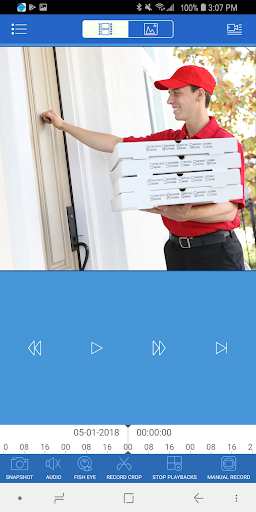
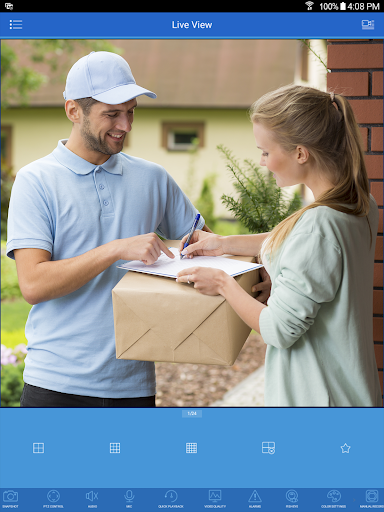
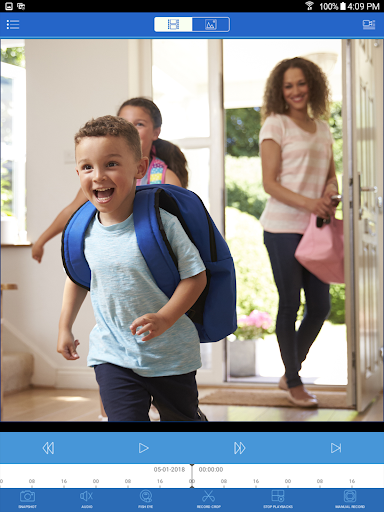
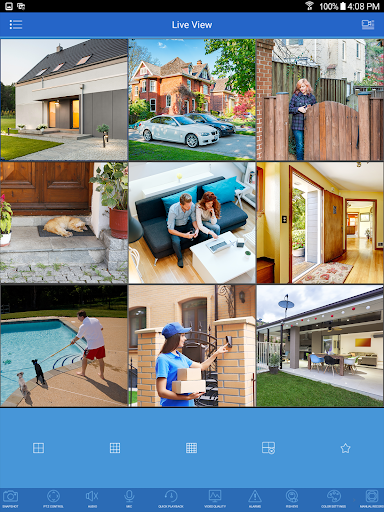
Analysis by Reviewed APKs
Lorex Cloud is an Android companion app for viewing and managing compatible Lorex security systems. It suits people who already own a supported system and want to check cameras or review recordings from a phone. I like the practical focus: live video, playback, snapshots, and system controls in one place. The main catch is that compatibility matters, so it is worth checking your equipment before settling on it.
A quick check from anywhere
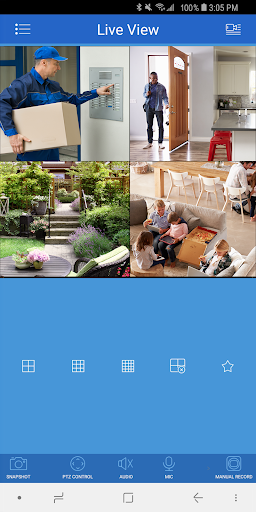
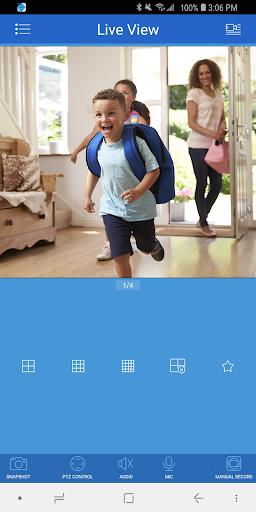
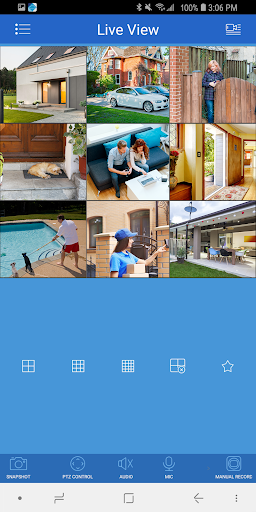
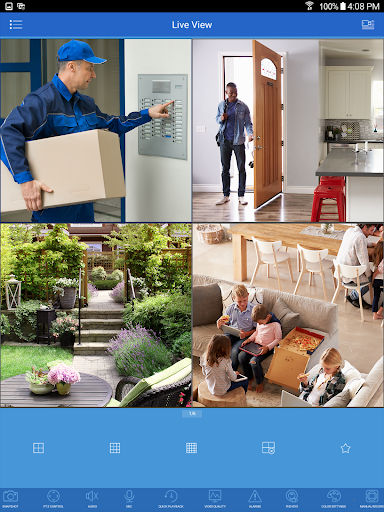
Picture leaving home and wanting to see whether a delivery has arrived. With a compatible Lorex system configured in Lorex Cloud, the app is designed to let you view live video from multiple cameras remotely. I’d use that kind of check for a quick look at the front entrance, then switch cameras if I needed another angle. It makes the phone a convenient viewing point for a system that is already in place.
The same idea works when a movement or other event prompts a closer look. Rather than relying only on a live view, you can play back recorded video and review what happened. The app also supports saving a video or taking a snapshot directly on the Android device. That combination is useful in ordinary moments: check what is happening now, then look back if the live view does not answer the question.
A companion, not a system
Lorex Cloud makes most sense as a phone companion for select Lorex Security Systems and HD Active Deterrence solutions. It is not a general camera viewer for any brand, and it is not a replacement for owning and setting up a compatible security system. If you are comparing it with a standalone camera app, the key difference is that this one is tied to supported Lorex equipment rather than presented as a universal monitoring tool.
It also has a narrower job than a broad smart-home hub. The listed focus is camera viewing, recorded-video playback, system settings, and push notifications. That is a good fit if your everyday need is checking a security system from Android. It is less appropriate if you want an app to organize unrelated devices or a service whose main purpose is storing footage online; those are not the core functions described for Lorex Cloud.
Make checks more useful
I’d start by setting up the compatible system and confirming that the cameras I care about are easy to reach in the app. Since Lorex Cloud supports multiple live camera views, a simple habit is to check the most relevant camera first instead of cycling through every feed. That keeps a short check short, whether I’m looking at an entryway during the day or checking the property before settling in for the evening.
For an event worth revisiting, I’d move from live viewing to playback rather than trying to infer what happened from a brief glance. A snapshot or saved video can also be useful when I want a copy on the phone. Push notifications and system settings offer another reason to visit the app during setup: reviewing those controls helps make the experience fit the system and the kinds of updates I want to receive.
More From Our News Desk

Zoom Meetings, Google Meet, or Teams: Which Is Easiest to Join?

How I Build a Free Streaming Lineup With Tubi

Why Crunchyroll Is the Default Anime App for So Many Fans

YouTube TV: A Practical Guide to Cutting Cable

Rummikub and the Small Comfort of Phone Games

TeamViewer Remote Control or AnyDesk for Helping Family?
Who will find it useful
I’d recommend Lorex Cloud to Android users who already have one of the compatible Lorex security systems and want remote camera access in a familiar daily routine. Its mix of live views, recorded playback, snapshots, video recording, settings, and push notifications covers the basic reasons I’d open a security-system companion app. If your goal is simply to check cameras or revisit an event, its focused toolset is relevant.
I would not choose it before checking whether the exact Lorex system is supported. The description limits compatibility to select systems, so people with other camera brands should look elsewhere. It may also disappoint anyone expecting a general smart-home dashboard or a cloud-footage service, since those are not described as its purpose. The Google Play score is 2.1 from 3,785 ratings, a reason to read current user feedback before deciding.
Lorex Cloud is a free Android app from LOREX TECHNOLOGY INC. On Google Play it has over 500,000 installs and a 2.1-star rating from 3,785 ratings. The app is marked Everyone. Google Play identifies it as free, with no in-app purchases and no ads, making the basic download a straightforward option to consider for owners of compatible systems.
The current version shown is 1.3.6. Lorex Cloud was released on May 9, 2018, and its latest update was June 10, 2025. The provided store details do not specify a minimum Android version, so check the Google Play page on your device for current compatibility information before installing.
A closer look at daily camera checks
Getting started
My first step with Lorex Cloud would be to confirm the security system, not to assume that any camera will work. The app is intended for select Lorex Security Systems and HD Active Deterrence solutions, and the product guidance itself advises checking the documentation to choose the correct Lorex app. That compatibility check is a small but important part of getting started, especially if you have more than one Lorex product.
Once the right app and system are in place, its listed setup and control functions point to a practical first session: connect to the system, open a live view, and locate playback and settings. I’d make sure I can find the cameras I expect to use before relying on the app for a quick check away from home. A little orientation at home is easier than figuring it out while out and about.
The everyday experience
The central routine is simple to understand: open a live camera view when I want to see what is happening, or use playback when I want to review an earlier event. Support for multiple cameras makes the app relevant to systems covering more than one area. Rather than treating every visit as a full security review, I can imagine using it for short, purposeful checks during the day.
There is also a useful distinction between looking and keeping a record. Lorex Cloud can record video or take snapshots directly from the Android device, in addition to playing back recorded video. Those options give the user more than a passive viewing window. I’d use them selectively when an image or clip is worth keeping, while remembering that the app’s described job is to work with a compatible Lorex system.
Useful system controls
System settings and push notifications are notable because they extend the app beyond simply displaying a camera feed. They give users controls related to the system from the phone and a way to receive notifications. That matters in routine use: an app I only open when I remember to check it serves a different purpose from one that can also send updates through push notifications.
The description also calls out professional-grade features, but does not spell out a longer list, so I would not assume that means a particular camera control or advanced tool. The concrete strengths to weigh are the ones specified: remote live viewing, playback, local device recording and snapshots, settings, and push notifications. Together, these make Lorex Cloud a focused remote interface rather than a general-purpose video app.
A simple daily routine
A realistic routine might be a brief look at a live feed before leaving home, followed by an occasional remote check during the day. If something merits a closer look, I’d switch to recorded playback and review the relevant video. If I needed a still image or a clip on my phone, the app’s snapshot and recording functions offer those options directly on the Android device.
At a quieter moment, I’d revisit system settings and notification controls rather than waiting until I need them. That helps make the app part of a predictable check-in habit instead of a tool I have to learn under pressure. The most useful routine is likely the one that stays focused: check the right camera, review a recording if needed, and use notifications as appropriate for the compatible system.
Compatibility and expectations
The biggest practical limitation is compatibility. Lorex Cloud works with select Lorex Security Systems and HD Active Deterrence solutions, not every camera or security system. That means the app’s appeal depends on equipment ownership as much as the software itself. Before downloading, I’d check product documentation and the Google Play information against the exact system model rather than relying on the app name alone.
The store rating is also worth keeping in view: Google Play shows 2.1 stars from 3,785 ratings. A score cannot explain every person’s experience, but it is a useful prompt to read recent feedback and assess whether the app suits your setup. The documented feature set is clear, while the minimum Android version is a detail to check on Google Play for the device you plan to use.
Finally, I would keep expectations centered on remote system access. The stated features cover live video, playback, snapshots and recordings, settings, and push notifications. They do not establish a universal camera service or a separate cloud-storage offering. If those are the functions you need, check the product documentation and store details carefully before deciding that Lorex Cloud is the right fit.
Lorex Cloud has a clear purpose: help owners of selected Lorex systems check cameras remotely and review recorded events from an Android phone. I appreciate that the core functions are practical rather than sprawling, especially the ability to move between live video, playback, and phone snapshots or recordings.
I’d consider it if I owned a compatible system, but I would verify compatibility and read current Google Play feedback first. Its low store rating gives me pause, and it will not suit users with unrelated cameras. For the right Lorex setup, it offers a focused way to stay connected to the system.
Lorex Cloud Frequently Asked Questions
What is Lorex Cloud used for?
Lorex Cloud is a companion app for compatible Lorex security systems. It lets users view live video remotely from multiple cameras, play back recorded video, record clips or take snapshots on an Android device, configure system settings, and use push notifications. It is intended for select Lorex Security Systems and HD Active Deterrence solutions.
Which phones and systems work with Lorex Cloud?
Lorex Cloud is an Android app and is designed to work with select Lorex Security Systems and HD Active Deterrence solutions. It is not described as a general app for cameras from any manufacturer. Check your system documentation and the Google Play page to confirm the app and device are suitable for your particular setup.
What Android version does Lorex Cloud require?
The available product details do not give a minimum Android version. Requirements can vary as the app and Android devices change, so check the current Google Play page from the phone you plan to use. The store page is the best place to confirm whether your device can install the current version.
Does Lorex Cloud cost money or include purchases?
Lorex Cloud is free on Google Play, with no in-app purchases and no ads shown in the provided store details. You will still need a compatible Lorex security system to use the system features described. Check the store page for current app information before installing, as store details can change.
Is Lorex Cloud a good fit for me?
It may suit you if you use a compatible Lorex system and want to view live cameras, review recordings, or manage system settings from Android. It is not a universal camera app, so owners of unrelated systems should look elsewhere. Google Play shows a 2.1-star rating from 3,785 ratings; reading recent feedback may help you judge whether it fits your needs.
Pros
- Combines remote live camera viewing with recorded-video playback.
- Supports saving videos and snapshots directly on an Android device.
- Includes system settings and push notifications for compatible equipment.
- Free to install, with no in-app purchases or ads shown.
Cons
- Works only with select Lorex systems, so checking compatibility is essential.
- Google Play rating is low at 2.1 stars from 3,785 ratings.
- Minimum Android requirement is worth checking on Google Play.
- Category
- Tools
- Version
- 1.3.6











