JBL Portable
- 397.10K
- 4.7
- Installs
- 10.00M
- Price
- Free

Screenshots
Analysis by Reviewed APKs
JBL Portable is a companion app for compatible JBL portable Bluetooth speakers, with tools for speaker control, multi-speaker listening, software updates, and product support. I see it as most useful for people who already own a supported speaker and want more than basic Bluetooth playback. Its focus is refreshingly clear: it helps you get more from the speaker, rather than trying to become another music player.
A Speaker-Side Companion
Picture setting up music for a small get-together: your JBL speaker is paired with your phone, and the playlist is already playing. JBL Portable gives you an app-based way to control a compatible speaker and, with supported speakers, connect speakers for Stereo or Party mode. That makes it relevant when one speaker is not quite the setup you want. The app's role is practical and tied to the hardware you own.
I would think of it as a handy extra to keep around, rather than an app I would open every day. Basic Bluetooth playback can do the simple job of sending audio from a phone to a speaker. The app becomes more useful when I want to personalize or control a compatible speaker, check for software updates, or use the supported multi-speaker modes. Its value depends on having compatible JBL portable gear.
Not Another Music Player
The obvious alternative is to pair a phone with a Bluetooth speaker and manage listening from the phone's usual music app. JBL Portable does not replace that routine. It is a companion for controlling compatible JBL portable speakers, with extra options around speaker connection, updates, and support. That narrower scope is a plus if I want speaker tools in one place, but it is not a destination for finding or streaming music.
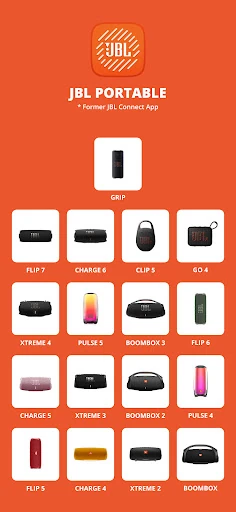
That distinction matters before downloading. The app's compatibility list covers a range of JBL portable models, including Flip, Charge, Go, Clip, Pulse, Tuner, Xtreme, and Boombox speakers. If I own a different kind of audio product, I would not assume it works here just because it carries the JBL name. The app suits owners of supported portable speakers, not people looking for a general audio hub.
Small Habits, More Use
A useful habit is to open the app when I first set up a compatible speaker, then revisit it when I want to change how I use that speaker. The listed tools include personalizing and controlling the speaker, as well as connecting compatible speakers for Stereo or Party mode. Keeping those tasks together can save me from treating the app as something I only remember when a problem comes up.
I would also make a quick check for software updates part of occasional speaker upkeep. The app offers additional software updates and product support, so it has a role beyond the first connection. For a gathering, I would check whether my particular speakers support the mode I want before planning around it. That small check keeps expectations grounded in the actual models, rather than assuming every JBL speaker behaves the same way.
More From Our News Desk

Zoom Meetings, Google Meet, or Teams: Which Is Easiest to Join?

How I Build a Free Streaming Lineup With Tubi

Why Crunchyroll Is the Default Anime App for So Many Fans

YouTube TV: A Practical Guide to Cutting Cable

Rummikub and the Small Comfort of Phone Games

TeamViewer Remote Control or AnyDesk for Helping Family?
Who Will Get the Most From It
I would recommend JBL Portable to someone who owns a compatible JBL portable speaker and wants direct app-based control, access to speaker updates, or the option of supported Stereo or Party setups. It is especially easy to justify if those features are things I expect to use more than once. For straightforward listening, the app can still be useful as a companion without becoming the center of my music routine.
It may not suit someone who does not own a compatible speaker, or who wants an app for music discovery, playlists, or broad control of many kinds of audio equipment. Its purpose is specific, which also means it is not a must-have for every JBL owner. I would check the supported model list first and decide based on the speaker I actually have, not just the brand name.
JBL Portable is developed by Harman Consumer, Inc. On Google Play, it has over 10 million installs and a 4.7-star rating from around 397,000 ratings. The app is free, with no in-app purchases or ads. Its content rating is Everyone. The listed version is 6.9.33, and the app's release date is June 25, 2015.
The listed last update date is July 30, 2026. The app works with a range of JBL portable speakers, including models in the Clip, Go, Flip, Charge, Pulse, Tuner, Xtreme, and Boombox lines. The minimum Android version is not included in the app details provided, so I would check Google Play for the requirement on a particular phone.
Making More of a JBL Speaker
A Focused First Impression
When I first consider JBL Portable, the main question is simple: do I own a speaker on its compatibility list? This is not a general-purpose audio app that makes sense to install for any phone. The app is designed around supported JBL portable speakers, and that gives it a clear job from the start. Checking the model before relying on it is a sensible first step.
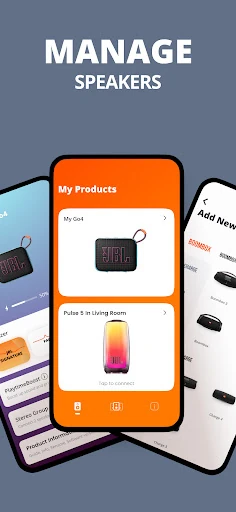
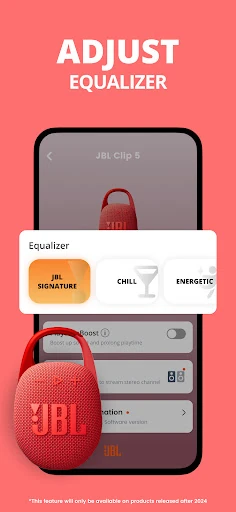
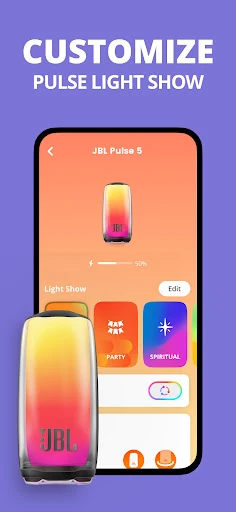
Once I know my speaker is supported, the app's purpose is easy to understand. It offers speaker control and personalization, ways to connect compatible speakers, and access to additional software updates and product support. I like that those functions all point back to the same piece of hardware. There is little ambiguity about what the app is for, even if its usefulness will depend on which features I need.
Day-to-Day Speaker Control
In everyday use, I would treat JBL Portable as the companion I reach for when I want to manage the speaker itself, while the phone remains the place I choose and play audio. That division is helpful: the app does not need to take over a listening routine to earn its place. Its listed controls and personalization features are aimed at the speaker, rather than replacing the apps I already use for audio.
That also sets realistic expectations. A person who only wants to connect a phone and play sound may not need to open the companion app often. Someone who wants more control over a compatible speaker, or who wants to explore the supported speaker modes, has a clearer reason to keep it installed. I would judge it by those hardware-related tasks, not by features it never sets out to provide.
Modes and Maintenance
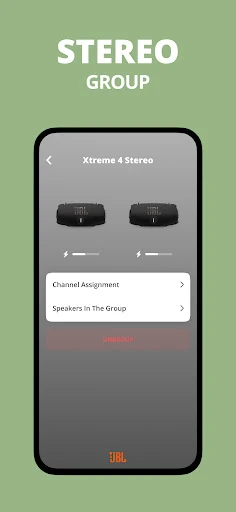
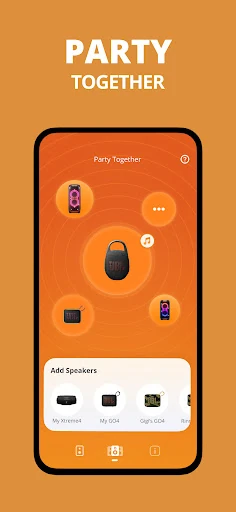
The most distinctive options are the ways the app can connect compatible speakers. Stereo mode is described as a way to amplify sound, while Party mode is intended for a bigger party. These give the app a use beyond individual speaker control. They are also model-dependent in practice, so I would make sure my speakers are among those supported before counting on either mode for a particular setup.
Software updates and product support are useful additions to a companion app because they give me a reason to return after initial setup. I would not expect them to transform the app into a daily destination, but they make it more than a one-time pairing aid. The combination is sensible: control and personalization for regular adjustments, with update and support options for occasional maintenance.
A Simple Listening Routine
For a low-key evening, I would keep the routine straightforward: use my usual phone app to choose music, connect to a compatible JBL speaker, and open JBL Portable if I want to adjust or personalize the speaker. That keeps the main listening task simple while leaving the companion app available for the hardware-specific part. It is a practical division of labor, not a reason to change how I find music.
For a gathering, I would plan a little more carefully. If I want to use Stereo or Party mode, I would check the relevant speaker compatibility in advance rather than discovering a mismatch as guests arrive. The app's listed modes can support a bigger speaker setup, but they are not a promise that every model can join every arrangement. A quick model check is the most useful bit of preparation.
Keep Compatibility in View
The main limitation is also the app's defining boundary: JBL Portable is for compatible JBL portable speakers. The supported list is broad, but the brand alone is not enough to establish compatibility. If I have a JBL product outside the named portable-speaker range, I would check the current Google Play information and the product details before expecting the app to support it.
The other limitation is its focused role. It is not presented as a music library or streaming service, and someone who only needs basic Bluetooth playback may have little reason to use it regularly. The value is strongest when I want speaker control, compatible multi-speaker modes, or support and updates. If none of those needs apply, the companion app may feel optional rather than essential.
JBL Portable has a clear, useful purpose: it adds app-based control and support options for compatible JBL portable speakers. I like that it stays focused on the hardware instead of trying to replace a person's music routine. Its strongest extras are the supported Stereo and Party modes, plus software updates and product support.
I would recommend it to owners of a supported speaker who want those controls or expect to use multi-speaker features. If basic Bluetooth playback already covers everything, it may be an occasional tool rather than a regular stop. Check the model list first; compatibility is what makes this app worthwhile.
JBL Portable Frequently Asked Questions
What is JBL Portable used for?
JBL Portable is a companion app for compatible JBL portable speakers. It can be used to control and personalize a speaker, connect compatible speakers for Stereo or Party mode, and access additional software updates and product support. It is not described as a music-streaming app, so I would use it alongside the phone apps I already use to choose and play audio.
Which phones and devices work with JBL Portable?
The app is available on Android through Google Play and is intended to work with compatible JBL portable speakers. Supported product lines include Clip, Go, Flip, Charge, Pulse, Tuner, Xtreme, and Boombox models, with specific models named in the app details. I would check that list against my speaker before downloading or planning a multi-speaker setup.
What Android version does JBL Portable require?
The minimum Android version can vary as app requirements change, so I would check the Google Play page for the current requirement before installing. The phone also needs to be used with a compatible JBL portable speaker to make the app's speaker-specific features relevant. Checking both the phone requirement and the speaker model is a sensible first step.
Does JBL Portable cost money or include purchases?
JBL Portable is free on Google Play. The app details show no in-app purchases and no ads. Store details can change, so it is worth checking Google Play for current information before installing, but the listed offering does not require a purchase to download the app.
Is JBL Portable useful if I only want to play music?
It may be optional if basic Bluetooth playback already meets your needs. JBL Portable is most useful when you want app-based control or personalization for a compatible speaker, speaker connection modes, updates, or product support. It does not replace a music app. I would recommend it most to owners of supported speakers who expect to use those additional tools.
Pros
- Combines compatible-speaker control and personalization with update and product-support options.
- Offers Stereo and Party modes for supported multi-speaker setups.
- Free to download, with no in-app purchases or ads listed.
- Supports a range of JBL portable speaker families.
Cons
- Its usefulness depends on owning a speaker from the supported model list.
- It is a companion tool, not a music library or streaming service.
- Basic Bluetooth listeners may have little reason to open it often.
- Category
- Entertainment
- Version
- 6.9.33