JBL Headphones
- 641.41K
- 4.6
- Installs
- 10.00M
- Price
- Free

Screenshots
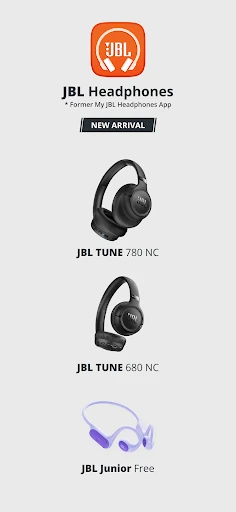
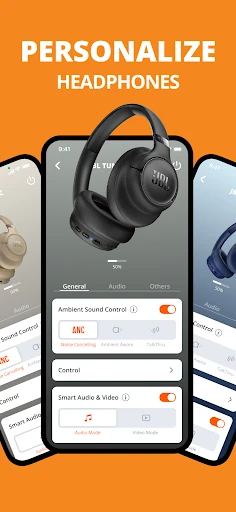
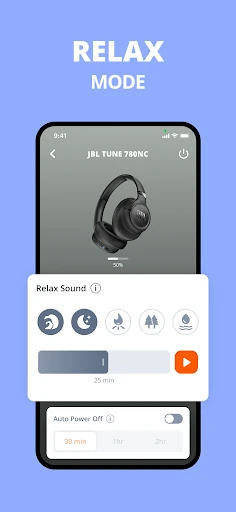
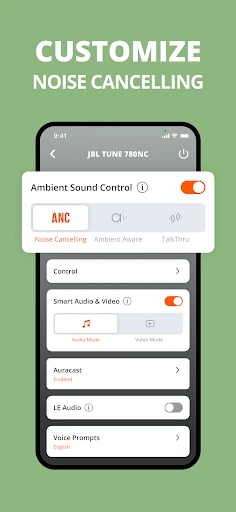
Analysis by Reviewed APKs
JBL Headphones is a companion app for adjusting settings on supported JBL headphones and earbuds. I’d recommend it to people who want more control over sound, noise cancelling, or headphone gestures than the hardware controls alone provide. My overall take is that it’s useful when your particular model supports the features you care about, though it’s not a general music player and the available controls vary by product.
A commute, tuned your way
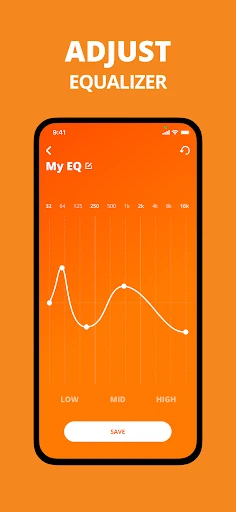
When I’m getting ready to leave, I like to check my headphones before heading out: is the battery level sufficient, and are the controls set the way I want? With a supported JBL product connected, the app brings the battery indicator and headphone settings together. I can also adjust an equalizer preset or customize EQ settings, which is handy when I want a different sound balance for a podcast than for music.
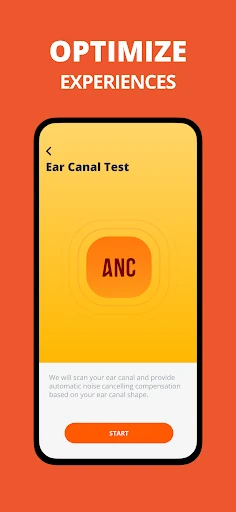
On a noisy trip, the app can also be useful for adjusting noise-cancelling levels on models that support that option. I’d treat this as a quick setup step rather than something I need to keep open while listening. The appeal is practical: make a few changes on the phone, put it away, and get on with the commute. Which controls are available depends on the headphones.
A companion, not a player
I see JBL Headphones as a settings companion, not an alternative to a streaming service or the audio controls built into a phone. Its job is to help manage compatible JBL products: sound adjustments, supported noise-cancelling options, gestures, and other model-dependent settings. If I’m choosing what to listen to, I still need my usual music or podcast app. This one is about how the headphones behave, not what they play.
That distinction matters if you own headphones from several brands or expect a universal audio-control app. The supported-model list is extensive, but it is specifically a list of JBL products, and features differ across models. I’d check that my exact headphones are supported before building a routine around the app. For someone with a compatible JBL pair, it can add useful controls; for someone seeking a library, player, or cross-brand manager, it isn’t aimed at that.
Small setup habits that help
I’d start by checking the battery indicator and the available controls for my specific headphones, rather than assuming every setting will be present. If I have a preferred sound balance, I can try one of the predefined EQ presets or customize an EQ setting. A couple of deliberate adjustments are easier to remember than repeatedly changing things on the fly, especially when I use the headphones in similar situations each day.
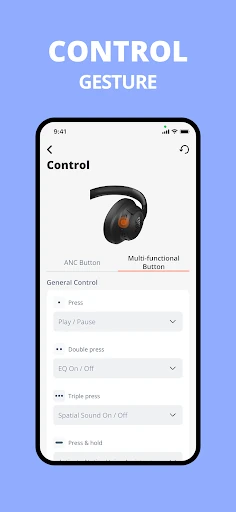
It’s also worth taking a moment to review the help material and the settings that apply to the model. The app includes product tips and FAQs, while some models offer gesture configuration or voice-assistant setup. I’d make changes at home, then see how they feel during an ordinary walk or listening session. That gives me a chance to learn the controls without fumbling through settings when I’m already on the move.
More From Our News Desk

Zoom Meetings, Google Meet, or Teams: Which Is Easiest to Join?

How I Build a Free Streaming Lineup With Tubi

Why Crunchyroll Is the Default Anime App for So Many Fans

YouTube TV: A Practical Guide to Cutting Cable

Rummikub and the Small Comfort of Phone Games

TeamViewer Remote Control or AnyDesk for Helping Family?
Who may find it useful
I’d recommend JBL Headphones to people who own one of the supported JBL headphones or earbuds and want to adjust more than basic playback. It makes particular sense if your model offers EQ customization, noise-cancelling adjustments, gesture settings, or a battery indicator in the app. The tips and FAQs are also useful if you would rather look up product guidance in one place than rely only on memory.
It may not suit someone without a compatible JBL product, or anyone expecting a music player, broad device manager, or identical settings across every model. I’d also keep expectations tied to the exact headphones: features such as adjustable ANC and gesture controls are only available on certain products. If you prefer to set your headphones once and never revisit their settings, you may have little reason to use the app often.
JBL Headphones is developed by Harman Consumer, Inc. On Google Play, it has over 10 million installs and a 4.6-star rating from about 641,000 ratings. The app is free to download, has no in-app purchases, and contains no ads. Its content rating is Everyone.
The listed minimum requirement is Android 7.0. The current version is 5.34.7, and Google Play gives its release date as November 6, 2015, with the latest update dated January 9, 2026. The most recent change note says the update includes stability and performance improvements.
More control over compatible JBL headphones
First look and setup
When I first opened JBL Headphones, the main thing I wanted to know was whether my headphones were among the supported models. That’s a sensible first check because the app’s usefulness depends on the product, and the control set is not the same for every pair. The app is built around managing compatible JBL gear rather than offering a single fixed dashboard of features for everyone.
Once I know my model is supported, I can look through the settings that apply to it. The description includes options such as EQ, battery level, product help, and, on some models, noise cancelling or touch gestures. I like that the scope is clear: the app gives me headphone controls and guidance. It isn’t presented as a place to browse or organize my audio.
The everyday experience
In day-to-day use, the most straightforward benefit is having headphone settings available from my phone. I can check the battery indicator and adjust sound with a preset or a customized EQ setting. Those are small conveniences, but they are the kind of controls I might want to revisit when switching between music, spoken audio, and other listening habits.
The experience depends on the model, so I wouldn’t expect every menu or option to appear on every device. Noise-cancelling levels, smart audio and video, gesture configuration, and voice-assistant setup are among the model-dependent options described. That makes the app more useful as a toolbox than as a uniform experience: I get the controls my headphones support, rather than a promise that every feature applies to every product.
Features worth a closer look
EQ is one of the clearest reasons to open the app. I can choose from predefined settings or customize EQ to suit my preferences. I’d use that flexibility to make a modest adjustment for the kind of audio I’m listening to, then leave it alone until I have a reason to change it. The value is personal control, not a claim that one setting will sound best to everyone.
For compatible models, the app also offers controls for noise-cancelling levels and smart audio and video. Some products support gesture changes, while the app’s settings can include voice-assistant selection, product help, tips, and FAQs. I find that mix useful because it covers both tuning and basic guidance. The important caveat is that availability varies by model, so the app’s feature list is not a checklist every owner can expect to use.
A simple weekly routine
A practical routine for me would be to check the battery indicator before a longer day out, then make any sound adjustments while I’m at home. If I’m using a model with noise-cancelling controls, I can choose a level for the situation before leaving. This keeps the app in a supporting role instead of turning each listening session into a settings project.
I’d revisit the settings only when my routine changes or something feels inconvenient. For example, I might review gesture options if my model supports them, or open product help when I need a reminder. The tips and FAQ can also be a first stop for basic questions. A few purposeful checks are likely more useful than endlessly adjusting settings without knowing what I want to improve.
Limits to keep in mind
The biggest limitation is compatibility: this is a JBL companion app, and the listed features are tied to supported products. Even among supported headphones, some options are available only on specific models. I would check the exact model name and avoid assuming that a feature described for one pair will show up for another. That keeps expectations realistic before I spend time exploring settings.
The app also has a focused role. It helps with headphone settings and product guidance, but it is not a music service or a general-purpose audio player. People who want broad controls for non-JBL headphones will need something else for those products. For a compatible JBL owner who values convenient adjustments, that narrow scope is a reasonable trade-off; for everyone else, it may not add much to the daily routine.
JBL Headphones makes the most sense as a practical companion for supported JBL products. I like the combination of EQ options, battery information, and model-dependent controls, along with product tips and FAQs. Its usefulness comes down to whether my specific headphones expose the settings I want, rather than how many features the app can list in general.
I’d recommend trying it if you own a compatible JBL pair and want to fine-tune the experience from your phone. If you mainly need a music player, or you use headphones from other brands, this is not the right tool for that job. Check your model first, then use the controls that genuinely fit your listening routine.
JBL Headphones Frequently Asked Questions
What is JBL Headphones used for?
JBL Headphones is a companion app for managing settings on supported JBL headphones and earbuds. Depending on the model, it can provide EQ presets or customization, a battery indicator, noise-cancelling adjustments, gesture settings, voice-assistant setup, and product help. It is for controlling compatible headphone features, rather than playing or organizing music.
Which devices can use JBL Headphones?
JBL Headphones is an Android app, and the listed minimum requirement is Android 7.0. The app supports a range of JBL headphone and earbud models, but the available controls vary by product. Check the supported-model information for your exact headphones in the Google Play store and product materials before relying on a particular feature.
What Android version does JBL Headphones require?
The listed minimum requirement for JBL Headphones is Android 7.0. Whether a particular phone can install or run the current app may also depend on store and device compatibility, so it is worth checking Google Play from the device you plan to use. Supported headphone models and available in-app controls vary separately.
Does JBL Headphones cost money?
JBL Headphones is free to download on Google Play. The app facts show no in-app purchases and no ads. Google Play details can change over time, so check the store page for current information before installing. You also need compatible JBL headphones to use the app’s headphone-specific controls.
Is JBL Headphones useful for every JBL owner?
It can be useful if you own a supported JBL product and want access to settings such as EQ or other model-dependent controls. It may be less helpful if you prefer never to adjust headphone settings, or if your headphones are not supported. Features differ by model, so check the supported list and store information for your exact product.
Pros
- Offers EQ presets and customization for supported JBL headphones.
- Shows a headphone battery indicator for compatible products.
- Includes product tips and FAQs alongside headphone settings.
- Free to download, with no ads or in-app purchases.
Cons
- Available controls vary across supported headphone models.
- Designed for JBL products rather than headphones from multiple brands.
- Not a music player or a place to manage an audio library.
- Category
- Music & Audio
- Version
- 5.34.7