iRobot Home (Classic)
- 184.54K
- 3.9
- Installs
- 10.00M
- Price
- Free

Screenshots
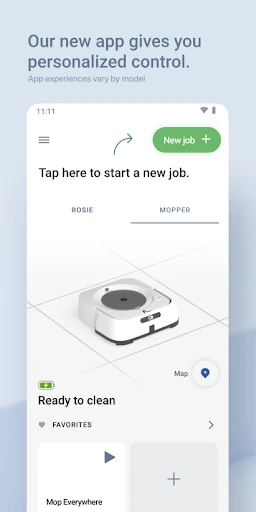
Analysis by Reviewed APKs
iRobot Home (Classic) is a companion app for controlling compatible Roomba, Roomba Combo, Braava, and Klaara cleaning robots. I see it as a practical remote for people who want to schedule cleaning, choose rooms or zones, and make better use of a supported robot without managing every run by hand. Its usefulness depends on the model you own, but for the right older iRobot setup, it brings several handy controls together.
A Cleaner While You’re Out
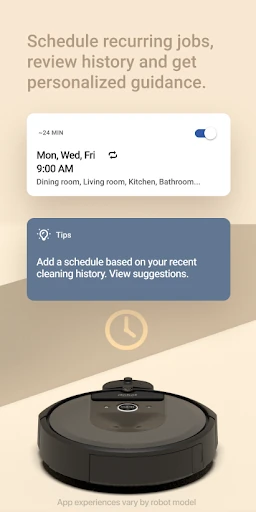
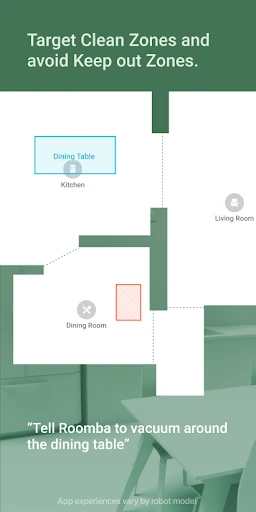
Picture a weekday morning: crumbs have gathered around the kitchen, but there is no time to get the vacuum out before leaving. With a compatible robot, I can use the app to arrange a cleaning schedule or select a room or zone for a focused run. That makes the app most useful as a way to send a cleaning job on its way without turning a small mess into a whole-house chore.
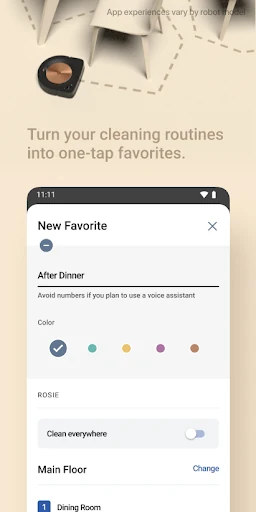
When I first considered how this fits into a routine, the appeal was less about watching a robot and more about making a decision once. A customized schedule can handle repeat cleaning, while room- and zone-specific options are useful when the kitchen needs attention sooner than the rest of the home. Map-related controls and personalized suggestions add another layer, though which options appear depends on the robot model.
A Remote, Not a Vacuum
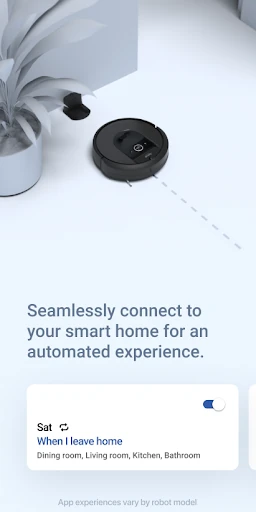
The obvious alternative is running a robot directly, using its physical controls, or relying on a different companion app. iRobot Home (Classic) earns its place when you have one of the older compatible Roomba, Roomba Combo, Braava, or Klaara products and want app-based scheduling and targeted cleaning. It also supports simple integrations with Alexa-, Siri-, and Google Assistant-enabled devices, which can suit a home that already uses those assistants.
This is not a standalone cleaning service, a general smart-home hub, or a replacement for the robot itself. It is a control layer for supported iRobot floor-cleaning products. Model compatibility matters: the description directs owners of other Roomba models to the Roomba Home app. I would check which robot I have before investing time in the Classic app, since the available controls and features vary by model.
Small Habits, Better Runs
A useful habit is to reserve schedules for the cleaning that really repeats. I would set a routine for the areas that collect everyday dust, then use room or zone cleaning when a specific part of the home needs attention. That keeps the app from becoming a collection of one-off commands and makes its scheduling and targeted-cleaning tools feel like parts of the same plan.
It also helps to treat the map and personalized suggestions as aids rather than a reason to overcomplicate things. I’d start with the cleaning choices my model supports, then adjust based on the rooms I actually want covered. If I use a compatible voice assistant, its integration can be another convenient option. The key is to keep expectations tied to the robot, because not every model offers every feature.
More From Our News Desk

Zoom Meetings, Google Meet, or Teams: Which Is Easiest to Join?

How I Build a Free Streaming Lineup With Tubi

Why Crunchyroll Is the Default Anime App for So Many Fans

YouTube TV: A Practical Guide to Cutting Cable

Rummikub and the Small Comfort of Phone Games

TeamViewer Remote Control or AnyDesk for Helping Family?
Who Will Get the Most From It
I would recommend iRobot Home (Classic) to someone who already owns a compatible older iRobot robot and wants a convenient way to schedule cleaning or target particular rooms and zones. It is especially appealing if you like setting a routine once and letting a robot handle recurring floor-care tasks. Voice-assistant support may also suit households that already use Alexa, Siri, or Google Assistant-enabled devices.
It may be a poor fit if your Roomba model is outside the Classic app’s compatibility range, or if you do not own a supported iRobot cleaning robot. The app’s value is tied to the hardware, and feature availability varies across models. People looking for a broader smart-home controller or a replacement for hands-on cleaning should keep that narrow purpose in mind before downloading.
iRobot Home (Classic) is developed by iRobot and is listed in the Lifestyle category on Google Play. The app has more than 10 million installs and a 3.9-star rating from about 185,000 ratings. It is free to download, with no in-app purchases or ads indicated in the supplied app facts. Its content rating is Everyone.
The app’s version is listed as “Varies with device,” and its release date is September 16, 2015. The supplied facts give June 15, 2026 as the last update date. A minimum Android version is not specified in the available facts, so check the Google Play page on your device for the current requirement.
A Practical Remote for Robot Cleaning
First, Check Compatibility
My first step with this app would be checking the name and series of the robot I own. The Classic app is described as working with older Roomba, Roomba Combo, Braava, and Klaara products, including several Roomba e, i, s, m, j, Essential, Essential 2, and 10 Max series robots. That compatibility list is useful, but it is worth matching the exact model before assuming every control will be available.
The first impression is of a companion built around cleaning decisions: where to clean, when to clean, and how to shape a routine. I would not expect every menu or option to look identical across devices, because the app’s features vary by model. If a Roomba is not in the Classic app’s supported range, the description points owners toward the separate Roomba Home app instead.
Everyday Control
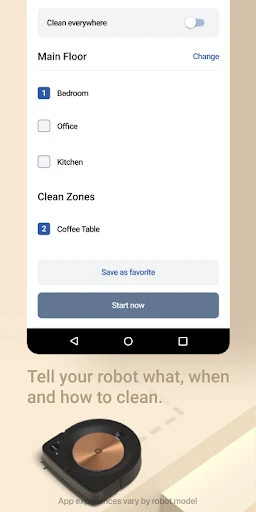
Day to day, the most useful idea is choosing the cleaning job that suits the moment. A scheduled run can cover recurring needs, while room or zone cleaning lets me focus on a particular area rather than defaulting to the entire home. For a busy household, that distinction matters: it gives a robot a more specific assignment without requiring me to start a full cleaning session each time.
The app also describes enhanced maps and object-specific cleaning. Those tools can make a compatible robot feel more adaptable to the layout and needs of a home. I would keep the model caveat in view, though: the description does not promise every mapping or targeting control for every device. The practical experience will be shaped by the robot paired with the app, not just the app name.
Features That Stand Out
Room and zone selection is a strong everyday feature because it makes cleaning feel less all-or-nothing. If one area needs attention, the app is designed to let supported robots focus there. Customized scheduling is similarly useful for turning repeated cleaning into a routine. Together, those options are the features I would expect to reach for most often, rather than treating the app as something to open only when there is a problem.
Enhanced maps and personalized cleaning suggestions round out the experience. The app also supports simple smart-home integrations with Alexa-, Siri-, and Google Assistant-enabled devices. I like that these features cover both planning and convenience, but they should be understood as model-dependent options. The app description is clear that availability varies, so the exact combination of mapping, cleaning choices, and integrations depends on the robot.
A Simple Weekly Routine
A sensible routine might start with a schedule for the areas that benefit from regular cleaning. I would use the app’s room or zone options when a particular space needs extra attention, rather than changing the whole schedule for a one-time mess. That gives the robot a predictable baseline while leaving room for targeted jobs when life gets a little untidy.
Once those basics are in place, I would consider whether personalized suggestions or a supported voice-assistant integration genuinely helps. The goal is not to use every feature just because it is there; it is to reduce the small decisions involved in keeping floors tidy. With a compatible robot, the app’s scheduling, maps, and focused-cleaning tools can support a routine that is simple enough to stick with.
Keep the Limits in Mind
The biggest limitation is compatibility. This is the Classic app for a defined set of older iRobot products, not a universal controller for every Roomba. Owners of other Roomba models are directed to the Roomba Home app. Before building a routine around it, I would confirm the exact robot series and check which features that model supports.
A second consideration is that the experience may not be identical from one robot to another. Enhanced maps, room and zone controls, object-specific cleaning, scheduling, suggestions, and voice-assistant integrations are described, but feature availability varies by model. That makes the app more compelling for some owners than others. If your robot supports only a subset of the controls, the available experience will naturally be narrower.
iRobot Home (Classic) makes the most sense as a practical control app for owners of compatible iRobot cleaning robots. Scheduling, room and zone cleaning, maps, suggestions, and supported voice-assistant integrations give it useful everyday reach, with the important caveat that features depend on the model.
I would try it if my robot is on the supported list and I want easier control over when and where it cleans. If I have a different Roomba, I would follow iRobot’s direction to the Roomba Home app instead. This is a focused companion, and its value rests on having the right hardware.
iRobot Home Frequently Asked Questions
What is iRobot Home (Classic) used for?
iRobot Home (Classic) is a companion app for compatible iRobot floor-cleaning robots. It offers controls such as customized scheduling, room and zone cleaning, enhanced maps, object-specific cleaning, personalized suggestions, and simple integrations with supported voice assistants. Which features are available depends on the robot model.
Which devices and platforms support iRobot Home (Classic)?
The app is available on Android through Google Play and is described as compatible with older Roomba, Roomba Combo, Braava, and Klaara products, including named Roomba series in the app description. Other Roomba models may need the Roomba Home app. Check the store and your robot’s compatibility details before choosing an app.
What Android version does iRobot Home (Classic) require?
The minimum Android version can vary by device and is worth checking on the Google Play page before installing. The supplied app facts list the version as “Varies with device.” Compatibility with a particular robot is a separate consideration, so check that model against the app’s supported products as well.
Does iRobot Home (Classic) cost money?
The app is listed as free on Google Play, with no in-app purchases or ads indicated in the supplied facts. Store details can change, so it is sensible to check the current Google Play page before downloading. You will also need a compatible iRobot cleaning robot to use its controls.
Who should use iRobot Home (Classic)?
It is best suited to owners of compatible iRobot robots who want to schedule cleaning or target rooms and zones. It may not suit someone with a Roomba model directed to the separate Roomba Home app, or someone without a supported robot. Feature availability varies by model, so check the compatibility information for yours.
Pros
- Combines scheduling with room- and zone-focused cleaning controls.
- Supports enhanced maps and personalized cleaning suggestions on compatible models.
- Offers simple integrations with Alexa, Siri, and Google Assistant-enabled devices.
- Free to download, with no ads or in-app purchases indicated.
Cons
- Designed for compatible older iRobot products, not every Roomba model.
- Feature availability varies by robot, so the experience is not uniform.
- A minimum Android requirement must be checked on Google Play.
- Category
- Lifestyle











