Hozify Pro
- 7.33K
- 4.6
- Installs
- 500.00K
- Price
- Free

Screenshots
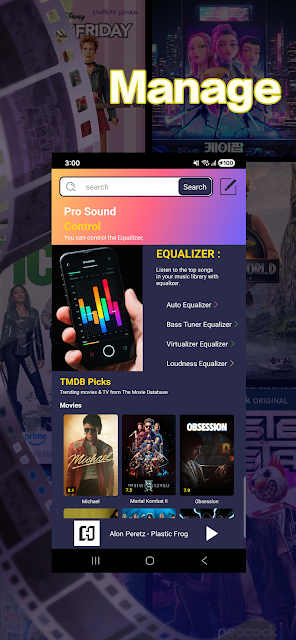
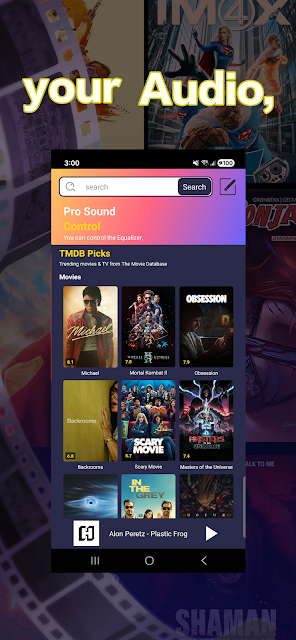
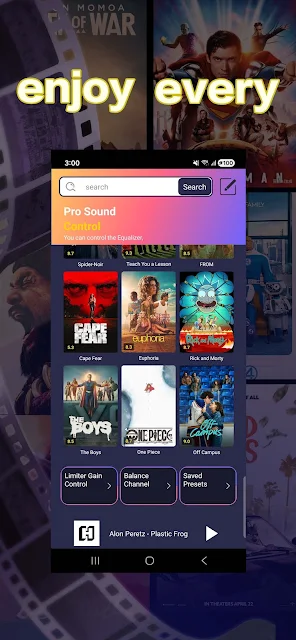
Analysis by Reviewed APKs
Hozify Pro is an Android audio-control app for adjusting sound while listening to music, recording voice, or testing audio. Its built-in equalizer gives you controls for bass, treble, balance, and volume, so it suits people who want more direct input than a basic playback screen offers. I like the focused purpose: it is a tool for shaping sound, not a music library or a full recording studio.
A Quick Listening Adjustment
Picture settling in with a playlist after work and finding that the sound feels a little too thin through your device. Hozify Pro is intended to give you a place to adjust bass, treble, balance, and volume instead of simply accepting the current audio. I would treat it as a small sound-control stop in that routine: make an adjustment, listen again, and decide whether the result suits the music and the moment.
The same basic idea applies when I switch from music to spoken audio or start recording a voice. A setting that feels right for one use may not be the one I want for another, so the useful part is having several audio controls available in one app. The description also mentions testing sound, which makes the app relevant for a quick check rather than only for listening sessions.
An Audio Tool, Not a Player
Hozify Pro makes most sense alongside the apps I already use to play music or record voice. Its stated job is to control and enhance device audio through an equalizer and related adjustments; it is not presented as a place to browse a music collection, discover artists, or manage playlists. That distinction matters if I am looking for a complete entertainment app rather than a focused set of sound controls.
Compared with leaving audio entirely to a player’s own controls, Hozify Pro is aimed at people who want to work with bass, treble, balance, and volume directly. The material does not describe a recording editor, a library, or a suite of production tools, so I would not choose it expecting those things. It is a practical option for sound adjustments, not a replacement for dedicated playback or recording software.
Make Adjustments Deliberately
A sensible way to use an equalizer is to change one thing at a time and listen before making another adjustment. For example, if a track sounds lacking in low end, I can focus on bass first instead of moving every control at once. That makes it easier to hear what each change does and to avoid turning a quick sound check into a guessing game.
I would also think about the task before adjusting anything. Music listening, voice recording, and sound testing are different situations, and the description specifically names all three. Pausing to consider which one I am doing helps keep the controls purposeful. The app’s value is not in making endless tweaks; it is in giving me a few direct ways to shape the audio when I have a reason to do so.
More From Our News Desk

Zoom Meetings, Google Meet, or Teams: Which Is Easiest to Join?

How I Build a Free Streaming Lineup With Tubi

Why Crunchyroll Is the Default Anime App for So Many Fans

YouTube TV: A Practical Guide to Cutting Cable

Rummikub and the Small Comfort of Phone Games

TeamViewer Remote Control or AnyDesk for Helping Family?
Who Might Like Hozify Pro
I would recommend Hozify Pro to Android users who want hands-on audio controls without turning the task into a larger production project. If you regularly listen to music, record voice, or test sound and would like access to bass, treble, balance, and volume adjustments, its focused purpose may be appealing. The Google Play rating is 4.6 from around 7,300 ratings, suggesting that many users have taken an interest in it.
It may be less suited to someone who wants an all-in-one music service, detailed recording and editing tools, or an app whose main purpose is organizing audio files. The available description is about device audio control and a built-in equalizer, not those broader jobs. I would also suggest checking the Google Play page for current compatibility details before installing, especially if device requirements are an important part of your decision.
Hozify Pro is a Tools app from RHK LOGISTICS. On Google Play, it has over 500,000 installs and a 4.6-star rating from around 7,300 ratings. The app is free to download and contains ads; the supplied store facts show no in-app purchases. Its content rating is Everyone, and its current version is 1.2.2.
The app was released on February 19, 2021, and its latest recorded update is August 18, 2026. The supplied facts do not give a minimum Android version, so I would check the Google Play page for compatibility with a particular device. The app’s stated focus is equalizer-based control over bass, treble, balance, and volume for listening, voice recording, and sound testing.
Getting Hands-On With Audio Controls
First Impressions
When I first look at Hozify Pro, its appeal is easy to summarize: it is built around changing device audio rather than adding a new listening destination. The description points to a built-in equalizer and names four controls—bass, treble, balance, and volume. That gives a newcomer a clear idea of the kind of adjustments the app is meant to handle before getting into any particular listening habit.
The supplied information does not describe a particular setup sequence or layout, so I would keep my expectations grounded in the stated purpose. I would open it when I have a sound change in mind, then use the controls it provides to explore that adjustment. It sounds like a better fit for someone who enjoys a little direct control than for someone who wants every audio choice made automatically.
Day-to-Day Sound
In everyday use, the four named controls cover different ways audio can feel off. Bass and treble offer ways to adjust the low and high ends, while balance and volume address other aspects of the output. The practical appeal is having these adjustments gathered under one audio-focused purpose, rather than treating the app as a place to store or sort music.
I would approach changes as small experiments. Listen to a familiar track, make one adjustment, and see whether the result is actually better for that session. A familiar recording gives me a useful point of comparison, and changing one control at a time makes the result easier to judge. That is a simple routine, but it suits an equalizer better than changing everything at once.
The Equalizer Focus
The standout feature is the built-in equalizer, with bass and treble adjustments alongside balance and volume. That combination gives Hozify Pro a broader role than an app that only changes loudness, while staying much more focused than a full audio-editing suite. It is a set of practical controls for someone who wants to shape sound, not a promise of professional production features.
The app is described for listening to music, recording voice, and testing sound. Those examples give the equalizer a few different contexts: enjoying a track, working with spoken audio, or checking what the device is outputting. I would see that range as useful flexibility, while remembering that the supplied description does not claim specialized recording or testing instruments beyond the audio controls.
A Simple Listening Routine
For a music session, I would start with a track I know well, since familiarity makes changes easier to notice. If I want a different feel, I can focus first on bass or treble, then listen again before touching balance or volume. This keeps the process manageable and gives each control a clear purpose instead of encouraging a scattershot series of adjustments.
For a voice recording or sound test, I would begin by thinking about the task rather than carrying over assumptions from music listening. The app is explicitly described for those uses, but the right sound adjustment depends on what I am trying to hear. Keeping that distinction in mind makes Hozify Pro feel like a tool I use when needed, rather than something that has to become part of every routine.
Limits to Keep in Mind
Hozify Pro’s narrow focus is also its main limitation. The supplied feature details center on equalizer controls, not music playback, file management, voice editing, or advanced sound analysis. Someone who expects a single app to handle all of those jobs may find that this is not the right category of tool. I would pair it with the apps already used for playing or recording audio.
The app contains ads, which is worth factoring in if interruptions or advertising are a concern. Compatibility is another practical check: the supplied facts do not specify a minimum Android version, so I would confirm the current Google Play requirements for my device. Those caveats do not change its central purpose, but they help set realistic expectations before making it part of an audio setup.
Hozify Pro is a straightforward choice for Android users who want to adjust bass, treble, balance, and volume through a dedicated equalizer. I like that its stated uses cover music listening, voice recording, and sound testing without pretending to replace the apps those tasks already need.
I would try it if I wanted practical control over device audio and did not mind ads. If I were looking for a music library, recording editor, or detailed production suite, I would look elsewhere. Check the Google Play page for device compatibility before installing.
Hozify Pro Frequently Asked Questions
What is Hozify Pro used for?
Hozify Pro is an Android audio-control app with a built-in equalizer. It is described as a way to adjust bass, treble, balance, and volume while listening to music, recording voice, or testing sound. It is focused on audio adjustments rather than music discovery or recording-file management.
Which devices can run Hozify Pro?
Hozify Pro is an Android app available through Google Play. The supplied information does not specify a minimum Android version, so compatibility can depend on the device and current store requirements. Check the Google Play page to see whether it supports your particular phone or tablet.
What Android version does Hozify Pro require?
A minimum Android version is not provided in the available app facts. Requirements may vary as the app and store information change, so check Hozify Pro’s Google Play page before installing if your device runs an older Android version.
Does Hozify Pro cost money?
Hozify Pro is free to download, and the supplied facts show no in-app purchases. It does contain ads. Store details can change, so the Google Play page is the best place to check the current download and purchase information.
Is Hozify Pro suitable for everyday music listening?
It may suit listeners who want to adjust bass, treble, balance, and volume while using their audio setup. The description also includes voice recording and sound testing as intended uses. It is not presented as a music player or full recording editor, so those looking for either may prefer other apps.
Pros
- Offers direct controls for bass, treble, balance, and volume in one audio-focused app.
- Described for music listening, voice recording, and sound testing.
- Free to download with no in-app purchases shown in the supplied facts.
- A focused option for users who want more control over device audio.
Cons
- Contains ads, which may bother users who prefer an uninterrupted tool.
- Not described as a music player, recording editor, or sound-production suite.
- Minimum Android version is not provided in the supplied facts.
- Category
- Tools
- Version
- 1.2.2











