Hik-Connect - for End User
- 3.54M
- 4.8
- Installs
- 50.00M
- Price
- Free

Screenshots
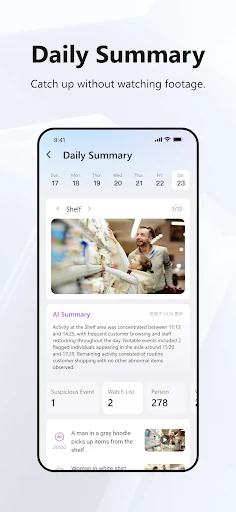
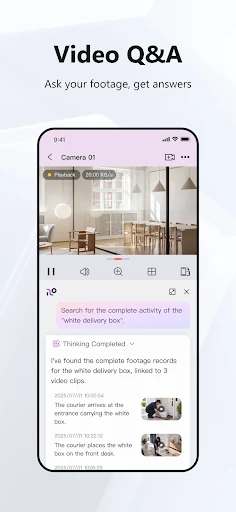
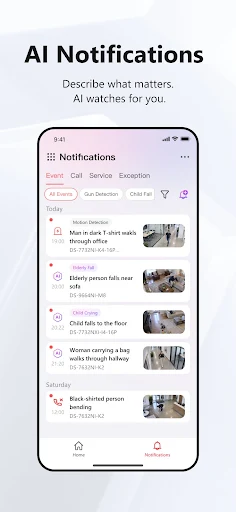
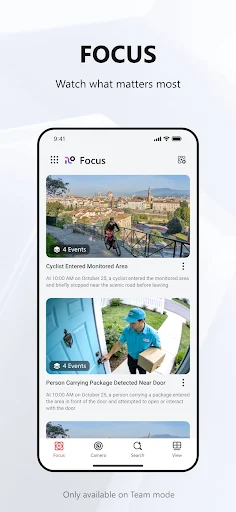
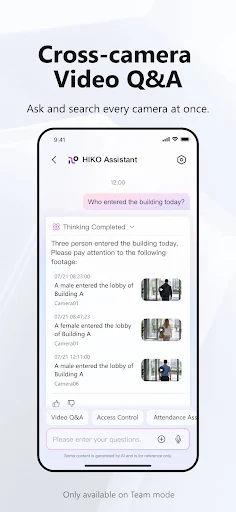
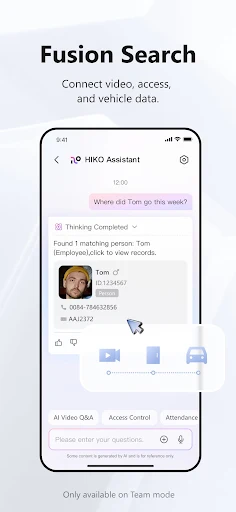
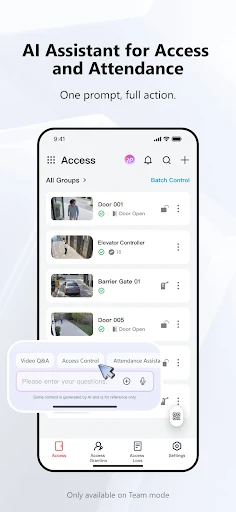
Analysis by Reviewed APKs
Hik-Connect - for End User is a companion app for viewing and managing compatible Hikvision cameras, recorders, video intercoms and security control panels. I see it as a practical option for people who already use those devices and want to check in from a phone rather than sit at a monitor. Its mix of live video, playback and alerts is useful, though its value depends on having compatible hardware.
A quick check from anywhere
When I imagine using Hik-Connect during an ordinary day, the main appeal is being able to check a camera without heading to the room where the recorder is kept. I might be away from home or at work and want a live look at a familiar space. The app is built for that sort of remote check-in, with real-time monitoring for supported cameras and recording devices.
The other half of that routine is what happens after a moment has passed. If I want to review footage rather than watch live, Hik-Connect includes video playback. And if a connected device triggers an alarm, the app can send an instant notification with pictures or video. That combination makes it more useful than a live-view window alone, especially when I cannot keep the app open all day.
A companion, not a camera
Hik-Connect is best understood as a phone companion for compatible hardware, not a standalone camera service. Its intended devices include DVRs, NVRs, cameras, video intercoms and security control panels. If I already rely on that equipment, one app can bring several kinds of monitoring and alerts together. If I do not have compatible devices, there is little reason to expect the app itself to provide a camera feed.
Compared with simply checking a dedicated monitor, the app offers remote viewing, playback and selected controls from a mobile device. It is also more focused than a general-purpose home app: its features are tied to surveillance, intercoms and security panels. I would not choose it as a general photo viewer, a messaging app or a way to monitor equipment from unrelated brands.
Make alerts easier to use
A useful habit is to treat notifications as prompts to check, rather than as a reason to leave a live feed running constantly. When an alarm notification arrives, I can use the app to view the accompanying picture or video and decide whether I need a closer look. That is a more manageable routine than repeatedly opening live video without a particular reason.
For a shared setup, device sharing with limited permissions can help give another person access without handing over unrestricted control. I would think through who needs access and what level is appropriate before sharing. If the device supports it, fingerprint login is another small convenience for regular checks. These features are most helpful when they fit a simple, deliberate routine rather than adding extra steps.
More From Our News Desk

Zoom Meetings, Google Meet, or Teams: Which Is Easiest to Join?

How I Build a Free Streaming Lineup With Tubi

Why Crunchyroll Is the Default Anime App for So Many Fans

YouTube TV: A Practical Guide to Cutting Cable

Rummikub and the Small Comfort of Phone Games

TeamViewer Remote Control or AnyDesk for Helping Family?
Who will find it useful
I would recommend Hik-Connect to people who already have compatible Hikvision equipment and want a mobile way to view live footage, revisit recordings or receive alarm notifications. It also makes sense for someone using a compatible video intercom or security control panel, since the app covers more than cameras alone. The remote access angle is particularly appealing if checking a dedicated monitor is inconvenient during a normal day.
It may not suit someone who is shopping for a camera app without any compatible hardware, or who expects a general-purpose smart-home hub for devices from many manufacturers. The feature set is centered on supported surveillance and security products. I would also consider whether phone-based viewing and alerts fit the way I prefer to monitor a property; the app complements the hardware but does not replace the need for it.
On Google Play, Hik-Connect - for End User is published by Hik-Connect and sits in the Tools category. It is free to install, has no in-app purchases and contains no ads. The store shows an Everyone content rating. Its listed version is 7.0.200.1010, with a release date of June 27, 2022 and a last update dated October 28, 2026.
The app has over 50 million installs on Google Play and a 4.8-star rating from around 3.5 million ratings. Those figures give a sense of its broad reach, but the practical fit still comes down to whether you have compatible devices. The minimum Android version is worth checking on Google Play before installing, since the requirement can depend on the current release and your device.
What Remote Monitoring Feels Like
A focused first impression
Hik-Connect's purpose is easy to grasp: it connects a phone with supported monitoring and security devices. When I first opened an app like this, I would want to know quickly whether it can show my camera or intercom and whether alerts can reach me. The feature set is organized around those practical jobs, rather than around general smart-home controls.
The important first step is having a compatible device to use with it. The app supports several categories, including cameras, DVRs, NVRs, video intercoms and security control panels. That breadth is useful for people with more than one kind of device, but it also sets a clear boundary: the experience depends on the equipment being supported. I would check compatibility before building a routine around it.
Live viewing and playback
The day-to-day core is the choice between watching a live feed and reviewing recorded video. Live monitoring is the quickest way to check what is happening now, while playback is there for looking back at footage. I like that these are distinct needs covered by the same app; they make it easier to move from a quick glance to a more deliberate review.
Some supported devices also provide PTZ control, so the app can do more than display a fixed view. How useful that is depends on the camera and situation, but it gives compatible users a way to adjust monitoring remotely. I would still use a live view with a clear purpose: check a specific area, then close it, rather than letting phone monitoring become another screen to watch.
Intercom and security controls
The features that stand out most are the ones that connect monitoring with a response. Two-way audio intercom gives supported setups a way to communicate through the app, and users can answer calls from compatible doorbells or video intercom devices. That makes Hik-Connect relevant at the entrance as well as in rooms covered by cameras.
For users with a compatible security control panel, remote arming is another practical extra. Alarm notifications can include pictures or videos, giving an alert more context than a simple prompt. Device sharing with limited permissions is useful when someone else also needs access, while fingerprint login offers a convenient sign-in option on supported devices. These are focused tools, not a promise that every device supports every feature.
A simple check-in routine
A sensible routine might start with a notification arriving while I am away from home. I can open Hik-Connect, review the picture or video attached to the alarm, and decide whether a live view or playback will answer the next question. If the setup includes an intercom, I can also answer a call from a supported doorbell or video intercom through the app.
For a household or small workplace, I would keep sharing deliberate. The app allows devices to be shared with limited permissions, which can be preferable to giving everyone the same level of access. I would also use fingerprint login if available and comfortable for my device. The aim is to make checking and responding routine, not to turn every alert into a prolonged investigation.
Hardware sets the limits
The biggest limitation is also the app's defining constraint: it is designed to work with supported devices. Without compatible cameras, recorders, intercom equipment or a security panel, the main features have nothing to connect to. Even with compatible equipment, the available controls depend on the device, so I would avoid assuming that every listed feature applies to every setup.
Remote viewing and notifications are useful, but they do not make the app a substitute for the equipment it connects to. People looking for broad compatibility across unrelated brands may find the scope too narrow, and anyone who prefers a dedicated monitor may not need a phone companion. Before installing, I would confirm both device compatibility and the Android requirement in the store.
Hik-Connect is a focused companion app with a useful range of jobs: live monitoring, video playback, alarm notifications, intercom calls and selected security controls. I like that it can serve several compatible device types without pretending to be a general-purpose home platform. Its usefulness is straightforward, but conditional on the hardware already in place.
I would recommend it to Hikvision device users who want a mobile way to check footage or respond to alerts, especially if they also use a supported intercom or control panel. If you do not own compatible equipment, or need an app that works across many unrelated brands, this is unlikely to be the right fit.
Hik-Connect Frequently Asked Questions
What is Hik-Connect - for End User used for?
Hik-Connect is used with compatible cameras, DVRs, NVRs, video intercoms and security control panels. It can show live surveillance video, play back footage and deliver alarm notifications with pictures or videos. Depending on the connected device, it can also support PTZ control, two-way audio, answering intercom calls and remotely arming a security panel.
Which phones and devices can run Hik-Connect?
Hik-Connect is an Android app on Google Play. It is designed to connect with compatible surveillance and security devices, including cameras, recorders, video intercoms and control panels. The minimum Android version may vary with the current release and your phone, so check the Google Play details before installing.
Does Hik-Connect cost money?
Hik-Connect is free to install on Google Play. The store information says it has no in-app purchases and contains no ads. If you are checking the app later, pricing or store details can change, so it is worth reviewing the current Google Play information before you install.
Does Hik-Connect work without a camera system?
The app is designed to work with compatible Hikvision devices, such as cameras, DVRs, NVRs, video intercoms and security control panels. Its viewing, playback and control features rely on that equipment, so it is not a standalone camera service. Check your device's compatibility before relying on the app for monitoring.
Is Hik-Connect a good fit for every user?
It is a good fit for people who already use compatible equipment and want mobile access to live video, playback or alerts. It may not suit someone without that hardware or someone seeking a broad smart-home app for unrelated brands. The app's Google Play page is the best place to check current requirements and compatibility details.
Pros
- Combines live monitoring and recorded-video playback in one mobile companion.
- Supports several device types, including cameras, recorders, intercoms and security panels.
- Alarm notifications can include pictures or videos for added context.
- Limited-permission sharing and fingerprint login support convenient access.
Cons
- Its main features depend on having compatible Hikvision equipment.
- Available controls vary with the connected device and its capabilities.
- The focused surveillance role may not suit people seeking broad smart-home support.
- Category
- Tools
- Version
- 7.0.200.1010











