Google Play Books & Audiobooks
- 3.27M
- 4.7
- Installs
- 1.00B
- Price
- Free

Screenshots
Analysis by Reviewed APKs
Google Play Books & Audiobooks brings ebooks, audiobooks, comics, and manga together in one library. It suits readers who want to buy individual titles, keep them organized, and switch between reading and listening rather than commit to a subscription. I like its mix of practical reading controls and flexible formats. It feels most useful as an everyday bookshelf you can carry around, with a few thoughtful extras for notes and comics.
A book for the commute
Imagine I have a few quiet minutes on the train, then a longer walk to finish the trip. I can read an ebook during the ride and download a title ahead of time so it is available offline. Later, an audiobook gives me a way to keep going while walking. That shift between page and audio is the app’s central appeal: it can fit a story into different parts of an ordinary day.
When I first considered using it as my regular reading app, the broad format support stood out. Ebooks, audiobooks, comics, and manga all have a place in the same service, while custom shelves help keep a library from becoming a long undifferentiated pile. Samples are useful when I am unsure about a book. I can get a feel for a title before deciding whether I want to buy it.
A store and a bookshelf
The obvious comparison is a subscription reading service or a dedicated audiobook app. Google Play Books takes a different approach: there is no subscription requirement, and I can buy the specific books I want when I want them. That suits occasional readers and people who prefer choosing individual titles. The tradeoff is that it is a purchasing and reading destination, not a promise that every book is included in a monthly catalog.
It is also not a replacement for a physical book if I want paper in my hands, or a general-purpose document editor. Its strengths are reading and listening, library organization, and book-related notes. Google Drive sync for notes can help with study or reading groups, but the app’s purpose remains books. I would choose it for a portable personal library, not for managing every kind of file or reference material.
Small habits that help
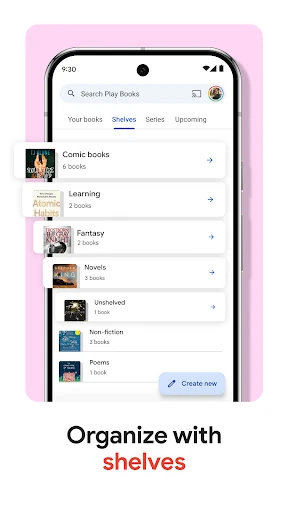
I would start by creating a few shelves that match how I actually browse: perhaps one for current reads, one for comics, and another for books I want to revisit. Custom shelves can follow any theme, so there is no need to settle for a single genre-based system. A little organization early on makes it easier to find a title later, especially once ebooks and audiobooks share the same library.
For a book I am studying, I would make notes as I read and let them sync with Google Drive, where they can be shared for collaboration. Before buying an unfamiliar title, I would sample it. For a trip or a patchy connection, I would download the book in advance. These are modest routines, but they make the app feel less like a storefront and more like a useful reading companion.
More From Our News Desk

Zoom Meetings, Google Meet, or Teams: Which Is Easiest to Join?

How I Build a Free Streaming Lineup With Tubi

Why Crunchyroll Is the Default Anime App for So Many Fans

YouTube TV: A Practical Guide to Cutting Cable

Rummikub and the Small Comfort of Phone Games

TeamViewer Remote Control or AnyDesk for Helping Family?
Who will enjoy the bookshelf
I would recommend Google Play Books to readers who move between formats, buy books one at a time, or want their library available on more than one kind of device. It can also suit commuters, travelers, and people who like audiobooks for hands-free stretches of the day. Readers of comics and manga have a dedicated Bubble Zoom experience to try, while adjustable text and brightness offer some control over how ebooks look.
It may be less appealing if the main thing you want is an all-you-can-read subscription, since the service does not require a subscription and centers on buying selected books. People who strongly prefer print may not get much from a digital library. Some extras also have limits: Play Points availability varies by country, and book insights are available only for select English-language titles.
Google Play Books & Audiobooks is a Books & Reference app from Google LLC. Google Play shows over one billion installs and a 4.7-star rating from about 3.3 million ratings. The app is free to install, and it contains no ads. The service does offer in-app purchases; Google Play gives a broad per-item range of $0.01 to $9,999.90.
The content rating is Teen. The version is listed as varying by device, and the app was released on December 6, 2010. Google Play gives October 26, 2026 as its last update date. No minimum Android version is stated in the supplied app details, so check the Google Play page on your device for current compatibility information.
A flexible library for real life
Starting with a sample
My first impression is of an app built around choice of format rather than a single reading style. The same service covers ebooks, audiobooks, comics, and manga, so the basic question is what I want to read or hear next. Sampling a book before buying is a welcome way to make that decision with a little more confidence.
Once I have a title, the reading controls let me adjust the font, text size, and brightness. Those small settings matter when I read in different places or at different times of day. I can make the page more comfortable for a quick session without having to change how I organize the rest of my library.
Reading through the day
The app makes sense as a companion for changing routines. I might read on a phone while waiting for an appointment, then listen to an audiobook when my hands are busy. Downloads are especially practical when I expect to be offline. The experience is not just about keeping a book on a screen; it is about having a title ready when a spare moment appears.
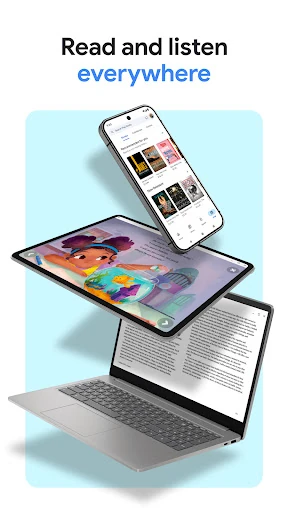
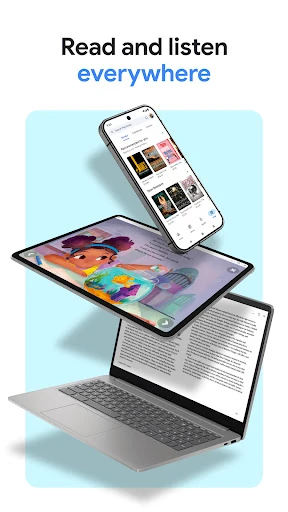
Google Play Books can also be used on a phone, tablet, computer, and in a car with Android Auto. That range makes it easier to keep a digital reading habit going across settings. I would still think about which format suits a particular activity: text when I can focus on a page, audio when listening is more convenient.
Notes, shelves, and comics
Custom shelves are a simple feature with real everyday value. I can sort titles by author, genre, or a theme that makes sense to me, rather than relying on one fixed arrangement. For anyone who reads across subjects, that can turn a growing library into something easier to browse and return to.
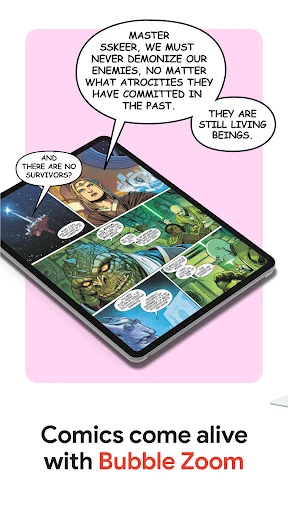
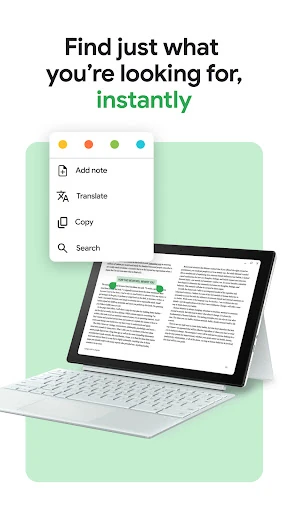
Smart notes add a study-friendly angle: notes sync with Google Drive and can be shared for collaboration. Comics and manga get Bubble Zoom, a specialized way to experience those formats. Neither feature changes the app into a full study suite or a general comic editor, but both are useful examples of the service adapting to different kinds of reading.
A low-fuss reading routine
A practical routine might begin with browsing samples before choosing a new title, then placing the purchase on a shelf that reflects when I expect to read it. Before leaving home, I can download a book if I know I may lose a connection. During the week, I can use text for focused reading and audio when I want a hands-free option.
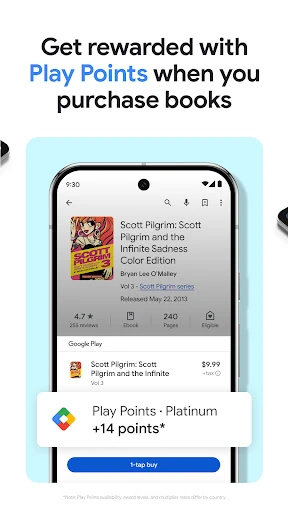
For a nonfiction title, I would add notes as ideas come up and use the Google Drive sync when I need to revisit or share them. If I am buying books, Play Points may also be part of the experience, though availability and reward details differ by country. The useful habit is to make the tools serve the reading, rather than turning every session into library maintenance.
Limits to keep in mind
The biggest practical distinction is the buying model. There is no subscription needed, which keeps the choice in my hands, but it also means I should not expect a monthly membership to unlock a catalog. Individual book purchases can add up, so sampling titles first is a sensible way to decide what is worth adding to my library.
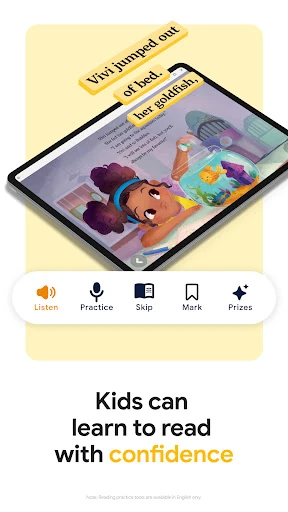
Some features are selective or regional. Play Points are not available everywhere, and both availability and reward levels vary by country. Book insights appear only in select English-language titles, while reading practice tools for children are available in English only. These are handy additions, but I would treat them as extras rather than reasons to expect every book or region to offer the same experience.
There is also a practical compatibility detail to check before installing: Android requirements can change, and the app version varies by device. I would look at the current Google Play information for my particular phone. Beyond that, its main focus is books and related reading tools, so people looking for print, a subscription catalog, or a broad document workspace may want something else.
Google Play Books & Audiobooks works best when I want one flexible place for purchased ebooks, audiobooks, comics, and manga. Downloads, adjustable reading settings, shelves, and Drive-synced notes give it everyday usefulness beyond browsing for the next title. Its no-subscription approach is clear and appealing, as long as I am comfortable buying books individually.
I would recommend it to readers who like owning selected digital titles and fitting reading or listening around a busy day. It is less compelling for anyone seeking a subscription library or a print-book experience. If those expectations match, it is a capable, adaptable bookshelf with enough practical touches to earn a place in a regular routine.
Google Play Books Frequently Asked Questions
What is Google Play Books & Audiobooks used for?
Google Play Books & Audiobooks is for discovering and reading ebooks, listening to audiobooks, and enjoying comics and manga. It includes adjustable reading controls, custom library shelves, samples, and notes that sync with Google Drive. You can also download books for offline reading and use voice controls with Google Assistant for audiobooks.
Which devices work with Google Play Books & Audiobooks?
The app supports reading across phones, tablets, and computers, and it can be used in a car with Android Auto. Google Play is the store for its Android app. For the current Android compatibility requirements and availability on a particular device, check the app’s Google Play page.
What Android version does Google Play Books require?
The Android requirement can vary as the app changes and by device. Check the current Google Play page from the phone or tablet where you plan to install it. The app’s version is also described as varying with device, so the store page is the best place to verify compatibility.
Does Google Play Books cost money?
The app is free to install and has no ads, but it offers in-app purchases for books and other items. Google Play gives a per-item purchase range of $0.01 to $9,999.90. There is no subscription requirement; you can buy the books you want individually. Prices for specific titles may vary in the store.
Is Google Play Books right for casual readers?
It can suit casual readers who want to choose individual books, read or listen in spare moments, and keep titles organized without subscribing. Offline downloads are useful when connectivity is limited. It may be a poorer fit if you want a subscription catalog or prefer physical books. Play Points and some extras vary by country or title.
Pros
- Combines ebooks, audiobooks, comics, and manga in one digital library.
- Lets readers download books, sample titles, and adjust reading settings.
- Custom shelves and Google Drive-synced notes add useful organization.
- No subscription is required to buy and read selected titles.
Cons
- Individual purchases may not suit readers who prefer a subscription catalog.
- Play Points availability and reward details differ by country.
- Some extras, including book insights, are limited to select titles or languages.
- Category
- Books & Reference