King James Bible - Verse+Audio
- 2.52M
- 4.8
- Installs
- 100.00M
- Price
- Free

Screenshots



Analysis by Reviewed APKs
King James Bible - Verse+Audio is a mobile reading and study app for people who want the King James Version close at hand. I found its mix of Bible text, audio, daily verses, search, and personal study tools more useful for building a steady reading habit than for deep academic research. It suits readers who value familiar scripture and want to read or listen at their own pace.
A Quiet Moment to Read
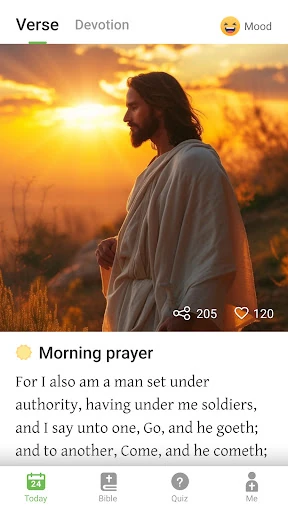
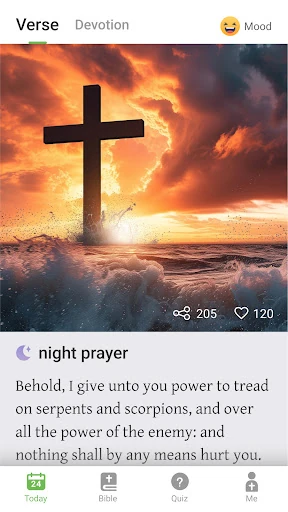
When I first opened the app, I pictured using it in the small gaps of a normal day: a few minutes with coffee, a passage during a lunch break, or some listening time before bed. The daily verse gives me a simple place to begin, while the Bible text lets me move into a longer reading when I have time. It feels suited to a personal routine rather than a one-off lookup.
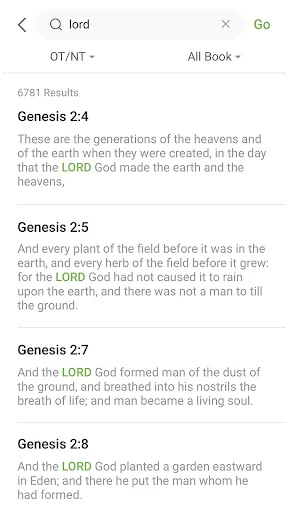
If I come across a passage I want to revisit, I can bookmark it, highlight it in a color, or add a private note. Search is useful when I remember a word or phrase but not the chapter. I also like that the app supports offline use, so reading does not have to depend on a reliable connection. Those details make it easier to pick up where I left off.
A Pocket Bible, Not a Library
Compared with carrying a printed Bible, this app is easier to take along and gives me text, audio, search, and study notes in one place. Compared with a general reading app, it is focused on the King James Version and Bible reading rather than a broad collection of books. That narrow purpose is a strength if KJV is what I want, since I can keep my attention on the passage instead of browsing unrelated material.
It is not a substitute for a scholarly reference work or a tool for comparing many translations. The material describes a KJV Bible experience, with ways to read, listen, search, and keep personal notes. Readers who need detailed historical commentary or side-by-side translation analysis may want a different kind of resource. I see this app as a practical companion for devotional reading and everyday access to scripture.
Small Habits That Help
I get more out of the app when I decide what I want to do before opening it. A quick visit can mean reading the daily verse; a longer one can mean continuing a passage, searching a phrase, or listening to audio. Bookmarks are handy for keeping my place, while highlights help separate verses I want to return to from the rest of the text.
Notes make the app more personal without requiring a complicated workflow. I can capture a thought while a passage is fresh, then return to it later alongside my highlights and bookmarks. Reading plans offer another way to give a session some direction. I would treat these tools as supports for a regular habit, not as a demand to turn every short reading into a project.
More From Our News Desk

Zoom Meetings, Google Meet, or Teams: Which Is Easiest to Join?

How I Build a Free Streaming Lineup With Tubi

Why Crunchyroll Is the Default Anime App for So Many Fans

YouTube TV: A Practical Guide to Cutting Cable

Rummikub and the Small Comfort of Phone Games

TeamViewer Remote Control or AnyDesk for Helping Family?
Who May Enjoy It
I would recommend King James Bible - Verse+Audio to readers who already prefer the King James Version and want a convenient way to read it on a phone or tablet. It is especially appealing if you like combining quiet reading with audio, or if you want bookmarks, colored highlights, notes, and search close at hand. The daily verse and reading plans can also help give a regular Bible-reading routine a starting point.
It may be less suitable for people who want several translations, extensive scholarly commentary, or a broad reference library. The app’s focus is specifically the KJV, and the supplied feature information centers on reading, listening, and personal study. Readers who prefer paper, or who dislike ads and optional in-app purchases, may find a different format more comfortable. For everyone else, it offers a fairly direct way to keep scripture accessible.
King James Bible - Verse+Audio is developed by Ozion and is in the Books & Reference category on Google Play. It is free to download, with in-app purchases listed at $0.99 to $9.99 per item, and it contains ads. Google Play shows a 4.8-star rating from about 2.5 million ratings and more than 100 million installs.
The app has an Everyone content rating and requires Android 7.0 or later. The supplied version is 3.64.0. It was released on January 2, 2018, and its listed last update was January 16, 2026. These details can change as the app is updated, so the current Google Play information is the best place to check before installing.
A Familiar Reading Rhythm on Mobile
First Open and Setup
My first impression is that the app’s purpose is easy to understand: it brings the King James Bible together with audio and study helpers. I do not need to learn a complicated system to see the value. The daily verse offers a natural entry point, and the text is there for when I want to read beyond that short prompt.
Font adjustment is a practical touch, especially when I am reading for more than a minute or two. I can choose font sizes and styles to suit my preference rather than treating the default presentation as fixed. The app also supports downloading text or audio content, which is useful for planning ahead when I expect to be without internet access.
The Day-to-Day Experience
In ordinary use, the strongest quality is having several ways to engage with the same scripture. I can read a passage, listen to audio, or search for a keyword when I have a particular thought in mind. Long-press copying is handy for moving a verse into another place, and sharing gives me a simple way to pass a passage along to family or friends.
The tools feel most useful when they support a reading session instead of pulling me away from it. A bookmark keeps my place, a highlight marks something I want to notice again, and a note lets me record my own response. I can use one or all of these, depending on the day. That flexibility makes the app work for short visits as well as more deliberate study.
Tools That Stand Out
Audio is a meaningful part of the package, not just an extra label in its name. The app supports listening to Bible content, and users can download audio content for offline use. That gives me another option when my eyes are busy or I want scripture playing during a quiet moment. Reading and listening can fit different parts of the same routine.
The personal study features are also a strong combination. Bookmarks, differently colored highlights, private notes, adjustable fonts, keyword search, and reading plans each solve a small but familiar problem. None requires me to build an elaborate system. I can simply keep a passage, mark a line, or write down a thought, then return to it later.
The daily verse rounds out those tools with a small prompt for days when I do not have a specific passage in mind. Together, these features make the app more than a plain digital text while keeping the central task straightforward: spend time reading or listening to the KJV.
A Simple Weekly Routine
One practical routine would be to start with the daily verse, then continue reading when time allows. If a line stands out, I can highlight it and add a note about why I noticed it. A bookmark helps when I stop partway through a longer reading. On another day, I can use search to find a phrase that has stayed with me.
Reading plans can bring more structure when I want a guided path rather than choosing each passage myself. I can also switch to audio when reading is inconvenient, or download content in advance if I expect to be offline. The point is not to use every feature every day. It is to choose the one that makes it easier to return to the text.
Limits to Keep in Mind
The app is centered on the King James Version, so that focus may feel restrictive if I want to compare different translations. Its description emphasizes scripture reading, audio, and personal study tools rather than commentary or academic reference material. I would keep expectations aligned with that role: it is a portable KJV companion, not a comprehensive research library.
Ads and optional in-app purchases are part of the practical picture. The app is free to download, but it is not an ad-free experience by default, and some purchases are available. For readers who prefer an uninterrupted printed book or want a fully offline routine, it is worth considering how those trade-offs fit their habits. Offline access is supported, but the description does not make every detail of that experience a promise.
Finally, a feature-rich Bible app can invite more organizing than some readers want. Notes, highlights, bookmarks, and plans are useful when they serve the reading, but they are not essential to it. I would start with the text and audio, then add the extras only if they genuinely make my routine easier.
King James Bible - Verse+Audio works best as an accessible, personal KJV companion. Its combination of reading, listening, offline support, search, and simple study tools gives me several ways to return to scripture without making the experience feel like a research project. The focus is clear, and the practical features fit everyday use.
I would recommend it to KJV readers who want a flexible phone or tablet option and appreciate audio, bookmarks, notes, and reading plans. If you need extensive commentary, multiple translations, or an experience without ads, it may not be the best fit. For straightforward reading and listening, it is a capable choice.
King James Bible Frequently Asked Questions
What is King James Bible - Verse+Audio used for?
King James Bible - Verse+Audio is for reading, listening to, and studying the King James Version of the Bible. It includes a daily verse, keyword search, audio content, bookmarks, colored highlights, private notes, font adjustments, and reading plans. It also supports copying and sharing verses, and can be used without an internet connection.
Is King James Bible - Verse+Audio available on iPhone?
The supplied platform information is for Android, where the app is available through Google Play. Its description refers to Android use and does not establish availability on iPhone or other platforms. If you are looking for a version for another device, check the relevant store or the app’s current official information, since availability may vary.
What Android version does King James Bible - Verse+Audio require?
The supplied requirement is Android 7.0 or later. The app’s current compatibility details can change as it is updated, so check its Google Play page against your device before installing. The app supports offline use, and its description says text or audio content can be downloaded for reading, learning, and listening.
Is King James Bible - Verse+Audio free?
The app is free to download, and Google Play lists in-app purchases from $0.99 to $9.99 per item. It also contains ads. Purchase details and availability can change, so check the current Google Play page for the latest information before deciding whether the free version or any optional purchase suits you.
Who is King James Bible - Verse+Audio best for?
It is best suited to people who want the King James Version on a mobile device and value reading, audio, daily verses, and personal study tools such as notes and highlights. It may be less suitable for readers seeking several translations or extensive commentary. Whether its ads and optional purchases fit your preferences is worth weighing before you install it.
Pros
- Combines KJV reading and audio with offline support for flexible everyday use.
- Bookmarks, colored highlights, private notes, and adjustable fonts support personal study.
- Keyword search and reading plans make it easier to find or structure a passage.
- Daily verse offers a simple starting point for a short reading session.
Cons
- Its focus on the King James Version may not suit readers seeking multiple translations.
- Ads are included, and optional in-app purchases are available.
- The feature set focuses on reading and personal study rather than extensive commentary.
- Category
- Books & Reference
- Version
- 3.64.0