MyHeritage: Family Tree & DNA
- 258.10K
- 4.4
- Installs
- 10.00M
- Price
- Free

Screenshots



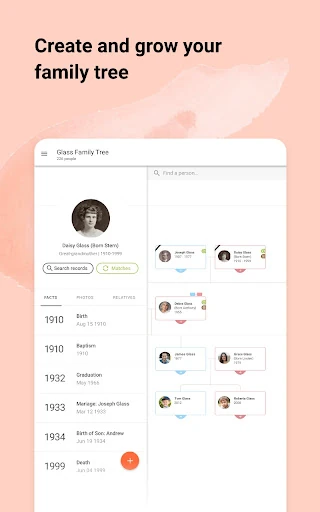
Analysis by Reviewed APKs
MyHeritage: Family Tree & DNA is a genealogy app for building a family tree, searching historical records and exploring family photos. It suits curious beginners as well as people who already have names and dates to investigate. I like how it brings research and photo tools together, though its many possibilities can make it feel like a bigger commitment than a casual browse through old pictures.
A family-history evening
When I first opened MyHeritage, I pictured using it at the kitchen table with a box of family photos nearby. A few names are enough to begin a tree, and from there I could imagine checking what the app finds in its collections of family trees and historical records. That gives a simple starting point for a common question: who was this relative, and what else can I learn about them?
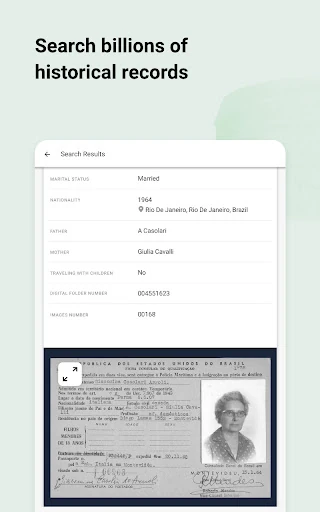
The appeal becomes clearer when a relative remembers a name but not much else. I could add that name to the tree, then use matching tools and historical records to look for more context. The app describes collections covering records such as birth, marriage and death certificates, census documents, and immigration records. A promising match is a lead to examine, not a reason to assume every detail is correct.
Research, not just nostalgia
Compared with keeping a family tree in a notebook or a basic photo album, MyHeritage connects names and family relationships with searches across its genealogy collections. That makes it a more active research tool: it can point toward records and other user-created trees that may help extend a branch. It also includes tools for restoring, colorizing and animating photos, so family-history work can involve pictures as well as dates.
I would not treat it as a general-purpose photo editor or a replacement for carefully checking historical sources. Its photo features have a family-memory angle, while the tree and record searches are focused on ancestry. DNA is another part of the app, but this is not simply a way to infer a complete family history from one result. The strongest use is combining leads, records and what relatives already know.
Small habits, better clues
A useful habit is to start with the names and relationships I can already explain, rather than trying to build a huge tree in one sitting. When a possible match appears, I would compare it with what I know before adding a new person or branch. That keeps the tree easier to follow and makes it less likely that an attractive-looking suggestion gets mistaken for a verified family connection.
Photos can give a research session a more personal focus. I could scan an old family picture, use a repair or colorization tool where appropriate, and record the story behind it with Photo Storyteller. Then I would return to the names and dates connected with that image. Small sessions like this feel more manageable than treating family history as a single project that has to be finished all at once.
More From Our News Desk

Zoom Meetings, Google Meet, or Teams: Which Is Easiest to Join?

How I Build a Free Streaming Lineup With Tubi

Why Crunchyroll Is the Default Anime App for So Many Fans

YouTube TV: A Practical Guide to Cutting Cable

Rummikub and the Small Comfort of Phone Games

TeamViewer Remote Control or AnyDesk for Helping Family?
Who may enjoy the search
I would recommend MyHeritage to people who want to explore family connections, organize a family tree, or follow up on stories passed down at home. It is especially appealing if you have old photos to preserve alongside your research. Beginners can start with a few names, while more involved family historians may appreciate the matching tools and broad historical-record collection as sources of possible next steps.
It may be less satisfying if you only want a simple place to store pictures, or if you expect every suggested match to settle a question immediately. Research takes patience, and the app’s paid options are worth considering if you expect to use more than its free starting point. I would also approach DNA-related information as one part of a wider family-history picture, rather than the whole story.
MyHeritage: Family Tree & DNA is developed by MyHeritage.com and is available on Google Play for Android. The app has more than 10 million installs and a 4.4-star rating from about 258,000 ratings. Google Play lists it as free to download, with in-app purchases ranging from $0.99 to $699.99 per item. It contains no ads and has an Everyone content rating.
The listed version is 7.5.63. The app was released on December 14, 2011, and its listed last update is November 1, 2026. The supplied app details do not specify a minimum Android version, so check Google Play on your device for current compatibility information before installing.
Turning family clues into a living tree
A welcoming starting point
My first impression is that MyHeritage is trying to make a big subject approachable. Starting a tree with a few names lowers the barrier for someone who has never done genealogy, and the app’s purpose is easy to grasp: organize relatives, look for connections and give family memories a place in the story. There is room to begin with what you know instead of arriving with a complete archive.
The scope also becomes apparent quickly. Tree building, records, DNA information and photo tools all sit under the broader family-history idea. That range is useful, but it means I would choose one small goal for an initial session. For example, I might start with one branch or one photograph, rather than trying to explore every feature at once.
Following the family trail
The day-to-day core is a loop: add known people, review possible matches, and follow useful leads into records. MyHeritage says its matching technology can compare a tree with other family trees and historical records. That can turn a vague hunch into a more directed search, especially when I have a name or family relationship to work from.
I would still keep a distinction between a suggestion and a conclusion. A record or another tree may offer a clue, but it is sensible to compare the details with other information before treating it as part of the family story. This makes the app most rewarding for people who enjoy gradually checking evidence, rather than expecting a finished answer from a single search.
Tools beyond the tree
Smart Matches and Record Matches are the standout research features described by MyHeritage. The former looks for connections with other family trees; the latter searches for information in historical records. Instant Discoveries can add branches and photos to a tree in one step. That convenience is appealing, though I would review what is being added so the tree remains consistent with what I have verified.
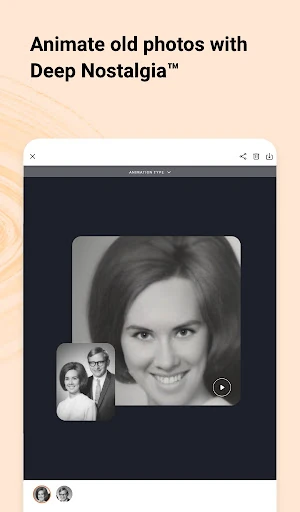
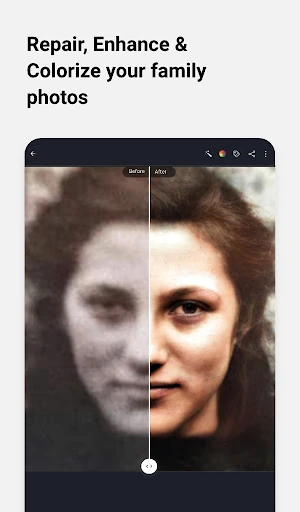
The photo features bring a different kind of interest. The app can scan family photos and offers tools to repair damage, add color to black-and-white pictures, sharpen blurry faces and animate historical portraits. LiveMemory and Deep Nostalgia are designed to create moving versions of still images. These tools are about revisiting family memories, not replacing the original photograph or its history.
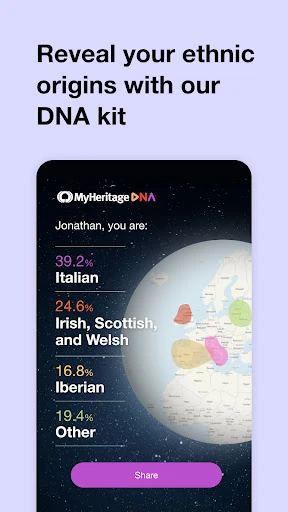
MyHeritage also describes DNA results and matches as part of the app experience. The service is presented as a way to explore genetic heritage and find potential relatives. I see that as a distinct strand of family research alongside names, records and photographs, rather than a substitute for them.
A routine that works
For a practical routine, I would pick one question before opening the app: perhaps where a grandparent lived, or whether an older photograph can be connected to a particular branch. I would add the relatives I can identify, check for possible matches, and note which details still need a reliable source. That gives each session a natural stopping point without making the project feel like homework.
On another day, I could return to a photo and preserve the story attached to it. Scanning it and recording what a relative remembers can give the image context that might otherwise disappear. Then I could connect those names back to the tree and continue the search when I have time. The value is in building a record gradually, not rushing through every tool.
Keep expectations grounded
The most important limit is that genealogy suggestions need judgment. A matching name or a branch offered for one-click addition may be useful, but it still deserves a careful look. Family trees can contain incomplete or mistaken details, so I would use the app as a research companion and keep track of what I know versus what I am still investigating.
The range of services also comes with a cost consideration. MyHeritage is free to download, but it offers in-app purchases across a wide listed price range. Anyone planning to use paid features should check the current purchase details in Google Play. That matters particularly if the initial appeal is a casual photo tool and the user does not intend to take on broader genealogy research.
Finally, photo animation is a creative way to revisit old pictures, but it is a reinterpretation of a still image. I would treat the result as a conversation piece rather than a literal record of how someone moved. With that perspective, the feature can add emotional interest without confusing an effect with historical evidence.
MyHeritage brings family-tree building, historical research and photo tools into one place, and that combination gives it a clear purpose. I like that a small set of names can be a starting point, while records and matching features offer ways to keep investigating. The experience is most rewarding when I take time to check leads and build the story carefully.
I recommend it to people who want an ongoing way to explore ancestry and preserve family memories. If you only need a basic photo collection, the research features may be more than you want. It is free to try, but check Google Play for the purchase details and device compatibility that apply to you.
MyHeritage Frequently Asked Questions
What is MyHeritage: Family Tree & DNA used for?
MyHeritage is for building a family tree, researching ancestors through family-tree matches and historical records, and working with family photographs. It also presents DNA results and matches in the app. It suits people who want to explore family history over time, rather than only store pictures or get a quick answer to a single ancestry question.
Can I use MyHeritage on my Android phone?
The app is available for Android through Google Play. The supplied details do not give a minimum Android version, and compatibility can depend on your device and current app release. Check the Google Play page on the device you plan to use for the latest requirements before installing.
Is MyHeritage free, or does it cost money?
MyHeritage is free to download and offers in-app purchases. Google Play lists purchase prices from $0.99 to $699.99 per item, so costs depend on what you choose to buy. Check the store page for current purchase details before committing to a paid option.
Does MyHeritage include family photo tools?
Yes. The app describes tools for scanning family photos, repairing damage, colorizing black-and-white images, enhancing blurry faces and animating photographs. It also includes a way to record stories connected with photos. These features complement its family-tree and historical-record research.
Who is MyHeritage best suited to?
I would suggest it to people who want to build a family tree, investigate historical records or preserve family photographs in the context of their ancestry. It may be less suitable if you only want a simple photo viewer or do not want to spend time checking research leads. Paid options are available, so review the store details if cost is a concern.
Pros
- Combines family-tree building with searches across historical records and other trees.
- Photo tools offer several ways to restore, colorize or animate family pictures.
- Beginners can start a tree with just a few names.
- Free to download, with no ads.
Cons
- Research matches still need careful checking before adding details to a tree.
- In-app purchase prices span a wide range, so paid options merit a close look.
- The broad mix of research and photo tools may feel like too much for casual users.
- Category
- Books & Reference
- Version
- 7.5.63











