Libby, by OverDrive
Listed on Google Play as “Libby, the Library App”
- 645.62K
- 4.8
- Installs
- 10.00M
- Price
- Free

Screenshots
Analysis by Reviewed APKs
Libby, the Library App, helps you borrow ebooks, audiobooks, and magazines from your local library using a library card. I like it most as a practical way to fit library books into ordinary routines, whether I have a few minutes to read or time to listen. It is focused on library borrowing rather than buying or organizing a personal book collection, and that clear purpose suits it well.
A Library Book on the Go
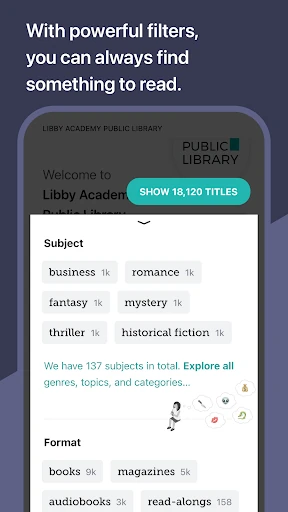
Picture a bus ride when I have a little time to spare but do not want to carry a paper book. With a library card, I can browse my library’s digital catalog in Libby, borrow an ebook or audiobook, and start reading or listening. I can download a title for offline use before leaving, which makes the app useful on commutes or trips where an internet connection may not be convenient.
The same idea works at home. I might browse for a magazine, read a few pages in the evening, and leave the app with my place saved for later. Libby syncs reading position across devices, so switching between them does not have to mean finding my spot all over again. It turns a library’s digital collection into something I can bring into small gaps in my day.
Library Borrowing, Not Shopping
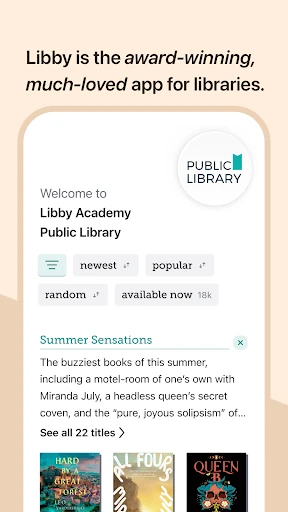
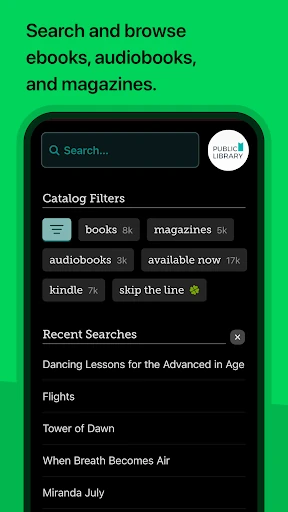
Libby’s main distinction is that it connects readers with digital collections offered by local libraries. I use it to browse and borrow available ebooks, audiobooks, and magazines, rather than to purchase titles or manage a shelf of books I own. A library card is central to that arrangement, so the experience makes the most sense for people who can use a participating library’s digital catalog.
That focus also sets reasonable expectations. Libby is not a general-purpose ebook file reader, a writing tool, or a storefront for assembling a permanent personal collection. The titles and selection come from the library catalog, so browsing is shaped by what that library offers. If I want a book to keep or need a particular title immediately, library borrowing may not serve the same purpose as buying it.
Small Habits That Help
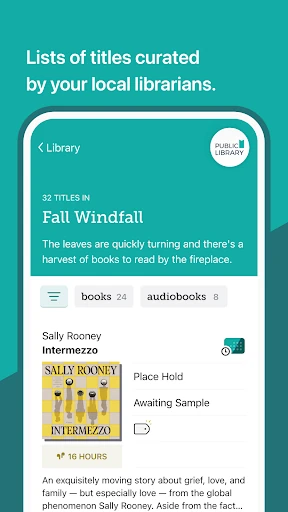
I get more out of Libby when I treat browsing as a little routine instead of waiting until I have nothing to read. Tags let me collect books in a must-read list or make other lists for later. When I see something interesting, saving it this way gives me a starting point next time I open the catalog, rather than relying on memory to find it again.
Before a trip or a stretch with limited connectivity, downloading a borrowed title is a useful step. For listening, I can adjust playback speed and set a sleep timer; for reading, I can change text size and background color to suit the moment. Bookmarks, notes, and highlights can help me keep track of passages I want to revisit, without turning a casual reading session into a complicated system.
More From Our News Desk

Zoom Meetings, Google Meet, or Teams: Which Is Easiest to Join?

How I Build a Free Streaming Lineup With Tubi

Why Crunchyroll Is the Default Anime App for So Many Fans

YouTube TV: A Practical Guide to Cutting Cable

Rummikub and the Small Comfort of Phone Games

TeamViewer Remote Control or AnyDesk for Helping Family?
Who Will Enjoy Libby
I would recommend Libby to readers and listeners who already have access to a local library card and like the idea of borrowing digital books. It suits people who read in short sessions, listen while travelling, or want magazines and books available on a phone or tablet. The mix of ebooks, audiobooks, and magazines makes it flexible, while the library connection keeps the purpose simple and easy to understand.
It may be a less natural fit for someone who wants to buy every title, read files from any source, or browse a catalog without library access. Libby’s value depends on the digital collection available through the library a person uses. Readers who prefer paper books may not need it, either. I see it as a useful companion to a library, not a replacement for every way of finding and reading books.
Libby, the Library App is developed by OverDrive, Inc. On Google Play, it has more than 10 million installs and a 4.8-star rating from about 646,000 ratings. The app is free, with no in-app purchases or ads. Its Google Play content rating is Teen, and the listed minimum Android requirement is Android 7.1.
The current version is 9.1.0. Libby was released on January 17, 2017, and its most recent update was January 26, 2026. Those figures are useful context, but the everyday experience still depends on the digital catalog offered by the library a person uses and having a library card for borrowing.
A Closer Look at Everyday Reading
First Open and Setup
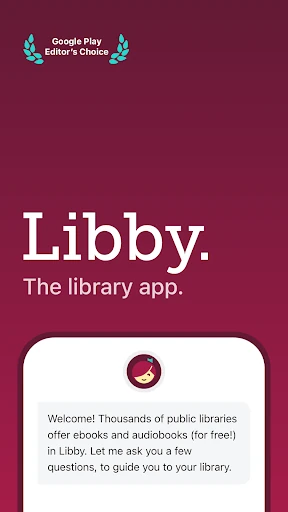
When I first open Libby, the library connection is the key idea to keep in mind: this is where borrowed titles come from. The app is built around browsing a library’s digital catalog, so the first useful step is having a library card ready. That makes the experience feel less like opening a generic book app and more like reaching a library collection through a mobile device.
Once I have a title to try, the basic choice is straightforward: borrow an ebook, audiobook, or magazine and read or listen in the app. I appreciate that Libby does not ask me to think about a separate reading system for every format. The catalog and the tools for enjoying a borrowed title sit together, making it easier to move from finding something to starting it.
Reading and Listening Daily
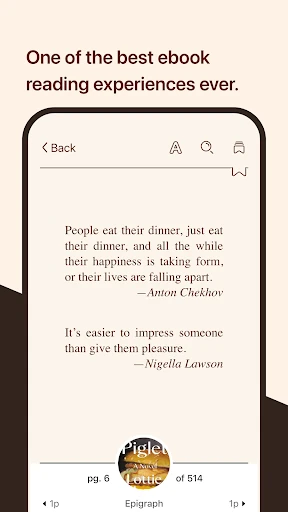
The everyday experience is built around picking up a title when it suits me. For ebooks, I can change text size, background color, and book design, which is handy when I want a more comfortable reading view. I can also look up or search for words and phrases, and add bookmarks, notes, or highlights as I go.
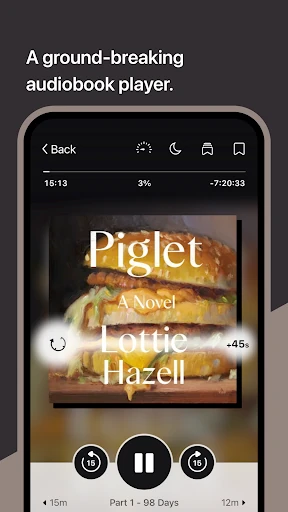
For audiobooks, the player offers playback speeds from 0.6 to 3.0 times normal speed, a sleep timer, and swipe controls to skip forward or backward. I can listen through Android Auto, too. These are practical options rather than distractions: I can settle into a chapter, adjust the pace, and stop at a point that fits my commute or evening.
Features With a Purpose
Offline downloads are one of the features I find easiest to appreciate. I can save a borrowed title for reading or listening without relying on a connection at that moment, or stream it instead to save space. That choice is useful when I am deciding what to keep available on my device and what I would rather access as needed.
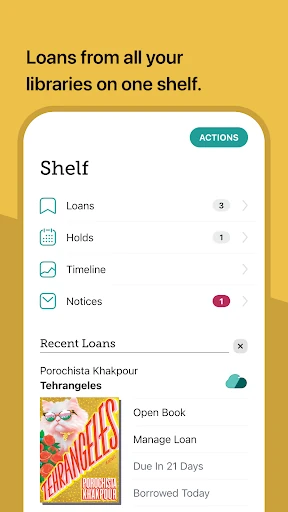
Tags offer a low-effort way to organize titles into a must-read list or other collections. Reading position also syncs across devices, which helps when I move between screens. In the United States, ebooks can be sent to Kindle through the app. For families, Libby also supports read-alongs with children, so the feature set covers more than solo reading.
A Simple Weekly Routine
A routine that works for me is to browse when I have a quiet moment, tag promising titles, and borrow one when I am ready to start. I might read an ebook at home and keep an audiobook for a drive or another listening opportunity. The format choice lets the library collection fit different parts of a day without requiring a separate app for each kind of book.
Before heading out, I can download the title I expect to use, then choose a reading position or bookmark worth returning to. If I listen before bed, a sleep timer is a handy detail; if I read, changing the text size or background can make a longer session more comfortable. These small choices are the sort of habits that make Libby feel useful over time.
Limits to Keep in Mind
Libby’s usefulness depends on access to a library card and the titles in that library’s digital catalog. The app can offer a convenient way to browse and borrow, but it cannot make a particular title part of a collection. That means the experience may feel different from a book store, where the aim is to buy a specific book and keep it.
It is also deliberately centered on reading and listening to library materials. Someone looking for a writing workspace, a reader for arbitrary ebook files, or a tool for managing a purchased collection will need a different kind of app. The catalog-led approach is a strength when I want library borrowing, but it defines the boundaries of what Libby is meant to do.
Libby works best when I want the convenience of a digital library without losing the familiar idea of borrowing. Its reading and listening tools cover everyday needs, and downloads, tags, and synced reading position make it easier to keep a title in reach. The library-card requirement and catalog-based selection are important parts of the deal, not minor details.
I recommend Libby to anyone with access to a library’s digital collection who wants ebooks, audiobooks, or magazines on a mobile device. It is less suited to people who want to buy books, import a personal file library, or use a writing app. For library borrowing on the go, it is a focused and thoughtfully equipped choice.
Libby Frequently Asked Questions
What is Libby, the Library App used for?
Libby lets people browse a local library’s digital catalog and borrow ebooks, audiobooks, and magazines with a library card. Borrowed titles can be read or listened to in the app. You can download titles for offline use or stream them, and the app includes reading and audiobook controls such as text adjustments, playback speed, bookmarks, notes, and highlights.
Which devices can run Libby, the Library App?
The app is available for Android, and the listed minimum requirement is Android 7.1. It supports reading and listening on mobile devices, with reading position synced across devices. Audiobooks can also be listened to through Android Auto. For current device compatibility and availability, check the Google Play store information for Libby.
What Android version does Libby require?
Libby’s listed minimum Android version is Android 7.1. If your device uses an older system, it may not meet that requirement. Device compatibility can also depend on current store support, so it is worth checking the Google Play page on the device you plan to use before installing.
Does Libby cost money or have in-app purchases?
Libby is free to download and use, and the provided app facts show no in-app purchases or ads. Borrowing digital titles is through a library’s collection and requires a library card. Library access and the available catalog depend on the library you use, so check with that library if you need details about its digital borrowing.
Is Libby, the Library App right for me?
Libby is a good fit if you have a library card and want to borrow digital books, audiobooks, or magazines for reading and listening on a device. It may not suit someone who wants to buy books, read files from any source, or use a writing tool. The available titles depend on your library’s digital catalog.
Pros
- Offers ebooks, audiobooks, and magazines through a local library’s digital catalog.
- Downloads support offline reading and listening, while streaming can save device space.
- Useful reader and audio controls include text adjustments, playback speed, and a sleep timer.
- Tags, bookmarks, notes, highlights, and synced reading position support ongoing reading habits.
Cons
- Borrowing requires a library card and depends on the titles a library provides.
- It is designed for library materials, not purchases or arbitrary personal ebook files.
- Readers seeking a writing workspace or permanent book collection will need another app.
- Category
- Books & Reference
- Version
- 9.1.0