Fever: Events & Tickets
- 144.69K
- 4.7
- Installs
- 10.00M
- Price
- Free

Screenshots


Analysis by Reviewed APKs
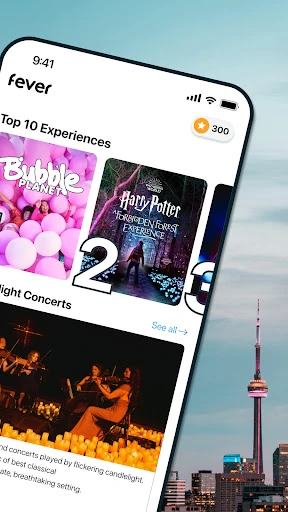
Fever: Events & Tickets is an Android app for finding local things to do and booking tickets from your phone. It brings together options such as concerts, theater, museums, comedy, festivals and food experiences, with personalized picks and a map to help narrow the search. I like its focus on turning an open-ended “what should we do?” into a shortlist, though it is an events guide and ticketing tool, not a general-purpose city guide.
From spare evening to plan
When I’m trying to make a plan for a free Saturday, the hardest part is often getting past the usual suggestions. Fever is built for that moment: I can browse events, look at a map of what’s happening nearby, and filter by date and time. The mix might include a concert, a museum visit, a comedy show or a food experience, which gives a group a few different directions to consider.
Once something catches my eye, Fever lets me book tickets in the app and share them with friends. That makes the process feel suited to the practical back-and-forth of arranging an outing: find an option, settle on it, then pass tickets along. I’d still want to check the event details before committing, but having discovery and booking together can save a bit of hopping between apps.
An events app, not a city guide
The obvious alternative is searching across separate venue, ticketing and event pages, or simply asking friends for ideas. Fever gives those discovery and ticket steps one home, with personalized picks and a map rather than only a list of names. That can be useful when I know I want to go out but haven’t decided what kind of evening I want yet.
I wouldn’t treat it as a complete guide to every business or attraction in a city. Its focus is events and experiences, from live entertainment to museums and food outings. If I already know the exact venue or show I want, going straight to that event’s own information may be more direct. Fever makes most sense when I want ideas as well as a way to book.
A few useful browsing habits
I’d start by setting the date and time around the actual plan instead of scrolling through everything. If the group is free only Sunday afternoon, that filter helps keep the shortlist relevant. The map is another practical check: it can show whether an appealing event is near the rest of the day’s plans, rather than leaving me to discover the travel distance after I’ve already settled on it.
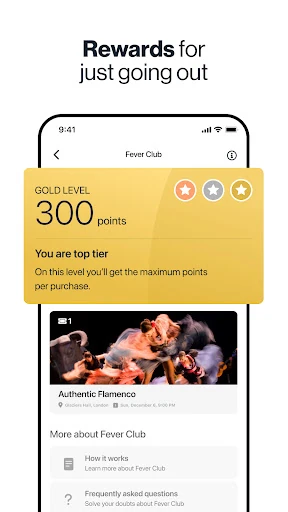
When I’m undecided, I’d use the personalized recommendations and the app’s AI assistant as starting points, then compare a few options myself. For a group outing, sharing tickets with friends is a natural final step once plans are settled. Fever Club also offers rewards on tickets bought through the app, so regular users may want to keep that in mind while booking.
More From Our News Desk

Zoom Meetings, Google Meet, or Teams: Which Is Easiest to Join?

How I Build a Free Streaming Lineup With Tubi

Why Crunchyroll Is the Default Anime App for So Many Fans

YouTube TV: A Practical Guide to Cutting Cable

Rummikub and the Small Comfort of Phone Games

TeamViewer Remote Control or AnyDesk for Helping Family?
Who might enjoy Fever
I’d recommend Fever to people who regularly look for concerts, shows, museum outings, festivals or other local experiences, especially when the group hasn’t settled on a specific plan. It suits the “we have a free evening, now what?” routine better than a single-venue ticket app. The map, date and time filters, recommendations and ticket sharing all support the same basic job: find an event and make it easier to go.
It may be less useful if you rarely attend events, already know exactly where you want to book, or expect a broad directory of everyday local services. The app is centered on entertainment and experiences, and what appears depends on the city and dates you browse. I’d also compare event details before buying rather than assuming every option will suit everyone in the group.
Fever: Events & Tickets is developed by Fever Labs and is free to download on Google Play. The app has more than 10 million installs and a 4.7-star rating from around 145,000 ratings. Its content rating is Teen. The app itself does not contain ads or offer in-app purchases, though event tickets are booked through the service.
The current version provided is 5.253.0. Fever first released on March 19, 2014, and the recorded last update is November 4, 2026. A minimum Android version was not included in the supplied app details, so it’s worth checking the Google Play page for device compatibility before installing.
How Fever Fits Into a Night Out
A quick first look
When I first open an events app, I want to get to useful ideas without having to know the local scene already. Fever’s core promise is straightforward: explore events in a city, see nearby options on a map, and filter by date and time. The range of event types gives the browsing a purpose even if I’m starting with no more than a vague plan to get out.
The app also offers personalized picks and an AI assistant for people who need inspiration. I’d treat those as ways to begin exploring rather than as a substitute for deciding what suits the group. A useful first session would be to check the dates I care about, browse a few categories of experience, and see whether the available events match the sort of outing I had in mind.
Browsing and booking day to day
For everyday use, Fever revolves around a simple loop: discover an event, decide whether it fits, and book tickets on the phone. The map and date-and-time filters help make browsing more concrete than an endless collection of suggestions. If I’m planning around work or a weekend visit, I can focus on the window I actually have rather than bookmarking events with no clear date in mind.
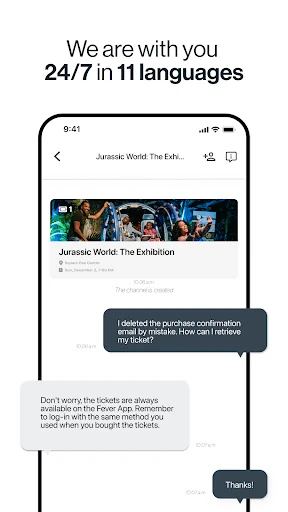
The booking and sharing options are practical for plans that involve other people. Fever describes the phone as the ticket and lets users send tickets to friends in a few taps. That keeps the coordination close to the event search. I’d still take a moment to review the relevant event information before booking, particularly when the group is choosing between several different kinds of outing.
More than a ticket list
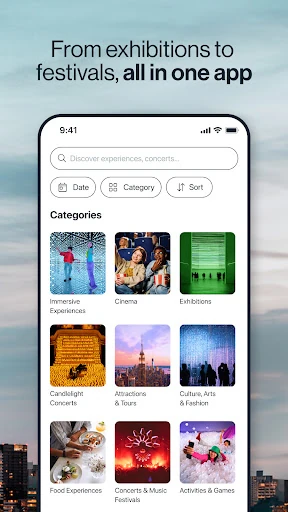
One detail that gives Fever a broader feel than a basic ticket checkout is the variety of experiences it covers. Concerts, immersive events, movies, theater, comedy, museums, festivals and food experiences all sit within its discovery focus. That variety is useful when a group is open to alternatives; a museum or food outing may work just as well as a performance for a particular afternoon.
Fever also includes a map, personalized recommendations and an AI assistant for finding ideas. Those tools address different versions of the same problem: nearby options, tailored suggestions, or help when I don’t know what to search for. The app describes Fever Club as a way to earn rewards on tickets bought through the service, another feature worth noting for people who book there regularly.
A practical planning routine
My most useful routine would be to start with the day and time, then browse nearby events and build a small shortlist. I’d compare a couple of options before sending anything to friends, so the group can react to actual possibilities rather than a vague “let’s do something.” The map can help make the decision more grounded if location matters to the rest of the day.
After the group picks an event, booking and sharing tickets through Fever keeps the next step in the same place. If I’m short on ideas, I’d then try the personalized picks or ask the AI assistant for inspiration. That order feels sensible: narrow by real-world constraints first, use recommendations to broaden the choices, and settle on a plan only after checking that it fits.
What to keep in mind
Fever’s usefulness depends on finding events that appeal to you in the city and time period you’re browsing. Its focus is outings and entertainment, not every possible local activity, so someone looking for a general city directory may find the scope narrow. And while a map or recommendation can help surface an idea, the final choice still comes down to whether the event itself suits the people going.
The app is free to download and has no in-app purchases, but that doesn’t mean event tickets are free. Fever is designed to book tickets, and event costs can differ. I’d check the details for the particular event before making a plan. The minimum Android requirement can also depend on the current store information, so it’s sensible to check Google Play if device compatibility is a concern.
Fever works best as a discovery-and-booking companion for people who enjoy going out but don’t always know what to choose. Its mix of event types, map browsing, filters and ticket sharing keeps the planning process focused. I especially like that it can help turn a vague free evening into a few concrete options.
I’d give it a try if local events are a regular part of your plans, or if you often organize outings with friends. If you only need tickets for one known event, a direct booking route may be simpler. Either way, check the details and costs of the event you choose before you commit.
Fever Frequently Asked Questions
What is Fever: Events & Tickets used for?
Fever is for discovering local events and experiences and booking tickets through the app. Its options include concerts, theater, comedy, museums, festivals, movies and food experiences. You can browse personalized picks, view events on a map, filter by date and time, and share tickets with friends.
Which devices can run Fever: Events & Tickets?
Fever: Events & Tickets is an Android app available through Google Play. The minimum Android version can vary with app updates and device compatibility, so check the current Google Play details for the requirement that applies to your phone or tablet.
Does Fever: Events & Tickets cost anything?
The app is free to download, and it does not offer in-app purchases. Fever is also used to book event tickets, so ticket prices can vary by event. Check the details for the specific outing in the app before making plans.
Does Fever: Events & Tickets have ads?
The app details say Fever: Events & Tickets does not contain ads. It focuses on discovering events and booking tickets, with features such as date and time filters, a map, recommendations and ticket sharing.
Who is Fever: Events & Tickets best for?
Fever is a good fit for people looking for local entertainment and experiences, especially when they want ideas as well as a way to book. It may be less useful if you rarely attend events or want a broad directory of everyday local services, since its focus is outings and tickets.
Pros
- Combines event discovery and ticket booking in one Android app.
- Map browsing and date and time filters help narrow down plans.
- Covers a varied mix of entertainment and local experiences.
- Ticket sharing and Fever Club rewards add useful planning extras.
Cons
- Its focus on events makes it less useful as a general city guide.
- The best options depend on your city and the dates you browse.
- Ticket costs vary by event, so plans still need a price check.
- Category
- Events
- Version
- 5.253.0