EseeCloud(IP Pro, VR Cam)
- 22.48K
- 4
- Installs
- 5.00M
- Price
- Free
Screenshots
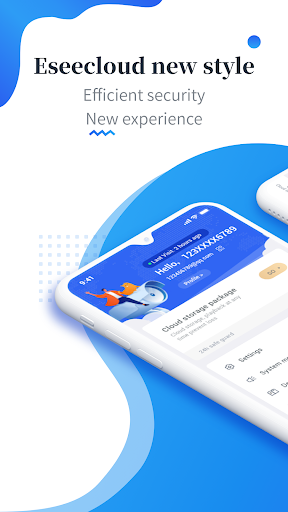
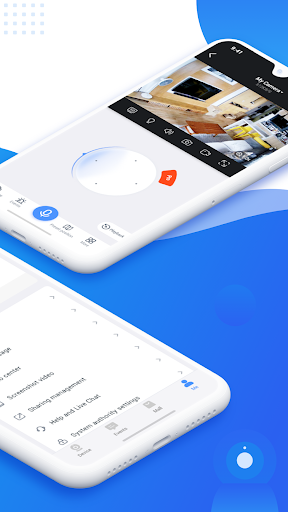
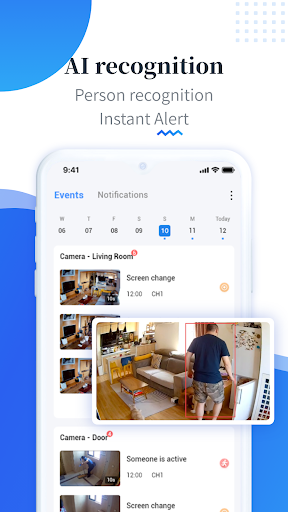
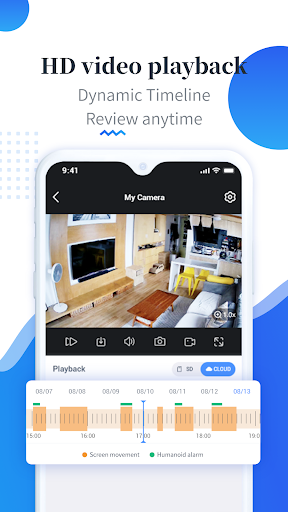
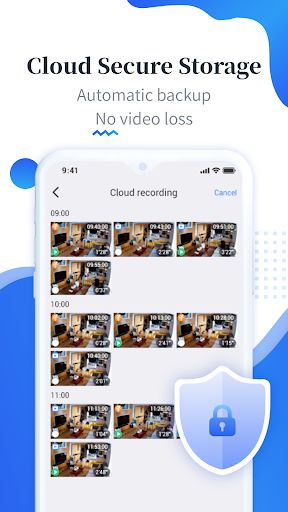
Analysis by Reviewed APKs
EseeCloud(IP Pro, VR Cam) is a mobile video surveillance app for people who want to use a phone as part of a security-camera setup. Its focus is practical rather than social or entertainment-oriented, and it may suit someone who already uses compatible surveillance equipment. My overall take is that it has a clear, useful purpose, but the available details say little about the day-to-day controls, so expectations should stay grounded.
A Phone in the Security Routine
Imagine getting home after work and wanting to check in on the place you left behind. EseeCloud is intended for that kind of video-surveillance use: it brings a mobile app into a setup built around security products. I can see the appeal for someone who would rather have a phone involved in their routine than treat surveillance as a separate, specialist task.
The app’s description emphasizes video surveillance and video-processing technology, but does not spell out individual controls or camera models. So I would approach it as the software component of a broader setup, rather than assume the app alone provides a complete security system. Its usefulness depends on whether it fits the equipment and habits a person already has.
A Tool, Not a General Camera App
EseeCloud belongs in a different category from a phone-camera app or a general photo library. Its stated purpose is video surveillance, not taking everyday snapshots, editing clips, or sharing casual videos. That distinction matters: someone looking for a creative camera tool may find the name appealing but the actual purpose too specialized.
Compared with treating security footage as a one-off task, a dedicated surveillance app is meant to support an ongoing setup. Still, the description does not explain how it handles particular viewing or recording tasks, so I would not count on a specific feature without checking. It is best considered by people who have a relevant security product and want its mobile software.
Keep the Setup in Mind
A useful first habit is to think about the equipment before installing another app. Since EseeCloud is described as surveillance software, it makes most sense when there is a security product it is meant to work with. That small bit of planning can prevent the common frustration of downloading a tool before knowing whether it belongs in your existing setup.
I would also make a quick check-in part of a routine that already exists, rather than expecting an app to create one. For example, someone might choose a regular moment to review their security setup and decide whether the app still serves a purpose. The description does not detail specific shortcuts or controls, so the best workflow will depend on what the installed version offers.
More From Our News Desk

Zoom Meetings, Google Meet, or Teams: Which Is Easiest to Join?

How I Build a Free Streaming Lineup With Tubi

Why Crunchyroll Is the Default Anime App for So Many Fans

YouTube TV: A Practical Guide to Cutting Cable

Rummikub and the Small Comfort of Phone Games

TeamViewer Remote Control or AnyDesk for Helping Family?
Who May Find It Useful
I would point EseeCloud toward people who are already interested in video surveillance and have, or are considering, security equipment for which this app is appropriate. It is a more natural fit for a practical home or workplace routine than for casual phone users who simply want to record and organize personal videos. The app’s stated focus is narrow, which can be an advantage when that is exactly the job.
It may not suit someone who expects a complete security solution from software alone, or who needs a particular camera feature that the description does not mention. I would check the equipment requirements and current store information before building a routine around it. People who want a simple camera app, a video editor, or a general-purpose media library should look elsewhere.
EseeCloud(IP Pro, VR Cam) is a Tools app from Guangzhou Juan IOT Technology Co.,Ltd. On Google Play, it has over 5 million installs and a 4.0-star rating from 22,476 ratings. It is free to download, contains ads, and offers in-app purchases. The listed in-app purchase prices range from $0.49 to $299.99 per item.
Google Play gives the app an Everyone content rating. The listed version is 4.14.0.4. EseeCloud was released on May 9, 2018, and its most recent update is dated October 21, 2026. A minimum Android version is not included in the supplied app details, so check the current Google Play entry for device requirements.
A Focused Role in Video Surveillance
A Purposeful First Impression
When I first consider EseeCloud, the name and category point toward a specialized job rather than a broad collection of phone tools. The description reinforces that impression: this is mobile software for video surveillance, with an emphasis on video processing. That clarity is helpful if surveillance is already on your mind, although it leaves practical setup details to be checked separately.
I would start by confirming that the app makes sense for the security product I intend to use. The supplied description does not identify supported equipment or lay out an onboarding sequence, so I would avoid assuming that every camera or system will fit. A little checking up front is more useful than downloading first and hoping the pieces match.
The Everyday Job
Day to day, the app’s role is tied to video surveillance. That gives it a straightforward reason to stay on a phone: it is meant to support a security setup through mobile software. For someone already using surveillance products, having a dedicated app in the mix can feel more natural than searching through unrelated camera or media tools.
The app description does not provide a feature-by-feature account of daily use, so I would keep expectations measured. It does not establish particular camera controls, viewing modes, recording options, or notification behavior. Those details can make a real difference to a routine, and they are worth checking in the store information and with the relevant equipment before relying on a particular workflow.
A Specialized App Focus
The clearest supported point of distinction is its surveillance focus. EseeCloud presents itself as mobile video-surveillance software and says it is developed around video-processing and video-innovation technology. That positions it as a companion to security products, not as a general-purpose camera or entertainment app. The narrow scope is easier to understand than a list of features that may not apply to every setup.
Its description also refers to security products and professional industry solutions. That suggests the intended audience extends beyond someone casually experimenting with phone video, but the material does not name specific industries or explain particular deployments. I would treat the broad positioning as context, not as a promise of a specific tool or capability.
Make It Part of a Routine
For a practical routine, I would first decide what role the app is meant to play in my existing security setup. Then I would use the app in the way supported by the connected product and keep the process simple: check that the software remains relevant, and revisit whether the setup meets the everyday need. The exact steps depend on features and equipment not detailed in the description.
That approach is less exciting than promising a perfect one-tap check-in, but it is more useful. A surveillance app only earns a regular place on a phone if it fits how someone actually handles security. Before relying on EseeCloud for a specific task, I would confirm the relevant controls in the app and its store information rather than build a routine around assumptions.
Know the Boundaries
The main limitation from a reviewer’s perspective is the lack of detail about specific capabilities. The description gives a broad purpose, but does not explain which cameras work with the app or what controls a user can expect. That makes it harder to judge whether it will meet an individual need without checking the current store entry and the intended security product.
There are also practical costs to keep in view. The app is free to download, but it contains ads and offers in-app purchases, with listed prices spanning a wide range. That does not tell me what any particular purchase does, so I would review the purchase information carefully before paying. The Google Play listing also gives an Everyone content rating.
EseeCloud(IP Pro, VR Cam) has a clear niche: mobile software for video surveillance. I can see it making sense for someone with the right security setup who wants an app connected to that routine. Its broad description, however, leaves important compatibility and daily-use questions open.
I would recommend checking the app against the intended equipment and current Google Play details before depending on it. If the fit is right, its focused purpose may be useful; if the goal is ordinary phone photography or a full security system in an app alone, this is probably not the right match.
EseeCloud Frequently Asked Questions
What is EseeCloud(IP Pro, VR Cam) used for?
EseeCloud(IP Pro, VR Cam) is mobile software for video surveillance. Its description connects it with security products and video-processing technology, so it is intended for a surveillance setup rather than ordinary photography or video editing. The specific tasks and controls available can depend on the app and relevant equipment; check the current Google Play information for details.
Which devices can run EseeCloud(IP Pro, VR Cam)?
EseeCloud(IP Pro, VR Cam) is listed as an Android app on Google Play. The supplied details do not give a minimum Android version, so check the current store entry to see whether it supports your device. The app’s fit with a particular security product is also worth checking before you rely on it.
Does EseeCloud(IP Pro, VR Cam) cost money?
EseeCloud(IP Pro, VR Cam) is free to download on Google Play, but it contains ads and offers in-app purchases. The listed purchase prices range from $0.49 to $299.99 per item. What a particular purchase includes may vary, so review the current purchase details in the store before spending.
What Android version does EseeCloud(IP Pro, VR Cam) require?
The minimum Android version is not given in the app details provided here. Requirements can vary as an app is updated, so check the current Google Play entry from the Android device you plan to use. It is also sensible to verify that the app is appropriate for your intended security equipment.
Who should use EseeCloud(IP Pro, VR Cam)?
It may suit someone looking for mobile software to accompany a video-surveillance setup. It is less likely to fit someone seeking a general camera, video editor, or standalone security system. Because the description does not identify specific compatible products or detailed controls, check the current store information and equipment requirements before deciding.
Pros
- A clearly focused purpose for people interested in mobile video surveillance.
- Free to download, with the app’s intended category easy to understand.
- Available details include its rating, install count, version, and update date.
Cons
- The description does not detail specific controls or supported security products.
- Contains ads and offers in-app purchases across a broad listed price range.
- The minimum Android version is not included in the supplied details.
- Category
- Tools
- Version
- 4.14.0.4











