eero wifi system
- 137.60K
- 4.8
- Installs
- 5.00M
- Price
- Free

Screenshots
Analysis by Reviewed APKs
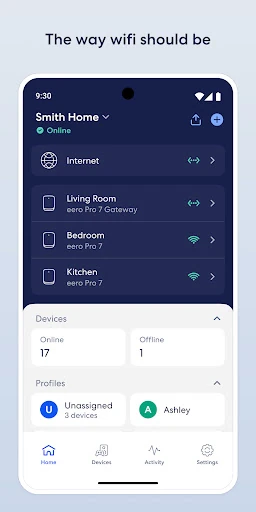
eero wifi system is the companion app for setting up and managing eero hardware, which is sold separately. I see it as a practical control panel for people who want to keep home Wi-Fi running without turning every network hiccup into a technical project. Its mix of remote management, guest access and internet scheduling is useful; the main catch is that the app depends on owning the matching equipment.
A calmer evening online
When I think about where this app earns its place, it is an ordinary busy evening: someone is streaming in the living room, another person is working from a bedroom, and a guest has just arrived with a phone to connect. The eero app is meant to help manage the home network behind those moments. It gives owners a way to handle network access and share Wi-Fi without making every small request a hands-on router task.
I like that the stated setup goal is straightforward: get the eero system running, then manage it from the app. A home network is easy to ignore when everything works, but the control panel matters when you need to pause access, block a device or let a visitor connect. Those are concrete jobs, not abstract promises. The app makes most sense as part of a household routine rather than something I would open for entertainment.
A controller, not a router
The obvious comparison is a router's own management app or web interface. eero's role is narrower and more specific: it works with eero Wi-Fi hardware, and that equipment is sold separately. If you already use a different router system, this is not a general-purpose network dashboard that can take over its controls. That dependency is the first thing I would check before spending time setting up an account or planning a home-network change.
It is also not a substitute for an internet provider, nor does it create Wi-Fi coverage on its own. The description presents the system as expandable and intended to reach through the home and into the backyard, but the app manages the hardware rather than replacing it. For someone who wants a simple way to operate a compatible home network, that focus is sensible. For someone only looking for a standalone Wi-Fi utility, it is the wrong fit.
Small habits that help
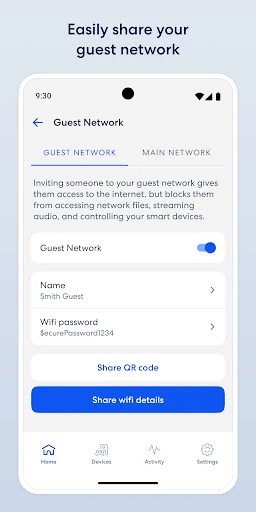
I would make a quick network check part of the routine after initial setup, especially when a device needs access or a visitor needs the password. The app supports securely sharing the network with guests, which is more convenient than repeating credentials aloud or digging for a note. If a device should no longer be connected, device blocking is another direct control. These are small tasks, but keeping them in one place can reduce household friction.
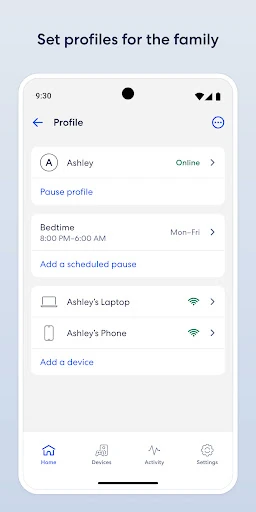
Scheduling or pausing internet access can also be useful when a family wants a clearer boundary around online time. I would treat that as a practical household setting, not a magic fix for every screen-time disagreement. Automatic software updates are another reason to leave the system in its normal routine: the description says updates bring features, performance improvements and security improvements. I would check the app occasionally rather than expecting to manually tune the network every day.
More From Our News Desk

Zoom Meetings, Google Meet, or Teams: Which Is Easiest to Join?

How I Build a Free Streaming Lineup With Tubi

Why Crunchyroll Is the Default Anime App for So Many Fans

YouTube TV: A Practical Guide to Cutting Cable

Rummikub and the Small Comfort of Phone Games

TeamViewer Remote Control or AnyDesk for Helping Family?
Who will get the most from it
I would recommend eero wifi system to people who own, or are considering, eero hardware and want a simpler way to manage a home network. It should particularly appeal to households that share Wi-Fi with visitors, want to pause or schedule internet access, or prefer to handle network controls from a phone. The emphasis is on setup and ongoing management, so it suits someone who values accessible controls more than a deep technical configuration experience.
It may not suit someone who does not have eero equipment, wants a standalone app to improve any Wi-Fi network, or is looking for detailed technical tools beyond the controls described. Families may find the scheduling and device-blocking options useful, but those features do not promise to resolve every disagreement about online habits. I would also factor in that eero Plus is a separate subscription if its additional features matter to you.
eero wifi system is developed by eero LLC and is categorized as a Lifestyle app. Google Play shows more than 5 million installs and a 4.8-star rating from about 138,000 ratings. It is free to install, contains no ads, and offers in-app purchases. The listed in-app item prices range from $0.49 to $299.99, so the free download should not be confused with every optional service being free.
The app has an Everyone content rating. Its listed version is 26.13.0.36807; it was released on February 22, 2016, and last updated on October 28, 2026. The available details do not give a minimum Android version, so I would check the store page on the device you plan to use. The eero Wi-Fi hardware itself is sold separately.
A Home Network, Easier to Manage
First steps with eero
When I first opened an app like this, the first question I would want answered is whether I have the hardware it manages. eero's description makes that relationship clear: the app sets up and manages an eero Wi-Fi system, and the equipment is a separate purchase. That makes the app's purpose easy to understand, but it also means it is not worth treating as a standalone fix for a weak signal.
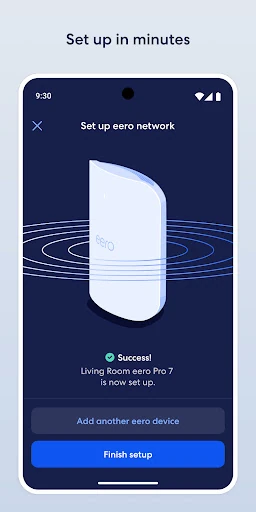
The setup is presented as simple, with a process intended to take minutes. I appreciate that the stated job is focused: bring the eero system online, then provide a place to manage it. The description does not require me to learn networking terminology before I can understand why I would use the app. The real setup experience will still depend on the equipment and home, but the intended first impression is approachable.
Everyday network control
Once a network is set up, I would expect to open the app for occasional practical decisions rather than constant monitoring. A guest needs access; a device should be blocked; internet access needs to be paused or scheduled. Those controls address common household situations without suggesting that everyone needs to become their own network administrator. Being able to manage the network from anywhere is especially handy when I am away from home and need to make a change.
The app's usefulness depends on the home having eero equipment in place, but within that setting the controls sound relevant to everyday life. I would not assume that it is necessary to check the app every morning. Instead, it is the sort of utility I would want available when a change comes up, with automatic updates handling ongoing improvements in the background.
Features with a clear purpose
Guest network sharing is one of the easiest features to picture using. When friends visit, I can share network access without making the main household routine more complicated. Scheduling or pausing internet access offers another practical control for families trying to set boundaries around connectivity. The description also says owners can block devices from using the network, which gives the app a direct way to manage access when circumstances change.
Automatic software updates are a quieter feature but an important part of the overall proposition. eero says they bring new features, performance improvements and security improvements, so the system is intended to improve over time without relying on the owner to handle each update manually. That is appealing for someone who wants a capable network but does not want network maintenance to become a hobby.
A simple household routine
A sensible routine might begin with setup, followed by sharing guest access when needed and reviewing access controls when the household changes. If a device should stop using the network, blocking it is a direct option. If the family wants set periods without internet access, scheduling or pausing gives them a tool to apply that choice. I would keep the routine lightweight and revisit settings when there is a real reason.
For households interested in more than basic network management, eero Plus is a separate subscription described as adding advanced security, additional parental controls and access to Wi-Fi experts. It also includes online security tools such as a password manager, antivirus software and a VPN powered by Guardian. I would consider that separately from the core app, since it is an optional paid service rather than a requirement for understanding the app's main job.
Keep the boundaries in view
The biggest limitation is the hardware dependency. Without an eero system, the app has no matching network to set up or manage. That may sound obvious, but it changes the value calculation: the app is one part of a home Wi-Fi setup, not a free software-only way to extend coverage. Anyone comparing systems should consider the equipment as well as the app's controls.
There is also a difference between managing internet access and solving every household concern around it. Scheduling and blocking are useful controls, but the description does not make them a substitute for personal judgment or family conversations. And while eero Plus adds features, it is sold separately. I would focus on the free app's network-management role first, then decide whether the optional service addresses a need that matters to me.
eero wifi system looks like a thoughtful companion for people already invested in eero hardware. I like the practical focus: setup, guest access, device blocking and internet scheduling are all easy to connect to real household needs. Automatic updates also support the idea of a system that can improve without demanding constant attention.
I would recommend it to eero owners who want convenient control from a phone, especially in a shared home. I would not recommend downloading it in the hope that it can manage unrelated router equipment or improve Wi-Fi by itself. Check the optional eero Plus details if those extras appeal, and verify device compatibility in the store before installing.
eero wifi system Frequently Asked Questions
What is eero wifi system used for?
eero wifi system is used to set up and manage an eero home Wi-Fi system, which is sold separately. The app supports remote network management, guest sharing, scheduling or pausing internet access, and blocking devices. It is intended to work with eero equipment rather than serve as a general controller for every router.
Which devices and platforms support eero wifi system?
The available app details do not specify a complete platform or device compatibility list. Compatibility can vary by device and operating system, so check the current store listing on the device you plan to use. The app's purpose is managing eero Wi-Fi hardware, which is a separate purchase.
What Android version does eero wifi system require?
The minimum Android version is not provided in the available app details. Requirements can change as the app is updated, so check the current Google Play listing before installing, especially on an older phone or tablet.
Is eero wifi system free, and does it have purchases?
The app is free to install and contains no ads, but it offers in-app purchases. Listed item prices range from $0.49 to $299.99. eero Plus is described as a separate subscription with additional security, parental-control and support features; check Google Play for current purchase details.
Is eero wifi system a good fit for my household?
It is a better fit if your household uses eero hardware and you want convenient ways to share access, manage devices or schedule internet access. It may not suit someone without eero equipment or someone seeking a universal router app. Families should treat its access controls as practical tools, not a complete solution to every screen-time concern.
Pros
- Guest sharing and device controls address common household Wi-Fi needs.
- Remote management makes network changes possible while away from home.
- Automatic updates are intended to bring improvements and new features.
- The free app has no ads.
Cons
- It requires separately purchased eero Wi-Fi hardware to do its main job.
- eero Plus is an additional subscription for its extended features.
- The minimum Android requirement is not stated in the available details.
- Category
- Lifestyle
- Version
- 26.13.0.36807











