discovery+ | Stream TV Shows
- 407.29K
- 4.7
- Installs
- 10.00M
- Price
- Free

Screenshots

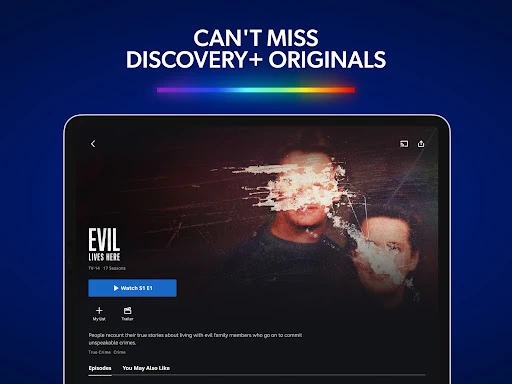
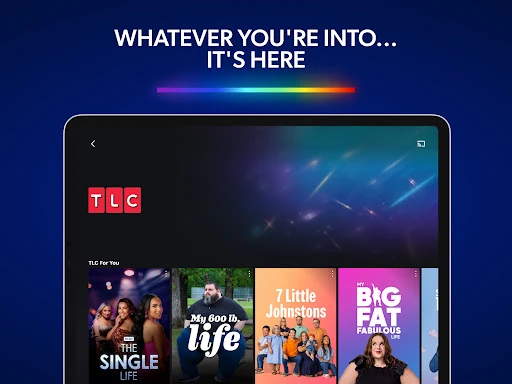

Analysis by Reviewed APKs
discovery+ is a streaming app for reality shows, food and home programming, travel, nature, true crime, and other nonfiction series. I see it suiting people who already know they enjoy those kinds of shows and want a dedicated place to browse them. After spending time with the idea of using it for everyday viewing, my take is that its strongest appeal is the range of familiar genres, with subscription details and regional availability worth keeping in mind.
A Familiar Evening Watch
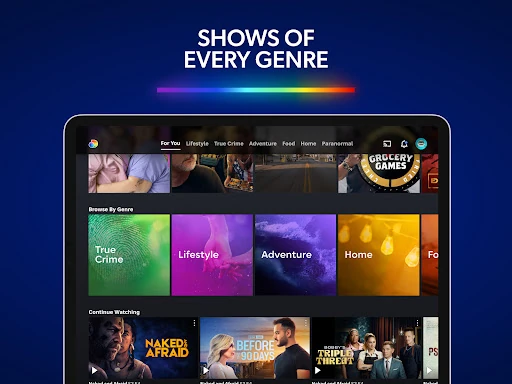
When I want something easy to settle into after dinner, I often have a mood in mind rather than a specific title: maybe a home makeover, a food show, or a true-crime episode. discovery+ is organized around those kinds of interests, so I can browse by genre or search for a show I already know. That makes it a natural fit for the moment when I want nonfiction entertainment without deciding on a movie first.
I can also imagine using it as a shared-room app, where one person picks a travel or nature series and someone else suggests a reality show. The catalog spans brands such as HGTV, Food Network, TLC, Animal Planet, Travel Channel, and Discovery Channel, though availability can vary by region. Continue Watching helps me return to a series I started, while My List gives me a place to save an episode for another evening.
A Genre-Focused Alternative
Compared with a broad streaming service built around a mix of films, scripted dramas, and general entertainment, discovery+ has a more specific identity. Its center of gravity is real-life programming: lifestyle, food, home, relationships, adventure, nature, science, and true crime. That focus can make the app a better match when I know the kind of television I want, rather than when I am looking for one service to cover every possible viewing mood.
It is not a general-purpose replacement for every streaming subscription, and I would not choose it expecting a broad library of films or scripted series. The available shows and features also depend on location, so the experience may differ from one country to another. For viewers who rarely watch reality, documentary, or lifestyle programming, the narrower subject focus may feel limiting rather than helpfully curated.
Small Ways to Keep Up
A useful habit is to save interesting episodes to My List while browsing, instead of trying to remember their names later. When I am following a series, Continue Watching gives me a straightforward way back into it. Those two options suit different moments: one is for collecting things I may want to try, and the other is for picking up a show I have already started.
I would also browse by mood when I have a short window, then use search when I have a particular title or brand in mind. If I want a larger-screen watch, the app supports casting from a phone or tablet with Chromecast and AirPlay. Downloads are another possible part of a routine, but they are available only to Ad-Free subscribers in the US, so that option depends on both plan and region.
More From Our News Desk

Zoom Meetings, Google Meet, or Teams: Which Is Easiest to Join?

How I Build a Free Streaming Lineup With Tubi

Why Crunchyroll Is the Default Anime App for So Many Fans

YouTube TV: A Practical Guide to Cutting Cable

Rummikub and the Small Comfort of Phone Games

TeamViewer Remote Control or AnyDesk for Helping Family?
Who Will Enjoy It
I would recommend discovery+ to people who regularly watch home, food, travel, reality, nature, or true-crime shows and want those interests gathered in one app. It is especially easy to picture for viewers who follow familiar TV brands or like having several episodes of a nonfiction series ready for relaxed evening viewing. Search, genre browsing, Continue Watching, and My List give the catalog a practical shape for both browsing and keeping up.
It may be less appealing to someone looking mainly for movies, scripted dramas, or a single service with every kind of entertainment. Subscription terms and the selection of shows can vary by region, and the app contains ads, so I would consider those details before making it a regular part of my viewing routine. People who only occasionally watch these genres may prefer to check the available catalog and plan options before committing.
On Google Play, discovery+ | Stream TV Shows is published by Discovery Communications LLC and has more than 10 million installs. It has a 4.7-star rating from about 407,000 ratings. The app is free to download, but it offers in-app purchases priced from $0.99 to $99.99 per item, and it contains ads. Its content rating is Teen.
The supplied Google Play details give the release date as December 10, 2020, and the last update as November 2, 2026. The app version varies with device. A specific minimum Android version is not provided in the available details, so it is worth checking Google Play for compatibility with a particular phone or tablet. Subscription plans renew automatically unless canceled before renewal, and plan prices may depend on the current offer and region.
Making Room for Real-Life TV
A Clear First Impression
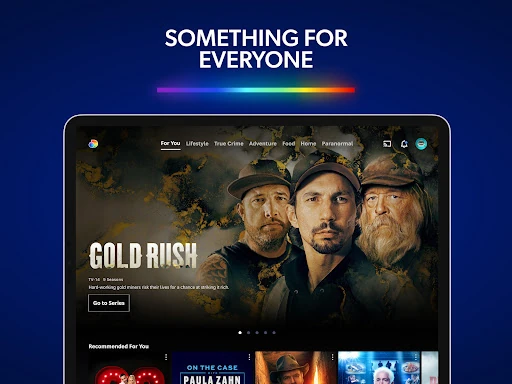
When I first opened the idea of discovery+, what stood out was how clearly it is aimed at people who enjoy real-life television. Rather than presenting itself as a catch-all for every entertainment genre, it puts food, home, travel, reality, true crime, paranormal programming, and nature near the center of the experience. That gives me a quick sense of whether the app matches my tastes before I spend time searching.
Getting started in a new streaming app is often less about setup than about finding something worth watching. Here, I would begin with a genre I already like, then search for a familiar show or browse the available brands. The catalog is described as growing with new series and episodes, but the actual selection depends on location. That regional variation makes a little browsing useful before settling into a routine.
The Everyday Experience
The basic viewing pattern is uncomplicated: look for a title, browse a category, or return to an episode already in progress. Continue Watching is particularly useful when I split an episode across two evenings, while My List helps when I find something interesting but do not have time to start it. These are small conveniences, but they address two ordinary streaming problems: losing my place and forgetting what caught my attention.
I also like having the option to cast from a mobile device to a larger screen using Chromecast or AirPlay. That makes the phone or tablet useful as a browsing device even when I plan to watch in the living room. The app describes access across compatible devices, but it does not mean every device or title is available everywhere; compatibility and regional catalog differences remain part of the picture.
A Broad Nonfiction Mix
The standout feature is less a single tool than the range of subjects gathered in one place. I can move from cooking and home projects to travel, relationships, crime, animals, science, or natural history without changing the app. For someone whose viewing habits already jump between those topics, that mix is more useful than a service organized around just one narrow specialty.
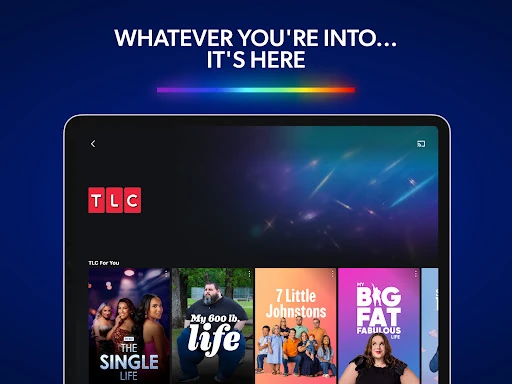
The catalog includes programming from brands such as HGTV, Food Network, TLC, ID, Animal Planet, Travel Channel, and Discovery Channel. It also includes original series and documentaries, according to the app description. I would treat those names as a guide to the kinds of programming the service covers, not as a promise that every channel or title appears in every country.
There are practical features alongside the catalog. My List can hold episodes for later, Continue Watching can help me resume a series, and supported mobile devices can cast to a television. Downloads are available for Ad-Free subscribers in the US. That last restriction matters: offline viewing is not described as a universal feature for every plan or location.
A Simple Viewing Routine
A routine I would use is to browse a couple of categories when I have free time, save anything that looks promising, and choose from My List when I am ready to watch. If I am already midway through a series, Continue Watching keeps that separate from the list of new possibilities. This avoids turning every evening into another round of searching and makes the app more useful when I only have a short break.
For a planned watch at home, I can browse on a phone or tablet and cast to a compatible larger screen. For a trip, an eligible US subscriber on an Ad-Free plan can download favorites for watching on the go. I would check whether that applies to my own plan and region before relying on it, rather than assuming every episode can be saved offline.
The app can work for both deliberate viewing and casual browsing. Search is handy when I have a title in mind; categories make more sense when I only know that I want, say, travel or nature programming. Keeping those two approaches in mind helps me get to a show without treating the whole catalog as one long list.
Limits to Keep in Mind
The most important limitation is that discovery+ is focused. That focus is an advantage for fans of its genres, but it leaves less reason to open the app if my usual choices are movies or scripted series. I would compare its catalog with what I actually watch, rather than judging it by the number of categories or familiar brand names alone.
Subscription details deserve attention too. The app is free to download, but it offers in-app purchases, contains ads, and describes subscriptions that renew automatically unless canceled before renewal. The available plan and content can vary by region. Downloads have a specific US and Ad-Free restriction, and channel availability also differs by location, so these details can shape the experience more than the app's general feature list suggests.
Finally, the device version varies, and compatibility should be checked for a specific phone or tablet. The supplied details do not state a minimum Android version, so I would check Google Play before installing on an older device. None of these points makes the app hard to understand; they simply make it worth checking plan, location, and device fit before building a viewing habit around it.
My overall impression is that discovery+ knows what it is for: bringing together a substantial mix of reality, lifestyle, food, travel, documentary, nature, and true-crime viewing. Features such as My List, Continue Watching, and casting make it easier to fit into an ordinary routine, while regional availability and subscription terms are the details I would check first.
I would recommend it to viewers who regularly seek out the genres it covers, especially those who like browsing familiar TV brands. If your watchlist is mostly films and scripted drama, it is probably not the best match as a primary streaming app. For nonfiction fans, though, it is a focused place to explore and keep up with shows.
discovery+ Frequently Asked Questions
What is discovery+ used for?
discovery+ is a streaming app for TV shows and documentaries across subjects including food, home, travel, reality, true crime, paranormal programming, nature, and science. It includes programming associated with brands such as HGTV, Food Network, TLC, and Discovery Channel. The available catalog and features can vary by region, so the selection may differ depending on where you use it.
Which devices can use discovery+?
The app is available for Android, and its description also refers to watching on compatible devices. It supports casting from a mobile phone or tablet using Chromecast or AirPlay. Compatibility depends on the device and location, so check Google Play and the relevant device information to see whether discovery+ works with a particular phone, tablet, or viewing setup.
What Android version does discovery+ require?
The available app details do not specify a minimum Android version. Google Play can show compatibility for your particular phone or tablet, and requirements can vary with the device and app version. If you are using an older device, checking the store before installing is the practical way to confirm whether it can run discovery+.
Does discovery+ cost money?
The app is free to download, but it offers in-app purchases, and subscriptions are described as automatically renewing unless canceled before renewal. In-app purchase prices are shown as $0.99 to $99.99 per item in the supplied details. The plan available and its current price may vary, so check Google Play and the subscription terms for the offer in your region.
Who is discovery+ best suited to?
I would suggest discovery+ to people who regularly watch reality, food, home, travel, nature, documentary, or true-crime programming. It may be less suitable for viewers mainly looking for movies or scripted dramas. Content and some features vary by region; for example, downloads are available only to Ad-Free subscribers in the US, so check the store and plan details for your situation.
Pros
- Covers a wide mix of reality, food, home, travel, nature, and true-crime programming.
- Continue Watching and My List help make regular viewing easier to manage.
- Supports casting from mobile devices with Chromecast and AirPlay.
- Includes programming from several familiar television brands.
Cons
- Its emphasis on real-life programming may not suit viewers seeking movies or scripted drama.
- Content and channel availability can vary by region.
- The app contains ads and offers automatically renewing subscription plans.
- Category
- Entertainment