Design Space: DIY with Cricut
- 87.03K
- 3.9
- Installs
- 5.00M
- Price
- Free

Screenshots
Analysis by Reviewed APKs
Design Space: DIY with Cricut is a companion app for planning and making projects with a compatible Cricut machine. It helps turn an idea—like a custom sticker or personalized T-shirt—into a design you can preview and send to your machine. I found its guided project approach appealing for people who want help getting from inspiration to finished craft, though its usefulness depends on having Cricut hardware.
From idea to finished craft
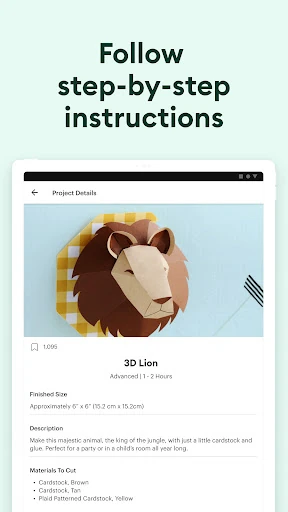
Picture a quiet evening when you want to make a personalized label for a storage bin or a small gift for a friend. In Design Space, you can choose what you want to make and work on a project-specific canvas, with relevant content and tools. The app also offers step-by-step assembly guidance, so the experience is more directed than opening a blank design screen and figuring out every stage yourself.
When I first considered that kind of project, the preview-before-making step stood out as a useful pause point. I could check how the design might look before committing to the physical part of the process. Once the project is ready, the app connects to a compatible Cricut machine over Bluetooth or Wi-Fi and guides you through making it. The machine is central, but the app gives the planning and execution a shared workflow.
A companion, not a craft machine
Design Space makes the most sense alongside a Cricut machine. Compared with a general drawing or image-editing app, its focus is not simply creating artwork on a screen; it is preparing a project for a compatible machine and guiding the making process. Project-specific canvas sizing, material settings, and the final preview all serve that purpose. If you already craft with Cricut, having those stages together can make project planning feel more organized.
It is not a machine-free craft solution, and it is not a general-purpose illustration app for every creative task. Someone who wants to draw freely without using Cricut hardware may find the machine-centered workflow limiting. It also does not remove the hands-on work of assembling a project. I would think of it as a design and production companion, rather than a substitute for a craft machine or a broad creative suite.
Make small planning habits count
A useful habit is to decide what you are making before browsing or editing. The app can tailor its canvas, content, tools, and instructions to a project, so starting with a clear project goal makes those prompts more relevant. I would also pause at the preview stage instead of rushing straight to the machine. That gives you a chance to catch a design choice you want to adjust while it is still on screen.
Material selection is another step worth treating deliberately. Design Space says it applies suitable settings for the Cricut machine after you choose a material, so taking a moment to make that selection is part of preparing the job. For recurring projects, it can also help to browse the included images, fonts, projects, and templates before building from scratch. The free selection offers a starting point, while the larger library requires a subscription.
More From Our News Desk

Zoom Meetings, Google Meet, or Teams: Which Is Easiest to Join?

How I Build a Free Streaming Lineup With Tubi

Why Crunchyroll Is the Default Anime App for So Many Fans

YouTube TV: A Practical Guide to Cutting Cable

Rummikub and the Small Comfort of Phone Games

TeamViewer Remote Control or AnyDesk for Helping Family?
Who will enjoy using it
I would recommend Design Space to Cricut owners who want one place to prepare a project, make design adjustments, preview the result, and follow guided steps with their machine. It seems especially approachable for someone who likes making personalized items but appreciates project-specific direction. The included images, fonts, projects, and templates also give newcomers material to explore before they decide how much they want to customize.
It may not suit people who do not have a compatible Cricut machine, or who mainly want a standalone drawing app. The app’s broader library and some editing tools are tied to a paid subscription, so users who expect every asset and tool to be free should keep that distinction in mind. Experienced designers who prefer an open-ended canvas may also find the guided, machine-focused flow more structured than they need.
Design Space: DIY with Cricut is published by Cricut and is a Lifestyle app for Android, available through Google Play. It has over 5 million installs and a 3.9-star rating from about 87,000 ratings. The app is free to download, contains no ads, and is rated Everyone. Its current listed version is 6.82.0.
The app offers in-app purchases, with listed items ranging from $0.99 to $399.99 each. It was released on November 16, 2016, and its last update is dated November 2, 2026. A minimum Android version is not included in the available app details, so device compatibility is worth checking on Google Play before installing.
A guided path from design to making
A clear first impression
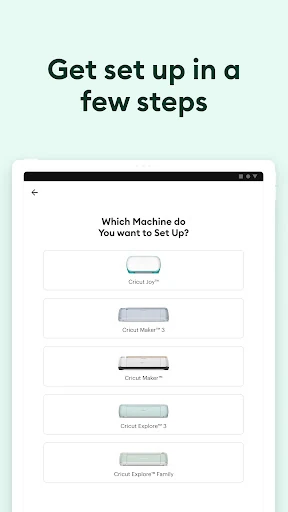
When I first opened the app, its purpose was easy to understand: connect it to a Cricut machine and use it to prepare a physical project. That clarity matters because crafting apps can sometimes feel like general-purpose design tools with a machine connection added as an afterthought. Here, the machine is part of the basic premise, and the app’s setup guidance is intended to help new users get their Cricut ready.
The setup flow is described as step by step, which should be helpful if this is your first time activating a machine. I like that the app frames the process around making something, not just configuring equipment. Still, this is a companion app, so the first impression will depend on whether you have compatible Cricut hardware to connect. Without that, much of its practical purpose is out of reach.
The everyday design flow
In ordinary use, the workflow runs from choosing a project to editing its design, previewing it, and connecting to a machine. That sequence gives the app a practical rhythm. Rather than treating design as an isolated activity, it keeps the intended finished object in view. For a T-shirt, sticker, or home decor project, that connection between screen and finished craft is the main reason to use Design Space.
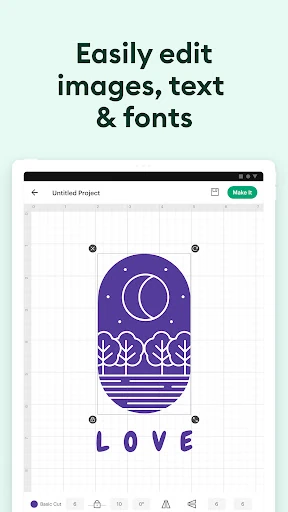
Editing tools such as Contour, Weld, and Offset let users personalize details, while the preview provides a final look before making. Once a material is selected, the app applies settings for the Cricut machine. I appreciate how those steps are presented as parts of one job. The experience still relies on the user to choose the right project and material, but it gives a useful structure for moving forward.
A library with room to grow
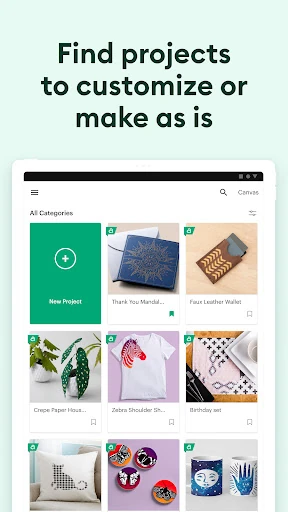
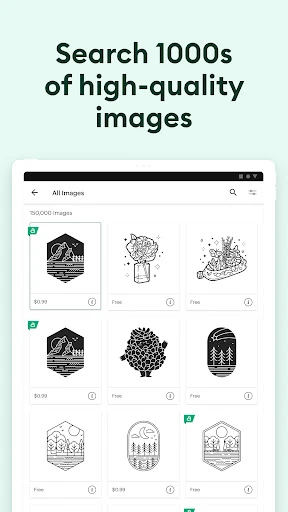
The app includes thousands of images, fonts, projects, and templates for free, giving users options when they do not want to start with a blank canvas. A Cricut Access subscription unlocks a much larger collection: more than 1.8 million images, over 100,000 projects, more than 10,000 templates, and over 1,000 fonts. Those numbers describe a substantial catalog, but they do not mean every item is available without paying.
Some editing tools are also reserved for subscribers. The listed examples include Background Remover, Convert to Layers, and Warp, while Contour, Weld, and Offset are among the tools described for personalizing designs. The app also offers monthly AI credits and discounts through Cricut’s website as part of the subscription. I would judge the paid library by how often I make projects, rather than assuming a large catalog is automatically worth the ongoing cost.
A practical project routine
For a weekend craft, I would start by naming the item I want to make, then use the project-specific canvas and relevant content as a guide. Next, I would shape the design with the available editing tools and check the preview before moving on. That order makes it easier to think through the finished object before the machine starts working, and it gives the app’s guidance a clear role at each stage.
Before making, I would choose the material and connect the compatible Cricut machine through Bluetooth or Wi-Fi. From there, the app provides guided steps to carry the project through. For someone who makes occasional personalized gifts, this routine keeps the workflow focused. For a frequent crafter, it may also provide a repeatable sequence: define the project, refine it, preview, set material, and follow the machine instructions.
Limits to keep in mind
The biggest limitation is also the app’s defining focus: it is built around a compatible Cricut machine. If you are looking for a craft app that can take a design all the way to a physical result without hardware, this is not that. Its guided flow may also feel restrictive if you prefer a completely open-ended design process or already use another tool for creating artwork.
There is a meaningful distinction between the included content and the full library. Some tools and the expanded collection require a paid subscription, and in-app purchases range widely in price. The app is free to install, but it would be sensible to explore the included options first and check the subscription terms before paying. That way, the library’s scale does not distract from whether its available projects fit your own crafting habits.
Design Space: DIY with Cricut is a focused companion for turning a project idea into a design that can be made with a compatible Cricut machine. I like the combination of project guidance, editing tools, previewing, material settings, and machine connection. The free content gives users a place to begin, while the subscription expands the library and adds selected tools.
I would recommend it to Cricut owners who want a guided mobile workflow for personalized crafts, especially if they value templates and project-specific help. I would skip it as a standalone design app or if I did not own compatible hardware. Before subscribing, I would try the included content and decide whether the additional library fits the kinds of projects I actually make.
Cricut Design Space Frequently Asked Questions
What is Design Space: DIY with Cricut used for?
Design Space helps users create and personalize projects for a compatible Cricut machine. It offers project-specific canvases, content, editing tools, previews, material settings, and guided steps for making projects such as custom stickers, personalized T-shirts, and home decor. It is intended as a companion to Cricut hardware, rather than a machine-free crafting service.
Which devices can run Design Space: DIY with Cricut?
Design Space: DIY with Cricut is an Android app available on Google Play. It connects to a compatible Cricut machine using Bluetooth or Wi-Fi. The available details do not specify a minimum Android version, so check the Google Play store entry for requirements that apply to your device before installing.
Does Design Space: DIY with Cricut cost money?
The app is free to download and contains no ads, but it offers in-app purchases. Listed purchase prices range from $0.99 to $399.99 per item. Some software features and the full content library require a paid subscription. The available information does not set out the complete subscription terms, so check Google Play and Cricut’s subscription details before purchasing.
What Android version does Design Space: DIY with Cricut require?
A minimum Android version is not provided in the available app details. Requirements can vary with app updates and device compatibility, so check the current Google Play store entry before installing. The app is designed to connect to a compatible Cricut machine over Bluetooth or Wi-Fi, which is also worth considering when checking your setup.
Is Design Space: DIY with Cricut right for beginners?
It could suit beginners who have a compatible Cricut machine and want project-specific guidance, setup steps, templates, and a preview before making. It may be less suitable for someone without Cricut hardware or someone looking for a general drawing app. Some content and editing tools require a subscription, so the free selection is a sensible place to start.
Pros
- Project-specific canvases and guided steps help connect design work with making.
- Previewing a project offers a chance to review it before using the machine.
- Thousands of images, fonts, projects, and templates are included for free.
- Material selection applies settings for the connected Cricut machine.
Cons
- Its main purpose depends on having a compatible Cricut machine.
- Some editing tools and the full content library require a paid subscription.
- The wide range of in-app purchase prices may take careful checking.
- Category
- Lifestyle
- Version
- 6.82.0