Bubble Level
- 335.05K
- 4.7
- Installs
- 10.00M
- Price
- Free
Screenshots
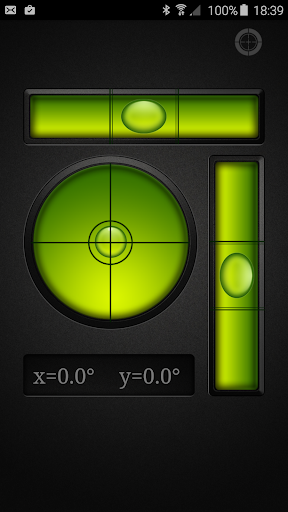
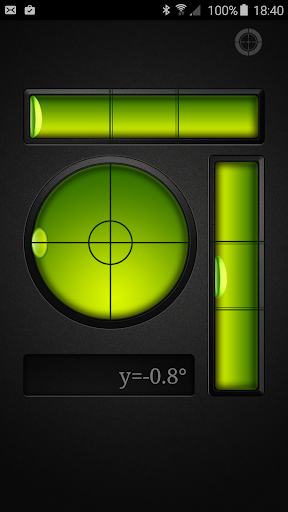
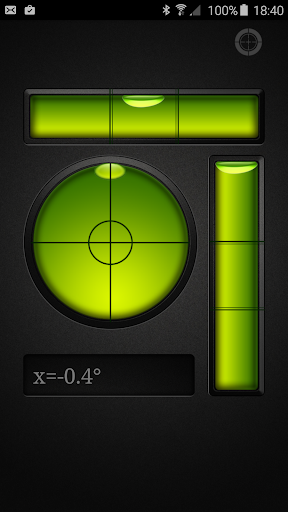
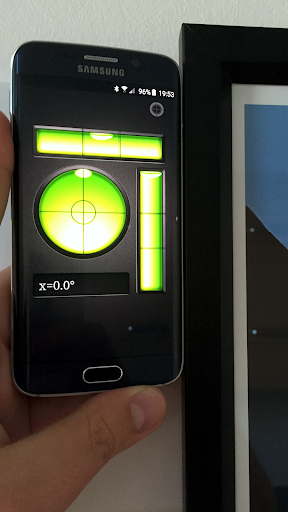
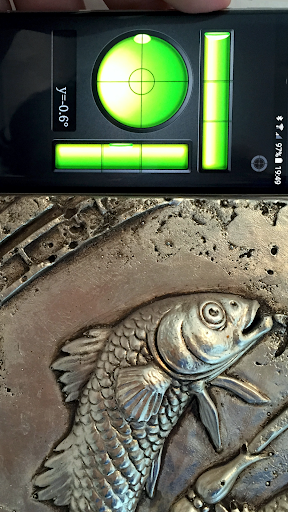
Analysis by Reviewed APKs
Bubble Level turns an Android phone into a digital spirit level for checking whether a surface is horizontal or vertical. I can see it being useful for renters hanging pictures, DIYers setting up shelves, and anyone who wants a quick check without fetching a separate tool. The basic idea is practical and familiar, and the added bull’s-eye view gives it more range than a simple one-direction level.
A Picture-Hanging Afternoon
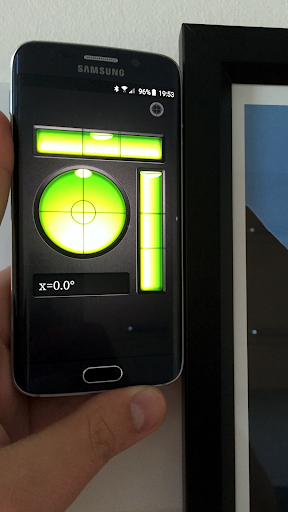
When I’m hanging a picture, the annoying part is often stepping back, spotting a slight tilt, and adjusting it again. Bubble Level is designed for that quick check: place the phone against the frame or surface and use the level display to see whether it sits straight. For a small home job, having that check on the device I already carry can make the process feel less fussy.
The same idea applies to a shelf, a tabletop, or a tripod. I’d use the tubular level when checking along one direction, then switch to the circular bull’s-eye view when I want to assess a surface across a plane. The app is not doing the physical work for me, of course, but it can help answer a simple question before I start tightening screws or calling the job done.
A Pocket Check, Not a Workshop
Compared with a traditional spirit level, the main appeal here is convenience: Bubble Level lives on an Android phone, so it is ready for occasional household checks without requiring another tool in a drawer. Its screen-based readings imitate the familiar bubble-and-center idea, while the bull’s-eye view offers a different way to check a flat surface. That makes it a handy companion for quick tasks rather than a full toolbox replacement.
I would treat it as a practical aid, not a promise of professional-grade results for every job. A dedicated level is still the obvious choice when a project depends on a tool designed specifically for repeated, physical use. Bubble Level also is not a general home-improvement guide; its job is measurement and alignment, not explaining how to install a shelf or repair a wall.
Small Habits, Better Checks
A useful habit is to check the phone against a surface you already trust before relying on a reading. The app says the device should be calibrated by its manufacturer, and it includes a way to recalibrate if the readings seem wrong. That process involves laying the phone screen-up on a perfectly level surface and pressing Set; Reset returns to the factory calibration.
I’d also make a point of choosing the view that matches the task. A tubular level is suited to checking in the direction of its tube, while the bull’s-eye view checks across a plane. For a frame, I’d check the relevant edge; for a broader surface, I’d use the circular view. These little choices make the app easier to use sensibly instead of treating every reading as interchangeable.
More From Our News Desk

Zoom Meetings, Google Meet, or Teams: Which Is Easiest to Join?

How I Build a Free Streaming Lineup With Tubi

Why Crunchyroll Is the Default Anime App for So Many Fans

YouTube TV: A Practical Guide to Cutting Cable

Rummikub and the Small Comfort of Phone Games

TeamViewer Remote Control or AnyDesk for Helping Family?
Who might find it useful
I’d recommend Bubble Level to people who do occasional DIY, decorate their homes, or want a quick leveling check while setting up a tripod or furniture. It is especially appealing if you prefer to keep small utilities on your phone rather than buy a separate tool for every occasional task. The familiar spirit-level concept also makes it approachable: you do not need to learn a complicated measurement workflow to understand what it is for.
It may be less appealing to someone who needs a dedicated instrument for frequent construction or carpentry work, or who wants detailed project instructions rather than readings. A phone is also not always as convenient to place against a surface as a physical level. If accuracy matters for a particular job, I’d compare the result with a suitable purpose-built tool rather than assuming a phone reading settles every question.
Bubble Level is a free Android tools app from Gamma Play. Google Play shows over 10 million installs, a 4.7-star rating from about 335,000 ratings, and an Everyone content rating. The app contains ads, and the provided store facts say it does not offer in-app purchases.
The current version in the provided facts is 1.36. Bubble Level was released on July 28, 2015, and was last updated on August 21, 2025. The facts do not specify a minimum Android version, so check Google Play for compatibility with a particular device.
A Familiar Tool With a Phone-Sized Twist
Getting Started
When I first opened Bubble Level, the appeal was easy to understand: it recreates a tool most people have seen before, rather than asking them to learn a new kind of measurement. The app is meant to show how a surface is sitting, much like a conventional spirit level. That makes it a natural fit for a quick check when a picture frame or other object looks just a little off.
The calibration option is the setup detail worth knowing about. The app’s description says a device should already be calibrated by its manufacturer, but it also explains how to set a new calibration. If I thought the readings were off, I’d place the phone screen-up on a perfectly level surface and use Set. Reset provides a way back to the device’s factory calibration.
Quick Readings in Practice
The core experience is straightforward: use the phone as a level and read the visual indicator as you adjust an object or surface. That sort of direct feedback is useful for small jobs where I’m making a change, checking it, and making another small adjustment. It is a simple loop, and the familiar spirit-level model makes the purpose clear without needing much explanation.
I’d be careful about how I position the device and what I’m checking. A tubular level indicates level or plumb in the direction of its tube, while the bull’s-eye style is intended to check a surface across a plane. Choosing the right view for the shape of the task is more useful than expecting one reading to answer every alignment question.
Two Ways to Check Level
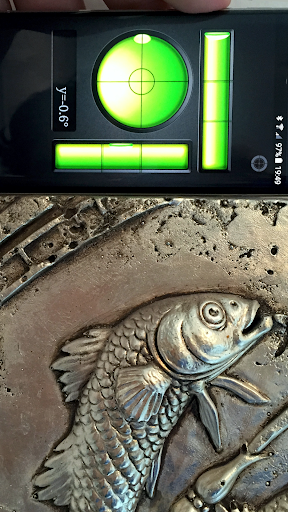
The standout feature is that Bubble Level includes both a tubular level and a bull’s-eye level. The first follows the familiar tube-and-bubble approach; the second uses a circular layout for checking a flat surface across a plane. I like that distinction because it reflects two different kinds of everyday check, rather than simply offering another decorative version of the same readout.
Calibration is another practical inclusion. If the phone seems to give an incorrect reading, the app describes setting calibration with the device resting screen-up on a level surface. There is also a Reset option for returning to factory calibration. That is useful context for a phone-based tool, where the device itself is doing the measuring rather than a dedicated spirit-level body.
A Handy Weekend Routine
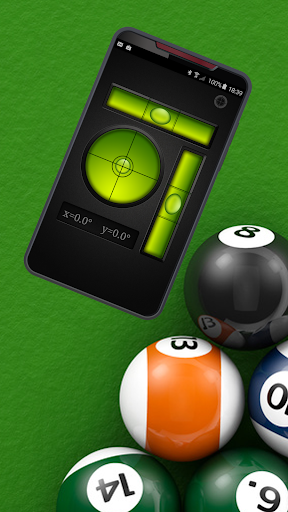
For a small weekend project, I’d keep the workflow simple: decide which surface or edge needs checking, choose the matching level view, and use the reading while making adjustments. Hanging a picture is an easy example, but the app’s described uses also include furniture, a billiard or table-tennis table, a trailer, and a photography tripod. They all come back to the same basic question: is this sitting level?
I’d make the measurement part of the final check rather than relying only on a quick glance. After moving a frame or adjusting a tabletop, I’d check it again and make any last correction. If the reading seems implausible, I’d consider whether the phone is positioned properly and whether recalibration is needed. That is a more grounded way to use the app than treating the first reading as unquestionable.
Keep the Phone in Mind
The biggest limitation is inherent to the format: a phone is being used as the measuring instrument. Its placement matters, and the app itself notes that calibration may be needed if the device appears wrongly calibrated. For important or repeated work, I would not assume a phone app is a substitute for a dedicated level simply because its display resembles one.
There are also practical situations where a phone is awkward to hold against an object, or where the object’s shape makes positioning difficult. Bubble Level can help with a clear, accessible surface, but it cannot remove those physical inconveniences. Its stated role is focused and useful: checking level or plumb, not taking over every measurement or decision in a home project.
The app is free but contains ads, which is worth keeping in mind if you prefer utility apps without advertising. Its store rating and install count suggest that many people have tried it, but those figures do not guarantee that it will suit every phone or task. I’d test it on a straightforward household job before depending on it for something more demanding.
Bubble Level makes sense as a convenient digital helper for quick alignment checks around the home. I like the combination of the familiar tubular view and the bull’s-eye level, plus the option to recalibrate if the phone’s reading seems wrong. It keeps its purpose clear and can save a trip to the toolbox for a small job.
I’d try it if I wanted an occasional check for pictures, shelves, furniture, or a tripod. For regular demanding work, I’d keep a dedicated level close by and use the app as a useful extra rather than my only measuring tool. That feels like the fairest way to get value from it.
Bubble Level Frequently Asked Questions
What is Bubble Level used for?
Bubble Level turns an Android device into a digital spirit level for checking whether surfaces are horizontal or vertical. It includes a tubular level view and a bull’s-eye view for checking across a plane. The described uses include hanging pictures, leveling furniture and tables, and setting up a photography tripod.
Which devices can run Bubble Level?
Bubble Level is described as an app for Android devices. The provided facts do not give a minimum Android version, so compatibility can depend on the device and current store requirements. Check the Google Play store page for the version requirements that apply to your phone or tablet.
Does Bubble Level cost money?
The provided facts describe Bubble Level as free and say it does not offer in-app purchases. It does contain ads. Store details can change over time, so it is worth checking the Google Play page for the current information before installing.
Can I recalibrate Bubble Level?
Yes. The app description explains that if the device seems wrongly calibrated, you can place it screen-up on a perfectly level surface and press Set. Reset returns to the device’s factory calibration. The app also notes that the device should already be calibrated by its manufacturer.
Is Bubble Level suitable for professional projects?
Bubble Level can help with basic leveling checks, but it is a phone-based tool and the app’s description does not make it a replacement for dedicated equipment. I’d consider it for occasional home tasks and compare readings with an appropriate physical tool when a project calls for more dependable or repeated measurement.
Pros
- Includes tubular and bull’s-eye level views for different kinds of surface checks.
- Useful for quick household alignment tasks without reaching for a separate tool.
- Offers calibration and a reset to factory calibration.
- Free to install, with no in-app purchases.
Cons
- Contains ads, which may interrupt an otherwise simple utility experience.
- Phone placement and calibration can affect how useful a reading is.
- A dedicated physical level may be more practical for demanding or repeated work.
- Category
- Tools
- Version
- 1.36