Brother iPrint&Scan
- 107.01K
- 3
- Installs
- 10.00M
- Price
- Free
Screenshots
Analysis by Reviewed APKs
Brother iPrint&Scan is a companion app for printing from and scanning to an Android device with a compatible Brother printer or all-in-one. It suits people who want to handle everyday documents and photos without opening a computer. I like the straightforward idea: find the machine on the local wireless network, choose a task, and get on with it. Its usefulness, though, depends on having a supported Brother device.
A Quick Print Between Errands
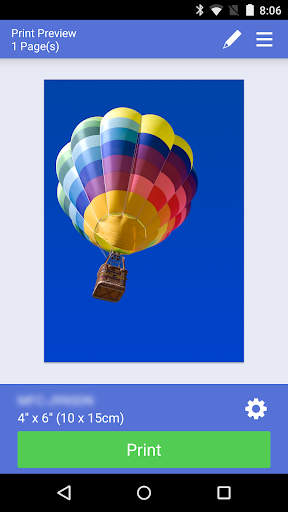
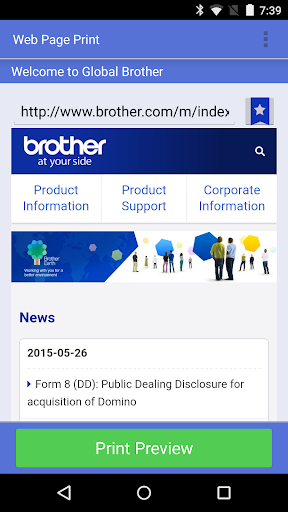
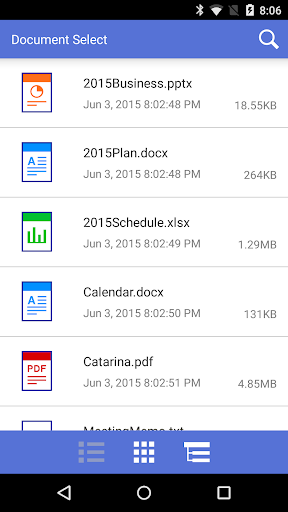
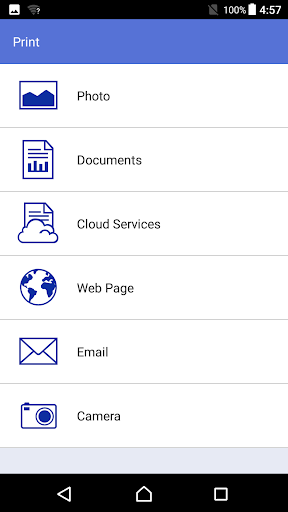
When I first opened Brother iPrint&Scan, I pictured the familiar moment when a form or a photo is sitting on my phone and I need a paper copy before heading out. The app is built for that kind of small task: connect to a compatible Brother machine over the local wireless network, choose a document or photo, and print. It also handles web pages and common office file types, including PDF, Word, Excel, PowerPoint, and text.
Scanning works in the other direction. I can use a compatible all-in-one to send a scan straight to my Android device, then save it as a PDF or JPEG or email it. That makes the app handy for a signed page, a receipt, or a paper document I want to keep with the rest of my phone files. It is a practical bridge between a Brother machine and a mobile routine, rather than a full document-management system.
A Printer Companion, Not a Studio
Compared with emailing a file to myself and then printing from a computer, the appeal here is fewer handoffs. The app can search for supported devices on a local wireless network, and Brother says no computer or driver is needed for the app’s printing and scanning workflow. It can also print directly from Dropbox, OneDrive, and Evernote, which is useful if the file I need is already stored in one of those services.
I would not treat it as a general-purpose printing service or a replacement for every printer utility. It is specifically for compatible Brother printers and all-in-ones, and the available functions and settings depend on the selected model. Nor is it a broad photo editor or filing cabinet: editing is limited to tools such as scaling, straightening, and cropping, and the central job remains printing, scanning, and a few machine-specific tasks.
Small Habits That Help
I would start by checking that the printer or all-in-one is supported and connected to the same local wireless network I plan to use. Then I would keep the app as the direct route for routine print and scan jobs instead of hunting through several apps each time. If the original is in Dropbox, OneDrive, or Evernote, printing from that service can avoid an extra download-and-share step.
For scans, it helps to decide up front whether I need a PDF or a JPEG and whether color is necessary. The app includes color, fast color, and black-and-white scan choices, plus several document sizes; the actual options depend on the machine. On newer supported models, previewing a copy or fax before proceeding can also be a useful pause to catch a framing or page issue.
More From Our News Desk

Zoom Meetings, Google Meet, or Teams: Which Is Easiest to Join?

How I Build a Free Streaming Lineup With Tubi

Why Crunchyroll Is the Default Anime App for So Many Fans

YouTube TV: A Practical Guide to Cutting Cable

Rummikub and the Small Comfort of Phone Games

TeamViewer Remote Control or AnyDesk for Helping Family?
Who Will Get the Most From It
I would recommend Brother iPrint&Scan to someone who already owns a compatible Brother printer or all-in-one and occasionally needs to print or scan from an Android phone. It is especially relevant in a home or small office where paperwork arrives on the phone, but a physical copy or a digital scan is still part of the day. The ability to use selected cloud services and send scans by email adds practical flexibility.
It is a weaker fit if you do not have a Brother machine, want one app to control printers from different brands, or expect extensive editing and document organization. Some advanced features are limited to newer models, and NFC requires support from both the phone and machine. I would check model compatibility before relying on a particular function, especially for fax, status information, or copy preview.
Brother iPrint&Scan is made by Brother Industries, Ltd. On Google Play it has more than 10 million installs and a 3.0-star rating from about 107,000 ratings. The app is free to download, has no in-app purchases, and contains no ads. Its content rating is Everyone, and the version shown is 6.14.2.
The app was released on August 31, 2010, and its recorded last update is May 15, 2026. The supplied store details do not specify a minimum Android version, so I would check the Google Play page for the requirement that applies to a particular device. Brother notes that compatible models and available functions vary by printer or all-in-one.
A Closer Look at Mobile Printing
Getting Connected
My first impression is that this app has a focused job rather than an elaborate setup story. It is intended to find supported Brother devices on a local wireless network, then offer printing or scanning from the phone. That automatic device search can make the first step feel approachable, although the important condition is having a compatible machine on the network.
There is no computer or driver requirement for the app workflow described by Brother, which is useful when I just want to handle a one-off page from my phone. For NFC use, both the Android device and the printer must support it, and not every NFC-capable phone necessarily works with the feature. Wireless printing remains the core route.
Everyday Printing and Scanning
The everyday appeal is the range of ordinary things it can send to paper: photos, web pages, and documents in PDF, Word, Excel, PowerPoint, or text formats. Print settings include paper sizes such as A4, Letter, Legal, A3, and Ledger, along with glossy or plain paper. The available choices still depend on the selected device, so I would not assume every model offers every size.
On the scanning side, I can send an image to the Android device and save it as a PDF or JPEG, or email it. Scan options include color, fast color, and black and white, with document sizes ranging from common paper formats to photo and card sizes. That covers useful household and office tasks without making the phone itself the scanning hardware.
Useful Model-Specific Extras
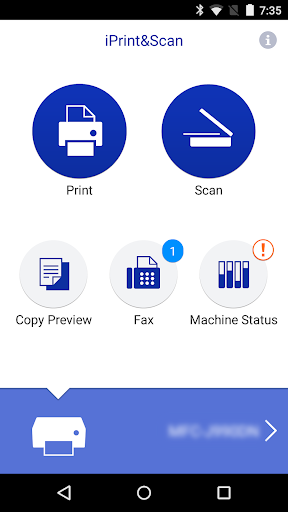
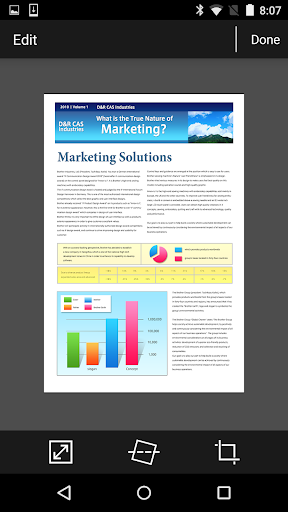
A few additional tools make the app more than a simple print button, but only on newer models. Previewed images can be adjusted by scaling, straightening, or cropping. Copy preview gives me a chance to inspect and edit an image before making a copy, which is a sensible safeguard when the original is small or awkwardly positioned.
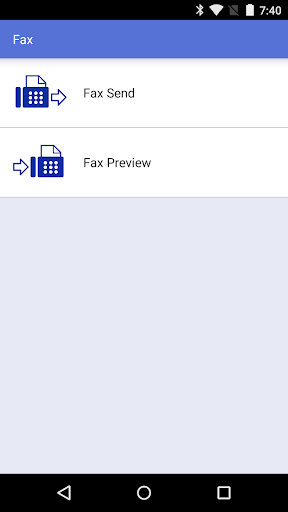
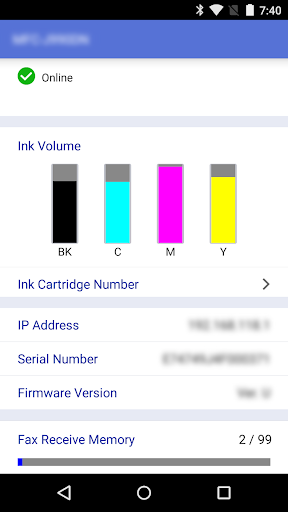
Brother also describes sending a fax from the phone, viewing received faxes stored on the machine, and checking machine status such as ink or toner levels and error messages. These are appealing conveniences if the particular all-in-one supports them. Fax sending requires access to contacts, while location permission is requested for certain device-search features such as Wi-Fi Direct, Bluetooth, or NFC.
A Simple Paperwork Routine
A realistic routine might start with a document saved in OneDrive or Dropbox. I can use the app to print it on a compatible Brother machine, then scan a signed or completed page back to the phone. If I need to send that scan onward, saving it as a PDF or JPEG or emailing it keeps the task within a compact phone-to-printer loop.
For a photo or a short web page, I would choose the relevant print option and check the paper size and media type before starting. The app supports up to 100 copies, though most everyday jobs will need far fewer. A quick scan preview or image adjustment, when the model supports it, can help avoid repeating a job because the framing was off.
Compatibility Sets the Boundaries
The biggest limitation is also the clearest one: this is a Brother companion, not a universal printer app. A device must be supported, and some capabilities are tied to newer models. Before building a routine around fax, status checks, NFC, or copy preview, I would look up the supported-model information for the machine in question.
The app’s 3.0-star Google Play rating suggests the experience has not worked equally well for everyone, so I would keep expectations practical rather than assume setup will be effortless in every home network. Its options are useful but task-focused, and the paper, scan, and copy settings vary by device. That makes it best as a convenient extension of compatible hardware, not a reason to buy a printer on its own.
Brother iPrint&Scan makes a straightforward promise: use an Android phone to print to or scan from a compatible Brother machine. It covers common documents, photos, web pages, selected cloud services, and useful scan formats, with a handful of extras on newer models. The model-dependent nature of those extras is the main detail to keep in mind.
I would try it if a Brother printer or all-in-one is already part of my routine and I want fewer steps between phone files and paper. If I need broad printer-brand support or advanced document tools, I would look elsewhere. For the right hardware, this is a practical companion with a clear, limited purpose.
Brother iPrint&Scan Frequently Asked Questions
What is Brother iPrint&Scan used for?
Brother iPrint&Scan lets you print photos, web pages, and supported documents from an Android device to a compatible Brother printer or all-in-one. It can also scan to the phone, save scans as PDFs or JPEGs, or email them. Selected cloud services and model-dependent tools such as fax and machine-status viewing are also supported.
Which devices can use Brother iPrint&Scan?
The app is for Android and connects over a local wireless network to supported Brother printers and all-in-ones. Available functions depend on the selected machine. NFC requires support from both the phone and the printer, and Brother notes that some NFC-capable mobile devices may not work with that feature. Check the model details before depending on a specific function.
What Android version does Brother iPrint&Scan require?
The Android version requirement can vary with the app and device, so check the Google Play page for the current requirement on your phone. The app is designed to work with compatible Brother machines on a local wireless network. The supported printer model and its features are also worth checking before setup.
Does Brother iPrint&Scan cost anything?
Brother iPrint&Scan is free to download on Google Play. The supplied app details show no in-app purchases and no ads. Printer compatibility and supported functions depend on the Brother machine, so it is sensible to check the app’s store page and model support information before relying on a particular feature.
Is Brother iPrint&Scan a good choice for me?
It is a good fit if you own a compatible Brother printer or all-in-one and want to print or scan from an Android phone. It may not suit someone seeking support for multiple printer brands or extensive editing and file organization. Advanced features are limited to compatible models, so check your machine’s support details first.
Pros
- Prints common document types, photos, and web pages from an Android device.
- Scans to the phone as PDF or JPEG, with email sharing available.
- Can print directly from Dropbox, OneDrive, and Evernote.
- Some newer models add fax, copy preview, and machine-status tools.
Cons
- Works with supported Brother printers and all-in-ones, not every printer brand.
- Advanced functions and settings depend on the particular machine model.
- NFC support varies by both Android device and Brother machine.
- Category
- Tools
- Version
- 6.14.2