BILT Intelligent Instructions
- 8.79K
- 4.5
- Installs
- 1.00M
- Price
- Free

Screenshots
Analysis by Reviewed APKs
BILT Intelligent Instructions turns product manuals into interactive, animated 3D guides for assembly, installation, setup, maintenance, and repair. It suits people who would rather see how a part fits than decipher a page of tiny diagrams, as well as students using trade courses through a participating school. I like the practical focus: it helps you plan before starting and follow a product-specific guide at your own pace.
A less confusing assembly day
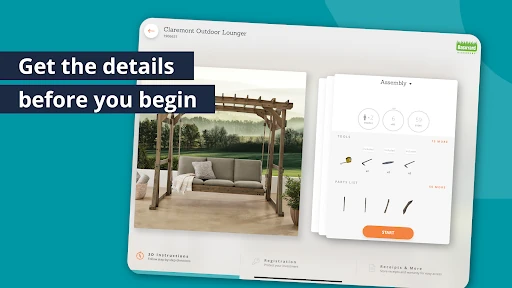
When I first opened BILT, I pictured the familiar scene: a new piece of furniture on the floor, a bag of hardware nearby, and a paper manual that makes every screw look alike. Here, I can search for a brand and model or scan a QR code on the packaging or manual. Before starting, the guide can show the required tools, included parts, and estimates for time and people, which makes it easier to decide whether this is a quick job or a two-person afternoon.
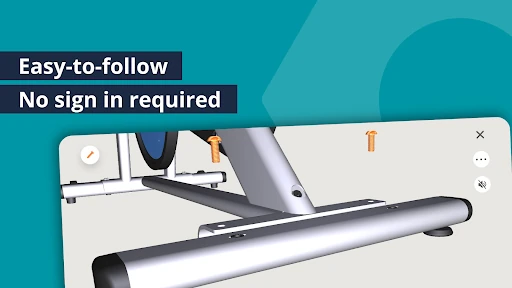
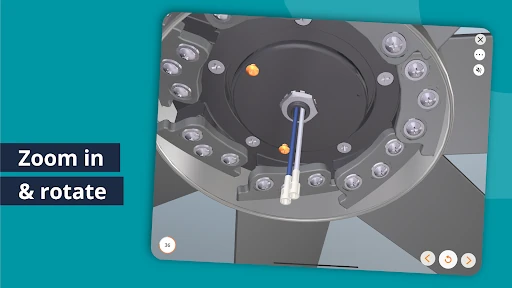
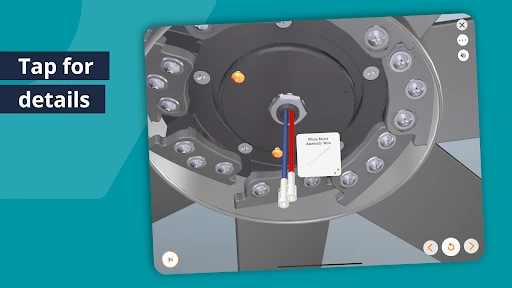
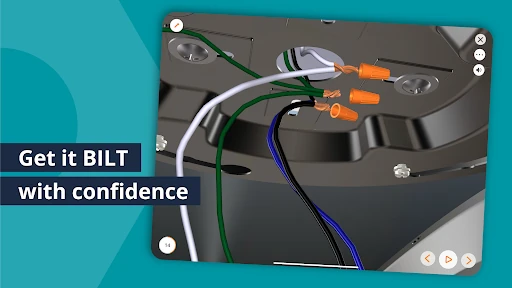
Once I choose a product, the animated steps give me a view of the process that a flat diagram can struggle to convey. I can rotate and zoom the 3D view, and tap a part or tool to identify it. If I miss something, I can go back, replay a step, or move ahead. I can use narration, text, or both, so the instructions can fit the way I prefer to work.
A manual, not a toolbox
The obvious comparison is a paper manual or a quick video search. Paper is easy to keep nearby, but its fixed pictures may leave me guessing about orientation. A video can be helpful, yet it may show a different model or rush past the exact step I need. BILT’s main distinction is product-specific, manufacturer-approved instruction presented one step at a time, with the option to inspect the model from different angles.
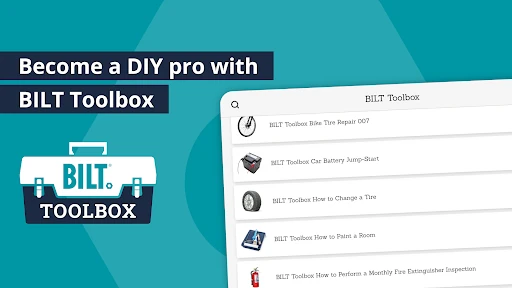
That focus also defines what BILT is not. It is not a general repair marketplace, a place to book a professional, or a substitute for the physical tools and parts a job requires. The app covers instructions across product categories, and it also has trade and healthcare education courses, but those courses are provided through participating schools and training organizations. For brand instructions, the app itself does not require an account.
Plan before you begin
I’d make a small habit of checking the tools and parts before I open the box or spread components across the room. The time and people estimates can help me choose a sensible start time and ask for help before I’m halfway through. This is particularly useful for a project that could interrupt a meal, a work call, or the only free hour in my weekend.
During the job, I’d use replay and backtracking as normal parts of the workflow rather than treating them as signs I have failed. Switching between text and narration can also help when I want to glance at a step or listen while keeping my hands busy. If I know I’ll be working somewhere without Wi-Fi, I can download the instructions in advance and use them offline.
More From Our News Desk

Zoom Meetings, Google Meet, or Teams: Which Is Easiest to Join?

How I Build a Free Streaming Lineup With Tubi

Why Crunchyroll Is the Default Anime App for So Many Fans

YouTube TV: A Practical Guide to Cutting Cable

Rummikub and the Small Comfort of Phone Games

TeamViewer Remote Control or AnyDesk for Helping Family?
Who will get the most from it
I’d recommend BILT to anyone who regularly assembles furniture, sets up appliances or outdoor equipment, installs a smart lock, or maintains products at home. It is especially appealing if static diagrams tend to leave you unsure about which side faces out or where a part belongs. Being able to rotate the model and replay a step makes the app a useful companion for hands-on jobs, without asking you to learn a complicated instruction system first.
It may be less useful if the exact product is not covered or if you want a broad, open-ended video library rather than instructions tied to a brand and model. Trade students and instructors may also find the education side relevant, but access to those courses comes through a participating school or training organization. If you prefer printed directions or do not want a phone nearby while working, the app’s interactive format may not be your first choice.
BILT Intelligent Instructions is a Lifestyle app from BILT Inc. On Google Play, it has over 1 million installs and a 4.5-star rating from about 8,800 ratings. It is free to download and use, has no in-app purchases, and contains no ads. The content rating is Everyone, so its listed audience is broad.
The Google Play information gives version 5.43.0, a release date of September 14, 2016, and a last update date of October 28, 2026. An Android minimum version was not included in the supplied app facts, so check Google Play for device compatibility before installing.
A closer look at BILT’s 3D guidance
A direct start
The first impression is practical rather than flashy: the app is built around finding the instructions for something you own and then following them. I can search by brand and model or scan a QR code from product packaging or a manual. That gives me a clear route into a guide without first creating an account for brand instructions.
I like that the preparation details come before the hands-on steps. Seeing which tools are needed, which parts are included, and how much time and help may be required gives me a chance to get organized. That small pause can prevent the annoying mid-project scramble for a tool or an extra pair of hands.
Step by step
The core experience is an animated 3D guide broken into individual steps. Instead of relying only on a fixed drawing, I can rotate and zoom the view to inspect a detail from another angle. Tapping a part or tool identifies it, which is a simple but useful way to connect the instruction with the pieces spread out in front of me.
The controls are forgiving in the way a good manual should be. I can go back, skip ahead, or replay a step whenever I need to check something again. Text guidance and voice narration are both available, and I can choose either format or use both. That flexibility matters when I’m working in a quiet room or trying to keep my eyes on a tricky connection.
More than assembly
BILT’s product instructions cover more than putting furniture together. The app describes guides for installation, setup, maintenance, and repair across categories such as fixtures, outdoor equipment, appliances, and tools. The shared idea is to make a product’s official procedure easier to follow, rather than offer generic directions that may not match the model in front of me.
A second strand is BILT Education, with interactive training for skilled-trade and healthcare programs. Its courses are organized by pathway, program, and course, and participating schools or training organizations provide access to students and instructors. The listed pathways include areas such as electrical, HVAC, welding, nursing, and data center work. That makes BILT broader than a home assembly guide, while keeping formal course access tied to an organization.
A simple project routine
For a home project, I’d begin by matching the guide to the brand and model, then check the parts, tools, time, and people estimates before starting. I’d gather everything in one place and download the instructions in advance if I expected to be offline. Those steps are unglamorous, but they turn a vague weekend task into something I can plan around.
While working, I’d keep the guide at the step I’m doing and treat the 3D view as a reference, not a race. I can zoom in when two pieces look similar, replay a motion if I lose track, and use text or narration according to the moment. Before moving on, a quick look back at the current instruction can help me catch a missed detail.
Limits to keep in mind
BILT’s usefulness depends on finding instructions for the product I have. Its emphasis on official, manufacturer-approved guides is a strength when there is a matching model, but it is not the same as a universal guide to every object or repair. Searching by the precise brand and model is therefore part of the experience, rather than an optional extra.
The 3D format also will not suit everyone. Some people prefer paper instructions, and a phone screen may be less convenient when the work area is cramped or messy. BILT can help explain a procedure, but it does not provide the tools or parts themselves. For education courses, access depends on a participating school or training organization, so those features are not simply a personal course library for every user.
BILT Intelligent Instructions makes a strong case for visual, product-specific guidance. Its 3D models, replay controls, preparation details, and offline downloads address familiar frustrations without adding much ceremony. I also appreciate that the app spans home-product instructions and organization-provided education, while making clear that those are different kinds of use.
I’d recommend it to people who assemble, install, or maintain products and want clearer steps than a static manual can provide. It is less compelling as a general how-to destination, and the guide needs to match the product. If that fits your situation, BILT is a sensible free companion to try before the next project.
BILT Frequently Asked Questions
What is BILT Intelligent Instructions used for?
BILT provides interactive 3D instructions for product assembly, installation, setup, maintenance, and repair. Users can search by brand and model or scan a QR code on packaging or a manual. The app also includes trade and healthcare education courses, which are available to students and instructors through participating schools and training organizations.
Which devices can run BILT Intelligent Instructions?
BILT Intelligent Instructions is an Android app distributed through Google Play. The supplied app details do not give a minimum Android version, so check the Google Play store page to see whether your device meets the current requirements. The app’s instructions can be downloaded in advance for use without Wi-Fi.
Does BILT Intelligent Instructions cost money?
The app is free to download and use, and the supplied facts say it has no in-app purchases and contains no ads. Brand instructions are described as free for everyone. BILT Education courses are provided through participating schools and training organizations, so course access depends on the organization.
Does BILT Intelligent Instructions work offline?
Yes. BILT lets users download instructions in advance and use them without Wi-Fi. That can help when a project is in a spot with limited connectivity, as long as the guide has been downloaded beforehand. The app also offers text guidance, voice narration, and animated 3D steps for following the instructions.
Who is BILT Intelligent Instructions best for?
BILT is a good fit for people who want visual, model-specific help with assembling, installing, setting up, maintaining, or repairing products. It may be less useful if the product is not covered or if you prefer a general video library or printed instructions. Students and instructors can use education courses when their school or training organization provides access.
Pros
- Animated 3D steps can be rotated and zoomed for a clearer look at product details.
- Preparation information covers tools, parts, estimated time, and the number of people needed.
- Text and voice guidance, replay controls, and offline downloads support different work styles.
- Brand instructions are free, ad-free, and do not require an account.
Cons
- Instructions need to match the specific brand and model to be useful.
- The phone-based 3D format may not suit people who prefer paper manuals.
- Education courses are available through participating schools and training organizations.
- Category
- Lifestyle
- Version
- 5.43.0











