Bebird
- 6.28K
- 3.1
- Installs
- 1.00M
- Price
- Free

Screenshots
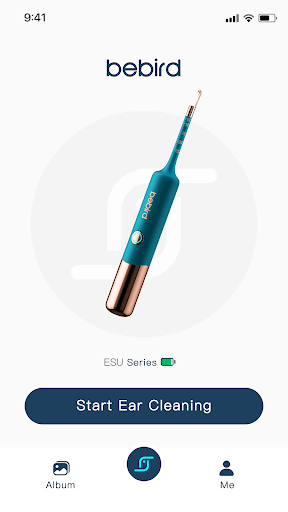
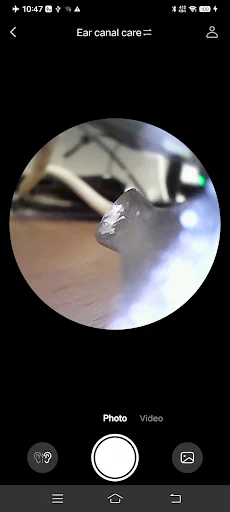
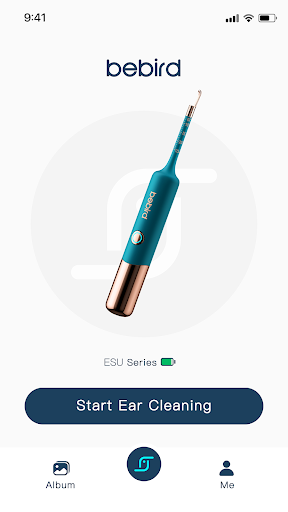
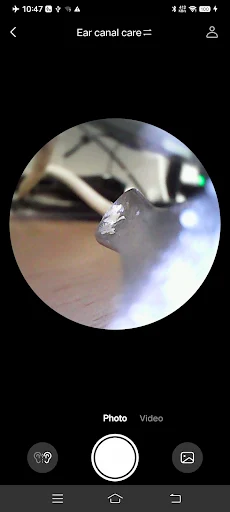
Analysis by Reviewed APKs
Bebird is a companion app for compatible ear-picking devices that connect to a phone over Wi-Fi. Its job is to show a live view, take photos or videos, and let you play recordings back later. I see it as a focused tool for people who already have a compatible device and want a visual preview, rather than a general health or camera app. The experience is practical, with a few limits worth understanding.
A closer look at home
Imagine you are at home with a compatible Bebird ear-picking device and want to see what its camera is showing. You open the app, connect the device through Wi-Fi, and use the phone display as your view while handling the tool. That basic setup is the point: the app turns the phone into a screen for the device, rather than asking you to work by feel alone.
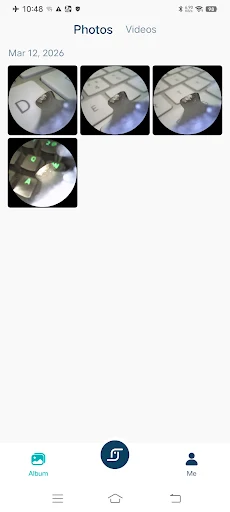
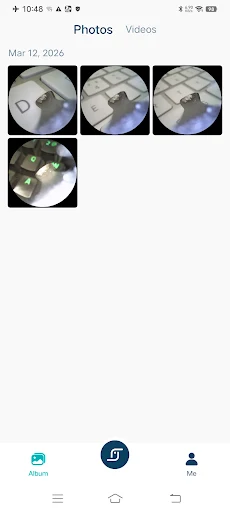
I would use the photo or video controls when a still image is easier to inspect than a live view. If I wanted to revisit what I saw, the app also supports video playback and saving recordings to the phone's storage. That gives the experience a simple sequence: connect, preview, capture if useful, then review. It is a narrow task, but the app's main functions line up with it.
A device companion, not a clinic
Compared with using a phone camera for ordinary photos, Bebird has a different role: it connects to a compatible ear-picking device and displays that device's view. It also offers image enlargement during preview, which can help when a small detail is hard to see on the screen. Those features make it more relevant to this specific accessory than a standard photo app would be.
I would not treat Bebird as a general medical app, a diagnostic tool, or a replacement for professional advice. The described functions are viewing, capturing, enlarging, and replaying images or video. They do not amount to a diagnosis or a care plan. If you do not own a compatible device, the app has little practical use on its own; its purpose depends on that hardware.
Make the view easier to use
A small habit that helps is deciding before you begin whether you need a live preview, a photo, or a recording. That keeps the app's basic controls purposeful instead of turning the session into a collection of clips. Since recordings can be saved to the phone, it also makes sense to capture only what you expect to review, rather than recording automatically every time.
When a preview is difficult to inspect, try the supported image enlargement gesture rather than assuming the original view is the only option. Afterward, video playback gives you a chance to review a recording at your own pace. I would keep the routine simple: connect the device, look carefully, capture only if useful, and check that the saved item is available for later viewing.
More From Our News Desk

Zoom Meetings, Google Meet, or Teams: Which Is Easiest to Join?

How I Build a Free Streaming Lineup With Tubi

Why Crunchyroll Is the Default Anime App for So Many Fans

YouTube TV: A Practical Guide to Cutting Cable

Rummikub and the Small Comfort of Phone Games

TeamViewer Remote Control or AnyDesk for Helping Family?
Who may find it useful
I would recommend Bebird to someone who already has a compatible ear-picking device and wants its camera view on a phone. The photo, video, playback, and enlargement functions are straightforward reasons to use it. It may also suit people who prefer to review a recording afterward instead of relying only on what they noticed in the moment.
It is less compelling if you are looking for an ear-care guide, health tracker, or a standalone camera app. The app depends on a compatible device and a Wi-Fi connection to that device, and its listed functions are focused on viewing and recording. People who would rather avoid using an ear-picking tool, or who expect medical guidance from software, should look elsewhere for the kind of support they need.
Bebird is a free Android app from Heifeng Zhizao(Shenzhen)Technology Co.,Ltd. Google Play shows over one million installs and a 3.1-star rating from about 6,300 ratings. It is marked Everyone. The stated release date is November 26, 2018, and the current version shown is 6.4.56.
The app is listed at no cost, with no in-app purchases and no ads. Its last update is dated October 19, 2026. The Android version requirement is worth checking on Google Play, since it can vary by device and app release. The practical hardware requirement is a compatible ear-picking device that connects to the phone over Wi-Fi.
How Bebird Works in Everyday Use
First connection
When I first opened Bebird, the clearest thing about its purpose was the device connection. This is not an app that does much by itself; it needs a compatible ear-picking device and Wi-Fi to bring that device's view onto the phone. That makes setup less like starting a regular camera and more like pairing a dedicated accessory for a specific task.
Once the device is connected, the app's listed tools are easy to understand at a glance: photos, video, playback, and enlargement during image preview. There is no need to learn a broad set of unrelated features before getting to the main job. The first impression is functional and focused, though the experience naturally depends on having the right hardware nearby.
The day-to-day view
In everyday use, Bebird is primarily a viewing screen for the connected device. I would expect to spend most of the time looking at the live image and making small adjustments to how I hold the device, rather than navigating through lots of app sections. The phone display is central to the experience, because the app's purpose is to show what the device camera sees.
The capture options add a useful second step. A photo can preserve a particular view, while video can record a sequence and be played back later. Recordings can be saved to phone storage, so the app is not limited to a fleeting live image. That said, the app's value is still tied to this specific viewing-and-recording routine.
Useful capture controls
The most distinctive features in the supplied description are the straightforward camera functions. Bebird supports taking photos, recording video, and playing video back. Those controls give users a way to preserve what appeared on the screen and revisit it, rather than relying entirely on memory. I appreciate that this is a modest, clear feature set rather than a list of unrelated extras.
Image gesture enlargement during preview is another practical touch. A phone screen can make a small image difficult to inspect, so being able to enlarge the view gives the user another way to examine it. The description does not promise advanced editing or analysis, and I would not expect those from the app's stated purpose. It is about seeing and saving the device's image.
A simple session routine
A sensible routine begins with the app and compatible device ready before you start. Connect over Wi-Fi, bring up the view, and decide whether a live preview is enough or whether you want to capture a photo or video. This keeps the phone interaction from becoming a distraction and makes the capture controls easier to use deliberately.
If you record a clip, playback is the natural next step. Review it on the phone and save it to the device storage if you want to keep it. I would avoid recording more than I need, especially if I only want to check one particular view. The app's workflow is at its best when it stays simple: connect, view, capture selectively, and review.
Limits to keep in mind
Bebird is only as useful as the compatible device it connects to. Without that hardware, the app's core job cannot really begin. Its Wi-Fi connection is also part of the setup, so it is worth allowing a moment to connect before expecting the view to appear. This is a companion app, not a standalone utility with a broad range of phone-only functions.
The app's listed functions are visual preview and media capture, not medical interpretation. A photo or video can be reviewed, but the description does not say that Bebird identifies problems or provides treatment guidance. I would keep expectations grounded in that distinction. Anyone seeking health advice should not rely on an image-viewing app as a substitute for appropriate professional care.
Bebird does a specific job: it connects a compatible ear-picking device to a phone and supports viewing, photographing, recording, enlarging, and replaying the image. I like that the core workflow is easy to explain, and the ability to save video gives users a way to look back at a session.
My recommendation is conditional but clear. If you own a compatible device and want its camera view on your phone, Bebird is a practical companion worth trying. If you want a standalone health app, medical guidance, or broader camera tools, this is not the right fit.
Bebird Frequently Asked Questions
What is Bebird used for?
Bebird connects a compatible ear-picking device to a phone over Wi-Fi and shows the device's view. It supports taking photos, recording and playing back video, and enlarging images during preview. It is focused on viewing and saving media from the connected device, rather than offering general health information or diagnosis.
Which phones and devices work with Bebird?
Bebird is an Android app, and its main use requires a compatible ear-picking device that connects to a phone over Wi-Fi. The Android version requirement can vary, so check Google Play for the current requirement for your device. Compatibility with a particular piece of hardware is also worth checking in the store information.
What Android version does Bebird require?
The Android version requirement may vary by app release and phone. Check the current Google Play information to see whether your device meets the requirement before installing. Bebird's described use also depends on having a compatible ear-picking device and connecting it to the phone over Wi-Fi.
Does Bebird cost money or include purchases?
Bebird is listed as free on Google Play, with no in-app purchases and no ads. Store details can change, so it is worth checking the current Google Play page before installing. You will also need a compatible ear-picking device to use the app's central viewing and recording functions.
Is Bebird right for me?
Bebird may suit you if you own a compatible ear-picking device and want to see its view on your phone, capture photos or video, and review recordings. It is less suitable if you want a standalone camera app or medical guidance. Its described features are visual preview and recording, not diagnosis or treatment.
Pros
- Connects a compatible ear-picking device to a phone over Wi-Fi.
- Supports photos, video recording, and playback for later review.
- Image enlargement during preview can make small details easier to inspect.
- Free to install, with no listed ads or in-app purchases.
Cons
- Its core functions depend on owning a compatible ear-picking device.
- The listed features focus narrowly on viewing and recording.
- A 3.1-star rating suggests the experience may not satisfy every user.
- Category
- Tools
- Version
- 6.4.56











