Aloha Browser (Beta)
- 259.92K
- 4.6
- Installs
- 10.00M
- Price
- Free

Screenshots
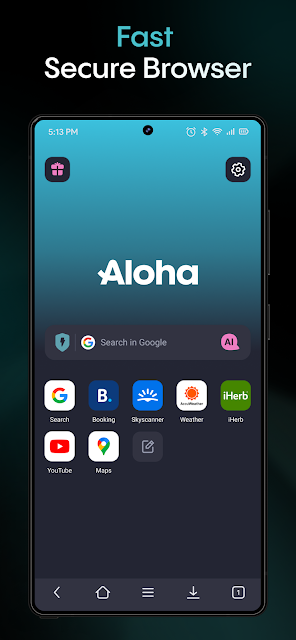
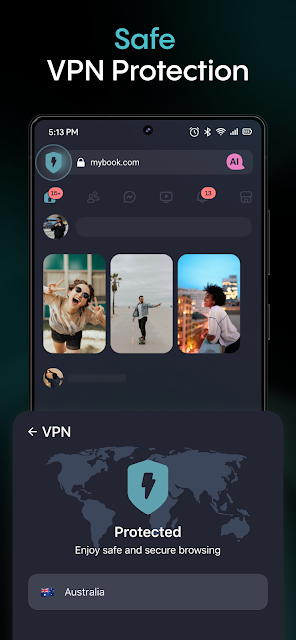
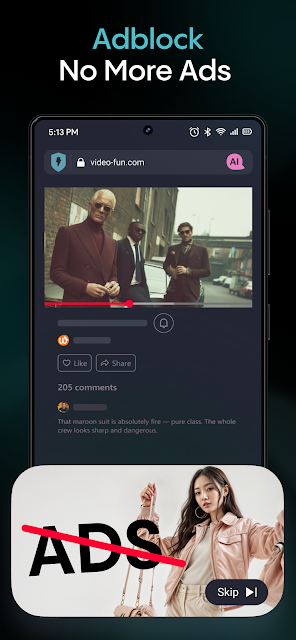
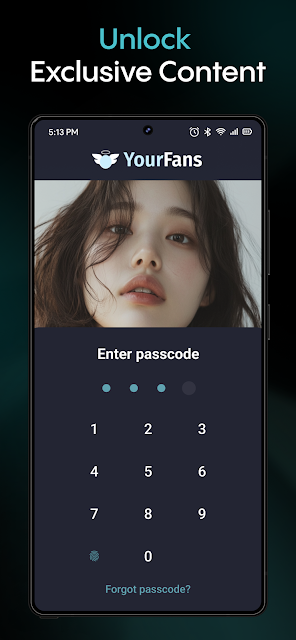
Analysis by Reviewed APKs
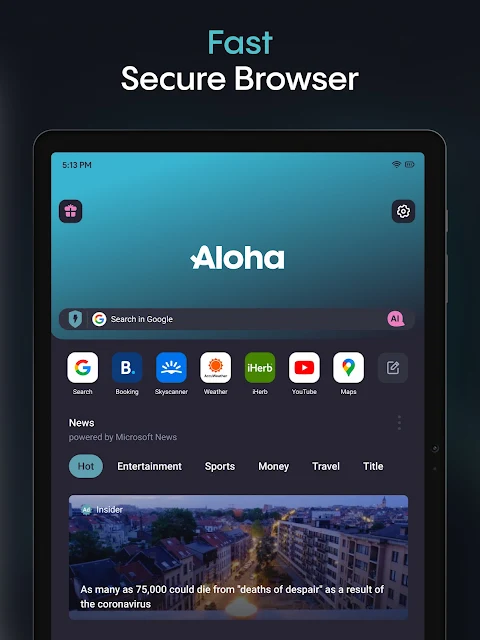
Aloha Browser (Beta) is a mobile web browser built around private browsing, with an ad blocker, VPN features, and tools for handling downloaded files and media. I can see it suiting people who want more than a basic browser, especially if they often save content or use shared Wi-Fi. Its range is appealing, though I’d approach the privacy features as useful tools rather than a reason to stop thinking about what I share online.
A Browser for Everyday Stops
When I first opened Aloha Browser (Beta), I pictured the ordinary little web errands that fill a day: checking a recipe while cooking, looking up a bus timetable, or opening a link someone sent in a group chat. The central job is still browsing websites, but Aloha adds privacy-oriented browsing, ad blocking, and a VPN feature to that routine. That combination makes it more interesting than a browser that only loads pages.
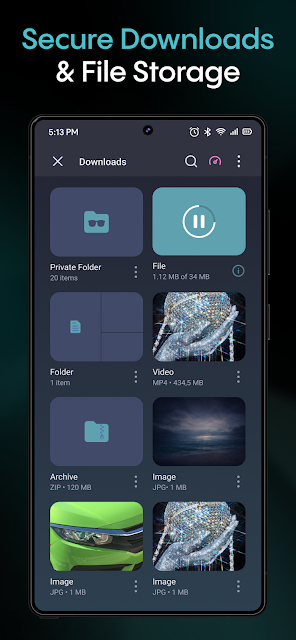
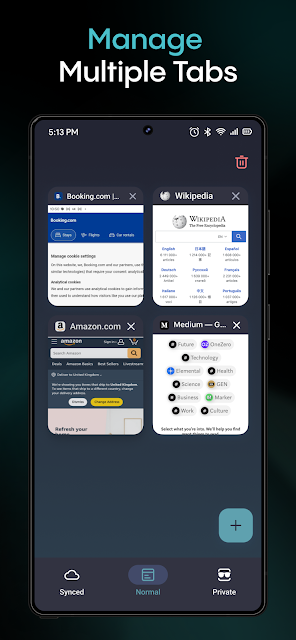
The difference becomes clearer when a page is crowded with pop-ups or when I want to keep a browsing session separate from my usual activity. Aloha presents private tabs and a secure vault as part of its toolkit, while its download manager and built-in media player give saved files somewhere to go. I would use it as a practical browser for varied web tasks, not just as a one-purpose privacy switch.
More Than a Standard Browser
Compared with a basic browser, Aloha puts several jobs in one place: browsing, ad blocking, VPN access, downloading, and playing some saved media. That can be handy if I would otherwise jump between a browser, a file manager, and a separate player. Its appeal is less about reinventing how websites work and more about gathering those supporting tools around the browsing experience.
It is not a substitute for careful judgment online, and the presence of privacy features does not make every website or download trustworthy. Nor would I pick it solely as a dedicated music or video app; its player is described as a companion to browsing and downloads. The Beta label also sets a sensible expectation: I’d try it with ordinary tasks first and see whether its particular mix fits my habits.
Small Habits That Help
A few simple habits make a multi-tool browser easier to live with. I’d decide which browsing sessions belong in private tabs, keep downloaded files organized as I save them, and use the built-in player when I want to open supported media offline. These are small choices, but they help prevent a browser with several features from becoming a cluttered catch-all.
I’d also treat the VPN and ad blocker as options to use thoughtfully rather than settings I never revisit. For example, I might turn to Aloha when browsing on a shared Wi-Fi connection or when a page’s ads get in the way, then return to my usual setup for other tasks. The best workflow is the one that makes the extra tools useful without adding fuss to every visit.
More From Our News Desk

Zoom Meetings, Google Meet, or Teams: Which Is Easiest to Join?

How I Build a Free Streaming Lineup With Tubi

Why Crunchyroll Is the Default Anime App for So Many Fans

YouTube TV: A Practical Guide to Cutting Cable

Rummikub and the Small Comfort of Phone Games

TeamViewer Remote Control or AnyDesk for Helping Family?
Who Might Like Aloha
I’d recommend Aloha Browser (Beta) to Android users who want privacy-oriented browsing and appreciate having an ad blocker, VPN feature, downloads manager, and media player together. It also makes sense for people who regularly save files from the web or want a browser with private tabs and a secure vault in its feature set. If those are things you actually use, the bundle could simplify your everyday web routine.
It may be a poorer fit for someone who wants the most minimal possible browser, or who expects a dedicated media app with a larger focus on playback. People who are uncomfortable with a Beta app may also prefer to take their time before making it their only browser. I’d start with normal browsing and a few downloads, then decide whether the added tools feel useful or simply make the experience busier.
Aloha Browser (Beta) is developed by Aloha Mobile and is in the Tools category on Google Play. It has over 10 million installs and a 4.6-star rating from around 260,000 ratings. The app is free to install, and Google Play indicates that it offers in-app purchases. Those purchases range from $0.99 to $159.99 per item.
The app is rated Everyone and its listed version is 8.13.0. It was released on December 13, 2016, and its latest recorded update is November 3, 2026. The supplied store facts do not include a minimum Android version, so check Google Play on your device for compatibility details.
How Aloha Fits Into My Browsing
First Impressions and Setup
Aloha’s first impression is of a browser with a fairly broad brief. It wants to handle ordinary web pages, private browsing, ad blocking, VPN access, downloads, and media playback. I like that the purpose is easy to understand: it is not just a browser with one extra privacy toggle. The trade-off is that newcomers may need a little time to work out which of its tools matter to them.
I’d begin by opening familiar sites and getting comfortable with the basic browsing experience before relying on the more specialized features. That keeps the first test low stakes. Since this is the Beta edition, I’d also make my own judgment from everyday use rather than assuming every feature will suit my exact routine. The supplied details don’t call out a minimum Android requirement, so compatibility is worth checking in Google Play.
The Everyday Experience
For day-to-day use, the useful part is having the browser and several related tools under one roof. I might look up a product, read a long article, and then save a file without switching immediately to a separate download app. Aloha’s built-in ad blocker is intended to reduce interruptions from ads, while private tabs provide another way to separate browsing sessions.
That convenience matters most when I have a specific reason to use the extras. I don’t need a VPN for every page, and I may not download anything during a typical visit. Aloha still has the familiar browser role at its center, but its added features are most valuable when they fit naturally into what I’m already doing.
Tools Beyond the Page
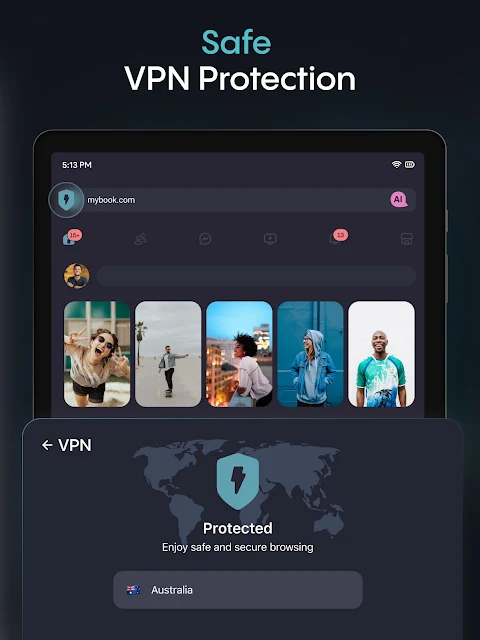
The standout feature mix is privacy-oriented browsing alongside an ad blocker and VPN feature. The description also calls out private tabs and a password-protected secure vault. Together, those options give the browser a stronger focus on keeping browsing sessions and access to selected content more controlled than a barebones browser usually suggests.
The download manager and file browser add a different kind of usefulness. Aloha describes saving videos, music, and other files, with a mini player for video and offline music. It also includes Wi-Fi file sharing between devices. I’d think of these as practical extras for content I’m allowed to save and share, rather than assuming every site or file supports the same behavior.
A Simple Daily Routine
One routine I can imagine is using Aloha for quick research during a commute or while waiting for an appointment. I’d open the pages I need, use private tabs when I want a separate session, and switch on the VPN feature when it fits the situation. If I find a file I want to keep, the download manager and player make it possible to continue with it inside the same app.
At home, I might use the browser for a longer read, then share a file over Wi-Fi if that is more convenient than another transfer method. I’d keep the routine simple: use a feature because it solves a particular problem, not because it is there. That keeps the browser from becoming a collection of options I rarely remember to use.
Limits to Keep in View
Aloha’s wide feature set is also its main compromise. Someone who only wants to open a page quickly may find the downloads, vault, VPN, and player unnecessary. I’d also avoid treating private browsing or a VPN as a promise of complete anonymity. They are tools described by the app, not a substitute for sensible choices about accounts, websites, and the information I enter.
The Beta label is another reason to approach it with realistic expectations. I’d test it alongside my existing browser before making a full switch, particularly if I depend on a specific everyday workflow. The available facts also don’t specify the minimum Android version, so device compatibility needs a quick check in the store. Those cautions do not erase its appeal, but they help set the right expectations.
Aloha Browser (Beta) is an appealing all-in-one option for Android users who want private browsing features, ad blocking, VPN access, and tools for downloads and media. I like the practical breadth of the package, especially for someone who regularly saves files from the web. The main question is whether those extras will earn a place in your routine.
I’d recommend giving it a try if you want a browser with more built-in tools than the basics and are comfortable evaluating a Beta app for yourself. If you prefer a stripped-down browser or need a dedicated media experience, its broader approach may not be a match. Start with familiar browsing tasks and keep what proves useful.
Aloha Browser Frequently Asked Questions
What is Aloha Browser (Beta) used for?
Aloha Browser (Beta) is a web browser with privacy-oriented features. Its described tools include private tabs, a VPN feature, an ad blocker, a secure vault, downloads management, a media player, and Wi-Fi file sharing. It is intended for browsing and related file tasks, rather than serving only as a standalone music or video player.
Which devices support Aloha Browser (Beta)?
Aloha Browser (Beta) is listed on Google Play for Android. The available details do not give a minimum Android version, so check the Google Play store on your device for compatibility. Device requirements can vary with the app version and the device, so it is worth checking the current store information before installing.
Does Aloha Browser (Beta) cost money?
Aloha Browser (Beta) is free to install on Google Play, and it offers in-app purchases. The listed in-app items range from $0.99 to $159.99 each. The specific purchase options and prices can vary, so check the current Google Play information if you want details about a particular item.
Does Aloha Browser (Beta) include a VPN and ad blocker?
Yes. The app description includes a VPN feature and a built-in ad blocker, alongside private tabs and other browsing tools. Those features are part of its broader browser package. For exact behavior and current purchase details, it is sensible to review the app’s Google Play information and the controls available in the version you install.
Who is Aloha Browser (Beta) best suited to?
It may suit Android users who want privacy-oriented browsing and value downloads, file sharing, or media playback in the same app. It may be less appealing to people who prefer a minimal browser or do not need its additional tools. As a Beta app, it is worth trying with ordinary tasks before relying on it as your only browser.
Pros
- Combines private tabs, VPN features, and an ad blocker in one browser.
- Includes downloads management and a mini player for video and offline music.
- Wi-Fi file sharing adds a practical option for moving files between devices.
- Free to install, with a broad set of browsing and file tools.
Cons
- The range of built-in tools may feel unnecessary to minimal-browser users.
- The Beta label makes it sensible to test the app before relying on it fully.
- The minimum Android version is not specified in the supplied store facts.
- Category
- Tools
- Version
- 8.13.0











