AAA Mobile
- 82.82K
- 4.5
- Installs
- 10.00M
- Price
- Free
Screenshots
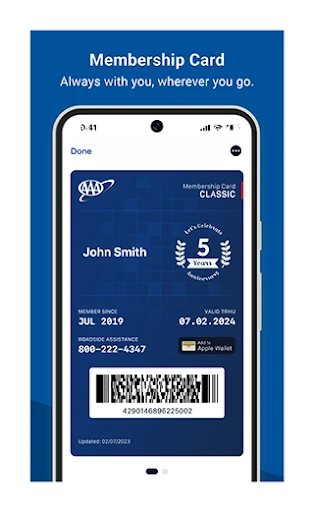
Analysis by Reviewed APKs
AAA Mobile brings AAA travel planning, member discounts, and roadside assistance into one phone app. I’d point it toward drivers who already use AAA and want practical tools while they’re away from home, though its trip planner is available to nonmembers too. Its appeal is straightforward: it connects travel research with useful on-the-road services rather than trying to replace every map or travel app on your phone.
A trip takes shape
Picture planning a weekend drive after dinner: you want to find a place to stay, pick a stop for lunch, and keep the route handy for the next morning. AAA Mobile’s TripTik travel planner is built for that kind of preparation. I can look for AAA Approved and Diamond Rated hotels, restaurants, and attractions, then create a trip to use on the go. The focus is on useful stops, not just getting from A to B.
The planning feels most useful when I have a few destinations in mind but still need to fill in the details. I can check nearby AAA Approved Auto Repair facilities, office locations, and gas prices, as well as look into hotels or rental cars. Saved trips can be shared between desktop and mobile devices, which makes it easier to start planning on a larger screen and bring the result along.
A travel companion, not everything
AAA Mobile sits between a general-purpose map and a member-services app. A map is usually the obvious choice for everyday turn-by-turn navigation, while this app adds AAA’s travel listings, discounts, and roadside options to the picture. I’d use it to research an overnight stop or check for a member discount, then keep my usual navigation app nearby if that is already part of my driving routine.
It is not a broad travel booking hub or a replacement for every service a driver might need. The description highlights finding AAA-rated places and booking hotels or rental cars, but its central advantage is access to AAA-related tools. Some features, including roadside assistance requests and trip sharing, require current membership. Nonmembers can still use the trip planner, so there is a reason to try it even without joining.
Small habits, better prep
I’d get more from AAA Mobile by doing a little trip preparation before leaving rather than waiting until I’m already on the road. Saving a route and checking potential stops at home gives me time to compare options without juggling decisions in the car. If I plan on desktop, sharing the saved trip to my phone can make the handoff between planning and traveling feel more natural.
For regular driving, it also makes sense to check the nearby tools when a need comes up: a repair facility, a gas price, or a AAA office. Members can keep the roadside assistance option in mind for a breakdown, and battery replacement quotes are available in some areas. I would treat these as useful on-demand services, not as a reason to skip ordinary travel preparation.
More From Our News Desk

Zoom Meetings, Google Meet, or Teams: Which Is Easiest to Join?

How I Build a Free Streaming Lineup With Tubi

Why Crunchyroll Is the Default Anime App for So Many Fans

YouTube TV: A Practical Guide to Cutting Cable

Rummikub and the Small Comfort of Phone Games

TeamViewer Remote Control or AnyDesk for Helping Family?
Who may find it useful
I’d recommend AAA Mobile to current AAA members who travel by car and want AAA’s planning, discount, and roadside tools together. It is especially relevant if you like finding rated hotels and restaurants, arranging a multi-stop trip, or checking for nearby repair facilities. The ability to create and share trips across desktop and mobile is a nice fit for anyone who likes to plan ahead and then have those plans close at hand.
It may be less compelling if you rarely drive, do not use AAA services, or already have a travel-planning setup that covers your needs. Nonmembers can still use the trip planner, but membership is required for some features, including roadside assistance requests. I’d also avoid treating it as a complete substitute for a dedicated navigation app: the appeal here is AAA-specific travel and membership access.
AAA Mobile is published by American Automobile Association, Inc. On Google Play, it has more than 10 million installs and a 4.5-star rating from about 83,000 ratings. The app is free to download, has no in-app purchases, and contains no ads. Its content rating is Everyone, making the store’s age category broad, though the practical usefulness depends more on whether you drive and use AAA services.
The current version shown is 26.14.0. AAA Mobile was released on August 10, 2010, and its last update is dated October 20, 2026. An Android minimum version is not provided in the supplied app details, so check the Google Play page on your device for current compatibility information. Store availability and device requirements can change over time.
AAA Tools for the Road
A practical first impression
When I first consider AAA Mobile, what stands out is the mix of travel planning and member services. It is not presented as a single-purpose map; it gathers tools for finding places, planning a trip, looking for discounts, and requesting roadside help. That gives the app a clear role for people who already rely on AAA, while the trip planner gives nonmembers a useful way to explore it.
The setup is easiest to think about in terms of what you need. If you are mapping a trip, you can start with the TripTik planner and search for AAA-rated hotels, restaurants, or attractions. If you are a member, the app also connects to certain member features. The distinction matters: some services require current membership, so the full experience depends on your AAA status.
Useful between destinations
Day to day, the app’s strongest use is checking practical travel information when a drive involves more than a familiar commute. Searching for an approved hotel or restaurant can help narrow down stops, while the nearby repair facility and gas price tools address more immediate driving needs. I like that these are tied to actual travel decisions rather than being abstract extras that are hard to fit into a routine.
I would use it before a drive and during breaks, not while trying to explore every feature behind the wheel. For a planned journey, I can save a trip and refer to it later; for a quick need, I can look for a nearby AAA office or repair location. The app’s usefulness comes from having those options available in one place, especially for drivers who already value AAA services.
AAA features that stand out
The TripTik planner is the feature that gives AAA Mobile its travel identity. It helps find more than 59,000 AAA Approved and Diamond Rated hotels and restaurants, and it also includes attractions. Users can create trips and share saved plans between desktop and mobile devices. That cross-device option is particularly handy if you prefer to research a route at home before relying on your phone during the trip.
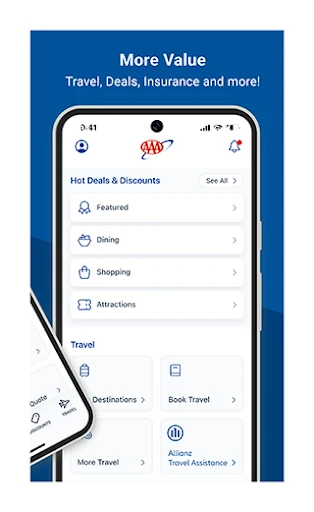
The app also includes ways to book a hotel or rental car and to find member discounts at over 164,000 locations. For local driving needs, it can locate AAA Approved Auto Repair facilities, AAA offices, and cheaper gas prices nearby. These features make it more than a directory, although they remain focused on AAA-related travel and membership benefits.
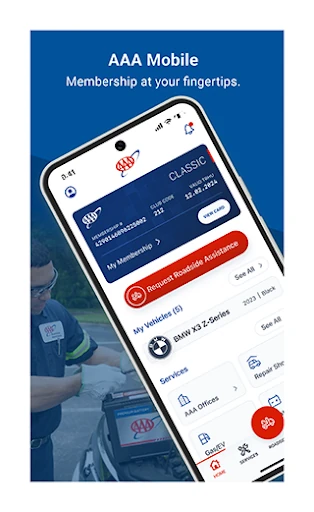
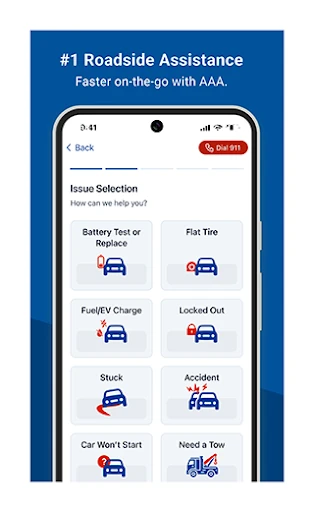
For eligible members, roadside assistance requests are another important part of the app. It can also provide instant battery replacement quotes, though that service is not available everywhere. I appreciate the distinction between tools for any trip planner user and services that depend on membership or location; it helps set realistic expectations about what will be available when needed.
A simple travel routine
For a weekend drive, I’d start by building the trip before departure. I would search for a hotel or restaurant along the way, add places that interest me, and save the plan. If I had been working on a desktop, I could share that saved trip to my mobile device. That small step keeps the research together rather than scattered across notes and browser tabs.
On the travel day, I’d use the app when I need to check a stop, find a nearby repair facility, or compare gas prices. If I am a current AAA member, I can also keep the roadside assistance option in mind in case the car needs help. It is a practical routine, not a promise that every service will be available in every location.
Limits worth remembering
Membership is the main limitation to keep in view. The description says roadside assistance requests and sharing saved trips require current AAA membership, while nonmembers can still use the trip planner. Discounts are described as member discounts, so the app’s value naturally increases for people already using AAA. Before relying on a particular service, I’d check whether it applies to my membership and area.
The app’s range is also deliberately focused. It offers travel planning, AAA-rated listings, discounts, and certain driving services, but the material does not position it as a universal navigation or travel platform. Battery replacement quotes are not available in all areas, too. I’d treat AAA Mobile as a helpful companion to a driving routine, rather than expecting every tool to cover every trip.
AAA Mobile makes the most sense when AAA is already part of your driving life. Its trip planner, rated places, discounts, and roadside options bring several practical needs together, and the ability to share saved trips across devices is useful for planning ahead. The experience is focused rather than all-purpose, which is a strength if those are the tools you came looking for.
I’d recommend giving it a look if you drive regularly, travel by car, and have an AAA membership. Nonmembers can still explore the trip planner, but some of the most important member services are reserved for current members. If you want one app to handle every navigation or travel task, this is probably not that; as an AAA companion, it has a clear purpose.
AAA Mobile Frequently Asked Questions
What is AAA Mobile used for?
AAA Mobile provides access to AAA travel planning, discounts, and roadside assistance features. Its TripTik planner can help find AAA Approved and Diamond Rated hotels, restaurants, and attractions, while other tools locate repair facilities, AAA offices, and gas prices. Nonmembers can use the trip planner, but some services require current AAA membership.
Which phones and devices support AAA Mobile?
AAA Mobile is an Android app available through Google Play. Saved trips can be shared between desktop and mobile devices, but that does not mean the app itself is a desktop program. Device compatibility can change, so check the Google Play page for the current requirements before installing it.
What Android version does AAA Mobile require?
The Android minimum version may vary as the app is updated. Check AAA Mobile’s Google Play page from your device to see whether your Android version is currently supported. The app’s version shown in the supplied details is 26.14.0, but that does not by itself indicate which older devices can run it.
Does AAA Mobile cost money or include purchases?
AAA Mobile is free to download, with no in-app purchases and no ads according to the supplied app details. Some services inside the app require current AAA membership, so free installation does not mean every service is available to every user. Check Google Play for current app details and membership information.
Is AAA Mobile useful if I am not a member?
Yes. The app description says nonmembers can use its trip planner, including tools for finding AAA-rated places. Current membership is required for some features, including roadside assistance requests and sharing saved trips. It is likely most useful to drivers who travel by car and want AAA services, but the planner can still help nonmembers.
Pros
- Combines trip planning with AAA-rated hotels, restaurants, and attractions.
- Saved trips can be shared between desktop and mobile devices.
- Includes nearby repair facilities, AAA offices, and gas price searches.
- Nonmembers can still use the trip planner.
Cons
- Some features, including roadside assistance requests, require current membership.
- Battery replacement quotes are not available in every area.
- Its AAA-focused tools may be less useful for drivers who do not use AAA.
- Category
- Lifestyle
- Version
- 26.14.0











