Zoom Workplace
- 4.60M
- 4.1
- Installs
- 1.00B
- Price
- Free

Screenshots
Analysis by Reviewed APKs
Zoom Workplace brings video meetings, team chat, calls, documents, a calendar, email, and collaborative whiteboards together in one work app. It suits people who already use Zoom with colleagues and want to handle more of their work from a phone or tablet. My overall take is that it can cut down on app switching, though the breadth of tools may feel like more than a meeting-focused user needs.
A Meeting-Day Companion
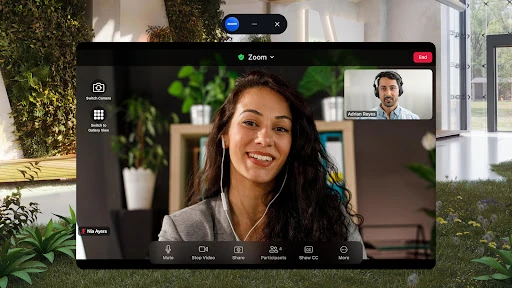
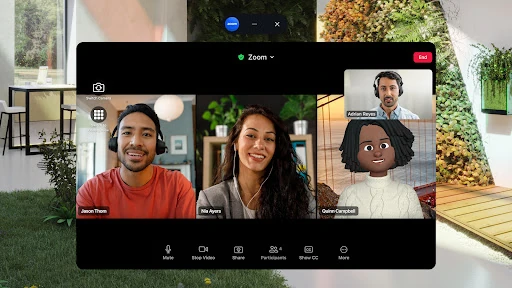
When I imagine using Zoom Workplace on a busy workday, the useful part is having several kinds of follow-up close to the meeting itself. I can join a video call with a tap, send a message to colleagues or outside contacts, and use meeting notes or an AI-generated summary to help catch up afterward. That makes sense for the familiar routine of taking a call between other tasks and then needing to share what happened.
The phone-specific touches suit that in-between time, too. If I need to move a live video or phone call to another device, the app supports doing so with one tap. On a compatible Android phone, Picture in Picture can keep a meeting visible while I do something else; on a tablet, Split Screen supports a similar kind of multitasking. These are practical options for a day that does not happen entirely at a desk.
More Than Video Meetings
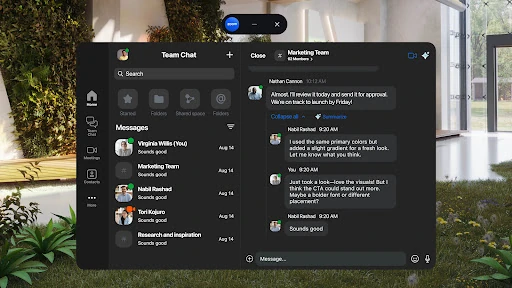
The obvious alternative is to use Zoom just for scheduled video calls and rely on separate apps for messages, documents, and brainstorming. Zoom Workplace takes a broader approach: Team Chat, Zoom Docs, Whiteboard, calendar, and email sit alongside meetings, with Zoom Phone available for calls and SMS where that service is enabled. For a team already working in Zoom, having these tools together can make the app a more useful daily hub.
That does not make it a universal replacement for every work tool, and I would not choose it solely as a personal to-do list or a general-purpose creative studio. Its center of gravity is workplace collaboration, especially communication around meetings. Some capabilities require a paid subscription or another license, and AI features may depend on region or plan, so the most appealing all-in-one setup is not necessarily available to every account.
Small Habits That Help
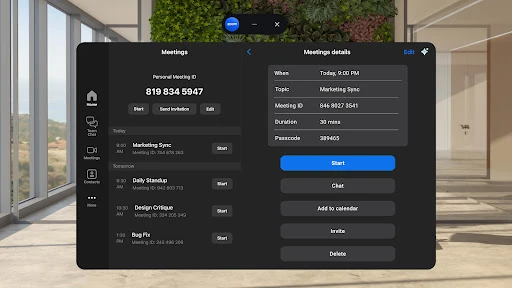
A little preparation makes a meeting-heavy day smoother. I would check the calendar and meeting details before the call, then use the app's meeting preparation or note-taking help when those features are available to my account. Afterward, an AI-generated summary can provide a quick way to revisit the discussion, while Team Chat gives me a place to follow up with colleagues or external contacts without immediately jumping to another app.
I would also make device switching part of the routine rather than treating it as a last resort. Starting a call on one device and moving it when I need to leave my desk can keep the conversation going. For quick hands-free interactions, the description says Google voice commands are supported. On a tablet, Split Screen may help keep a meeting in view while I work alongside it.
Reads About Zoom Meetings
More From Our News Desk

How I Build a Free Streaming Lineup With Tubi

Why Crunchyroll Is the Default Anime App for So Many Fans

YouTube TV: A Practical Guide to Cutting Cable

Rummikub and the Small Comfort of Phone Games

TeamViewer Remote Control or AnyDesk for Helping Family?

Gmail, Yahoo Mail and Outlook: A Calmer Phone Inbox
Who Will Get the Most From It
I would recommend Zoom Workplace to people whose workdays already revolve around Zoom meetings and team communication. Remote and hybrid workers may appreciate having calls, chat, documents, and whiteboarding in one place, especially when they move between a phone, tablet, and other devices. The app's AI meeting and message tools could also help people who regularly need to catch up or turn conversations into useful notes.
It may be less appealing if all you need is an occasional video call and you prefer a small, focused app. Some tools depend on a paid plan or another license, and the range of options can feel like extra complexity when your team uses only meetings. I would also check which features are available to your account and region before relying on AI, phone, or other licensed capabilities for a particular workflow.
Zoom Workplace is published by zoom.com and is listed in the Business category on Google Play. It has more than a billion installs and a 4.1-star rating from around 4.6 million ratings. The app is free to download, contains no ads, and is rated Everyone. Its Google Play version varies with the device, and the available facts do not specify a minimum Android version.
The app was released on January 24, 2013, and its listed last update is September 21, 2026. Google Play offers in-app purchases, with listed items ranging from $10.00 to $169.99 each. The amount charged for a subscription can depend on the plan and country; the price is shown before a trial or purchase is confirmed. Some features require a paid Zoom Workplace subscription or another license.
How Zoom Workplace Fits a Workday
Getting Started on Mobile
My first impression is of a workplace app designed to cover several parts of the day, not just the moment a meeting begins. The description groups meetings, chat, phone, documents, calendar, email, and whiteboard together. That range is the main attraction, but it also means the app makes most sense when a team uses more than one of those services.
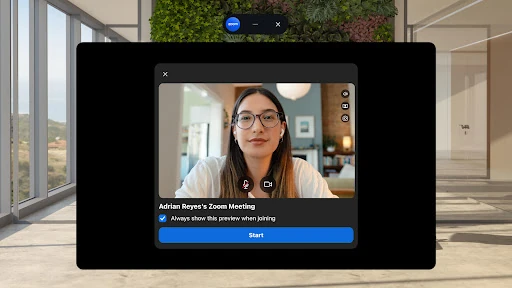
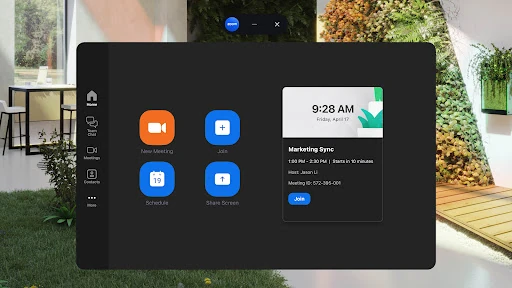
For a first run, I would start with the task that matters most: joining a meeting or checking a conversation. The app supports scheduling or joining video meetings with one tap, and it offers Team Chat for messages to colleagues and external contacts. Once those basics feel familiar, it is easier to decide whether the additional collaboration tools belong in my regular mobile routine.
The Everyday Rhythm
The core experience follows a recognizable work rhythm: prepare for a conversation, join it, then pick up the discussion afterward. Zoom Workplace combines video meetings with chat and, for users with the relevant service, phone calls and SMS. That puts several common communication tasks under one app name, which can be handy when a meeting ends and a quick written follow-up is the next step.
On a phone, continuity matters as much as the call itself. Zoom says users can move a live video or phone call between devices, while Android Picture in Picture and tablet Split Screen support multitasking during calls. Those options suit people who need to keep a conversation going while changing rooms or handling another task. They are useful conveniences, rather than reasons by themselves to move an entire team onto the platform.
Tools Beyond the Call
The features that stand out are the ones that extend a meeting into the work around it. Zoom Docs provides a way to create and share documents, while Zoom Whiteboard is intended for brainstorming and collaboration. Calendar and email are also part of the broader app offering. Together, these tools give teams options for organizing discussions and sharing work without treating every conversation as a standalone video call.
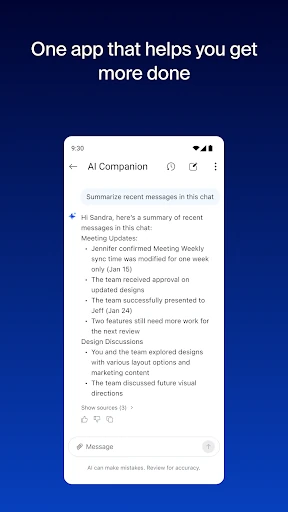
AI is another part of the pitch, with tools for meeting preparation, generated meeting summaries, personal notes, message catch-up, and drafting content. I find the message recap idea especially practical for a crowded chat, while a meeting summary can help with later review. Availability is not universal: the description says AI may be unavailable in some regions or industry verticals, and certain features depend on plan or license.
A Practical Daily Routine
A sensible routine would begin with the calendar and a quick look at what is coming up. Before a meeting, I could use any available preparation help, then join from the phone if I am away from my desk. During the call, a tablet's Split Screen or a phone's Picture in Picture could make it easier to keep the conversation visible while checking another item.
Afterward, I would review notes or an available summary, then send any follow-up through Team Chat or work on a shared document. If a conversation continues while I move to another device, call transfer can keep it in progress. This is not a promise that every step will be available on every account; licenses, plan, and regional availability shape which parts of the routine apply.
Limits to Keep in Mind
The biggest limitation is that an all-in-one app does not mean every tool is included for free. The description says some features require a paid Zoom Workplace subscription or another license. Zoom Phone, cloud recording, and some AI capabilities have specific access conditions, so I would check the plan before building a workflow around them. The Google Play purchase price also varies by selected plan and country.
There is also a learning trade-off: people who only want to join occasional video calls may find the wider collection of work tools unnecessary. AI availability can vary by region, industry vertical, and plan, and the app's version varies with the device. For a team that relies on one or two core functions, a simpler set of tools may be easier to manage than adopting the broader workplace suite.
Zoom Workplace is at its best when meetings are only one piece of a team's working day. Chat, calls, documents, whiteboarding, and AI-supported meeting follow-up give it a wider role than a basic video-call app. I like the idea of keeping those tasks together, particularly for people who already use Zoom with colleagues.
I would try it if my team relies on Zoom and I want mobile access to more of our collaboration. If I only need occasional video calls, I would keep expectations modest and focus on the meeting tools. Before paying, I would check which features my account includes and what the selected plan costs.
Zoom Meetings Frequently Asked Questions
What is Zoom Workplace used for?
Zoom Workplace is a business collaboration app for video meetings, team messaging, phone calls, documents, whiteboards, calendar, and email. It also describes AI tools for meeting preparation, notes and summaries, message catch-up, and drafting. Which tools are available can depend on the account, plan, license, or region.
Which devices can run Zoom Workplace?
Zoom Workplace is available on Android, and the app description mentions phone and tablet features such as Picture in Picture and Split Screen. The minimum Android version is worth checking on Google Play because requirements can vary. The app's version also varies with the device.
Does Zoom Workplace cost money?
The app is free to download and contains in-app purchases. Google Play lists in-app items from $10.00 to $169.99 each, while subscription charges depend on the selected plan and country. The price is shown before a trial or purchase is confirmed, and some features need a paid subscription or another license.
Does Zoom Workplace include AI features?
The app describes AI support for meeting preparation, generated summaries, personal notes, catching up on unread chat messages, and drafting content. AI may not be available in every region or industry vertical, and access to some features depends on a plan or license. Check the Google Play information and your account for current availability.
Is Zoom Workplace suitable for occasional meetings?
It can be used to schedule or join video meetings, so occasional callers can use that core function. However, Zoom Workplace also brings together chat, calls, documents, whiteboards, and other work tools, which may be more than a casual meeting user needs. The best fit is someone who wants several workplace collaboration functions together.
Pros
- Combines meetings, chat, calls, documents, and whiteboarding in one workplace app.
- Supports moving live calls between devices and multitasking on Android phones and tablets.
- Includes AI tools for meeting summaries, notes, message catch-up, and drafting where available.
- Free to download and contains no ads.
Cons
- Some features require a paid subscription or another license.
- AI availability can depend on region, industry vertical, and plan.
- The breadth of workplace tools may be excessive for occasional video-call users.
- Category
- Business