Indeed Job Search
- 14.26M
- 4.7
- Installs
- 100.00M
- Price
- Free

Screenshots
Analysis by Reviewed APKs
Indeed Job Search is a mobile job-hunting app for finding openings, comparing workplaces and pay, and applying with a saved resume. I found it most useful as a practical place to keep the search moving between other parts of the day: checking roles during a break, saving promising options, then returning to applications later. Its breadth is appealing, though the number of choices can make a focused search feel like work.
A Search Between Errands
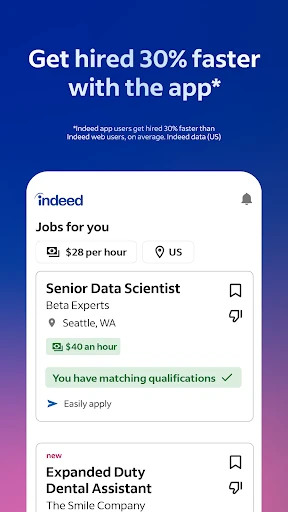
When I first opened Indeed Job Search, I pictured using it in the little gaps that appear during a busy week. I could search by role and location, then use filters to narrow the results toward options such as part-time or remote work. That makes the app feel useful whether I am casually exploring or actively looking for a new position, rather than requiring a long, dedicated desktop session every time.
A realistic routine might be checking openings during a lunch break, saving a few that look relevant, and coming back in the evening to read details and apply. Indeed brings listings together, including opportunities posted on other job-search sites, so one search can cast a wider net. I would still take time to inspect each posting before applying, but the app makes it straightforward to keep the search in motion from a phone.
A Broad Job Search Tool
Compared with visiting employer career pages one by one, Indeed is a convenient starting point: it gathers job listings and adds tools for searching, resume use, application tracking, company reviews, and salary research. That combination suits someone who wants to browse and organize several parts of a job hunt in one app. It can also help when I am still deciding what kinds of roles or workplaces deserve a closer look.
Indeed is not a career counselor or a substitute for judging whether a particular role fits my goals. A large collection of listings does not remove the need to read requirements, compare details, and decide what to pursue. Its main job is to help me find and manage opportunities, not to promise an outcome. If I already have a short list of employers and prefer dealing with each directly, the app may be more than I need.
Small Habits That Help
I get more value from a job-search app when I give each visit a small purpose. One day, I might look for a particular title and location; another time, I could check flexible-work filters or compare salary information by role, company, and location. Narrowing the search before scrolling helps keep a broad feed from becoming a blur of unrelated possibilities, especially when I only have a few minutes.
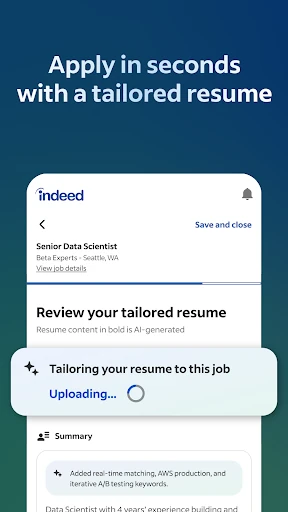
A saved resume can also make repeat applications less of a chore, since Indeed says it can be used rather than rewriting the same information for each application. I would keep the resume current and review each application before sending it. Then I could use the application-tracking tools to see progress and notifications about employers reading or responding to applications on Indeed. These small steps make the search easier to revisit.
More From Our News Desk

Zoom Meetings, Google Meet, or Teams: Which Is Easiest to Join?

How I Build a Free Streaming Lineup With Tubi

Why Crunchyroll Is the Default Anime App for So Many Fans

YouTube TV: A Practical Guide to Cutting Cable

Rummikub and the Small Comfort of Phone Games

TeamViewer Remote Control or AnyDesk for Helping Family?
Who May Find It Useful
I would recommend Indeed Job Search to people who want one mobile place to explore openings, especially if they are comparing roles across employers or looking for options such as remote, freelance, side, or part-time work. The resume tools and application tracking make it a sensible fit for an active search, while company reviews and salary information can add useful context before applying.
It may be less appealing to someone who wants a very narrow list of handpicked roles or dislikes sorting through a broad range of postings. Job hunting still takes judgment and follow-up, and the app cannot decide which workplace is right for you. I would treat its search and comparison tools as support for that process, not as a replacement for reading listings carefully or considering personal priorities.
Indeed Job Search is a free Android app from Indeed Jobs in the Business category. Google Play shows over 100 million installs and a 4.7-star rating from about 14.3 million ratings. The app contains ads, and the supplied store facts show no in-app purchases. Its content rating is Everyone, making the store’s general age classification easy to understand.
The current version in the supplied facts is 302.0.0, with a last update date of October 28, 2026. A minimum Android version and original release date are not included in the available product facts, so I have left those details out. Requirements can vary by device and software release; checking the Google Play page on the phone you plan to use is the practical way to confirm compatibility.
Making a Job Search More Manageable
Opening and Getting Started
My first impression is that Indeed is built for getting into the search quickly. The central task is easy to grasp: look for openings, narrow the results, and explore roles that match your preferences and work experience. That immediate focus matters on a phone, where I may be checking in briefly rather than sitting down for a full hour of career planning.
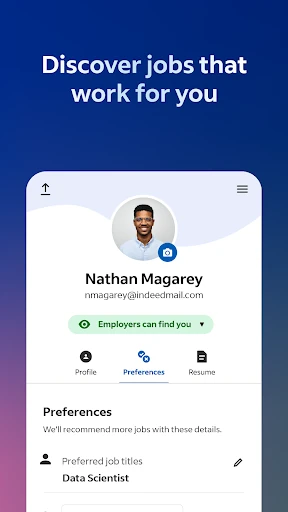
The setup that matters most is personalizing the search around the kinds of roles and work arrangements I actually want. The app supports searching by job title and using filters, including options for remote, part-time, freelance, side jobs, and work-from-home or work-from-anywhere roles. I would start with a realistic set of criteria, then widen it if the results feel too limited.
The Daily Search
Day to day, the app is most useful as a place to search, compare, and return to potential openings. Indeed describes a database that includes listings from other job-search sites, alongside recommended roles based on preferences and work experience. That breadth can be helpful when I want to see what is available beyond the employers I already know, although it also means I need to judge each result on its own merits.
What works for me is splitting the job hunt into manageable visits. I can browse when I have a spare moment and save the effort of applying for a later session, when I can give a role more attention. For applications, Indeed says a saved resume can be used to avoid entering the same information repeatedly. I would still check the details each time, since speed is useful only when the application is accurate.
More Than Listings
The company information gives the search a useful second angle. Indeed says users can explore more than 700 million company ratings and reviews, which can help me look beyond a job title and consider what employees say about a workplace. Reviews are one input, not a complete picture, but having them alongside job searches makes it easier to investigate a company while an opening is fresh in mind.
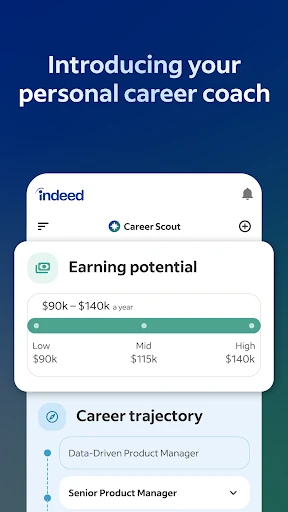
Salary information is another practical addition. The app describes more than 1.1 billion salaries searchable by job title, company, and location. I like that this supports a comparison before applying, particularly when a role’s pay is important to my decision. The figures can inform a search, but I would use them as context rather than assume any one number describes every position or offer.
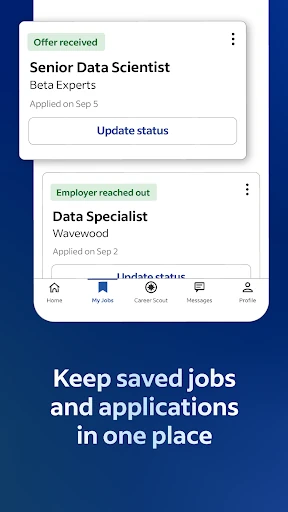
Application tracking rounds out the experience. Indeed says users can keep track of applications and receive notifications when an employer has read or responded to an application on Indeed. That can help me remember where things stand when I have applied to several roles. It does not remove the need to follow up thoughtfully, but it gives the process a more organized home than a string of half-remembered searches.
A Weekly Search Routine
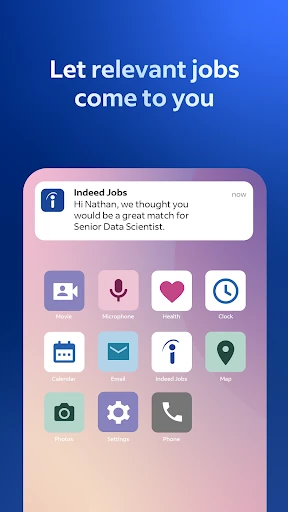
A routine I would use is to set aside a short browsing session early in the week, search by a few relevant titles and locations, and apply filters for the work arrangements I am open to. Rather than applying to every plausible result, I would make a shortlist to review later. The app’s range of listings and recommended roles gives me room to discover options while keeping the first pass focused.
Later, I could compare promising employers using company reviews and salary information, then decide which openings deserve an application. I would make sure my resume is up to date before relying on it for repeat applications. After submitting, application tracking and notifications can help me check for progress. This is not a complicated system, but it turns scattered browsing into a repeatable sequence of search, review, apply, and revisit.
Limits to Keep in Mind
A broad search can bring a lot of material to sort through. Filters help narrow the field, but they do not make every result relevant, and a listing collected from another site may need extra checking. I would read the employer, requirements, and application details carefully instead of treating a result’s appearance in the app as a reason to apply automatically.
The app also does not make the harder decisions for me. Salary information and employee reviews can add perspective, but neither can tell me whether a specific role, manager, or workplace will suit my circumstances. Likewise, application tracking is helpful for staying organized, not a substitute for managing the process myself. The experience is strongest when I use its tools as a starting point and bring my own judgment.
One practical consideration is that Google Play identifies the app as containing ads. That is worth knowing if I prefer a completely ad-free experience. The supplied facts also do not specify a minimum Android version, so I would check the app’s store page for compatibility with my particular phone. Those are modest caveats, but they matter when choosing a daily-use tool.
Indeed Job Search is a capable, broad-based companion for the ordinary work of finding openings, comparing employers, preparing applications, and keeping track of responses. I especially like the way listings sit alongside resume tools, company reviews, and salary information. It still asks me to filter carefully and make my own decisions, but it can make a sprawling search easier to revisit.
I would recommend it to job seekers who want a flexible mobile starting point and are comfortable doing some sorting. People who prefer a tightly curated experience may find the range of results less appealing. For most active searches, though, Indeed offers a useful set of practical tools in one place, with the caveat that a thoughtful application still takes more than a quick tap.
Indeed Job Search Frequently Asked Questions
What is Indeed Job Search used for?
Indeed Job Search is used to find job openings, narrow results with search filters, and explore recommended roles. It also supports resume use and building, application tracking, company reviews, and salary searches. It is designed to help with several parts of a job hunt from a mobile device, from browsing possibilities to keeping track of applications.
Which devices can run Indeed Job Search?
The supplied product information describes Indeed Job Search as an Android app available through Google Play. It does not specify a minimum Android version, so compatibility may vary by phone and software version. Check the Google Play page on your device for the current requirements before installing.
Does Indeed Job Search cost money?
Indeed Job Search is marked free, and the supplied facts show no in-app purchases. Google Play identifies the app as containing ads. Store details can change over time, so check the current Google Play page if you want to confirm the latest cost and advertising information.
What Android version does Indeed Job Search require?
A minimum Android version is not provided in the available product facts. The requirement may vary with app updates and device compatibility, so the best place to check is the Indeed Job Search page in Google Play on the phone you plan to use.
Is Indeed Job Search suitable for an active job hunt?
It can suit an active search if you want to browse listings, use a saved resume, and keep track of applications and responses on Indeed. Filters, company reviews, and salary searches offer additional ways to compare options. It may be less suitable if you want a very small, curated selection and do not want to sort through results.
Pros
- Combines job searches with resume tools and application tracking.
- Filters cover remote, part-time, freelance, side, and flexible work options.
- Company reviews and searchable salary information add context to openings.
- Listings include opportunities posted on other job-search sites.
Cons
- A broad collection of results can take time to sort through.
- Ads are present, according to the Google Play product facts.
- Reviews and salary information still require personal judgment.
- Category
- Business
- Version
- 302.0.0