Adobe Scan: AI PDF Scanner, OCR
Listed on Google Play as “Adobe Scan: PDF Scanner App”
- 3.04M
- 4.6
- Installs
- 100.00M
- Price
- Free

Screenshots
Analysis by Reviewed APKs
Adobe Scan: PDF Scanner App turns a phone camera into a practical document scanner, making it easier to keep receipts, forms, notes, and other paper in a searchable digital library. I find it most useful for people who regularly handle paperwork and want more than a quick photo. It can do a lot, though some capabilities sit behind in-app purchases, so it is worth knowing which tools you actually need.
A Paperwork Run at Home
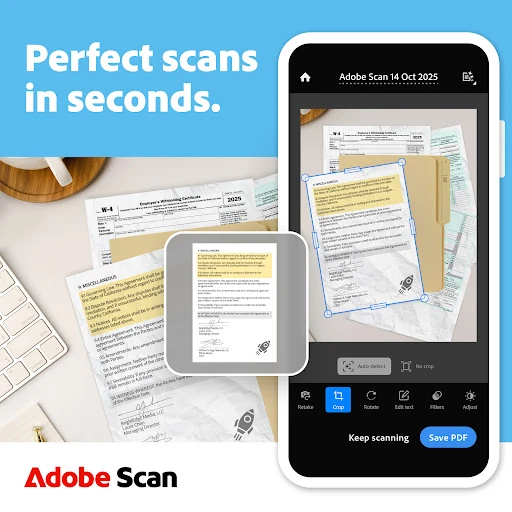
When I have a small pile of receipts, a form to return, and a few handwritten notes to keep, taking separate camera photos quickly becomes messy. Adobe Scan is built for that sort of everyday backlog. I can capture pages as scans, straighten tilted edges, adjust their appearance, and save the results as PDFs or JPEGs. Instead of leaving the paperwork scattered through my camera roll, I can give the files a more useful home.
The appeal is not only getting a page into a file. Text recognition can make words searchable and editable, while page previews and reordering help when one document has several sheets. I can picture using it after a school meeting or a work errand: scan the papers before they disappear into a bag, check the order, and file them for later. It is a small task, but having the scan ready to find is the point.
More Than a Camera Photo
A regular camera is fine when I only need a visual reminder, and a dedicated scanner may make more sense for frequent, high-volume office work. Adobe Scan occupies the useful middle ground: it turns phone captures into documents, with tools for correcting pages, recognizing text, and organizing files. I would reach for it when a receipt, ID, recipe, or paper form needs to be kept and reused rather than merely photographed.
I would not treat it as a general photo editor or a replacement for every part of a desktop document workflow. Its purpose is focused on scanning and working with scans; opening a file in Acrobat Reader adds options such as commenting, highlighting, filling forms, and signing. Some advanced capabilities require a subscription, too. If all I need is one casual snapshot, the extra scanning workflow may be more than the moment calls for.
Small Habits, Better Files
The easiest way to keep a scan useful is to finish the filing while the paper is still in front of me. I would scan related pages together, preview them, put them in the right order, and save them into a custom folder for work, personal records, or school. That routine is more reliable than promising myself I will organize a batch of anonymous files later, when I have forgotten what each one was.
For searchable records, I would check the scan before moving on, especially if the page is curved, tilted, or faint. The Straighten tool, brightness and contrast adjustments, and OCR can help make a page easier to use afterward. If I am scanning a business card, the ability to pull contact details into phone contacts is a handy shortcut. Small checks at capture time can save a frustrating search later.
Reads About Adobe Scan
More From Our News Desk

Zoom Meetings, Google Meet, or Teams: Which Is Easiest to Join?

How I Build a Free Streaming Lineup With Tubi

Why Crunchyroll Is the Default Anime App for So Many Fans

YouTube TV: A Practical Guide to Cutting Cable

Rummikub and the Small Comfort of Phone Games

TeamViewer Remote Control or AnyDesk for Helping Family?
Who Will Get the Most From It
I would recommend Adobe Scan to students, freelancers, office workers, and anyone who regularly needs to keep paper records close at hand. It suits people who want searchable scans, custom folders, or a quick way to convert photos and paperwork into PDFs. The combination of capture, cleanup, and organization makes it more useful than a camera shortcut when documents need to remain legible and easy to retrieve.
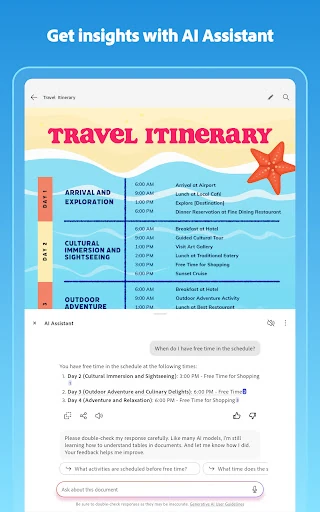
It may be less appealing if you rarely scan anything, prefer to keep every file in a simple camera roll, or need a high-volume desktop scanning setup. People interested in AI summaries, larger OCR capacity, or combining scans should also pay attention to which features are included without a subscription. The free app is a reasonable place to start, but the broader toolset may not be necessary for someone with only occasional paperwork.
Adobe Scan: PDF Scanner App is a Business app from Adobe. On Google Play, it has over 100 million installs and a 4.6-star rating from around 3 million ratings. It is free to download, contains no ads, and is rated Everyone. The current version varies with device, and Google Play lists its release date as May 31, 2017.
The app offers in-app purchases, with listed items ranging from $1.99 to $69.99. Its last update was October 8, 2026. The minimum Android version is not included in the available app details, so check Google Play for the requirement on your device. The app description also presents scans as accessible across phone, tablet, and computer through Adobe's document tools.
A Closer Look at Everyday Scanning
A Straightforward Start
My first impression is that Adobe Scan is aimed at turning a quick camera capture into a document I can keep working with. The central job is easy to understand: scan paper or a printed photo, then clean up and save the result. It also supports converting images from the camera roll, which is helpful when I have already taken a picture and do not want to recreate the moment.
Getting a useful result involves more than pointing the camera and tapping once. The app can detect document borders, sharpen content, and straighten pages, even when all four corners are not visible. I would still take a moment to preview the capture and make sure the page looks right. That little review is especially worthwhile for forms or receipts where a clipped edge could mean losing information.
The Daily Scan Loop
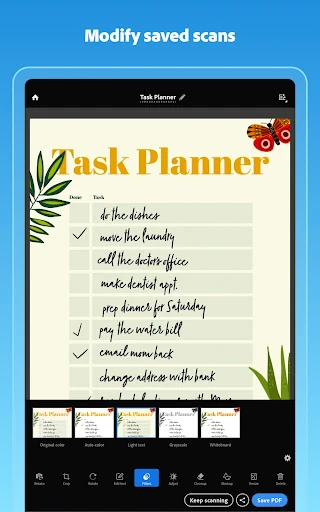
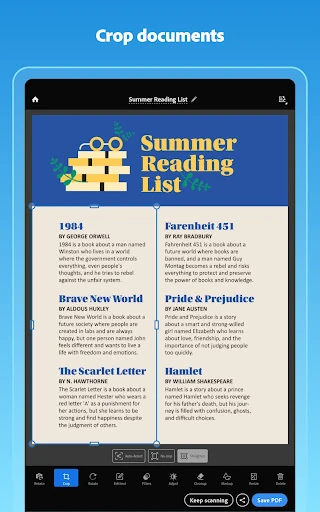
The day-to-day rhythm is capture, check, and file. Adobe Scan lets me preview pages, reorder them, and make adjustments such as cropping, rotating, resizing, or changing brightness and contrast. That makes it possible to handle a slightly awkward page without starting over immediately. When I am dealing with several sheets, seeing the document as a sequence is more reassuring than trusting a stack of separate pictures.
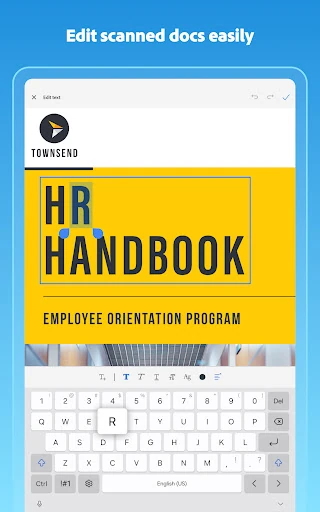
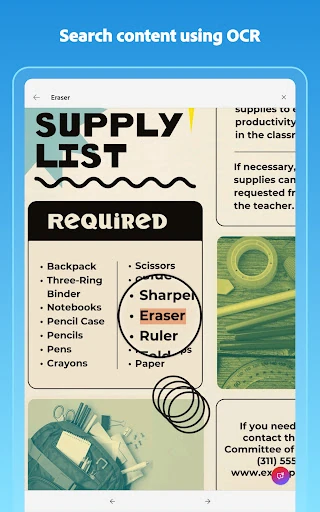
After saving, searchable text can make a scan easier to find and reuse. OCR is particularly practical for notes or paperwork that I may need to search later, while text recognition also supports copying and editing words from images. I would not skip the visual check just because text recognition is available; the scan still needs to be readable as a page, not merely contain detectable words.
Tools Beyond Capture
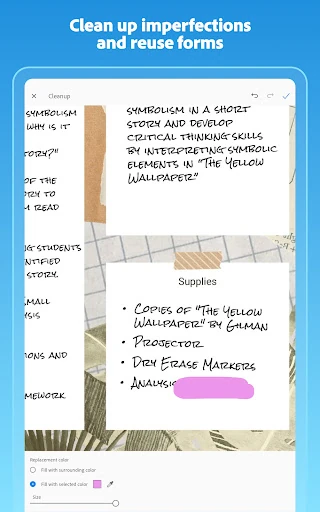
The editing and cleanup options are among the app's most distinctive practical touches. The Magic eraser can remove unwanted fingers, shadows, stains, and creases from a scan, while the Straighten tool addresses tilted or curved pages. These are the kinds of imperfections that often show up when I am scanning in a hurry at a kitchen table or holding a sheet with one hand.
Adobe Scan also reaches beyond basic PDF creation. It can extract contact details from business cards, and its library can find documents, receipts, and photos to convert into PDFs. The description includes a beta Digitize tool for turning handwritten notes and whiteboards into searchable, editable documents. I would regard that as an extra to explore rather than the main reason to rely on the app.
A Useful Weekly Routine
A simple weekly paperwork routine is where I can see this app earning its place. I would collect receipts, forms, and loose notes, scan them in related batches, and give each batch a relevant folder. Before saving, I would check page order and legibility. That approach keeps a folder from turning into a dumping ground and makes it easier to distinguish, say, work documents from personal records.
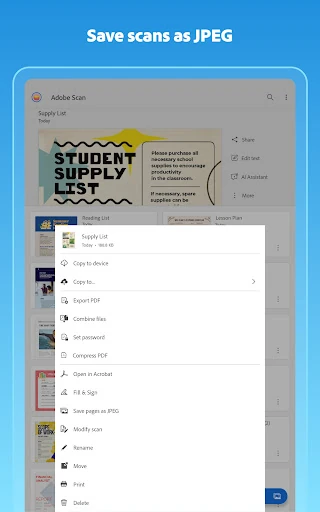
For a document I expect to reuse, I would take advantage of text recognition and keep the scan in a format that suits the next step. Adobe Scan supports PDF and JPEG output, and the description says scans can be exported to Word, Excel, or PowerPoint. If a file needs comments, highlights, form filling, or a signature, it can be opened in Acrobat Reader. That makes the scan a starting point for a broader document task.
Keep the Boundaries in Mind
The main limitation is that not every capability is necessarily part of the free experience. The app has in-app purchases, and its subscription features include combining scans into one file and raising OCR capacity from five to 100 pages. Anyone planning to process larger batches or depend on those particular tools should check the purchase details before building a workflow around them.
There is also a difference between a convenient mobile scan and a full desktop document process. Adobe Scan can help capture and organize pages, but more involved work may mean moving into Acrobat Reader or another Adobe tool. Its Digitize feature is described as beta, so I would not make an important routine depend on it without checking how it works for my needs. For occasional scanning, the basics may be plenty.
Adobe Scan is a capable choice when paper keeps interrupting an otherwise digital routine. Its combination of scan cleanup, searchable text, folders, and common export options gives it more staying power than a one-off photo. I especially like the idea of scanning and filing a document while it is still in my hands, rather than creating a camera-roll puzzle for later.
I would start with the free app if I regularly scan receipts, notes, forms, or business cards, then decide whether the subscription features justify their cost. If scanning is rare, a simpler approach may be enough. For people who want a dependable phone-based document workflow, Adobe Scan is worth trying.
Adobe Scan Frequently Asked Questions
What is Adobe Scan: PDF Scanner App used for?
Adobe Scan turns paper documents and printed photos into PDF or JPEG files. It can straighten and adjust scans, recognize text so it can be searched or reused, and organize files in custom folders. It also supports scanning items such as receipts, notes, forms, business cards, and whiteboards.
Which devices can I use Adobe Scan on?
Adobe Scan is an Android app available through Google Play. Its description discusses access across phones, tablets, and computers through Adobe's document tools, including Scan, Reader, and Acrobat. For device compatibility and the exact Android requirement, check the Google Play store details for your device.
What Android version does Adobe Scan require?
The minimum Android version can vary by device and is worth checking on the Google Play store page before installing. The app's current version is also shown as varying with device, so the store is the best place to check compatibility details for a particular phone or tablet.
Does Adobe Scan cost money?
Adobe Scan is free to download and contains in-app purchases. Listed in-app purchase prices range from $1.99 to $69.99 per item. The description says subscription features include combining scans and increasing OCR capacity. Check Google Play for current purchase details and what is included.
Is Adobe Scan a good fit for occasional scanning?
It can be useful even if you scan only now and then, especially when you want a searchable PDF or a folder for important paperwork. Its editing and organization tools may be more than you need for occasional snapshots, and some features require purchases. The free app is a practical way to see whether the workflow suits you.
Pros
- Straightens, crops, and adjusts scans to make everyday paperwork easier to read.
- OCR makes text in scans searchable and available for reuse.
- Custom folders help separate work, personal, and school documents.
- Can convert camera-roll images into PDFs as well as capture new scans.
Cons
- Some useful capabilities, including larger OCR capacity, require a subscription.
- A scan still benefits from careful previewing to catch clipped or unclear pages.
- The beta Digitize tool may not suit workflows that need predictable results.
- Category
- Business