Slack
- 225.06K
- 4.6
- Installs
- 50.00M
- Price
- Free

Screenshots
Analysis by Reviewed APKs
Slack is a team communication app built around conversations, project channels, and shared work. It suits people who need to keep colleagues, files, and ongoing discussions in one place, whether they work with a small group or across a larger organization. After spending time with its feature set, my take is that Slack can make busy teamwork easier to follow, though it is more useful when a team agrees how to organize its many conversations.
A Day in Team Channels
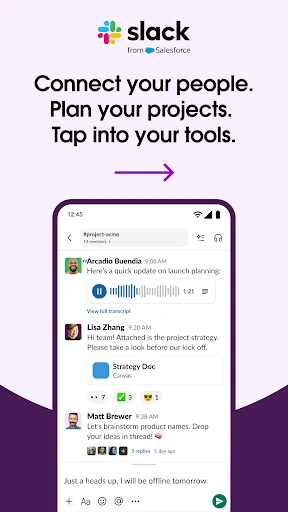
Picture a workday that starts with a quick project check-in and ends with a file handoff. In Slack, a team can keep those exchanges in a dedicated channel rather than letting them disappear into one long group chat. I like that basic idea: when I return to a project conversation, the surrounding messages give me context, and I can share a file right where the discussion is happening.
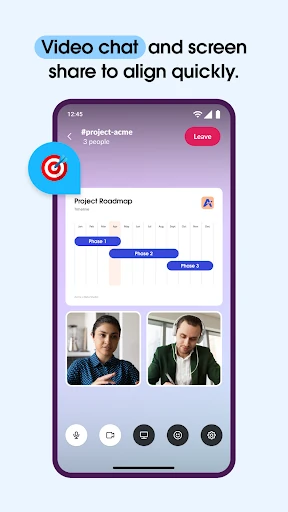
For a more involved question, a typed message may not be the best way to explain it. Slack supports video chats with screen sharing, as well as recorded audio or video clips for ideas that need more than a sentence. I can imagine using a short clip to walk a teammate through a complicated point, then leaving the channel conversation available for others to catch up.
More Than a Group Chat
The obvious alternative is a basic messaging app, but Slack is designed to connect conversations with project work. Shared documents can sit alongside team discussions, and project tools can cover tasks, assignments, and milestones. Its description also points to connections with other work apps, including Google Drive, Dropbox, Asana, Figma, and Zendesk. That makes it better suited to coordinated work than casual messaging between friends.
Slack is not simply a to-do list, a document editor, or a video meeting app by itself. Its strength is bringing those kinds of work into a shared communication space, not replacing every specialized tool a team already uses. Some project features require an upgrade, and Slack AI requires an add-on. I would see it as a home base for collaboration, rather than a complete substitute for every work app.
Keep Conversations Findable
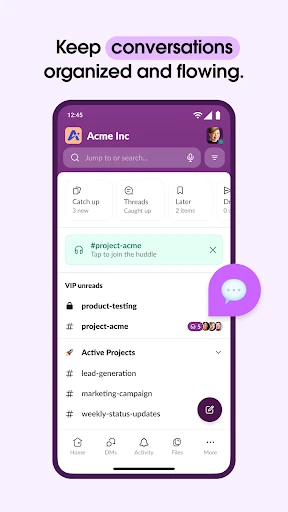
The channel approach works best when a team gives conversations a little structure. I would keep project discussions in their matching channels and avoid turning every question into a new, disconnected exchange. That small habit makes it easier to revisit decisions and find relevant context later. Slack’s organization is useful, but it depends on people being reasonably consistent about where they post.
I would also use the format that fits the moment. A quick question can stay in text, while a complicated explanation may be clearer as an audio or video clip, or in a live video chat with screen sharing. When a project needs more structure, shared docs and project tools can keep plans and tasks close to the conversation. These choices help Slack feel less like an endless stream of messages.
More From Our News Desk

Zoom Meetings, Google Meet, or Teams: Which Is Easiest to Join?

How I Build a Free Streaming Lineup With Tubi

Why Crunchyroll Is the Default Anime App for So Many Fans

YouTube TV: A Practical Guide to Cutting Cable

Rummikub and the Small Comfort of Phone Games

TeamViewer Remote Control or AnyDesk for Helping Family?
Who May Find Slack Useful
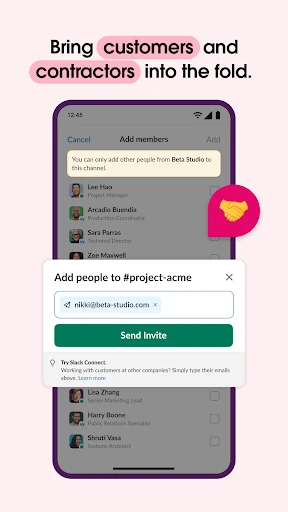
I would recommend Slack to people who work with a team and need a shared place for project conversations, files, and coordination. It looks especially useful when work involves different groups or outside partners, since the description includes collaboration with customers, contractors, and vendors. Teams that already use several work apps may also appreciate the option to access many of them from within Slack.
It may be less appealing if you only want a simple personal messenger or if your work does not involve ongoing team projects. Slack’s channels and connected tools can add structure, but they can also create more places to keep track of if a team does not use them thoughtfully. Some project capabilities and AI features also depend on paid upgrades or an add-on, so those particular tools are not part of the basic experience.
Slack is published by SLACK TECHNOLOGIES L.L.C. on Google Play, where it has over 50 million installs and a 4.6-star rating from about 225,000 ratings. The app is free to download, and the supplied store details show no in-app purchases or ads. Its content rating is Everyone, making the store’s age classification broad.
The supplied version is 26.10.30.0. Slack first appeared on July 22, 2013, and the stated last update is October 26, 2026. The Android version requirement is not included in the provided store details, so check Google Play for the requirement shown for your device.
How Slack Fits Into the Workday
A Practical First Impression
When I first considered Slack, the clearest idea was not any single feature; it was the way work is grouped around teams and projects. That gives conversations a purpose beyond sending messages back and forth. Instead of treating a team’s files, planning, and questions as separate worlds, Slack puts them near the conversations where they matter.
I would start by thinking about the work I want to organize: a project, a team, or an ongoing collaboration. Slack’s description supports dedicated channels for projects and collaboration with people inside and outside a company. I would not assume every project tool is included in every plan, though, since some features require an upgrade and the AI add-on is separate.
Following Work Each Day
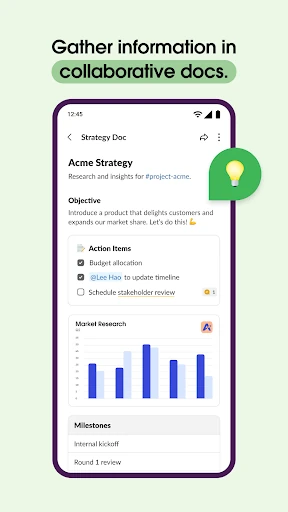
Day to day, Slack’s core appeal is having a place to talk things through without losing the project context. A channel can hold team discussion, and shared documents can live alongside those conversations. That pairing seems practical when a plan is changing: teammates can discuss the work and keep the related material close at hand instead of scattering everything across unrelated chats.
Different kinds of communication also have their place. Slack supports direct video chats and screen sharing for live discussion, while recorded audio and video clips offer another way to explain an idea. I like that range because not every question needs a meeting, but some topics are harder to explain in a short text message. The right format depends on the urgency and complexity of the conversation.
Tools Beyond Messaging
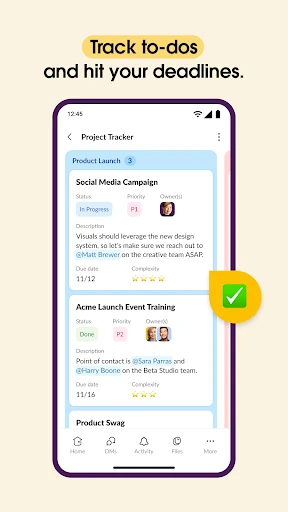
Slack’s feature set reaches beyond conversation. Its description highlights templates for setting up projects, shared docs for work such as marketing plans and product specifications, and project tools for tasks, assignments, and milestones. The templates and project-management tools marked with an asterisk require Slack Pro, Business+, or Enterprise, so I would treat them as plan-dependent options rather than assume they come with every account.
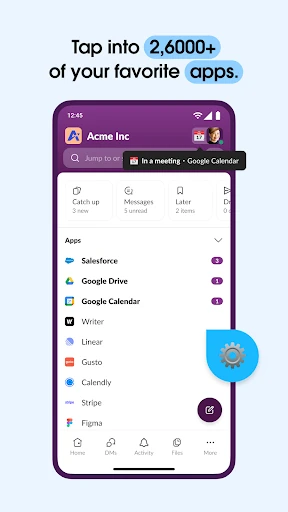
Connections to other services are another notable part of the pitch. Slack says it can access more than 2,600 apps, with examples including Google Drive, Salesforce Data Cloud, Dropbox, Asana, Zapier, Figma, and Zendesk. The description also mentions actions such as approving requests, managing a calendar, and updating file permissions without leaving Slack. Those integrations could reduce app switching for teams that use compatible tools.
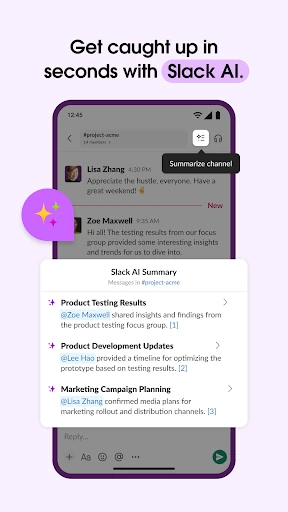
Search and AI features come with an important distinction. Slack describes AI-powered search for finding files, messages, and information, and Slack AI can take meeting notes. Both features are marked as requiring the Slack AI add-on. They may be useful for teams that need them, but they should not be mistaken for features included automatically with the basic app.
A Simple Project Routine
For a project routine, I would begin with a dedicated channel and keep its discussion focused on that work. When a plan needs more than chat, a shared document can hold the working material beside the conversation. If the team is using the relevant upgraded tools, tasks and milestones can add another layer of structure. That gives people a straightforward path from discussion to the work that needs doing.
At the end of a busy day, a quick scan of the project channel can help bring open questions and recent context back into view. For a complicated point, I would choose a short recorded clip or arrange a video chat with screen sharing rather than force a long text explanation. Slack gives teams several ways to communicate, but the practical benefit comes from choosing a format that respects everyone’s time.
Limits to Keep in Mind
Slack’s breadth is also its main challenge. Channels, integrations, files, and project features can be helpful, but a team still needs shared habits to keep information organized. If people post the same topic in several places or create channels without a clear purpose, the intended structure can become harder to follow. I would think of organization as part of using Slack, not something the app can do entirely on its own.
The other limit is that some of the more ambitious capabilities depend on paid plans or an add-on. Project templates and project-management tools require Slack Pro, Business+, or Enterprise, while Slack AI features require the Slack AI add-on. A team interested in those tools should check the current Google Play information and relevant plan details before building a workflow around them.
Finally, Slack is oriented toward work and collaboration, not general-purpose personal communication. Its value depends on having a team, projects, or connected work tools to bring into the space. For someone who only needs occasional one-to-one messages, its broader set of collaboration features may be more than necessary.
Slack makes the most sense as a shared work hub: channels keep project conversations together, while files, meetings, clips, and connected apps support different parts of collaboration. I like the flexibility, but teams will get more from it if they keep their channels purposeful and understand which features require an upgrade or add-on.
I would recommend Slack to people coordinating ongoing work with colleagues or external partners, especially when several tools and kinds of conversation are involved. If all you need is a basic messenger, it may be more app than you want. For team communication with room to organize projects, though, it is a capable option.
Slack Frequently Asked Questions
What is Slack used for?
Slack is a team communication and collaboration app. Teams can use project channels to talk through work, share files and documents, hold video chats with screen sharing, and send recorded audio or video clips. It also connects with work apps and offers project tools, though some project features and AI capabilities require paid upgrades or an add-on.
Which devices can run Slack?
Slack is available as an Android app on Google Play. The supplied information does not describe other platforms or device requirements, so check the current Google Play page for compatibility with a particular Android phone or tablet. The Android version requirement can vary by release and device, and the store is the best place to verify it.
What Android version does Slack require?
The Android version requirement is not included in the supplied app details. Google Play shows the compatibility information relevant to your device, so check the Slack store page before installing or updating. Requirements can vary as the app changes, and the version shown in the store is the useful one to consult for your phone or tablet.
Does Slack cost money to use?
Slack is free to download on Google Play, and the supplied details show no in-app purchases. However, the description says some templates and project-management tools require Slack Pro, Business+, or Enterprise, while Slack AI requires an add-on. Check Google Play and Slack’s current plan information for any costs or terms that may apply.
Is Slack a good fit for personal use?
Slack is primarily described as a place for team communication, project collaboration, files, and work apps. It may suit someone coordinating ongoing work with colleagues, customers, contractors, or vendors. If you only want occasional personal messages, its broader collaboration setup may be unnecessary. The best fit depends on whether you have projects or a team to organize.
Pros
- Project channels keep team conversations organized around dedicated work.
- Supports text, live video, screen sharing, and recorded clips.
- Connects with a broad range of work apps and services.
- Shared documents and project tools keep collaboration close to discussion.
Cons
- Some templates and project-management tools require an eligible paid plan.
- Slack AI features require a separate add-on.
- Teams need consistent habits to keep channels and information organized.
- Category
- Business
- Version
- 26.10.30.0