Zeus
- 30.95K
- 4.6
- Installs
- 1.00M
- Price
- Free

Screenshots
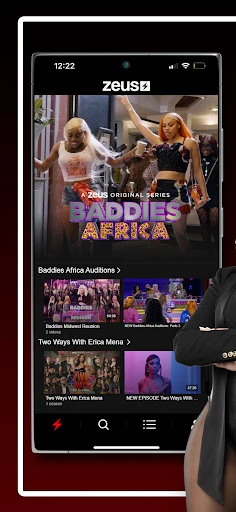
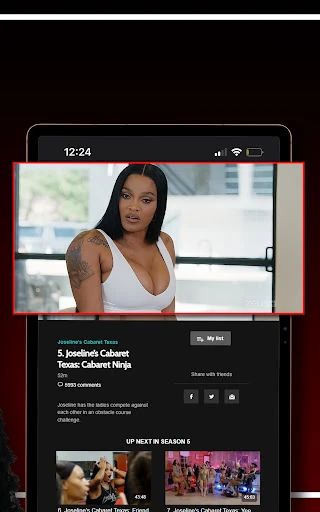






Analysis by Reviewed APKs
Zeus is a video-on-demand app for watching premium entertainment, including exclusive multi-episode original series associated with social media creators. It suits viewers who want a dedicated place for that kind of programming rather than another general-purpose streaming catalog. After looking at what it offers, my take is straightforward: Zeus has a clear entertainment focus, but its appeal depends on whether its particular shows and subscription model fit your viewing habits.
A focused watch-night option
When I’m picking something to watch after dinner, a focused streaming service can be easier to approach than a giant library spanning every genre. Zeus is built around premium video programming and original series, so the basic job is simple: open the service to watch entertainment made for its audience. The multi-episode format also gives viewers a reason to return to a series over several evenings instead of treating every visit as a one-off.
What stands out in that scenario is the emphasis on shows connected to social media influencers and content creators. If I already follow that kind of entertainment, Zeus gives me a dedicated destination for longer-form programming rather than just short clips encountered elsewhere. The experience is most relevant when I’m in the mood to settle into a series; it is less compelling as a general answer to every possible streaming-night question.
Not an all-purpose streamer
Compared with a broad, general entertainment service, Zeus has a narrower identity. Its programming centers on premium subscription video and exclusive Zeus Original Series, rather than promising a little of everything. That focus can be a plus when I know I want creator-led entertainment, because the service has a clear reason to exist. It also means I wouldn’t choose it as my only streaming option if I wanted a wide mix of unrelated types of programming.
Zeus is also not a social-media feed or a tool for making videos. The description presents it as a video-on-demand network for watching original programming, not as a place to post content or manage a creator account. I’d think of it as a specialist viewing service: worth considering for its particular catalog, but not automatically a replacement for whichever broader services or free video sources I already use.
Make viewing a small habit
A simple way to get more from an episodic service is to treat it as the home for one show at a time. I might choose a series when I have a relaxed evening, then return to it when I want the same kind of entertainment again. That approach fits Zeus’s emphasis on multi-episode originals without requiring me to turn watching into a complicated project or keep up with several titles at once.
It also helps to be deliberate about the kind of viewing I’m looking for before opening the app. If I’m specifically interested in creator-associated premium programming, Zeus is a more natural choice than browsing a broad catalog without a plan. If I’m undecided or want a completely different style of show, I can pick another service instead. That small distinction keeps a specialist app useful without expecting it to do everything.
More From Our News Desk

Zoom Meetings, Google Meet, or Teams: Which Is Easiest to Join?

How I Build a Free Streaming Lineup With Tubi

Why Crunchyroll Is the Default Anime App for So Many Fans

YouTube TV: A Practical Guide to Cutting Cable

Rummikub and the Small Comfort of Phone Games

TeamViewer Remote Control or AnyDesk for Helping Family?
Who will enjoy Zeus
I’d recommend Zeus to viewers who are curious about premium, creator-led entertainment and like following a series across multiple episodes. It makes the most sense for someone who recognizes the style of programming described for the network and wants a dedicated video-on-demand destination for it. The app is free to download on Android, and its catalog is framed around subscription programming, so it’s worth weighing the content against the purchase options before settling in.
It may be a weaker fit for someone who mainly wants a broad, general-purpose catalog or expects every kind of entertainment under one roof. Viewers uninterested in programming tied to social media creators may not find the central pitch especially persuasive. I’d also be cautious about treating the download as equivalent to free access to all programming: in-app purchases are offered, so anyone deciding whether it suits their budget should check the current store details.
On Google Play, Zeus is published by The Zeus Network and is categorized as an Entertainment app. It has over 1 million installs and a 4.6-star rating from about 31,000 ratings. The app is free to download, contains no ads, and offers in-app purchases. The listed in-app purchase prices range from $5.99 to $69.99 per item, so the free download should not be confused with every part of the service being free.
The content rating is Teen, and the minimum Android requirement is Android 5.0. The listed version is 9.002.3. Zeus was released on July 7, 2018, and its most recent update was May 13, 2025; the update notes mention bug fixes and performance improvements. These details describe the Android app, while available programming is presented as premium subscription video.
A Closer Look at Zeus
Getting started
My first impression of Zeus is that its purpose is easy to understand: it is a video-on-demand service for premium programming, not a general utility with entertainment tucked away as an extra. That clarity matters when I’m deciding whether to install another app. I can quickly ask myself whether creator-associated series are the kind of shows I want to spend time with, rather than guessing what the product is supposed to do.
The practical setup question is less about mastering a complicated tool and more about whether the programming and subscription approach suit me. The app is free to download, while in-app purchases are available. I’d take a moment to review the current purchase information in Google Play before making a viewing plan, especially if I’m trying to keep my entertainment spending predictable.
The everyday experience
In day-to-day use, Zeus is best understood as a place to watch premium video programming. I might open it when I want to spend an evening with an original series, then come back on another day to continue with the same kind of entertainment. The multi-episode focus lends itself naturally to repeat visits, even without treating the app as something I need to check constantly.
That focused role is both useful and defining. I’m not expecting Zeus to organize my whole media life or replace every source of video I enjoy. Instead, it gives its own programming a dedicated home. When that catalog matches my mood, the app has a clear purpose; when it doesn’t, I can simply choose another entertainment option rather than forcing Zeus to fill a different role.
Original series matter
The feature that gives Zeus its strongest identity is its roster of exclusive original series. These are described as multi-episode shows available through the Zeus website or streaming platform, which makes the service more than a label for isolated videos. For someone who enjoys following a program over time, that series-based approach offers a reason to return and spend longer with a show.
The programming is also tied to popular social media influencers and content creators. That connection shapes the kind of entertainment the network is built around, rather than being an incidental detail. I’d see this as a benefit if creator-led programming is already part of my viewing taste. If it isn’t, the same emphasis may make the catalog feel less immediately relevant than a service organized around a broader range of entertainment.
A simple viewing routine
A practical routine with Zeus could be as simple as reserving it for one or two relaxed viewing sessions a week. I might decide in advance that I’m in the mood for a creator-associated original, open the app, and give that series my attention instead of flipping between several services. That makes the specialist focus feel intentional, rather than leaving me to wonder why the app doesn’t offer every genre.
Before committing to a paid option, I’d check the purchase details shown in Google Play and match them to how often I expect to watch. The listed in-app purchase range is broad, so looking at the current choices is more useful than assuming one price applies to every viewing plan. Once I know the terms that suit me, it’s easier to decide whether Zeus belongs in my regular rotation or is an occasional stop.
Keep expectations in view
The main limitation is the narrow programming identity. Zeus is positioned around premium subscription video and creator-related originals, so it won’t automatically suit someone looking for a wide-ranging entertainment library. That isn’t necessarily a flaw; it’s a trade-off. The more closely my tastes match the network’s focus, the more meaningful its specialization is likely to feel.
The other practical consideration is cost. A free download does not mean there are no paid options, and in-app purchases are part of the app’s Google Play information. I’d check the available purchase terms and the particular programming I want before relying on Zeus as my main entertainment service. The app’s Teen content rating and Android 5.0 minimum are useful basics to consider when deciding who will use it and on which device.
Zeus has a clear job: deliver premium video entertainment, with exclusive multi-episode originals connected to social media creators at its center. I like that focus because it makes the service easy to place in a viewing routine. It works best as a specialist option for people who are genuinely interested in its style of programming.
I’d suggest trying Zeus if its creator-led series sound like the kind of entertainment you already seek out. If you want a broad catalog or a completely free viewing experience, compare the current purchase details and your expectations first. For the right audience, it could be a useful addition to an existing mix of video services.
Zeus Frequently Asked Questions
What is the Zeus app used for?
Zeus is a video-on-demand entertainment app for watching premium programming, including exclusive multi-episode original series. Its programming is associated with social media influencers and content creators. It is designed for viewing shows rather than creating or managing social media content. The Google Play description focuses on the Zeus network’s entertainment catalog.
Which devices can I use the Zeus app on?
The app is available for Android through Google Play. The Android version requires Android 5.0 or later. The network describes its programming as available across digital platforms and devices through the Zeus app and website, but the specific options can vary. Check the service or store details for current device availability.
What Android version does Zeus require?
The listed minimum requirement for the Android app is Android 5.0. Google Play shows version 9.002.3, though the version available to you can change as the app is updated. If you are unsure whether your device is supported, check the Zeus Google Play page for the current compatibility details before installing.
Is the Zeus app free, and does it have in-app purchases?
Zeus is free to download on Google Play and offers in-app purchases. The listed prices range from $5.99 to $69.99 per item, so the download price does not necessarily cover all programming or viewing options. Purchase details can change, so check the store page for current prices and terms before buying.
Who is the Zeus app best suited for?
Zeus may suit viewers who enjoy premium entertainment connected to social media creators and want to watch exclusive original series. Its focus is more specialized than a broad, all-purpose catalog, so it may be less appealing if that programming is not your taste. The app has a Teen content rating; families should consider that when deciding who will watch.
Pros
- A clear focus on premium, creator-associated entertainment.
- Exclusive multi-episode originals give series fans a reason to return.
- Free to download and contains no ads.
- Android 5.0 minimum supports a range of older Android versions.
Cons
- Its creator-led programming focus may not suit every viewer.
- In-app purchases mean the free download does not cover every option.
- A specialist catalog may not replace a broad streaming service.
- Category
- Entertainment
- Version
- 9.002.3











