zeta: AI Chat, Story, Play
- 48.00K
- 4.7
- Installs
- —
- Price
- Free

Screenshots
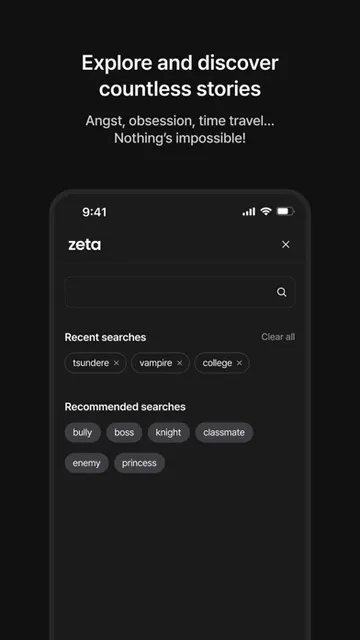
Analysis by Reviewed APKs
zeta: AI Chat, Story, Play is an interactive storytelling app where you chat with AI characters and steer the plot as you go. It suits readers who would rather shape a romance, fantasy or drama than follow a fixed story. I like the idea of treating a chat as a flexible writing prompt: there is room to improvise, make a character, and turn a favorite moment into an image.
A Story on Your Schedule
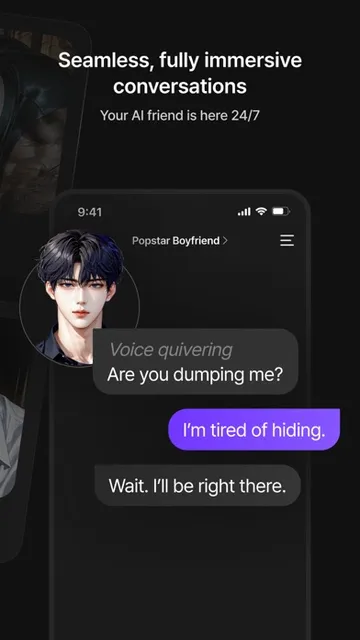
When I first opened zeta, I pictured using it in the small gaps of a day: a few minutes on the bus, a quiet break, or a longer stretch on the couch. The basic loop is simple: choose a character, send a message, and let the exchange become a story. Instead of reading a scene from the sidelines, I can decide what my character says and nudge events in a different direction.
That makes it easy to pick up an idea without needing to plan an entire plot first. I might start with a tense conversation or a fantasy encounter and see what develops through the replies. If I run out of words, Smart Reply offers a way to keep the exchange moving. The appeal is less about finishing a polished novel and more about enjoying an open-ended scene one message at a time.
More Play Than Book
Compared with a conventional ebook or a finished short story, zeta gives me more say in what happens next. Its characters and settings provide a starting point, but the chat format leaves the direction open. That is a good fit when I want to test a plot twist, play out a conversation, or spend time in a fictional world without committing to a long, fixed narrative.
It is not a replacement for a carefully edited book, and I would not choose it when I want a complete story with a dependable beginning and ending. The experience centers on character chats and user-directed scenes, rather than a traditional reading list. People who prefer a tightly controlled plot or mainly want a writing tool for finished prose may find the conversational approach less satisfying.
Small Ways to Steer
I would get the most out of zeta by treating each chat as a scene with a simple intention. A clear reply can give the character something concrete to react to, while a deliberate change in tone can move the story toward comedy, drama, or romance. If the conversation stalls, Smart Reply is there as a prompt rather than a requirement; I can use it to get unstuck and then put my own spin on the next turn.
There is also a useful distinction between browsing someone else's character and building one of my own. A quick character description can establish a personality and give a chat its starting point, while keeping a creation private or sharing it offers different ways to use it. Saving an image from a favorite chat moment can add a visual bookmark to a story I want to remember.
More From Our News Desk

Zoom Meetings, Google Meet, or Teams: Which Is Easiest to Join?

How I Build a Free Streaming Lineup With Tubi

Why Crunchyroll Is the Default Anime App for So Many Fans

YouTube TV: A Practical Guide to Cutting Cable

Rummikub and the Small Comfort of Phone Games

TeamViewer Remote Control or AnyDesk for Helping Family?
Who May Enjoy zeta
I would recommend zeta to anyone who likes interactive fiction, character role-play, or making up scenes in conversation. It is especially appealing if you enjoy having control over a story's turns rather than simply watching events unfold. The ability to create a character also gives imaginative users a way to start with their own premise, instead of relying only on the characters already available.
It may be a weaker fit for readers who want a finished, edited narrative, or for anyone who dislikes chatting with AI characters as the main activity. The format rewards a willingness to improvise and to accept an open-ended exchange. Its App Store age rating is 12+, so families should consider that rating and the kinds of fictional conversations their younger users may encounter.
zeta: AI Chat, Story, Play is an entertainment app from Scatter Lab, Inc. On the Apple App Store, it has a 4.7-star rating from around 48,000 ratings. The app is free to download. Its content rating is 12+, and the listed minimum requirement is iOS 15.5.
The version provided is 3.51.4. The app was released on May 30, 2022, and its most recent update is dated October 21, 2026. These practical details can change over time, so I would check the App Store page for the current device requirements and availability before installing.
Letting a Chat Become a Story
Starting With a Character
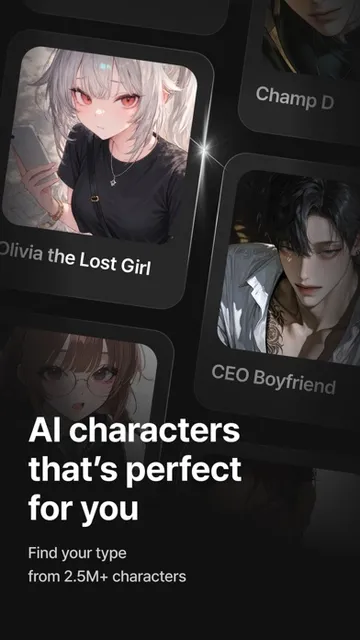
My first impression is that zeta is built around getting into a fictional exchange quickly. Its premise is easy to understand: find a character that suits the mood, begin chatting, and shape the story through the conversation. The description covers genres from romance and fantasy to drama and comedy, which gives the app a broad imaginative range without requiring me to arrive with a fully formed plot.
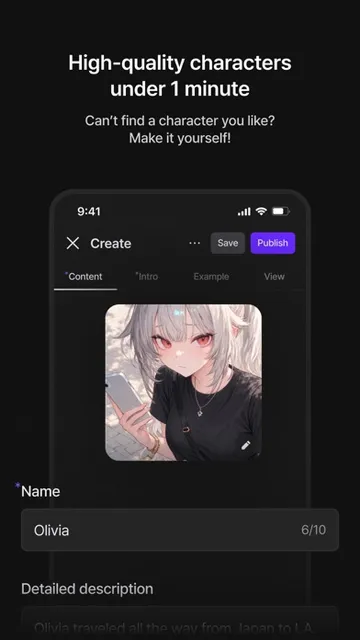
For a more personal starting point, zeta lets users make an AI character by supplying a name, personality, and short description. I like that this sounds approachable for a casual idea, not just a carefully written character profile. The creation can be kept private or shared, so users can decide whether a character is for their own stories or something to show others.
The Chat in Daily Use
The conversation is the main event, and that changes the rhythm from reading. A character responds to what I say, and I can take the scene in a new direction with the next message. I might turn a friendly exchange into a rivalry, slow down a romance, or introduce a second chance. The story is not locked to one route, so each user's choices can give a scene its own shape.
That freedom also means I have to participate. Someone looking for a passive way to pass time may prefer a show or book, while zeta is better suited to people who enjoy writing short replies and deciding what a character should do next. Smart Reply can help when I need a nudge, but the central pleasure still comes from choosing how I want the conversation to unfold.
Images and Character Creation
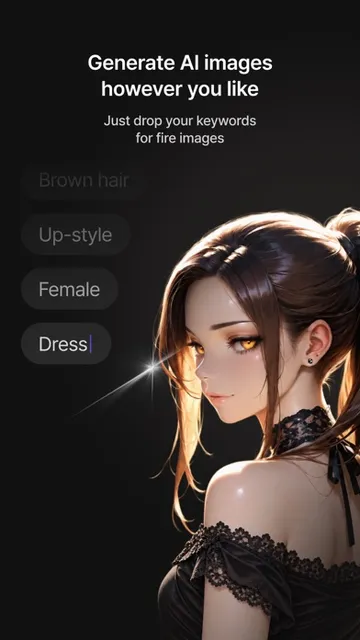
One feature that stands out is the option to turn a chat moment into an AI-generated image. It gives a story a visual keepsake, which could make a particularly dramatic or sweet exchange feel more memorable than text alone. The app describes the process as taking about 15 seconds. I would treat the image as an illustration of an imagined scene, rather than expecting it to replace the conversation itself.
Character creation is the other feature that makes zeta feel more like a creative space than a set of chat prompts. A user can add a name, personality, and a simple description, then start chatting with that creation. Keeping it private or sharing it offers a choice about how public the idea should be. That flexibility is useful for both personal experiments and characters intended for other people to discover.
A Low-Pressure Routine
A practical way to use zeta is to keep a few different story moods in mind and choose a character to match the time available. A brief break can be enough for a single exchange, while a longer session leaves room to build a scene through several turns. I would start with a clear opening message, respond to what the character gives me, and use Smart Reply if I hit a blank moment.
When a chat produces a scene worth keeping, the image feature can turn that moment into an illustrated snapshot. For a recurring idea, creating a character with a concise personality and description can make it easier to return to that world. The app also lets users build settings and continue stories in their own creative space, which supports a more sustained routine than treating every chat as a one-off.
Keep Expectations Flexible
The open-ended format is zeta's strength, but it is also something to keep in mind. A chat can be steered in many directions, yet that is different from reading a finished narrative with a planned structure. If I want a consistent, carefully edited plot, I may be happier with a book. Here, the experience depends on participating and deciding what I want the next scene to become.
The app's description emphasizes free, unlimited AI character chats without a per-message charge. That makes the format inviting to explore, though I would still check the App Store page for current details before downloading. The listed age rating is 12+, and the minimum requirement is iOS 15.5. Those are practical details worth weighing alongside whether character-based chat is the kind of entertainment I enjoy.
zeta is an inviting choice when I want to play with a story instead of just consuming one. Character chats, user-created personalities, Smart Reply, and illustrated chat moments give the experience several creative angles. Its best use is casual, self-directed storytelling, where an unexpected turn is part of the fun rather than a distraction from a fixed plot.
I would recommend it to imaginative readers who enjoy role-play and short-form creative exchanges, especially those curious about building their own characters. If I wanted a complete novel or a passive entertainment app, I would look elsewhere. But for an interactive story that can shift with each message, zeta has a clear and appealing purpose.
zeta Frequently Asked Questions
What do people use zeta: AI Chat, Story, Play for?
zeta is for chatting with AI characters and shaping interactive stories through conversation. Users can explore characters across genres such as romance, fantasy, drama, and comedy, make their own characters, and turn chat moments into AI-generated images. It is designed for imaginative, user-directed scenes rather than only reading a finished story.
Which devices can run zeta: AI Chat, Story, Play?
The app is available for iOS through the Apple App Store. The listed minimum requirement is iOS 15.5. I would check the App Store page for the latest compatibility information, since device requirements and availability can vary over time.
How much does zeta: AI Chat, Story, Play cost?
zeta is free to download on the Apple App Store, and its description says character chats are free and unlimited without a per-message charge. Other current purchase or pricing details may vary, so check the App Store page before downloading for the latest information.
Is zeta: AI Chat, Story, Play suitable for younger users?
The Apple App Store gives zeta a 12+ content rating. The app focuses on fictional character conversations and interactive storytelling. Suitability depends on the individual user and the kinds of stories they choose, so families may want to review the store rating and consider whether this style of AI chat is appropriate.
Is zeta: AI Chat, Story, Play right for someone who just wants to read?
It may not be the best fit if you want a complete, passive reading experience. zeta centers on chatting, making choices, and steering scenes as they unfold, so it suits people who enjoy participating in a story. If you prefer fixed plots and edited prose, a conventional book may be a better match.
Pros
- Interactive character chats let users steer stories across several fictional genres.
- Users can create characters and choose whether to keep them private or share them.
- Smart Reply offers a prompt when a conversation is difficult to continue.
- Chat moments can become AI-generated illustrated snapshots.
Cons
- The chat-first format requires active participation rather than passive reading.
- Open-ended scenes may not satisfy readers looking for a tightly plotted finished story.
- The listed minimum requirement is iOS 15.5.
- Category
- Entertainment
- Version
- 3.51.4











