YouMail: Block Spam on Android
- 113.63K
- 4.1
- Installs
- 5.00M
- Price
- Free

Screenshots

Analysis by Reviewed APKs
YouMail: Block Spam on Android is a communication app for people who want fewer known spam calls, help identifying scam texts, and an optional visual voicemail inbox. I found its free call blocking and voicemail tools the clearest place to start, with more protection available through paid plans. It is a practical choice if unwanted calls interrupt your day, though it takes some setup to make voicemail part of your routine.
A Quieter Phone Day
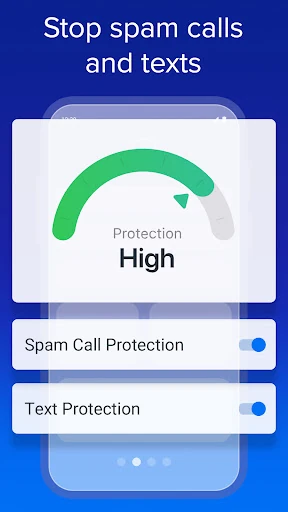
Picture a busy weekday: I am expecting a delivery call, working through messages, and trying not to answer every unfamiliar number. YouMail’s free call blocking is designed to block numbers identified as spam, while its text feature can identify scam messages from known spammers. That gives the app a useful role between doing nothing and screening every caller. It is aimed at reducing familiar nuisance traffic, not making the phone disappear from daily life.
When I first considered that routine, the optional voicemail inbox stood out as a useful companion to blocking. Instead of treating voicemail as an afterthought, YouMail offers visual voicemail and smart greetings intended to add protection. I could check messages in the app when I had a moment, rather than interrupting a task for every ring. The free Privacy Scan also broadens the idea beyond incoming calls by helping identify where personal information appears online.
A Blocker, Not a Phone Suite
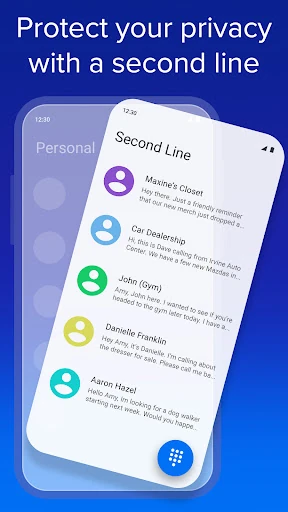
Compared with simply ignoring unknown calls or relying on a phone’s built-in call controls, YouMail brings known-spammer blocking, scam-text identification, and optional voicemail into one service. The free tier is the natural starting point if the main goal is to cut down on common robocalls. Paid Plus adds Call Screening for unknown callers and data-broker removal, while Essentials adds a second number, described for iPhone use in the app material.
That makes YouMail more focused than a general messaging app or a replacement for every part of a phone’s communication setup. Its purpose is protection and voicemail, rather than organizing conversations across every channel. The app also cannot make every unfamiliar call harmless: the description notes that callers can change numbers and use spoofing tactics. If you want a second number on Android specifically, check the current store details before choosing a plan.
Small Habits That Help
I would start by activating the free blocking service and deciding whether to turn on the optional visual voicemail. That keeps the first pass simple: let YouMail handle known spam numbers, then use the inbox when a call leaves a message. Taking a moment to review voicemail at a convenient time can be more manageable than repeatedly stopping what I am doing to answer every unfamiliar ring.
A second useful habit is to share a screenshot of a suspicious call with YouMail if the app misses it, a reporting option described in the recent changes. I would also revisit the paid features only after seeing what the free tools do for my own call pattern. If privacy scanning matters to me, I can use the free Privacy Scan to see where personal information is exposed, then decide whether Plus’s removal service is relevant.
More From Our News Desk

Zoom Meetings, Google Meet, or Teams: Which Is Easiest to Join?

How I Build a Free Streaming Lineup With Tubi

Why Crunchyroll Is the Default Anime App for So Many Fans

YouTube TV: A Practical Guide to Cutting Cable

Rummikub and the Small Comfort of Phone Games

TeamViewer Remote Control or AnyDesk for Helping Family?
Who May Find It Useful
I would recommend YouMail to people who regularly receive robocalls or suspicious texts and want a dedicated place for blocking, voicemail, and a basic privacy scan. It also makes sense for someone who prefers to check voicemail visually instead of treating each message as an urgent interruption. The free tier gives those users a way to try the core tools before deciding whether paid call screening or other protection fits their needs.
It may be less appealing if you rarely receive unwanted calls, do not want to activate another voicemail service, or expect every unknown caller to be screened on the free tier. Call Screening and data-broker removal are paid Plus features, and the additional number belongs to Essentials. I would also be cautious about choosing it solely for that second line on Android, since the description presents that feature as an iPhone use case.
YouMail: Block Spam on Android is developed by YouMail, Inc and is listed in Google Play as a free communication app with optional in-app purchases. Google Play shows over 5 million installs and a 4.1-star rating from about 114,000 ratings. The listed in-app purchase range is $7.99 to $239.99 per item. The app contains ads according to the supplied store facts? No: it does not contain ads.
The app is rated Everyone and requires Android 10 or later. The supplied version is 7.2.1, and its listed release date is June 17, 2011. The most recent update date provided is January 27, 2026. Store details can change over time, so I would check Google Play for the current version and purchase options before installing or upgrading.
How YouMail Fits Into Everyday Calling
A Focused First Look
My first impression is that YouMail is built around a specific frustration: unwanted calls and messages. The free service centers on blocking known spammers, identifying scam texts, and offering optional in-app voicemail. That focus is helpful because it gives a new user a clear starting point instead of requiring a paid plan to understand the app’s basic purpose.
Getting started means activating spam blocking and deciding whether to use the safe visual voicemail option. I would make that choice deliberately, especially if I already rely on a different voicemail setup. The description says the service gets to work after activation, so setup is part of the experience rather than something to leave for later.
The Daily Call Flow
In regular use, the main benefit is less attention spent on numbers the service already recognizes as spam. YouMail says it blocks known spam numbers identified by its users, and it can identify scam texts from known spammers. That makes it a practical filter for recurring nuisance traffic, while calls from unfamiliar or changing numbers remain a separate challenge.
I would treat the voicemail inbox as a convenient place to catch up, not as a reason to expect every call to be handled automatically. The app’s optional visual voicemail and smart greetings give voicemail a more active role. If I use another voicemail arrangement, I would first consider whether switching or adding this option suits the way I already handle missed calls.
Protection Beyond Blocking
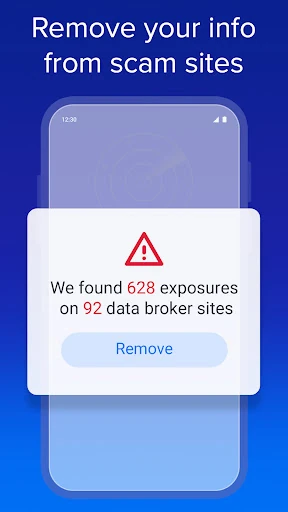
The free Privacy Scan is one of the more distinctive pieces of the service. It is intended to show where personal information is exposed online, which takes the app’s scope beyond calls and texts. Plus goes further by offering removal of exposed information from data-broker websites, along with enhanced text and voicemail protections.
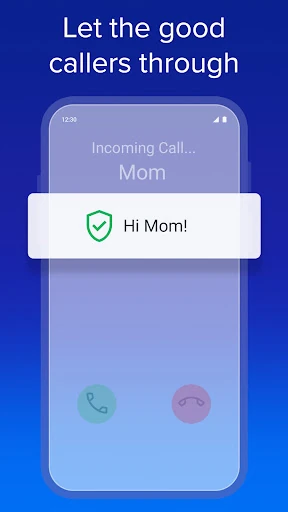
Call Screening is the paid feature that changes how unknown callers are handled: the description says callers must prove they are legitimate. That is a different approach from simply blocking numbers already identified as spam. The recent changes also describe an option to screenshot and share a suspicious call that the service missed, giving users a way to report a possible gap.
A Simple Weekly Routine
A sensible routine would be to activate the free blocker, leave visual voicemail off or on according to my preference, and check messages at a regular quiet moment. If a suspicious call gets through, I can use the screenshot-sharing option described in the update to report it. These small steps make the app easier to evaluate without committing immediately to a paid tier.
After a week or two, I would consider whether unknown calls are still a major interruption. If they are, Plus’s Call Screening may be worth examining; if exposed personal information is the concern, I would look at the Privacy Scan and the paid removal feature. Essentials adds a second number, but its described use case is on iPhone, so Android users should verify that detail in the store.
Limits to Keep in Mind
The free blocker focuses on known spam numbers, and scammers can change numbers or use spoofing tactics. That means I would not treat it as a universal filter for every unwanted call. The stronger screening option is part of Plus, so users who need that specific feature should factor in the paid plan rather than assuming it comes with the free service.
YouMail also asks users to make a choice about voicemail, and that may not suit someone who wants to keep an existing setup untouched. Paid plans add features but also introduce a wide in-app purchase range. Finally, the app’s description places its extra-number feature in an iPhone context, so it is not a reason on its own to install the Android app.
YouMail is a focused option for people who want to tackle known spam calls, identify scam texts, and bring voicemail into one app. I like that its free tools provide a reasonable starting point, while Plus separates out call screening and data-broker removal. The main trade-off is that stronger protection costs extra and familiar-number blocking cannot cover every caller tactic.
I would try YouMail if nuisance calls are a regular annoyance and I am comfortable activating its blocking and optional voicemail tools. If I need screening for unknown callers, I would review Plus before relying on the app for that job. It is less compelling for someone who rarely gets spam or wants a complete communication hub.
YouMail Frequently Asked Questions
What is YouMail: Block Spam on Android used for?
YouMail is used to block known spam callers, identify scam texts from known spammers, and provide optional visual voicemail with smart greetings. Its free Privacy Scan can help identify where personal information is exposed online. Paid Plus adds Call Screening and data-broker removal, while Essentials adds a second number described for iPhone use.
Which devices can run YouMail: Block Spam on Android?
The app is available on Android through Google Play and requires Android 10 or later. The supplied description also discusses an iPhone second-number feature, but the Android app’s compatibility details should be checked in Google Play. Device-specific availability and requirements can change, so it is worth checking the store page for your phone.
Does YouMail: Block Spam on Android cost money?
YouMail is listed as free to install and use, with optional in-app purchases. The supplied store facts give an in-app purchase range of $7.99 to $239.99 per item. Free features include blocking known spammers, identifying scam texts, optional voicemail, and a Privacy Scan; paid plans add other services. Check Google Play for current purchase details.
What Android version does YouMail: Block Spam on Android need?
The supplied Google Play facts say YouMail requires Android 10. For the best match with your specific phone, check the app’s current Google Play page, since requirements and compatibility details can change. The listed app version is 7.2.1, with an update date of January 27, 2026.
Is YouMail: Block Spam on Android a good fit for me?
It may suit someone who receives unwanted calls or suspicious texts and wants optional visual voicemail in the same app. The free tier is a practical starting point. It may be less suitable if you want all unknown callers screened without paying, do not want to change voicemail habits, or are looking for a general messaging app rather than a call-protection service.
Pros
- Free blocking for known spam numbers, plus identification of scam texts from known spammers.
- Optional visual voicemail and smart greetings add a useful missed-call workflow.
- Free Privacy Scan extends the service beyond incoming calls and messages.
- Paid plans add Call Screening and data-broker removal for users seeking more protection.
Cons
- The free blocker focuses on known spam numbers, so changing or spoofed numbers may still get through.
- Call Screening and data-broker removal require a paid plan.
- The second-number feature is described as an iPhone use case, limiting its relevance to Android users.
- Category
- Communication
- Version
- 7.2.1











